Remote Controlled Car Gets Active Suspension

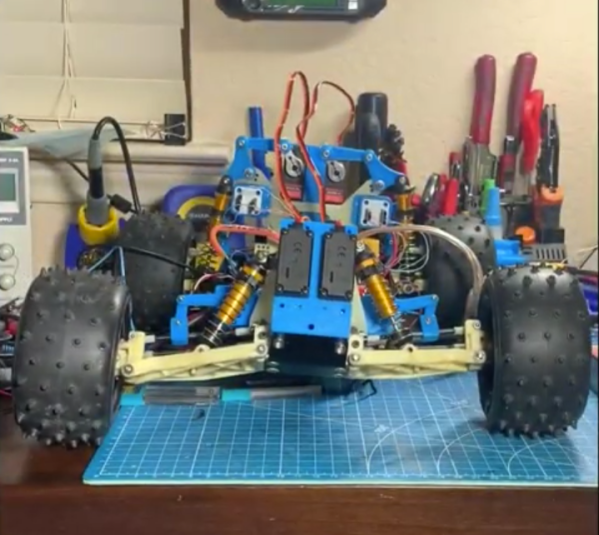
Active suspensions are almost a holy grail for cars, adding so much performance gain that certain types have even been banned from Formula 1 racing. That doesn’t stop them from being used on a wide variety of luxury and performance cars, though, as they can easily be tuned on the fly for comfort or improved handling. They also can be fitted to remote controlled cars as [Indeterminate Design] shows with this electronic servo-operated active suspension system for his RC truck.

Each of the four servos used in this build is linked to the mounting point of the existing coilover suspension on the truck. This allows the servo to change the angle that the suspension is positioned while the truck is moving. As a result, the truck has a dramatic performance enhancement including a tighter turning radius, more stability, and the capability of doing donuts. The control system runs on an Arduino with an ESP32 to enable live streaming of data, and also includes an MPU6050 to monitor the position of the truck’s frame while it is in motion.

There’s a lot going on in this build especially with regard to the control system that handles all of the servos. Right now it’s only programmed to try to keep the truck’s body relatively level, but [Indeterminate Design] plans to program several additional control modes in the future. There’s a lot of considerations to make with a system like this, and even more if you want to accommodate for Rocket League-like jumps. Continue reading “Remote Controlled Car Gets Active Suspension”

You Need An Automated Overhead Camera Assistant

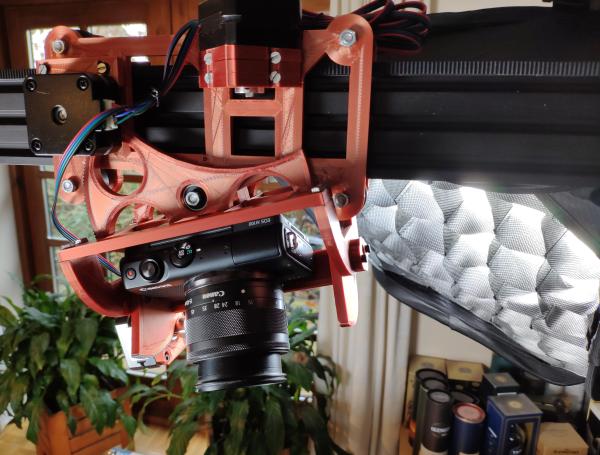
It’s 2021. Everyone and their mother is filming themselves doing stuff, and a lot of it is super cool content. But since most of us have to also work the video capture devices ourselves, it can be difficult to make compelling footage with a single, stationary overhead view, especially when there are a lot of steps involved. A slider rig is a good start, but the ability to move the camera in three dimensions programmatically is really where it’s at.

[KronBjorn]’s excellent automated overhead camera assistant runs on an Arduino Mega and is operated by typing commands in the serial monitor. It can pan ±20° from straight down and moves in three axes on NEMA-17 stepper motors. It moves really smoothly, which you can see in the videos after the break. The plastic-minimal design is interesting and reminds us a bit of an ophthalmoscope phoropter — that’s that main rig at the eye doctor. There’s only one thing that would make this better, and that’s a dedicated macro pad.

If you want to build your own, you’re in luck — there’s quite a lot of detail to this project, including a complete BOM, all the STLs, code, and even assembly videos of the 3D-printed parts and the electronics. Slide past the break to check out a couple of brief demo videos.

Not enough room for a setup like this one? Try the pantograph version.

Continue reading “You Need An Automated Overhead Camera Assistant”

Eyecam Is Watching You In Between Blinks

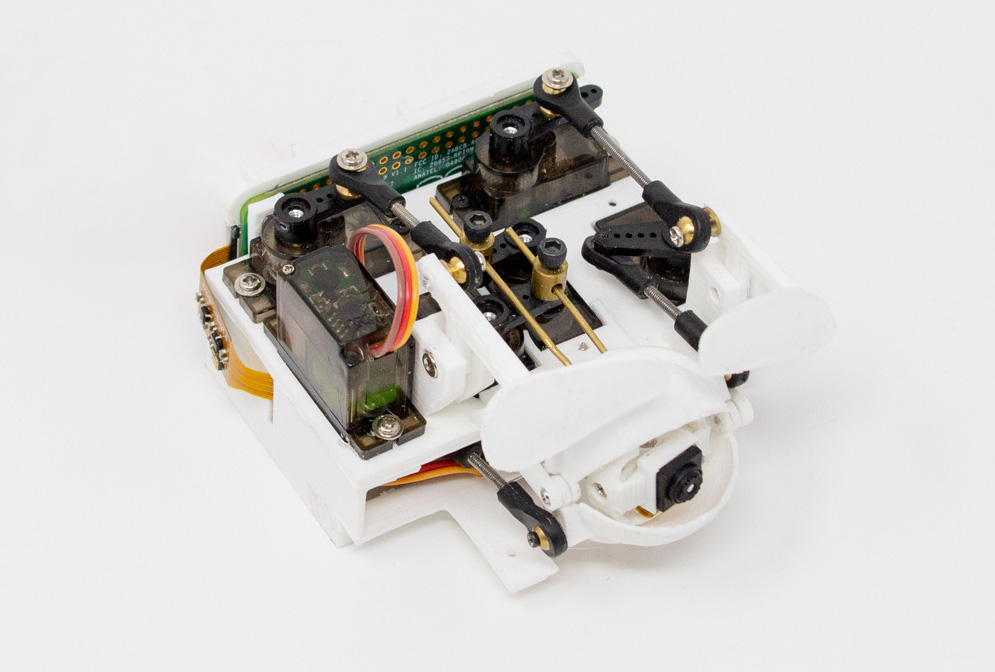
We will be the first to admit that it’s often hard to be productive while working from home, especially if no one’s ever really looking over your shoulder. Well, here is one creepy way to feel as though someone is keeping an eye on you, if that’s what gets you to straighten up and fly right. The Eyecam research project by [Marc Teyssier] et. al. is a realistic, motorized eyeball that includes a camera and hangs out on top of your computer monitor. It aims to spark conversation about the sensors that are all around us already in various cold and clinical forms. It’s an open source project with a paper and a repo and a how-to video in the works.

The eyebrow-raising design pulls no punches in the uncanny department: the eye behaves as you’d expect (if you could have expected this) — it blinks, looks around, and can even waggle its brow. The eyeball, brow, and eyelids are actuated by a total of six servos that are controlled by an Arduino Nano.

Inside the eyeball is a Raspberry Pi camera connected to a Raspi Zero for the web cam portion of this intriguing horror show. Keep an eye out after the break for the Eyecam infomercial.

Creepy or fascinating, it succeeds in making people think about the vast amount of sensors around us now, and what the future of them could look like. Would mimicking eye contact be an improvement over the standard black and gray oblong eye? Perhaps a pair of eyes would be less unsettling, we’re not really sure. But we are left to wonder what’s next, a microphone that looks like an ear? Probably. Will it have hair sprouting from it? Perhaps.

Yeah, it’s true; two eyes are more on the mesmerizing side, but still creepy, especially when they follow you around the room and can shoot frickin’ laser beams.

Continue reading “Eyecam Is Watching You In Between Blinks”

Learn Multirotors From First Principles

Multirotors, or drones as they’re popularly called, are so ubiquitous as to have become a $10 toy. They’re no less fun to fly for it though, and learning how they work is no less fascinating. It’s something [Science Buddies] has addressed in a series of videos examining them from first principles. They may be aimed at youngsters, but they’re still an entertaining enough watch for those of advancing years.

Instead of starting with a multirotor control board, the video takes four little DC motors and two popsicle sticks to make a rudimentary drone frame. Then with the help of dowels and springs it tethers the craft as the control mechanisms are explained bit by bit, from simple on-off motor control through proportional control to adding an Arduino and following through to how a multirotor stays in flight. It’s instructional and fun to watch, and maybe even for some of us, a chance to learn something.

We’ve had multirotor projects aplenty here over the years, but how about something completely different made from popsicle sticks?

Continue reading “Learn Multirotors From First Principles”

Hacking The Classroom

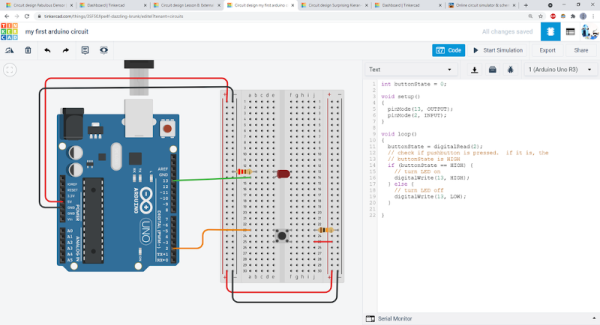
With so many students attending class virtually these days, how can you give kids — or adults — some hands on experience with electronics projects? [Ben Finio] says you can by moving your lab to the virtual world using — of all things — Tinkercad. [Ben] should know something about a classroom since he is a lecturer at Cornell.

Of course, you could do this trick with any online simulator, but Tinkercad is nice because it is easy to use, looks real, and doesn’t cost the students a dime. [Ben] mentions there are some scenarios where it is especially useful like large classes or online classes. There are probably some cases where it doesn’t make sense, like teaching RF design, for example. Even then, maybe you just need a different tool.

Continue reading “Hacking The Classroom”

Open Source Electric Vehicle Charging

Electric vehicles are becoming more and more common on the road, but when they’re parked in the driveway or garage there are still some kinks to work out when getting them charged up. Sure, there are plenty of charging stations on the market, but they all have different features, capabilities, and even ports, so to really make sure that full control is maintained over charging a car’s batteries it might be necessary to reach into the parts bin and pull out a trusty Arduino.

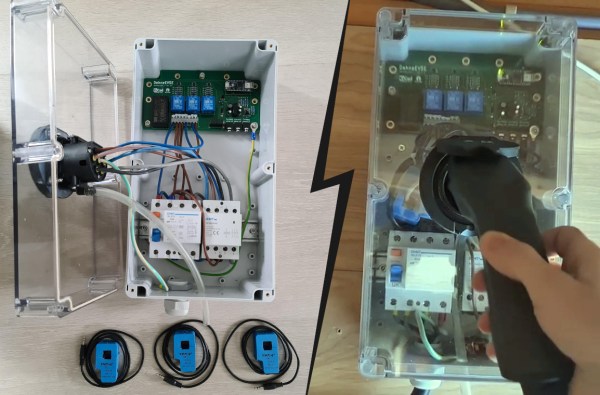
This project comes to us from [Sebastian] who needed this level of control over charging his Leaf, and who also has the skills to implement it from the large high voltage switching contactors to the software running its network connectivity and web app. This charging station has every available feature, too. It can tell the car to charge at different rates, and can restrict it to charging at different times (if energy is cheaper at night, for example). It is able to monitor the car’s charge state and other information over the communications bus to the vehicle, and even has a front-end web app for monitoring and controlling the device.

The project is based around an Arduino Nano 33 IoT with all of the code available on the project’s GitHub page. While we would advise using extreme caution when dealing with mains voltage and when interfacing with a high-ticket item like an EV, at first blush the build looks like it has crossed all its Ts and might even make a good prototype for a production unit in the future. If you don’t need all of the features that this charging station has, though, you can always hack the car itself to add some more advanced charging features.

Continue reading “Open Source Electric Vehicle Charging”

Honey, I Shrunk The Arduino Core

High-level programming languages do a great job of making a programmer’s job easier, but these languages often leave a lot of efficiency on the table as a compromise. While a common thought is to move into a lower-level language like assembly to improve on a program’s speed or memory use, there’s often a lot that can be done at the high level before resorting to such extremes. This, of course, is true of the Arduino platform as well, as [NerdRalph] demonstrates by shrinking the size of the Arduino core itself.

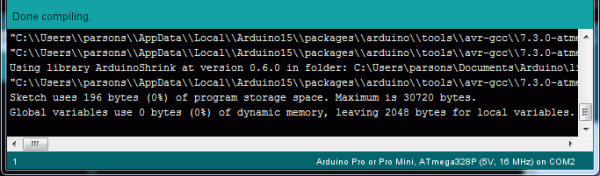
[NerdRalph] had noticed that the “blink” example program actually includes over 1 kB of extraneous code, and that more complicated programs include even more cruft. To combat this issue, he created ArduinoShrink, which seeks to make included libraries more modular and self-contained. It modifies some of the default registers and counters to use less memory and improve speed, and is also designed to improve interrupt latency as well by changing when the Arduino would otherwise disable interrupts.

While there are some limits to ArduinoShrink, such as needing to know specifics about the pins at compile time, for anyone writing programs for Arduinos that are memory-intensive or need improvements in timing, this could be a powerful new tool. If you’d prefer to go in the opposite direction to avoid ever having to learn C or assembly, though, you can always stick with running Python on your embedded devices.