Underclocking The ESP8266 Leads To WiFi Weirdness

Sometimes the best hacks come from the most basic of questions. In this case, [CNLohr] was wondering what would happen if he started to reduce the clock speed of the ESP8266’s Baseband PLL (BBPLL) while still trying to communicate with it. You know, as one does. The results ended up being fairly surprising, and while it’s not immediately clear if there’s a practical application for this particular trick, it’s certainly worth some additional research.

Code for stepping through clock speeds

The idea here is that the BBPLL is the reference clock for the entire system, including all of the peripherals. So underclocking it doesn’t just slow down code execution as you might expect, but it also slows down the chip’s interactions with the outside world. [CNLohr] demonstrates this concept in the video below, showing how the baud rate used to view the serial output from the ESP8266 needs to be adjusted to match the chip’s frequency or else you’ll only get garbage on the line.

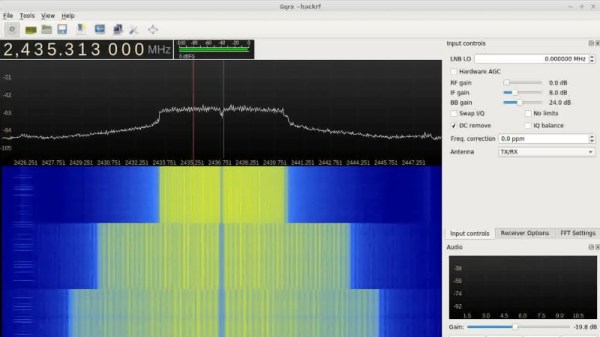
But what happens to the WiFi? As [CNLohr] discovered, while the center frequency itself doesn’t change, the channel width gets narrower as the clock rate is lowered. When viewed on the waterfall display of a software defined radio (SDR), the transmission can be seen “compressing” in a step pattern as the clock rate is reduced. As one might expect, the 802.11 packets become indecipherable to a normal WiFi device running in monitor mode. The signal is still at the correct frequency, but the devices can no longer understand each other.

Now it was time for another of those basic questions. What would happen if you did the same thing to a second ESP8266? Much to his surprise, [CNLohr] discovered that the two devices could still communicate successfully as long as their BBPLL clock speed was the same. From an outsider’s perspective it looked like gibberish, but to the two ESPs which had been slowed by the same amount, everything worked as expected even though the 802.11 standards say it shouldn’t.

So what can you do with this? The most obvious application is a “stealth” WiFi connection between ESP8266s which wouldn’t show up to normal devices, a communications channel invisible to all but the most astute eavesdropper. [CNLohr] has made all the source code to pull this trick off public on GitHub, and it should be interesting to see what kind of applications (if any) hackers find for this standards-breaking behavior.

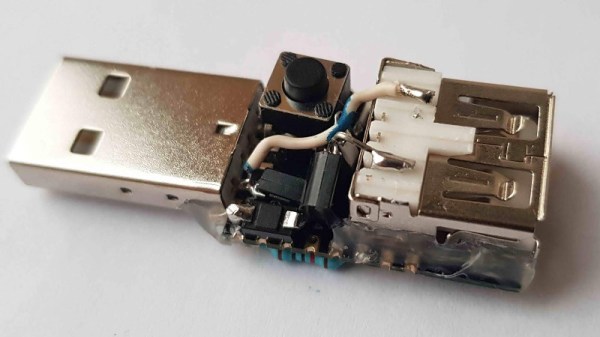
If your thing is devices being forced into operations they were never intended to by particularly twisted hackers, check out our recent coverage of the USB serial adapter turned SDR by [Ted Yapo].

Continue reading “Underclocking The ESP8266 Leads To WiFi Weirdness”

Reset Your Router The Modern Way

Many Hackaday readers will be settling back into their lives after a holiday period crammed into some family matriarch’s house along with too many assorted relatives, having given up their speedy internet connection for whatever passes for broadband wherever Granny lives. The bargain-basement router supplied by the telephone company will have spent the period wilting under the pressure of a hoard of teenagers watching other teenagers inanities on YouTube, and the Christmas ritual of Resetting The Router will have been performed multiple times.

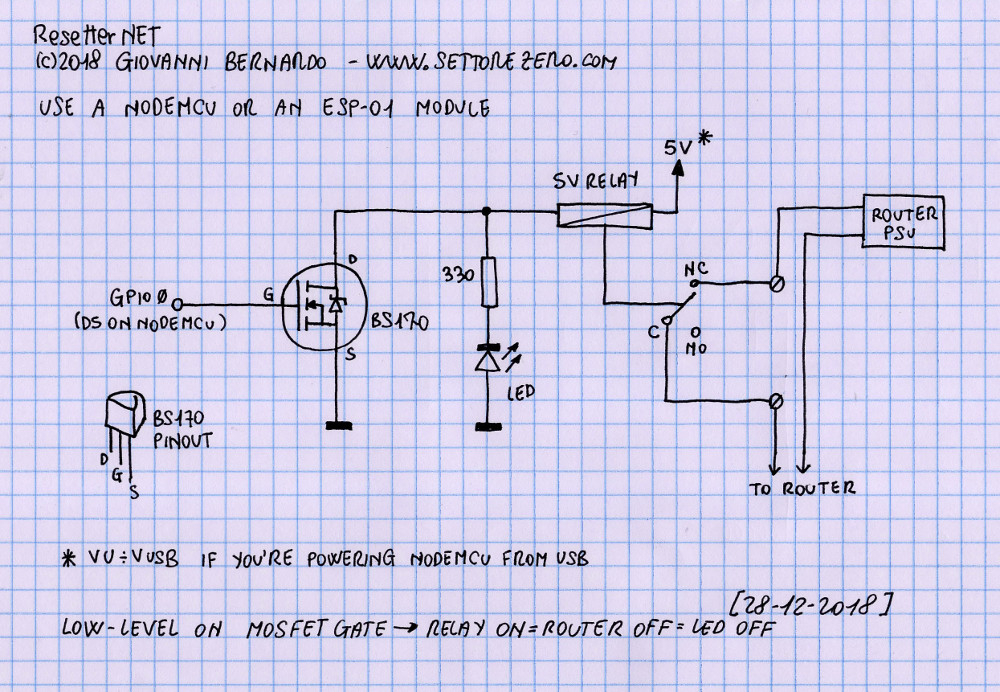
A very simple schematic for the resetter.

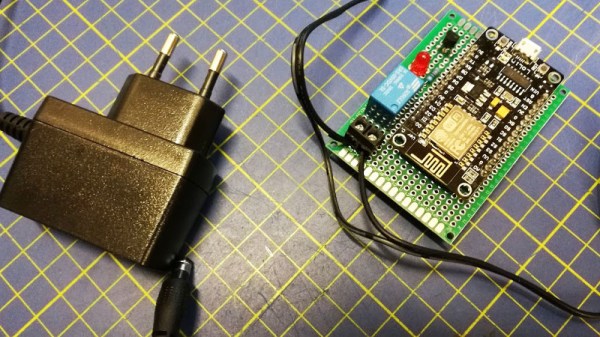
Wouldn’t it be nice if your router simply reset itself every time it crashed or the Internet connection went down? [Cyb3rn0id] has a solution (Italian original here), in the form of an ESP8266 that pings an online service every few seconds, and turns the router off and on again via a power relay in the event that the ping attempt is repeatedly unsuccessful. It’s brilliantly simple, requiring only a single GPIO and a MOSFET to fire the relay with an LED indicator for good measure, and it’s built upon a piece of prototyping board. The router power is switched on the low-voltage side for safety.

The software is pretty basic and has the WiFi credentials hard-coded into it, so we’re guessing a version with a web interface could be built. But as a personal device for easing the pain of router crashes it gets our vote despite that shortcoming.

This isn’t the first router resetter we have seen here, but a previous model still required human intervention.

A Page-Turner On Kindle – One Step At A Time

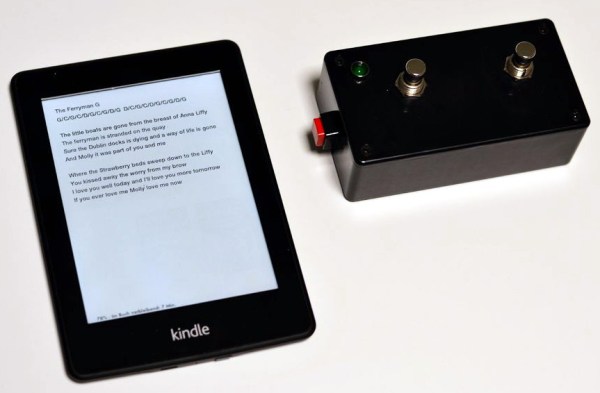
You don’t have to be an avid bookworm to find use for an e-book reader. Take your local wedding band for example: with a big repertoire of songs to cover, you don’t really want to drag huge folders full of chords and lyrics around, tediously browsing through them to find the correct one for every new song. Even the biggest tree corpse enthusiast cannot deny the comfort of an e-book reader here. And since turning the page boils down to simply changing the content on a display, you don’t necessarily need to use your hands for that either. With that in mind, [mosivers] built a WiFi foot switch for his musician brother’s Kindle to flip backwards and forwards through the pages.

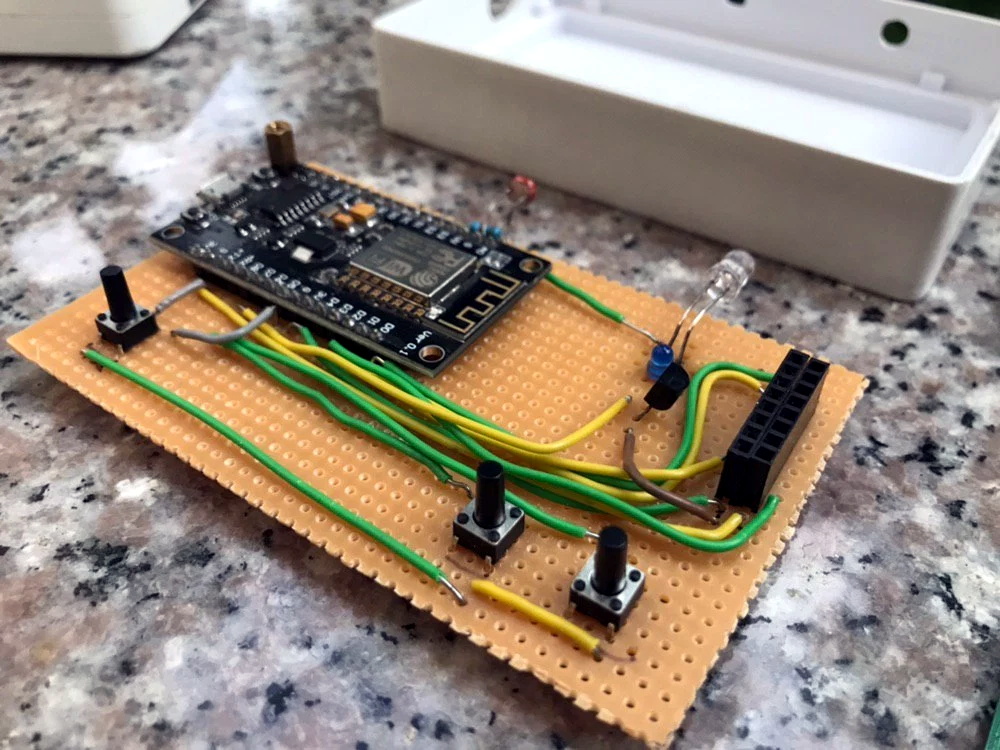
After jailbreaking the Kindle and installing busybox, [mosivers] set up a web server to serve two CGI scripts that write the previously recorded input events for forward and backward flipping respectively to /dev/input/event0, essentially simulating a touch screen press that way. The foot switch, as counterpart, houses a battery-powered ESP8266, acting as access point for the Kindle to connect to, and requesting those page flipping CGI scripts whenever one of its two buttons is pressed.

If you don’t like the idea of jailbreaking your device in order to change the pages without using your hands, you could of course consider combining a more mechanical solution with the foot switch concept. And in case you want to see more of [mosivers], have a look at his DIY talk box project we’ve covered earlier.

Pushbutton → Push Notification

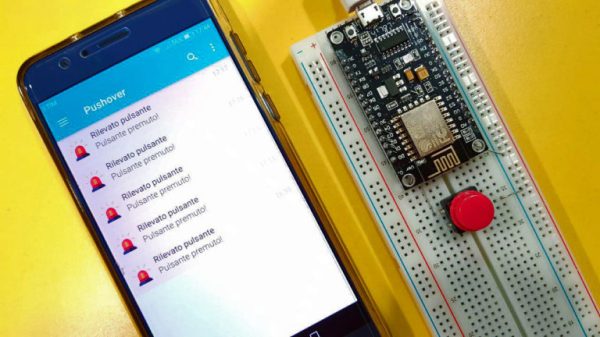
How many mundane devices upgrade to IoT because they let you monitor a single data point or a variable? That little nudge over the communication precipice allows you to charge 500% more. Now, if you are as handy as a Hackaday reader, you can throw a lazy afternoon at the problem and get the same effect from a “dumb” appliance. If IoT is as simple as getting a notification when your laundry is dry, or your water is boiling, all you really need is a WiFi device and a push notification, right? Does it need to be more complicated than that? [Gianni] believes it is that simple (machine translation) and has built up an easy-to-implement version on Raspberry Pi, Arduino, and ESP8266.

[Gianni] leverages the aptly named Pushover (a paid app with a 1-week trial period) to convert your bits, bytes, words, or strings to a push notification. This idea is born of the desire for a home security system which doesn’t require constant monitoring but instead alerts you to problems. The minimum requirement you need is for your phone to chime with a notification saying, “Your front window sensor has been tripped.” Now it is time to launch your IP camera app or call someone nearby.

It’s not revolutionary, it may be the “Hello World” of IoT, but that is all some people need. The general idea is the same no matter the framework you want to use. For instance, if you Google Suite account, you can set up a chatroom just for your alert notifications; Google’s quickstart takes about 3 minutes to test it out in Python. The same setup is also available for Slack, and [Tom Nardi] did a guide for doing this with Discord. These tackle the receiving side, but the sending side is really flexible too — that MQTT broker you built could easily be the source of the alerts.

Build a handful of these in a weekend and keep them nearby to step up your next project to IoT status with a couple of solder joints. Maybe it will be a motion sensor for your own security system.

LEDs And Pi Let You Virtually Decorate This Online Christmas Tree

Anyone who has decorated a Christmas tree knows that the lights are what really make the look. But no matter how many strings you wrap around it, there never seems to be enough. Plus the standard sets either sit there and do nothing, or just blink on and off at regular intervals. Yawn.

But hackers aim higher, and [leo.currie]’s interactive “paintable” Christmas tree takes the lighting game a step beyond. The standard light strings are replaced with strings of WS2811 RGB LEDs which are wired to an ESP8266. A camera connected to a Raspberry Pi is setup up to stream images of the tree to all and sundry on the Interwebz, but with a special twist: it also creates a map of every light on the tree. That allows the lights to be controlled individually in response to user inputs on a web page hosted on the Pi. The upshot is that you can paint the tree with any color you like in real time, or upload various animated GIFs to display on the tree. You can play with the tree directly, or watch a replay on the video below when that Pi inevitably gets hugged to death.

Imagine the possibilities with this. Why not hang a lot of LED strings vertically from the eaves of your house and make a huge, low-resolution display? We’ve featured plenty of large, interactive LED Christmas displays before, and we’d love to see what you come up with.

Continue reading “LEDs And Pi Let You Virtually Decorate This Online Christmas Tree”

A Deep Dive Into Low Power WiFi Microcontrollers

The Internet of Things is eating everything alive, and the world wants to know: how do you make a small, battery-powered, WiFi-enabled microcontroller device? This is a surprisingly difficult problem. WiFi is not optimized for low-power operations. It’s power-hungry, and there’s a lot of overhead. That said, there are microcontrollers out there with WiFi capability, but how do they hold up to running off of a battery for days, or weeks? That’s what [TvE] is exploring in a fantastic multi-part series of posts delving into low-power WiFi microcontrollers.

The idea for these experiments is set up in the first post in the series. Basically, the goal is to measure how long the ESP8266 and ESP32 will run on a battery, using various sleep modes. Both the ESP8266 and ESP32 have deep-sleep modes, a ‘sleep’ mode where the state is preserved, a ‘CPU only’ mode that turns the RF off, and various measures for sending and receiving a packet.

The takeaway from these experiments is that a battery-powered ESP8266 can’t be used for more than a week without a seriously beefy battery or a solar panel. Run times are much longer with an open network as compared to a secured network, and that security eats up a ton of power: connecting to a secure network every now and again means your ESP might only run for a day, instead of a week.

There is another option, though: the ESP32. While the ’32 is vastly more powerful and more capable than the ESP8266, it also has a few improved features that help with power consumption. Importantly, there’s a bug in the ESP8266 where it drops into modem sleep instead of light sleep about half the time. This error was fixed in the ESP32, but all that power does come at a cost. On the whole, if you’re concerned about security, the ESP32 is slightly better, simply because it does the ‘security’ part of connecting to a WiFi network faster. This is really a remarkable amount of testing that’s gone into this write-up, so if you’re developing something battery-powered with any ESP, it’s well worth the read.

Turn Old Pinball Parts Into A Unique Digital Clock

It’s getting ever harder to build a truly unique digital clock. From electronic displays to the flip-dots and flip-cards, everything seems to have been done to death. But this pinball scoring reel clock manages to keep the unique clock ball in play, as it were.

It’s not entirely clear whom to credit with this build, but the article was written by [Lucky]. Nor do they mention which pinball machine gave up its electromechanical scoring display for the build. Our guess would be a machine from the ’60s, before the era of score inflation that required more than the four digits used. And indeed, the driver for the display is designed so that a scoring unit from any pinball machine from the electromechanical era can be used. An ESP8266 keeps the time with the help of an RTC and drives the coils of the scoring unit through a bunch of MOSFETs. The video below shows that it wouldn’t make a great clock for the nightstand; thankfully, it has a user-configured quiet time to limit the not inconsiderable noise to waking hours. It also flashes the date every half hour, rings solenoid operated chimes, and as a bonus, it can be used to keep score in a pinball game built right into the software.

We like the idea of honoring the old pinball machines with clock builds like this. We’ve seen a word clock built from the back-glass of an old machine, and one that uses a four-player back to display the date and alarm time too.

Continue reading “Turn Old Pinball Parts Into A Unique Digital Clock”