7-Segment Digits Slide Stylishly On This OLED Clock

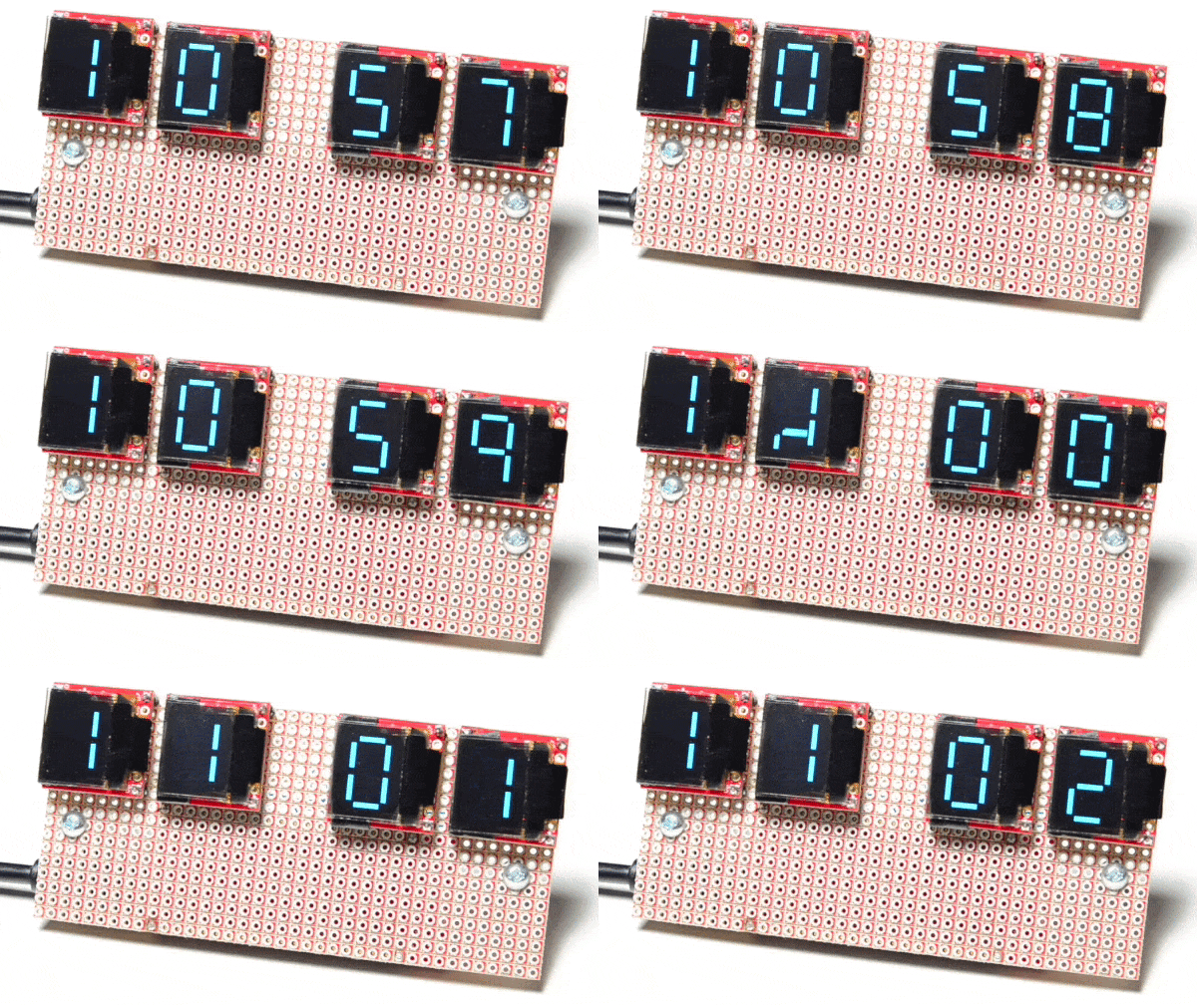
Over at Sparkfun, [Alex] shared an OLED clock project that’s currently in progress but has a couple interesting twists. The first is the use of a small OLED screen for each digit, to which [Alex] added a stylistic touch. Digits transition by having segments slide vertically in a smooth animated motion. It’s an attractive effect, and the code is available on his github repository for anyone who wants to try it out.

[Alex] also found that by using an ESP32 microcontroller and synchronizing the clock via NTP over WiFi, the added cost of implementing a real-time clock in hardware becomes unnecessary. Without an RTC, time would drift by a few seconds every day and require a reset. At the moment the clock requires the SSID and password to be hardcoded, but [Alex] would prefer to allow this to be configured via a web page and could use some help. If you have implemented a web server on the ESP32, [Alex] would like to know how you handled multiple pages. “I’ve been scratching my head throughout the build on how to get this done,” he writes. “With the ESP8266, there’s on(const String &uri, handler function), but that seems to have been removed on the ESP32.” If you can point [Alex] in the right direction, be sure to pipe up.

OLED displays and clocks often go together, as we have seen with projects like the DIY OLED Smart Watch, but it’s nice to see someone using the OLED’s strengths to add some visual flair to an otherwise plain display.
Custom Lightbulb Firmware

The Internet of Things is developing at a rapid pace, as hobbyists and companies rush to develop the latest and greatest home automation gear. One area of particular interest to some is lighting – yes, even the humble lightbulb now comes with a brain and is ripe for the hacking.

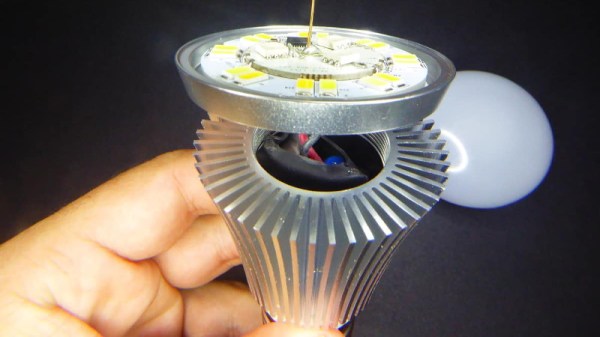
[Tinkerman] starts by doing a full disassembly of the Sonoff B1 lightbulb. It’s a popular device, and available for less than $20 on eBay. Rated at 6 watts, the bulb has a heatsink that is seemingly far larger than necessary. Inside is the usual AC/DC converter, LED driver and an ESP8285 running the show. While this is a slightly different part to the usual ESP8266, it can be programmed in the same way by selecting the correct programming mode.

This is where it gets interesting – [Tinkerman] flashes the device with a custom firmware known as ESPurna. This firmware enables greater control over the function of the bulb, from colour choice, to speaking to the bulb over MQTT.

[Tinkerman] does a great job of walking through the exact steps needed to disassemble and reprogram the bulb, and touches upon the added flexibility given by the custom firmware. We love to see projects like this one, that give greater control over IoT devices and enable users to better integrate them with other systems.

Trouble Flashing Your ESP8266? Meet DIO And QIO

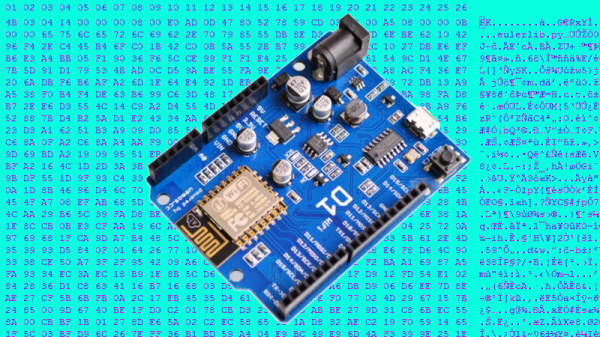
[Pete] was building a hot tub controller, using a WEMOS board based on the venerable ESP8266. After assembly, the board was plugged into USB and [Pete] hit the flash button. No dice. Investigation with some terminal software indicated a checksum error.

Assuming the board was dead, [Pete] grabbed another — and suffered the same problem.  The WEMOS boards wouldn’t program, but other boards had no issues. Sensing that something may be amiss, further research was in order. A forum post turned up discussing different programming modes for the ESP8266.

It turns out that there are different types of flash used with the ESP8266, and the correct programming mode must be selected for a given hardware setup. These modes are known as DIO and QIO, meaning “dual IO” and “quad IO” respectively. This refers to the number of IO line used to talk to the flash memory. There are also further modes, known as DOUT and QOUT. It’s important to identify the modes supported by the flash chip on board, by looking at the datasheet. Obviously this can be difficult on some pre-built modules, so experimentation is the key here.

With the wrong mode selected, writes to the flash will fail, and reading back will turn up a checksum error. It’s a simple matter of changing a line in the make file and trying different modes, to see which one works. This forum post has a more in-depth coverage of the issue. 

By choosing different flash memory parts and selecting the DIO or DOUT modes, it’s actually possible to free up more GPIO pins as well. This knowledge is handy when optimizing ESP8266 designs for memory speed or maximum IO flexibility. It’s a good lesson that it always pays to look at the datasheet to get the best out of your parts.

LAMEBOY Is Handheld Gaming On The ESP8266

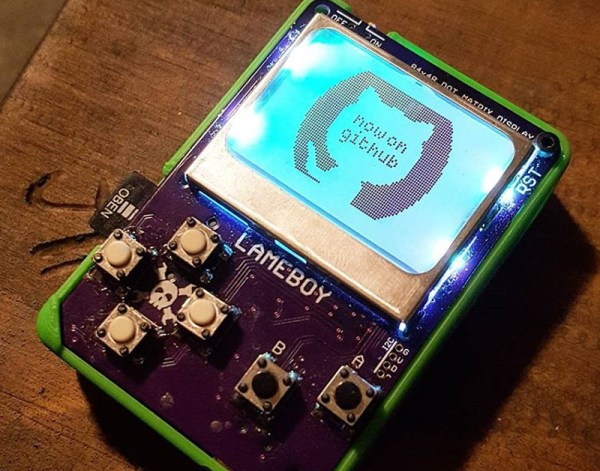
We’ve had our eye on [davedarko’s] LAMEBOY project for a while now, a handheld setup in roughly the same form factor as the classic Nintendo Game Boy. It’s remarkable how approachable portable electronic design has become, and that’s really what makes this interesting. The design is beautiful, and the closer you look, the more respect you have for what [dave] is doing.

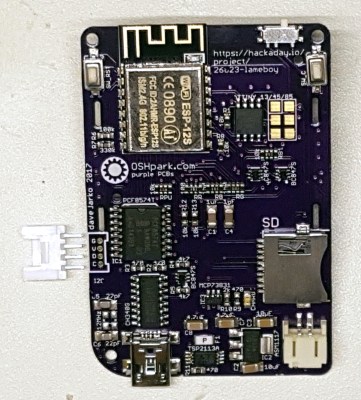
Right now his proof of concept has a 3D printed enclosure whose face is the printed circuit board. We love how the lower left corner of the PCB slips under a pocket in the case, which makes it possible to use just one screw to secure the two together in the upper right.

The LAMEBOY is built around an ESP8266 module. Anyone who has used one knows this chip contains a fair amount of horsepower, but very little I/O. [Dave] has a lot going on with an LCD screen, six user buttons, a USB to I/O chip, and an SD card slot. He took two approaches to solve this dilemma. First he grabbed a PCF8574 port expander, and second he’s offloaded the color control of the screen backlights to an ATtiny85 (running a BlinkM clone).

Below you can see some early game tests on the perfboard prototype. We haven’t seen game play on the most recent prototype (there is a screen color test video in his latest project log) but it sounds as though [dave] plans to make use of the Gamebuino framework. This should mean that there will be no shortage of cool ROMs to load.

Continue reading “LAMEBOY Is Handheld Gaming On The ESP8266”

An Introduction To Solid State Relays

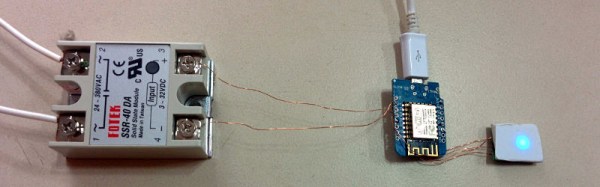
When we think of relays, we tend to think of those big mechanical things that make a satisfying ‘click’ when activated. As nice as they are for relay-based computers, there are times when you don’t want to deal with noise or the unreliability of moving parts. This is where solid-state relays (SSRs) are worth considering. They switch faster, silently, without bouncing or arcing, last longer, and don’t contain a big inductor.

Source Fotek SSR Specifications Sheet

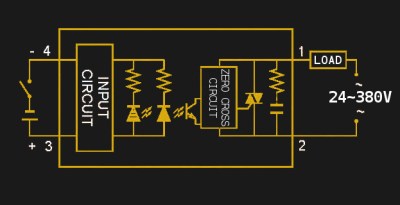
An SSR consists of two or three standard components packed into a module (you can even build one yourself). The first component is an optocoupler which isolates your control circuit from the mains power that you are controlling. Second, a triac, silicon controlled rectifier, or MOSFET that switches the mains power using the output from the optocoupler. Finally, there is usually (but not always) a ‘zero-crossing detection circuit’. This causes the relay to wait until the current it is controlling reaches zero before shutting off. Most SSRs will similarly wait until the mains voltage crosses zero volts before switching on.

If a mechanical relay turns on or off near the peak voltage when supplying AC, there is a sudden drop or rise in current. If you have an inductive load such as an electric motor, this can cause a large transient voltage spike when you turn off the relay, as the magnetic field surrounding the inductive load collapses. Switching a relay during a peak in the mains voltage also causes an electric arc between the relay terminals, wearing them down and contributing to the mechanical failure of the relay.

Continue reading “An Introduction To Solid State Relays”

Hackaday Prize Entry: Inexpensive Emergency Button

I’ve fallen and I can’t get up. We all remember it, and we all know what product we’re talking about. Now, with cheap microcontrollers, ubiquitous WiFi, and wearable electronics, there must be a simpler solution. [Jean Paradedel]’s emergency button project is designed to replace those wearable emergency buttons, which usually include an expensive call center plan.

[Jean]’s button is based off an ESP8266 module, which sends an email to a care provider if a button is pressed. The whole thing is powered by a CR2032 watch battery and the device’s case was 3D printed. The interface is simple — it’s just a wearable button, after all — and the form factor is small enough to be completely unobtrusive.

[Jean] reflashed the ESP8266 board with a simple sketch that runs the project. First, a button-press connects the device to WiFi and then blinks an LED so you know it’s connected. When the emergency button is pressed, an email is sent out letting a caregiver know that there’s a problem.

Check out the video below for a demo of this cheap emergency button in action.

Continue reading “Hackaday Prize Entry: Inexpensive Emergency Button”

Datalogger Uses ESP32 And ESP8266 Low Power Modes

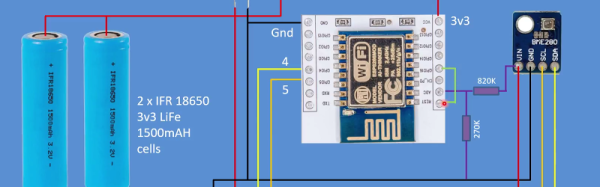
[G6EJD] wanted to design a low power datalogger and decided to look at the power consumption of an ESP32 versus an ESP8266. You can see the video results below.

Of course, anytime someone does a power test, you have to wonder if there were any tricks or changes that would have made a big difference. However, the relative data is interesting (even though you could posit situations where even those results would be misleading). You should watch the videos, but the bottom line was a 3000 mAh battery provided 315 days of run time for the ESP8266 and 213 days with the ESP32.

Continue reading “Datalogger Uses ESP32 And ESP8266 Low Power Modes”