Secret Ingredients

We were talking on the podcast about rope. But not just any rope – especially non-stretchy rope for using in a mechanical context. The hack in question was a bicycle wheel that swapped out normal metal spokes for lighter and stronger high-density polypropylene weave, and if you can tension up a bike wheel and ride it around, you know it’s not your garden-variety twine.

Now, it just so happens that I’ve got basically the same stuff in my parts drawer: some 1 mm diamaeter Dyneema-brand rope. This is an amazing material. It’s rated to a breaking strength of 195 kg (430 lbs) yet it weighs just under one gram per meter, and if you buy the pre-stretched variant, it’s guaranteed to stretch less than 1% of its length under load. It’s flexible, wears well, and is basically in every way superior to braided steel wire.

It’s nearly magical, and it’s just what you need if you’re making a cable robot or anything where the extreme strength and non-elongation characteristic are important. It’s one of those things that there’s just no substitute for when you need it, and that’s why I have some in my secret-ingredients drawer. What else is in there? Some high-temperature tape, low-temperature solder, and ultra-light-weight M3 PEEK screws for airplane building.

But our conversation got me thinking about the parts, materials, and products that are unique: for which there is just no reasonable substitute. I’m sure the list gets longer the more interesting projects or disciplines that you’re into. What are your secret ingredients, and what’s the specific niche that they fit into?

ASIC physical layout

The Entire Process Of Building An Open Source Analog ASIC

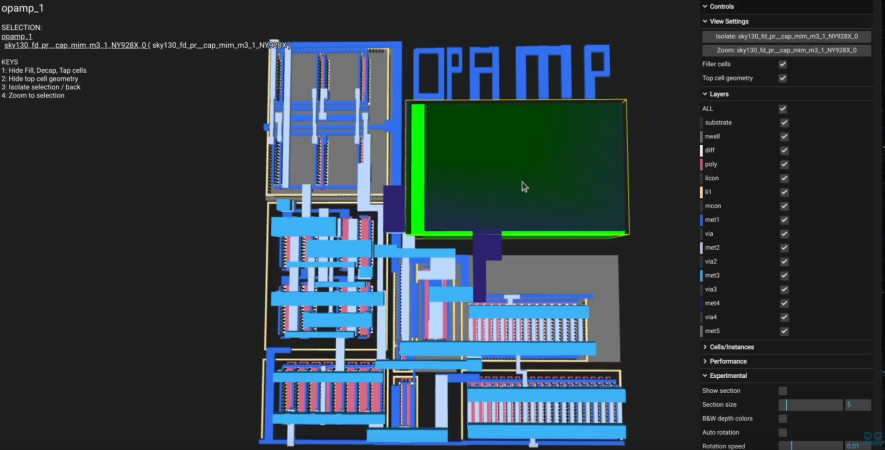
Our hacker [Pat Deegan] of Psychogenic Technologies shows us the entire process of designing an analog ASIC. An ASIC is of course an Application-Specific Integrated Circuit, which is basically just custom hardware. That’s right, “just” custom hardware.

Services such as those from Tiny Tapeout make it possible to get your hardware designs built. And tools such as those found in Tiny Tapeout Analog Design VM with Skywater 130 PDK make it possible to get your hardware designs… designed.

In the video [Pat] takes you through using xschem (for schematic capture) and magic (for physical layout) to design a custom ADC. We learn that when it comes to hardware you have the choice of many different types of FETs, and not much else. Capacitors are expensive and to be avoided. Inductors are verboten. Getting specific values for things (such as resistors) is pretty much impossible so you generally just have to hope that things come out in relative proportions.

Continue reading “The Entire Process Of Building An Open Source Analog ASIC”

The Egyptian Coin Box ‘Trick’

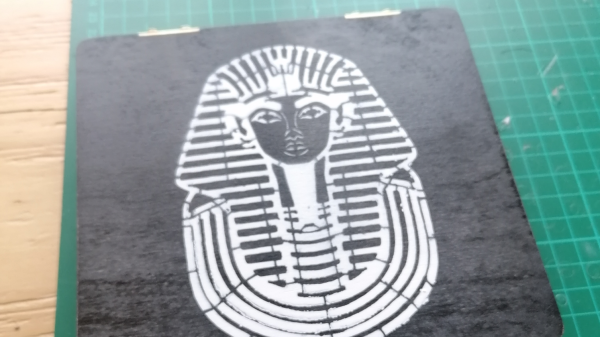
[James Stanley] likes to spend time making puzzles and gadgets for escape rooms, and decided for a change to try their hand at a bit of magic. The idea was to construct a ‘magic box’, in which a coin can be placed in one of a number of slots, and then be able to remotely be able to determine the slot by means unseen. Obviously, this is an electronics hack, with a neat package of sensor and radio comms hidden inside a stack of CNC-milled wood. Coin locations are transmitted via Bluetooth to a Bangle.js smartwatch, which vibrates according to the slot occupied, allowing [James] to predict where the coin was placed. Continue reading “The Egyptian Coin Box ‘Trick’”

3D printed Hagrid's lantern with a magic wand

Micro:bit Brings 3D Printed Magic Lanterns To Life

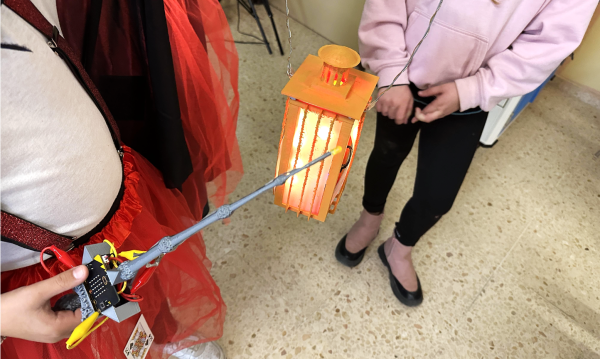
[Elenavercher] loves engaging her primary school students, inspiring their imagination as well as teaching them the design thinking process. She has found that the very accessible rapid prototyping culture of 3D printing, micro:bit, and the like are perfect for teaching her students problem-solving and teamwork, and is always coming up with new lessons that will catch their attention. That brings us to her latest design, an interactive lantern and wand, which you could say is of the wizarding variety.

The lantern and the wand each have an integrated micro:bit serving as their brains. When the user shakes the wand, releasing a spell, the micro:bit in the wand, sends a user-defined number to the micro:bit in the lantern. The lantern has NeoPixels built-in, which then turn on, illuminating the lantern. When the user presses a button on the micro:bit instead of shaking it, the wand sends a signal to the lantern that tells it to “turn off.” Pretty simple, right?

The design itself is something any seasoned hacker could recreate; however, the magic in this build is how [Elenavercher] beautifully engages her elementary-aged students in the engineering design process. She starts off by encouraging her students to prototype the lantern and wand using paper which is a very inexpensive way to help them visualize the final product before investing too much time into the 3D design, a critical engineering design step — prototype fast and cheap with whatever you have on hand.

She then helps them design the lantern and wand in Tinkercad, a very beginner-friendly, yet increasingly capable CAD program. We really appreciate her detailed steps for the design as well as for navigating Tinkercad, both of which will help teach any tiny tikes in your life how to recreate the design. What’s really handy about Tinkercad is you can do mechanical CAD as well as write code for the micro:bit all within the same program. But [Elenavercher] also provides the final .hex file if you’d rather just get the build up and running.

Continue reading “Micro:bit Brings 3D Printed Magic Lanterns To Life”

Too Many Pixels

Sometimes simpler is more impressive than complicated, and part of this is certainly due to Arthur C. Clarke’s third law: “Any sufficiently advanced technology is indistinguishable from magic.”. It’s counter-intuitive, though, that a high-tech project would seem any less amazing than a simpler one, but hear me out.

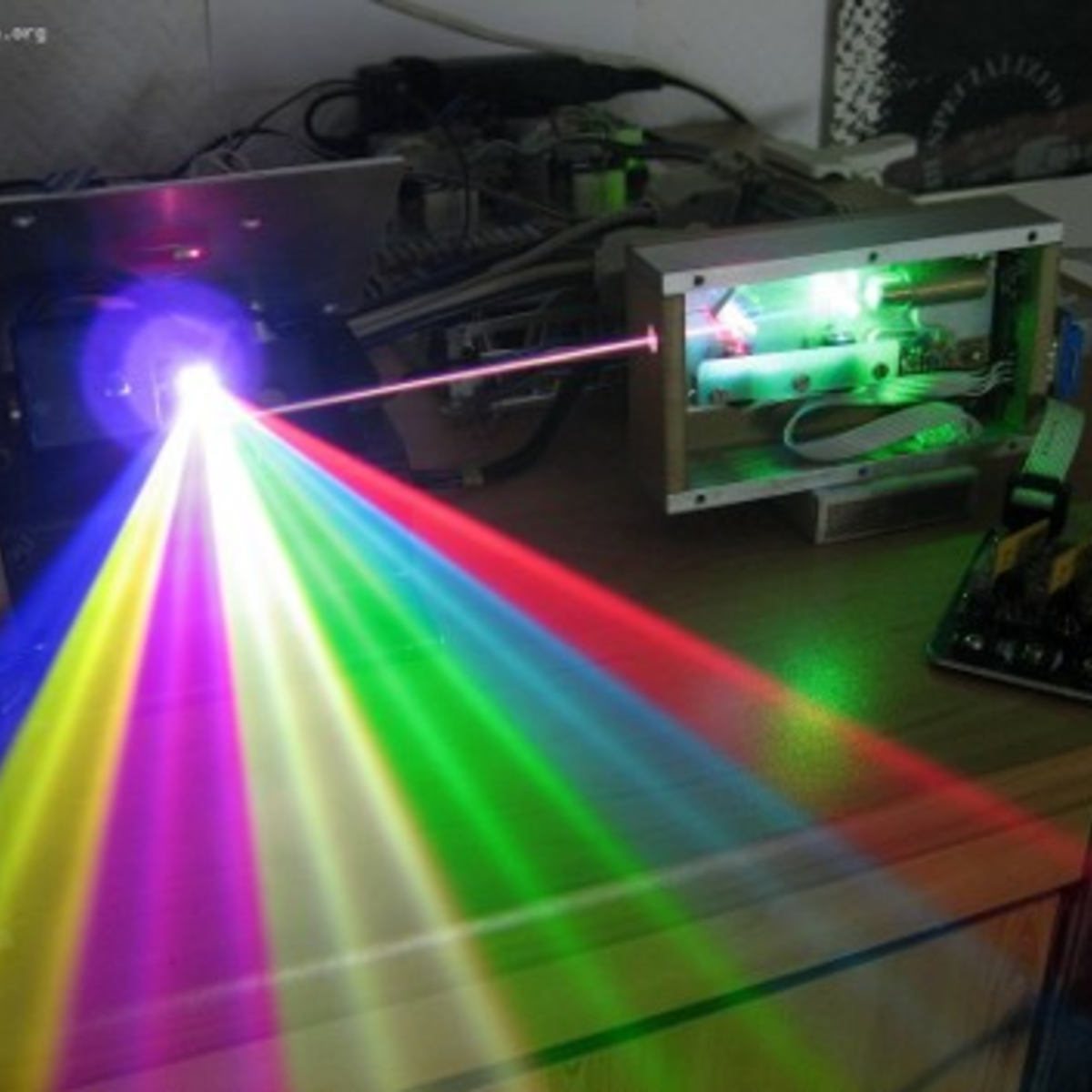
I first noticed this ages ago, when we were ripping out the blue laser diodes from Casio XJ-A130 laser projectors back when this was the only way to get a powerful blue laser diode. Casio had bought up the world’s supply of the 1.5 W Nichias, and was putting 24 of them in each projector, making them worth more dead than alive, if you know what I mean. Anyway, we were putting on a laser show, and the bright blue diode laser was just what we needed.

RGB Laser show
A sweeter setup than mine, but you get the idea. 

Color laser setups take three or more different lasers, combine the beams, and then bounce them off of mirrors attached to galvos. Steer the mirrors around, and you can project vector images. It’s pretty cool tech, and involves some serious fine-tuning, but the irony here is that we were tearing apart a device with 788,736 microscopic DLP mirrors to point the lasers through just two. And yet, a DIY laser show is significantly cooler than just putting up your powerpoint on the office wall.

The same thing goes for 2D plotting machines like the AxiDraw. The astonishing tech behind any old laser printer is mind-numbing. Possibly literally. Why else would we think that art drawn out by a pen in the hands of a stepper-powered robot is cooler than the output of a 1600 DPI unit coming from HP’s stable? I mean, instead of running an hours-long job to put ink on paper with a pen, my Laserjet puts out an image in ten seconds. But it’s just not as much fun.

So here we are, in an age where there’s so darn much magic all around us, in the form of sufficiently advanced technology, that comprehensible devices are actually more impressive. And my guess is that it’s partly because it’s not surprising when a device that’s already magic does something magical. I mean, that’s just what it’s supposed to do. Duh!

But when something beautiful emerges from a pair of mirrors epoxied to shafts on springs turned by copper coils, that’s real magic.

Performing Magic With A Little High-Tech Help

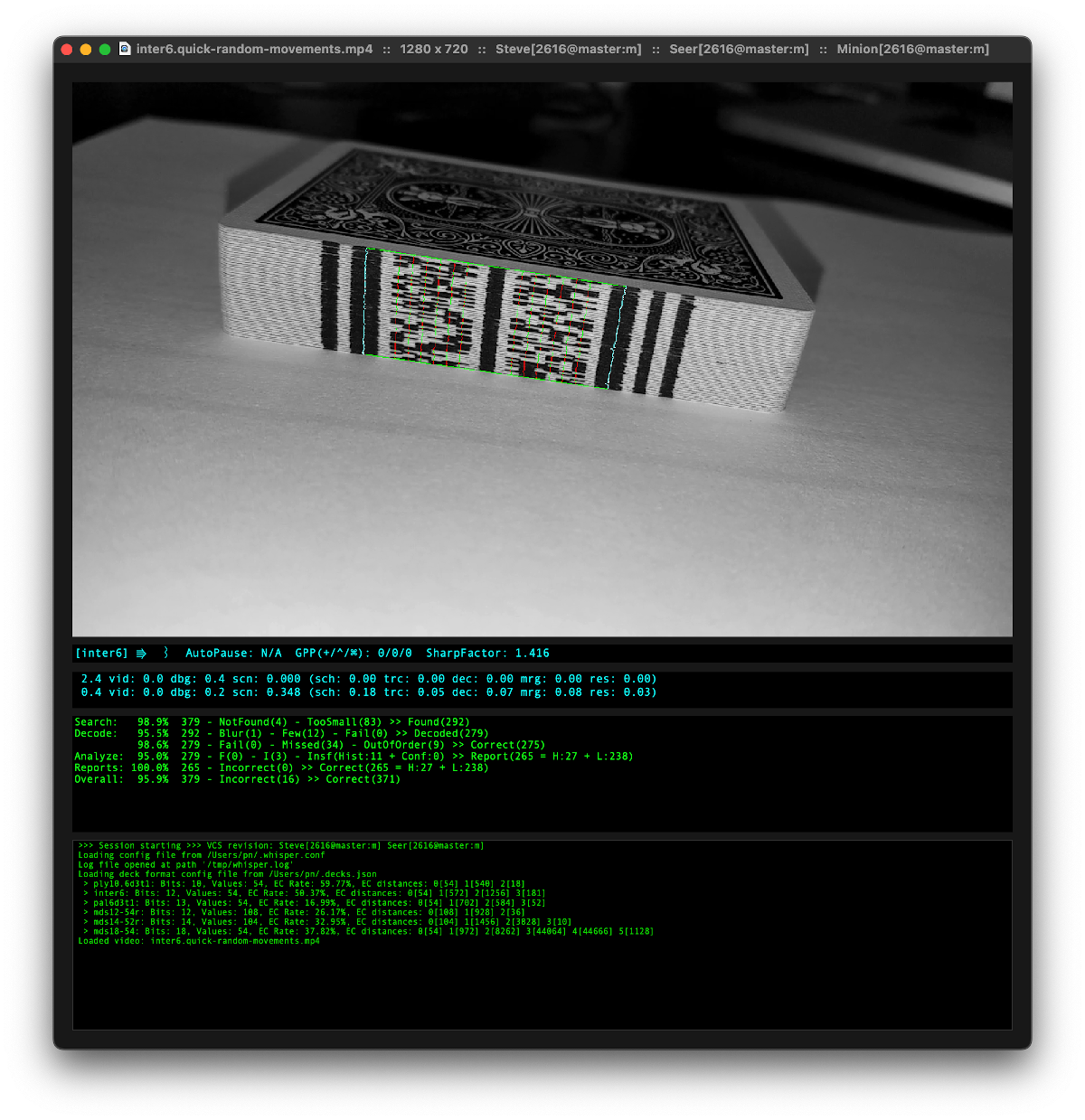
Doing magic with cards involves a lot of precise dexterity to know which card is where. For plenty of tricks, this is often knowledge and control of a single card or a small number of cards. But knowing the exact position of every single card in the deck could certainly be helpful, so the Nettle Magic Project was created to allow magicians to easily identify the location of cards in the deck.

The system works through the use of computer vision to identify a series of marks on the short edge of a stack of cards. The marks can be printed in IR- or UV-sensitive ink to make them virtually invisible, but for demonstration these use regular black ink. Each card has landmarks printed on either side of a set of bit markers which identify the cards. A computer is able to quickly read the marks and identify each card in order while the deck is still stacked, aiding the magician in whichever trick they need to perform.

The software only runs on various Apple devices right now, including iPhones and iPads, but the software is readily available fore experimentation if you are a magician looking to try something like this out. Honestly, we don’t see too many builds focusing on magic, sleight-of-hand or otherwise, and we had to go back over a decade to find a couple of custom magical builds from a magician named [Mario].

Thanks to [Tim] for the tip!

accelerometer, oled, and PocketBeagle create a gesture-controlled calculator

The Calculator Charm: Calculatorium Leviosa!

Have you ever tried waving your hand around like a magic wand and summoning a calculator? We would guess not since you’d probably look a little silly doing so. That is unless you had [Andrei’s] cool gesture-controlled calculator. [Andrei] thought it would be helpful to use a calculator in his research lab without having to take his gloves off and the results are pretty cool.

His hardware consists of a PocketBeagle, an OLED, and an MPU6050 inertial measurement unit for capturing his hand motions using an accelerometer and gyroscope. The hardware is pretty straightforward, so the beauty of this project lies in its machine learning implementation.

[Andrei] first captured a few example datasets to train his algorithm by recreating the hand gestures for each number, 0-9, and recording the resulting accelerometer and gyroscope outputs. He processed the data first with a wavelet transform. The intent of the transform was two-fold. First, the transform allowed him to reduce the number of samples in his datasets while preserving the shape of the accelerometer and gyroscope signals, the key features in the machine learning classification. Secondly, he was able to increase the number of features for the classification since the wavelet transform resulted in both approximation and detailed coefficients which can both be fed into the algorithm.

Because he had a small dataset, he used the Stratified Shuffle Split technique instead of the test train split method which is generally more suited for larger datasets. The Stratified Shuffle Split ensured approximately the same number of train and test samples for each gesture. He was also very conscious of optimizing his model for running on a portable processing unit like the PocketBeagle. He spent some time optimizing the parameters of his algorithm and ultimately converted his model to a TensorFlowLite model using the built-in “TFLiteConverter” function within TensorFlow.

Finally, in true open-source fashion, all his code is available on GitHub, so feel free to give it a go yourself. Calculatorium Leviosa!

Continue reading “The Calculator Charm: Calculatorium Leviosa!”