Take Security Up A Notch By Adding LEDs

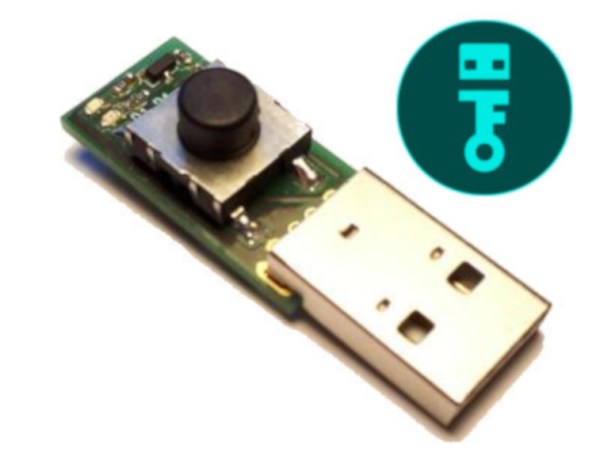
All computers are vulnerable to attacks by viruses or black hats, but there are lots of steps that can be taken to reduce risk. At the extreme end of the spectrum is having an “air-gapped” computer that doesn’t connect to a network at all, but this isn’t a guarantee that it won’t get attacked. Even transferring files to the computer with a USB drive can be risky under certain circumstances, but thanks to some LED lights that [Robert Fisk] has on his drive, this attack vector can at least be monitored.

Using a USB drive with a single LED that illuminates during a read OR write operation is fairly common, but since it’s possible to transfer malware unknowingly via USB drives, one that has a separate LED specifically for writing operations will help alert a user to any write operations that might be trying to fly under the radar. A recent article by [Bruce Schneier] pointed out this flaw in USB drives, and [Robert] was up to the challenge. His build returns more control to the user by showing them when their drive is accessed and in what way, which can also be used to discover unique quirks of one’s chosen operating system.

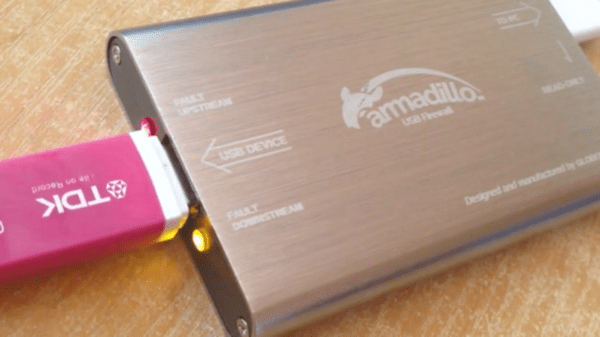
[Robert] is pretty familiar with USB drives and their ups and downs as well. A few years ago he built a USB firewall that was able to decrease the likelihood of BadUSB-type attacks. Be careful going down the rabbit hole of device security, though, or you will start seeing potential attacks hidden almost everywhere.

Add-On Makes ESP32 Camera Board Easier To Program

Don’t you just hate it when dev boards have some annoying little quirk that makes them harder to use than they should be? Take the ESP32-CAM, a board that started appearing on the market in early 2019. On paper, the thing is amazing: an ESP32 with support for a camera and an SD card, all for less than $10. The trouble is that programming it can be a bit of a pain, requiring extra equipment and a spare finger.

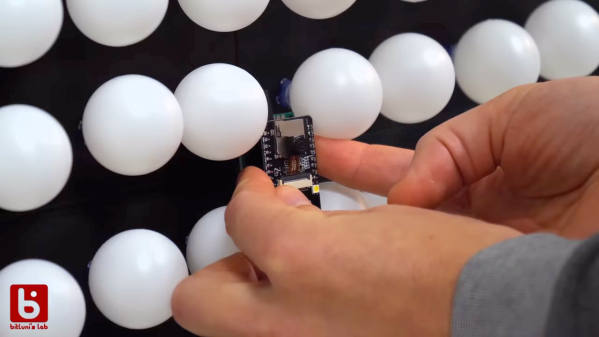
Not being one to take such challenges lying down, [Bitluni] has come up with a nice programming board for the ESP32-CAM that you might want to check out. The problem stems from the lack of a USB port on the ESP32-CAM. That design decision leaves users in need of a USB-to-serial adapter that has to be wired to the GPIO pins of the camera board so that programs can be uploaded from the Arduino IDE when the reset button is pressed. None of that is terribly complex, but it is inconvenient. His solution is called cam-prog, and it takes care of not only the USB conversion but also resetting the board. It does that by simply power cycling the camera, allowing sketches to be uploaded via USB. It looks to be a pretty handy board, which will be available on his Tindie store.

To demonstrate the add-on, he programmed his ESP32-CAM and connected it to his enormous ping pong ball video wall. The video quality is about what you’d expect from a 1,200 pixel display at 40 mm per pixel, but it’s still pretty smooth – smooth enough to make his interpretive dance moves in the last few minutes of the video pretty interesting.

Continue reading “Add-On Makes ESP32 Camera Board Easier To Program”

Roll The Bones Chernobyl Style

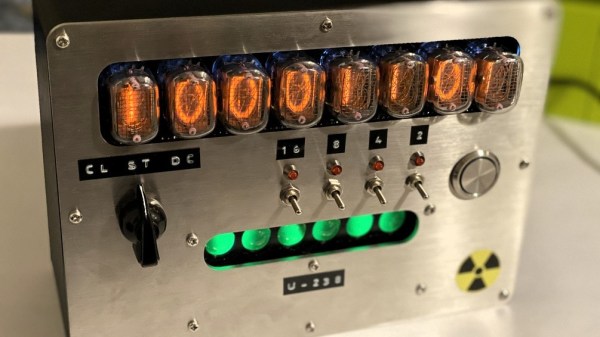
We’re suckers for the Fallout aesthetic, so anything with a post-apocalyptic vibe is sure to get our attention. With a mid-century look, Nixie tubes, a brushed metal faceplate, and just a touch of radioactivity, this quantum random number generator pushes a lot of design buttons, and it pushes them hard.

Charmingly named “Chernobyl Dice”, this little gadget comes to us from [Nathan Griffith], and appears to be one of those “Why not?” builds we love so much. The heart of any random number generator is a source of entropy, for which [Nathan] chose to use six slightly radioactive uranium glass marbles. Those feature prominently in the front panel of the device, occasionally made to fluoresce with a few UV LEDs just because it looks cool. A Geiger tube inside the case is used to look for decay events from the marbles every millisecond. After some adjustment for the bias toward zeroes due to the relative rarity of decay events, the accumulated bits are displayed on eight Nixies. The box can be set to generate a stream of random numbers up to 31 bits long and send it over a USB port, or make random throws of a die with a settable number of sides. And when it’s not doing random stuff, it can just be a cool Nixie clock.

There are lots of ways to generate the entropy needed for truly random number generation, from a wall of lava lamps to bubbles in a fish tank. They’ve all got style, but something about this one just works.

Continue reading “Roll The Bones Chernobyl Style”

VGA Signal In A Browser Window, Thanks To Reverse Engineering

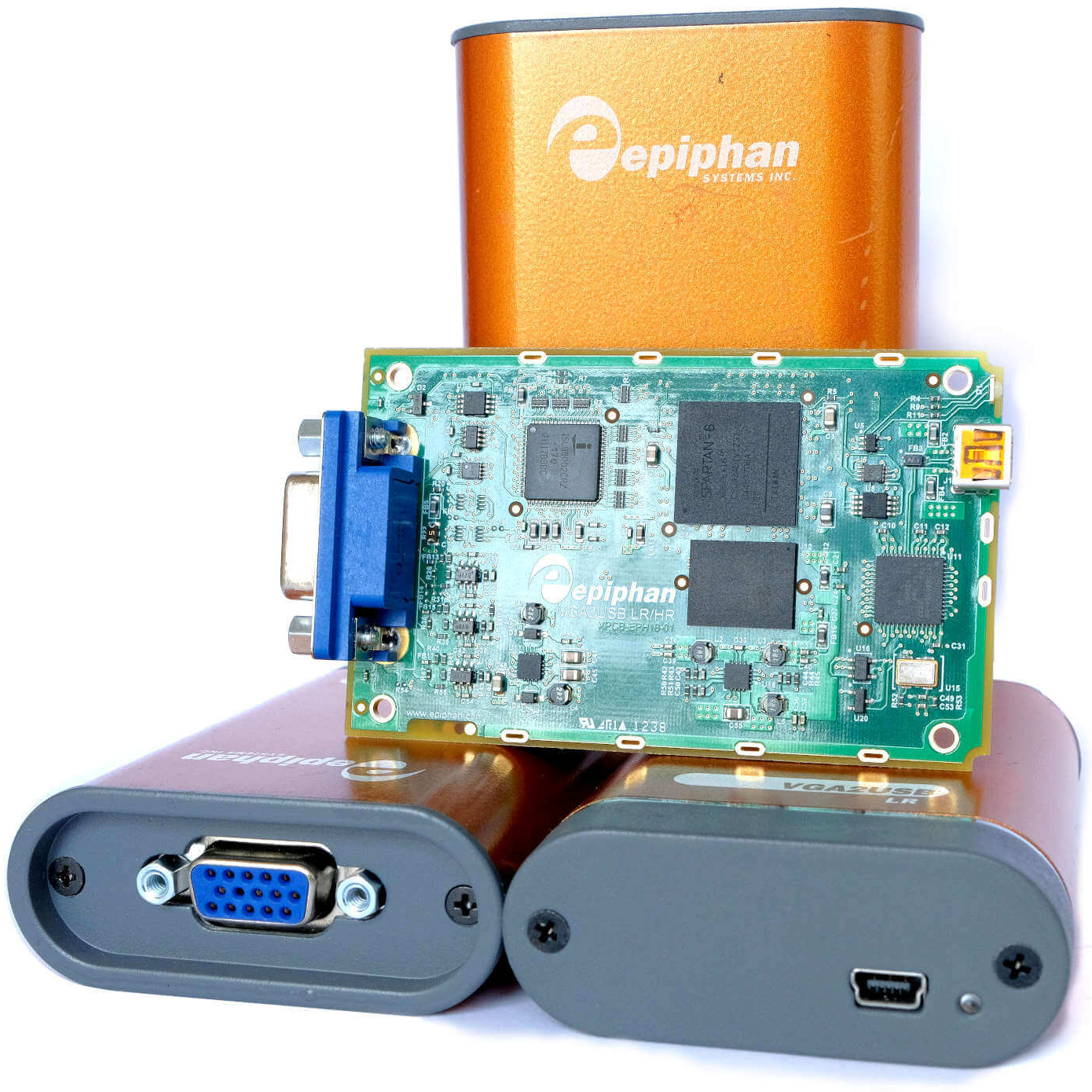
Epiphan VGA2USB LR VGA-to-USB devices

[Ben Cox] found some interesting USB devices on eBay. The Epiphan VGA2USB LR accepts VGA video on one end and presents it as a USB webcam-like video signal on the other. Never have to haul a VGA monitor out again? Sounds good to us! The devices are old and abandoned hardware, but they do claim Linux support, so one BUY button mash later and [Ben] was waiting patiently for them in the mail.

But when they did arrive, the devices didn’t enumerate as a USB UVC video device as expected. The vendor has a custom driver, support for which ended in Linux 4.9 — meaning none of [Ben]’s machines would run it. By now [Ben] was curious about how all this worked and began digging, aiming to create a userspace driver for the device. He was successful, and with his usual detail [Ben] explains not only the process he followed to troubleshoot the problem but also how these devices (and his driver) work. Skip to the end of the project page for the summary, but the whole thing is worth a read.

The resulting driver is not optimized, but will do about 7 fps. [Ben] even rigged up a small web server inside the driver to present a simple interface for the video in a pinch. It can even record its output to a video file, which is awfully handy. The code is available on his GitHub repository, so give it a look and maybe head to eBay for a bit of bargain-hunting of your own.

Upgrade Board Turns Typewriter Into A Teletype

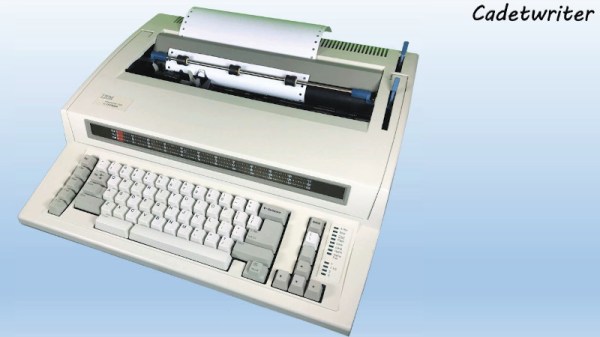
It may come as little surprise to find that Hackaday does not often play host to typewriter projects. While these iconic machines have their own particular charm, they generally don’t allow for much in the way of hardware modification. But then the IBM Wheelwriter 1000 isn’t exactly a traditional typewriter, which made its recent conversion to a fully functional computer terminal possible.

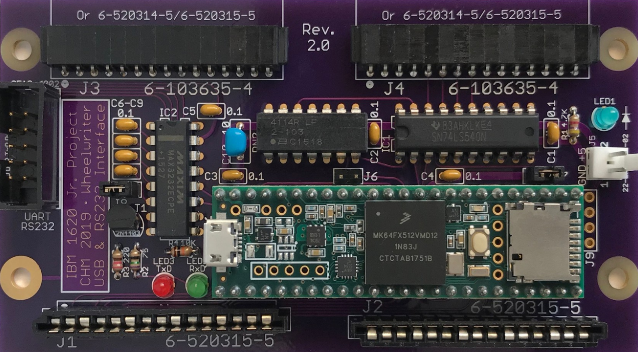
A product of the Computer History Museum’s [IBM 1620 Jr. Team], this modification takes the form of a serial interface board that can be built at home and installed into the Wheelwriter. The board allows the vintage electronic typewriter to speak RS-232 and USB, so it can be connected to whatever vintage (or not so vintage) computer you can imagine. The documentation for the project gives a rough cost of $150, though that does assume you’ve already got a Wheelwriter 1000 kicking around.

The GitHub repository includes everything you need to create your own board, and there’s even a highly detailed installation guide that goes over the case modifications necessary to get the new hardware installed. It also explains that you’ll want to get a new keycap set for your Wheelwriter if you perform this modification, as the original board doesn’t have all of the ASCII characters.

So why adapt an old electric typewriter to function as a teletype? As explained by the [IBM 1620 Jr. Team], there are projects out there looking to recreate authentic 1960s-era computing experiences that need a (relatively) affordable paper terminal. The originals are too rare to use in modern recreations, but with their adapter board, these slightly less archaic input devices can be used in their place.

Once you’ve built your new teletype, or in the somewhat unlikely event you already have one at the ready, we’ve seen a couple of projects that you might be interested in to put it to use.

A Visual Infrared Thermometer That Runs Off Your Laptop

A common measurement for circuits is heat dissipation inspection. While single point thermometers do the trick, they can be quite annoying to use. Meanwhile, a thermal imaging camera is often out of the budget for hobbyists. How about building your own visual thermometer for cheap? That’s what [Thomas Fischl] decided to do, using an infrared thermal sensor array (MLX90640) connected through a PIC16LF1455 to a host computer. The computer handles the temperature calculation and visualization of hot spots, gathered from data collected by the IR pixel.

The interface board, USB2FIR, has full access to MLX90640 memory and can handle bulk transfer for faster data transmission of the raw sensor data collected by the pixel. A USB driver is needed to access the board – once the data is fetched, the visualizations can be created from a Matplotlib and TKinter GUI showing frame data and a real time heat map with minimum, maximum, and central temperature.

The hardware isn’t complicated, since the board relies on several ICs for processing the sensor data and immediately sends over the data to be processed externally. With some modifications – a 3D-printed enclosure, for instance – this can easily be made into a discreet tool for heat detection.

Finding USB Bugs The Hard Way

Sometimes debugging just doesn’t go the way you want it to. When USB problems arise, you can usually use a protocol analyzer to find the issue causing trouble. For [Paul Stoffregen], it was only the first step in a long process to find the culprit.

Procotol Analyzer

The complaint that came up was from a customer whose 2 port USB hub wasn’t working on their Teensy 3.6. The hub had been tested on Linux, Mac, and Windows, so it made sense to test what was different about the Teensy. Furthermore, all other USB hubs worked on the Teensy. As it turns out, these weren’t the most helpful assumptions to make when finding the bug.

Any protocol analyzer can be used, for instance the Beagle480. The way it works is by passing through USB communication, making a copy of the communication coming in and out, and sending it to the PC.


Normally, the analyzer has a small buffer memory and must sustain fast data flow. Unfortunately, this can occasionally cause software lockup. From what could be gathered from the verbose printing, USB descriptors were found for the hub. As it turns out, the faulty hub was a Multi-TT type hub, while most others are single TT (transaction translator).

Fixing Software Lockup

Since it was necessary to get the rest of the descriptor data, fixing the software lockup was the next step. Writing in a panic function – a breakpoint of sorts – into the code allowed the USB host’s power to terminate, and stepping through the program revealed that while the 2 port hub was initially being read, some issue arose afterwards.

As it turns out, the issue relied on USB split transactions, used only between USB hosts and hubs. Communication happens by tokens, which begins with a SPLIT-START token.


As it turns out, the issue was that the tokens weren’t being sent in the correct order. The other hubs seemed to be handle this nevertheless. By applying a fix to the C++ code of the bad hub, which had previously not been implementing the data structure for accessing register properly, the hub was able to work again.The hub appeared to be rejecting bad token, which was causing the issue in the first place.

All in all, while I’m sure this had to be a head scratching experience, at least it gives us some insight into the low-level design of USB communication.