Light Guns Aren’t Just For CRTs Anymore

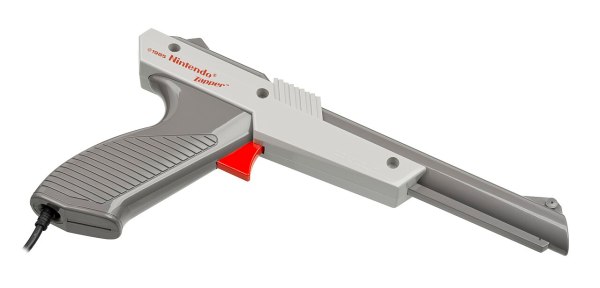
For how much of a cultural phenomenon light gun games like Duck Hunt were, they didn’t survive the transition from CRT televisions to LCDs particularly well because of all of the technological quirks the light guns exploited in older technology that simply disappeared with modern TVs. But it’s not impossible to get a similar gameplay from modern technology as evidenced by the success of the Wii and its revolutionary Wiimote, and there are plenty of modern games that use similar devices. There are a few paths to getting older light guns working again, though.

The first system to note, called SAMCO, uses a system of LEDs and a camera to synchronize the game’s flashes to the new technology and translate the input back into the game. Gun4ir uses a similar technique, and boasts extremely high accuracy and low latency largely due to being programmed in assembly. Both systems can use either an infrared tracking sensor or a Wiimote sensor as the LEDs and while the SAMCO system can run on a Raspberry Pi Pico, Gun4ir exclusively uses ATmega32U4 boards with the optimized assembly programming.

Both SAMCO and Gun4ir offer PCBs for anyone looking to try them out without designing their own circuit boards, and once the electronics are assembled they can either be put in an original NES-era light gun, put in a custom printed enclosure, or even stuffed into a Nerf gun. For others looking for a more turnkey solution, there are also offerings from companies like Sinden which make complete system. You can always build your own system to restore the functionality of original light guns from scratch if that’s more your style.

Thanks to [LookAtDaShinyShiny] for tipping us off to the latest happenings in the light gun community!

Photo courtesy of Wikimedia Commons

Wii Turned Expansion Card For Broadcast Monitor

For the proper retro gaming aesthetic, plenty of gamers look to old CRT displays. Older games can look better on these displays because the original programmers took their visual characteristics into account. Finding a CRT from the 90s or early 2000s is one option, but an even better option is a broadcast video monitor (BVM) which were extremely high quality CRTs with some other features, like the ability to install a Wii straight to an expansion port on the monitor itself (Nitter).

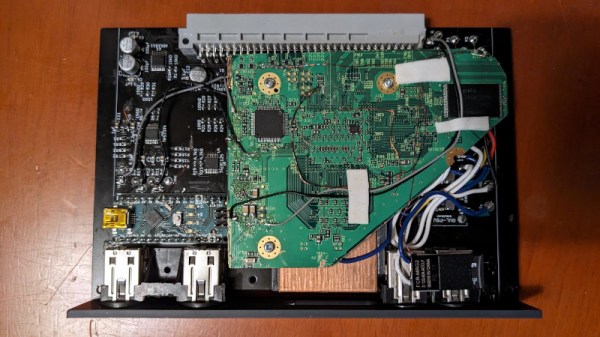
These monitors were, as their name implies, made for broadcast TV productions. As such, they don’t have the typical video connections that might be found on a consumer unit. Instead, they used modular cards to interface with the monitor. Thanks to an open design for cards made for Sony monitors, [ShankMods] was able to make one for the Wii by “trimming” away the unnecessary parts of the console’s PCB and mapping its video and audio outputs to the slot connector.

While the Wii might not be everyone’s idea of retro, it was still a console that came out when plenty of people still had CRTs as their primary home television. It isn’t as necessary to have a CRT for a Wii as some of the older consoles, but it was very easily adaptable to this single-board design. If you don’t have a CRT and still want the CRT feel, there are ways of retrofitting a more modern display to get this effect, though.

Thanks to [Jonas] for the tip!

It’s MacOS. On An Unmodified Wii!

We’re used to the so-called “Hackintoshes”, non-Apple hardware running MacOS. One we featured recently was even built into the case of a Nintendo Wii. But [Dandu] has gone one better than that, by running MacOS on an unmodified Wii, original Nintendo hardware (French, Google Translate link).

How has this seemingly impossible task been achieved? Seasoned Mac enthusiasts will remember the days when Apple machines used PowerPC processors, and the Wii uses a PowerPC chip that’s a close cousin of those used in the Mac G3 series of computers. Since the Wii can run a Linux-based OS, it can therefore run Mac-on-Linux, providing in theory an environment in which it can host one of the PowerPC versions of MacOS.

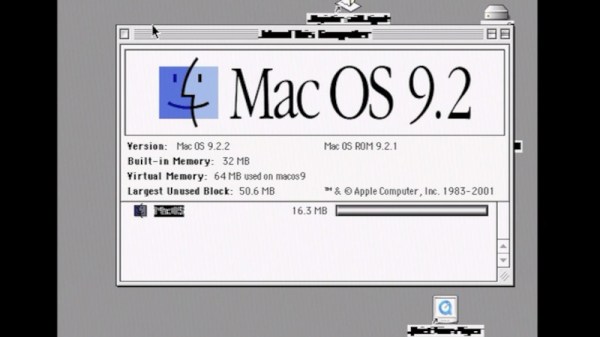
The installation sequence has more than its share of difficulties, but eventually he was able to get the Wii running MacOS 9, the last classic MacOS. It runs DOOM, Internet Explorer 5, and iTunes even on these limited resources, though the last package had display and sound issues. He then tries a MacOS X build, but without success.

It’s fair to say that this is not exactly a way to get your hands on a cheap Mac, and remains more of an exercise in pushing a console beyond its original function. But it’s still an interesting diversion, and maybe someone will in time make a MacOS X version work on the Wii too. If you’re curious about the Mac-in-a-Wii that inspired this work, you can see it here.

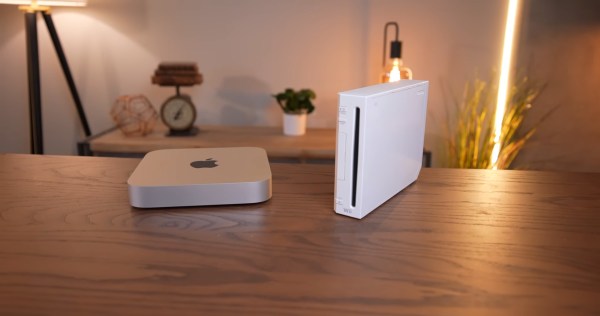
An M1 Mac mini sits next to a white Wii on a wooden table. In the background are various Edison-style LED light fixtures with an incadescent-like light profile.

This Wii Has An Apple M1 Inside

The conveniently tiny logic board of the M1 Mac mini has lead to it giving the Mini ITX format a run for its money in case mods. The latest example of this is [Luke Miani]’s M1 Wii. (Youtube via 9to5Mac)

[Miani] chose the Wii as a new enclosure for this Mac mini given its similar form factor and the convenient set of doors in the top to maintain access to the computer’s I/O, something he wasn’t able to do with one of his previous M1 casemods. The completed build is a great stealth way to have a Mac mini in your entertainment center. [Miani] even spends the last several minutes of the video showing the M1 Wii running Wii, GameCube, and PS2 games to really bring it full circle.

A Microsoft Surface power brick was spliced into the original Wii power cable since the Wii PSU didn’t have enough wattage to supply the Mac mini without significant throttling. On the inside, the power runs through a buck converter before making its way to the logic board. While the Mini’s original fan was too big to fit inside the Wii enclosure, a small 12V fan was able to keep performance similar to OEM and much higher than running the M1 fanless without a heat spreader.

If you’d like to see some more M1 casemods, check out this Lampshade iMac or the Mac Mini Mini.

Continue reading “This Wii Has An Apple M1 Inside”

Wii Meets Its End In Breadcrumb Jail

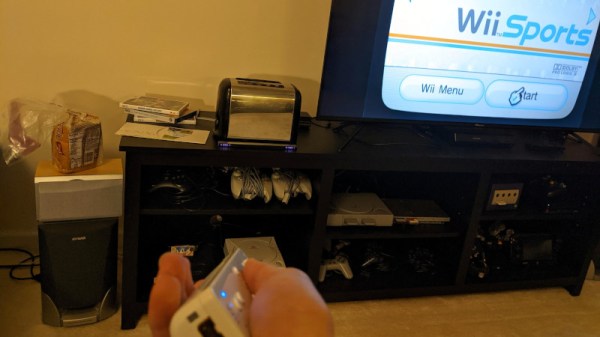
One of often encountered traits of a hacker is an ability to build devices into places where they don’t belong. Perhaps, [sonictimm]’s self-descriptive WiiinToaster was somewhat of an inevitability. Inspired by the legendary Nintoaster project which used a NES, this is a modern take on the concept, putting a Wii inside what used to be an ordinary bread-making kitchen appliance. [Sonictimm] has taken care to make it as functional while reusing the user interface options commonly found in a toaster, with some of the Wii’s connections routed to the original buttons and the lever. It’s compatible with everything that the Wii supports in its standard, non-toaster form – the only function that had to be sacrificed was the “making toast” part of it, but some would argue it’d be a bit counterproductive to leave in.

[Sonictimm] says it took five years from building the WiiinToaster to documenting it, which sounds about right for an average project. If you, like many, have a Wii laying around that you haven’t been using for years, building it into a toaster (or any other place a Wii shouldn’t be) is a decent weekend project. Perhaps, a spacier chassis will also help with the overheating problems plaguing some earlier Wii models. One thing we would not recommend, however, is building a toaster into a Wii case – unless you like to see your creations self-immolate, in which case, make sure to film it and grace our Tips line with a YouTube link. There’s also a challenge for the achievement-minded hackers out there – making a rebuild so daring, it gets a DMCA notice from Nintendo.

It wouldn’t be the first time we feature a Nintendo console reborn in a toaster’s shell, with NES and SNES projects coming to mind. If you’re interested in other directions of Wii rebuilds, perhaps you could make an Altoids-sized FrankenWii, or an unholy hybrid of three consoles. And if you do build a Switchster, or a ToaDSter (perhaps, best suited for a waffle iron), we’d love to take a look!

Continue reading “Wii Meets Its End In Breadcrumb Jail”

GamecubePC Puts a PC into a Gamecube chassis

GamecubePC Packs Plenty Of Punch Into GameCube Plastics

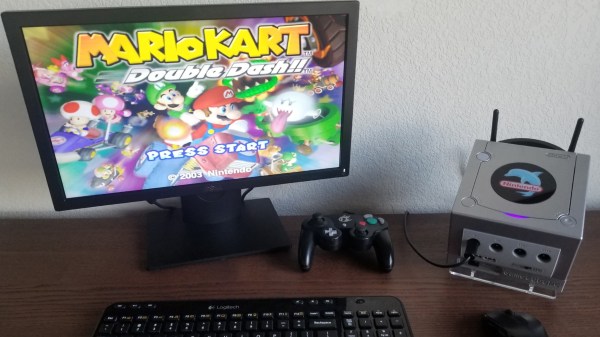
If reading Hackaday teaches us anything, it’s that there is a subset of hackers who take things like emulator builds a step farther than most. [RetroModder] is very clearly one such hacker. Enter the GamecubePC, which you can read about on Hackaday.io. The GamecubePC is a multi-year project that aims to stuff an entire Windows 10 PC into a GameCube shell while still being able to play Wii and GameCube titles at native resolution and performance.

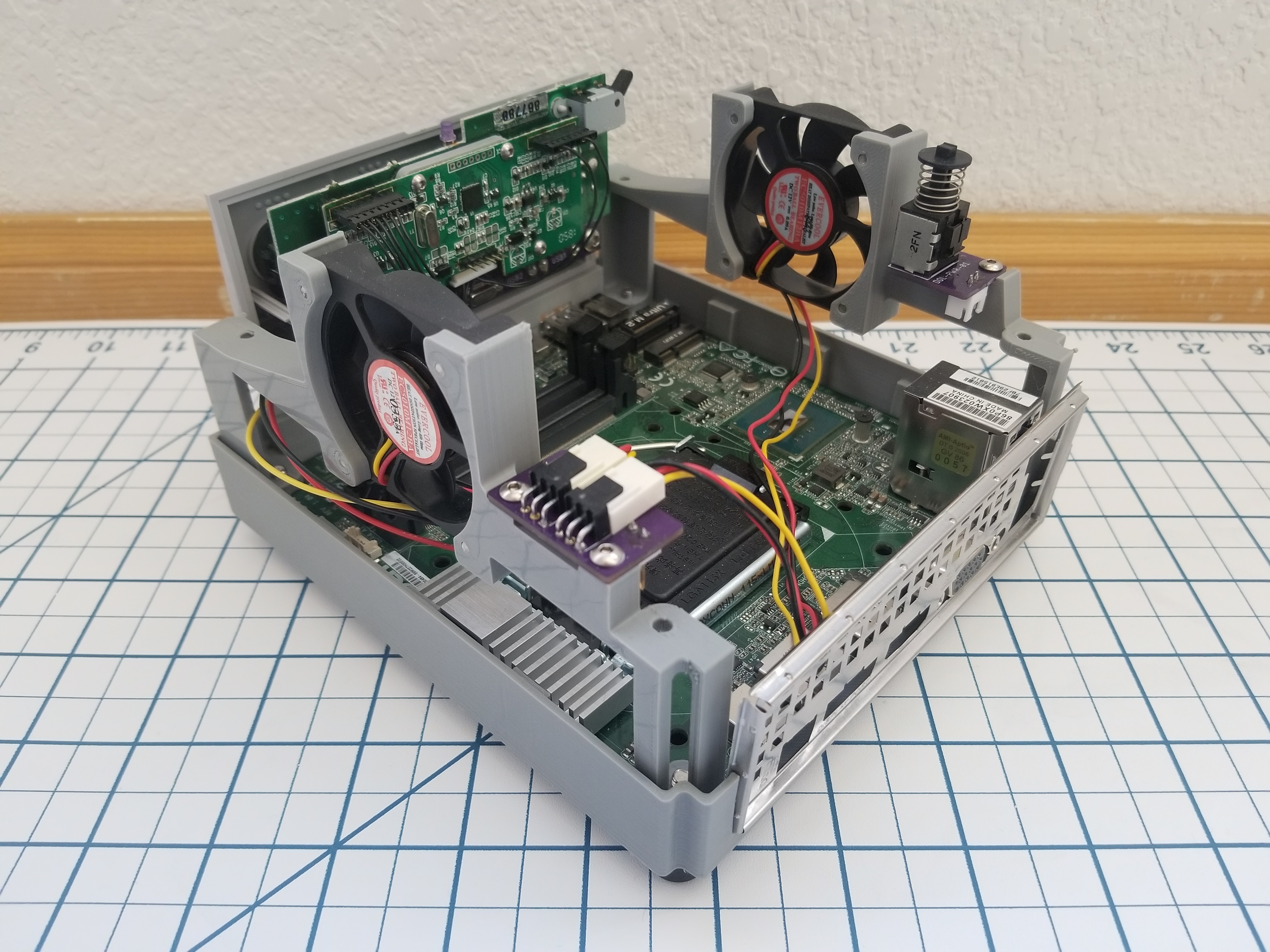
Internals of the GamecubePC with all the custom chassis and PCB's on display
Internals of the GamecubePC with all the custom chassis and PCB’s on display

Although it only takes a spare computer and the Dolphin emulator to make a GameCube and Wii emulator, great attention has been paid to keeping the GameCube at the forefront. Contributing to the illusion is the preservation of the original GameCube power switch and reset buttons by way of custom PCB’s that interface the parts to the mSTX motherboard.

The bottom of the GameCube shell is replaced with a 3D printed base that mounts the motherboard while smartly giving access to the motherboard’s front panel. The minuscule motherboard sports an Intel Core™ i5-7600 with 8GB memory, and SSD storage. Topping off the experience are four functional controller ports that can be switched to be used with the emulator or with PC games too. Surely the GamecubePC will be the subject of many double takes!

Custom game builds are no stranger to Hackaday, and you might appreciate this portable Wii that can play Wii and GameCube games or this GameCube controller hacked into a Joycon for the Nintendo Switch.

Edit from the far future: it’s now a project on Tindie.  Check it out.

Arduino Learns The Martial Arts With Nunchucks Input Device

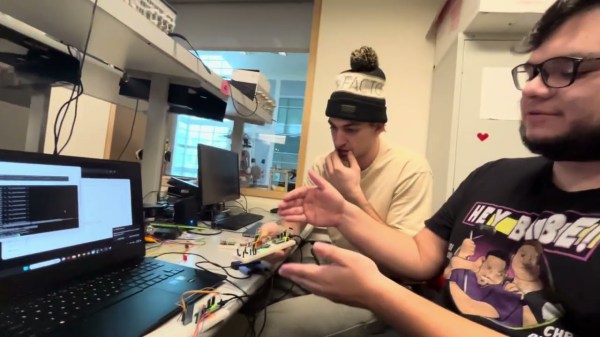
There is a boring part of every computer introduction class that shows how a computer is made up of input, output, and processing. Maybe it wouldn’t be so boring if the input device was a nunchuck. [Brian Lough] thinks so and he belligerently asserts that nunchucks are the best input device ever. With a simple connection to a Wii controller and an associated library, you get access to an analog joystick, two buttons, and an accelerometer.

The nunchuck is meant to plug into a Wii controller and the connection is I2C, so that’s trivial to interface to an Arduino or other small microcontroller. The only issue is making the connection. We might have just snipped the wires, but [Brian] prefers to use a small breakout board that plugs into the stock connector and provides solder points for your own cable. There are options for the breakout boards, and [Brian] has his own design that you can get from OSHPark for about a buck for three boards. You can also just jam wire into the connector, but that’s not always robust.

Continue reading “Arduino Learns The Martial Arts With Nunchucks Input Device”