Over the course of 10 years, [Bruce Campbell] has built himself a sleek pad out of a Boeing 727-200 in the middle of the picturesque Oregon countryside.
As you’d expect, there are a number of hurdles to setting up a freaking airplane as one’s home in the woods. Foremost among them, [Campbell] paid $100,000 for the aircraft, and a further $100,000 for transportation and installation costs to get it out to his tract of land — that’s a stiff upfront when compared to a down payment on a house and a mortgage. However, [Campbell] asserts that airplanes approaching retirement come up for sale with reasonable frequency, so it’s possible to find something at a lower price considering the cost of dismantling an airframe often compares to the value of the recovered materials.
Once acquired and transported, [Campbell] connected the utilities through the airplane’s existing systems, as well going about modifying the interior to suit his needs — the transparent floor panels are a nice touch! He has a primitive but functional shower, the two lavatories continue to function as intended, sleeping, dining and living quarters, and a deck in the form of the plane’s wing.
Making solar cells out of silicon is difficult. There’s plenty of manufacturing steps, many of them at very high temperatures, and you need a high vacuum and a clean room. However, perovskite solar cells–cells made with hybrid organic-inorganic materials in a perovskite crystal structure–are relatively easy to make using wet chemistry involving solvents or vapor deposition.
In theory, silicon solar cells could be 30% efficient, but in reality, 25% seems to be a practical limit with commercial cells typically topping out at 20%. Perovskite cells are nearly that high now, and could be higher by stacking thin layers, each sensitive to different wavelengths of light.
A recent development at the Lawrence Berkeley National Laboratory may lead to even more efficient perovskite cells. Researchers found that certain crystal structures had a much higher efficiency than other structures. The problem now is figuring out how to produce the crystals to increase the prevalence of that structure.
We’re quite used to multitasking computer systems today. Our desktops run email, a couple of browsers in different workspaces, a word processor, and a few other applications, apparently all at once. Looking behind the scenes using a system monitor or task manager program reveals a multitude of other programs running in support of our activities. Of course, any given CPU is running a maximum of one program at a time. Multitasking is simply the practice of switching between active processes fast enough to give the illusion of simultaneity.
The roots of multiasking go way back. In the early days, when computers cost tons of money, the thought of an idle system was anathema. Teletype IO was slow compared to the processor, and leaving the processor waiting idle for a card reader to slurp in the next card was outrageous. The gurus of the time worked to fill that idle time with productive work. That eventually led to systems that would run multiple programs at one time, and eventually to more finely grained multitasking within a program.
Modern multitasking depends on support from the underlying API of an operating system. Each OS uses its own techniques, making it difficult to write portable code. The C++ 2011 standard increased the portability of the language by adding concurrency routines to the Standard Template Library (STL). These routines use the API of the OS. For instance, the Linux version uses the POSIX threading library, pthread. The result is a minimal, but useful, capability for building upon in later standards. The C++ 2017 standard development activities include work on parallelism and concurrency.
In this article, I’ll work through some of the facilities for and pitfalls in writing threaded code in C++.
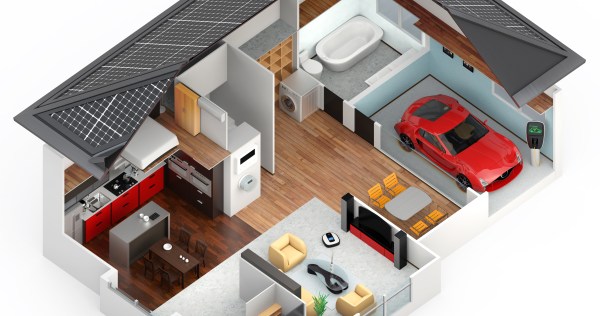
Perhaps the buzziest among buzzwords when it comes to electronics is Home Automation. This is a branch of IoT where you can actually go to the home store and come out with bags filled with products. The current Hackaday Prize round challenges you to automate your life and setting your sights on the home seems like an area open to everyone. But we’re having trouble putting our finger on what exactly makes a home automated, and more importantly, the best ways to benefit those who live beside that technology. So we want to know what you think.
Do you have a great idea for what makes an automated home more than a buzz word? Perhaps you are already sold and have been building your own; tell us about it! We want to know how (and when) you think this will turn from a buzzword to something most people want running their house. We’ll round up the best from this discussion for a future post. As a thank you, we’ll select some of the best comments and send you a T-shirt from the Hackaday store.
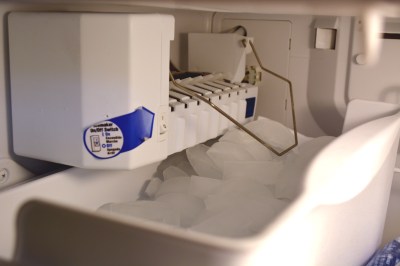
Who doesn’t love an automatic ice maker?
You can go back fifty years to the cartoons of the 1960’s and see that home automation was just around the corner. The Flintstones had dinosaurs to handle the mundane, and The Jetsons had a robot maid reigning over a cadre of whimsical gadgets in the home. At that point in time the home was already moving into the automation realm with thermostatically controlled air conditioning and water heaters. This was around the same time that automatic ice makers started to appear in a home’s freezer and remote garage door openers came into use.
Beginning in the 1970’s and 80’s it became common to find a dishwasher under the counter in the kitchen. The porch light option of dusk-until-dawn sensors came into use and were followed later by motion detecting lights which used PIR sensors. Automatic lawn sprinklers started to appear in the yards surrounding the home, and security systems that monitor doors, windows, and often motion (using PIR sensors again) became a thing.
These are great examples of home automation which is often overlooked. Even smarter thermostats are all the rage today, and security system add-ons that let you monitor cameras and locks over the Internet.
Which brings us back to the question. Where is this all going? What kind of automation will be developed now in our time, and looked back in 50 years as obvious technology wanted in every home? Do we already have the automated hardware in place and just need something to stitch it all together? Let us know what you think below, and if you’re already working on your own automation project don’t forget to enter it in the Hackaday Prize.
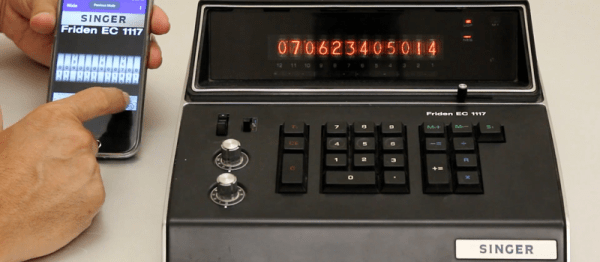
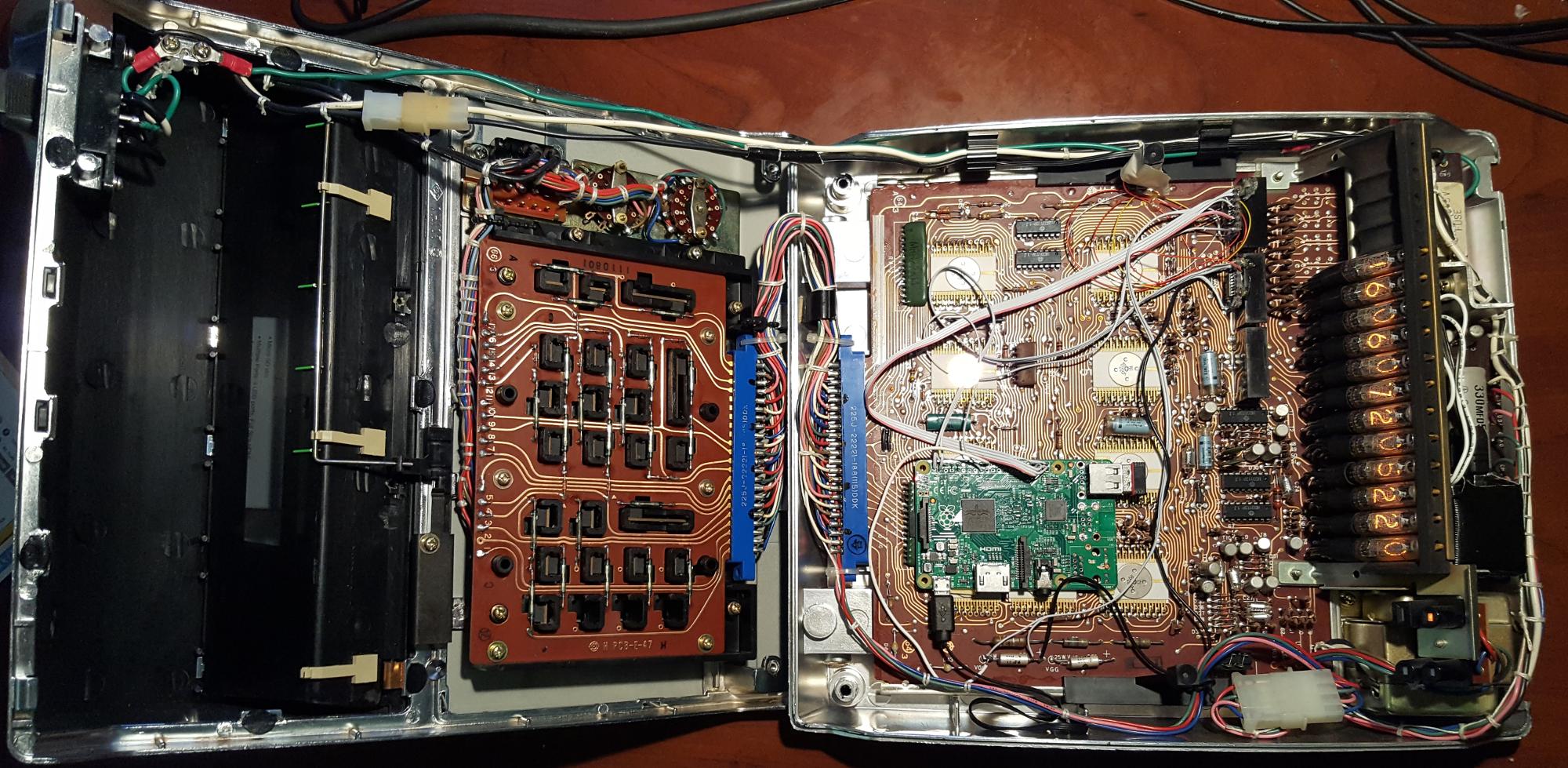
In this beautiful and well-documented reverse engineering feat of strength, [Eric Cohen] reverse-engineered a 1971 Singer calculator to gain control of the fabulous Nixie tubes inside. Where a lesser hacker would have simply pulled the tubes out and put them in a more modern housing, [Eric] kept it all intact.
Not even content to gut the box and toss some modern brains inside, he snooped out the calculator’s internal wiring, interfaced a Raspberry Pi to it, and overrode the calculator’s (860 Hz) bus system. With the Pi on the inside, controlling the Nixie tubes, he did what any of us would do: set up a UDP server and write an Android app for his phone to push ASCII data over to the former calculator. When it’s not running in its default clock mode, naturally.
All of this is extraordinarily well documented both on his website, in a slide presentation (PDF), and in video (embedded below). Our hats are tipped to the amazing attention to detail and fantastic documentation.
Now where is that Singer EC1117 calculator from 1971 that we’ve been saving for just such an occasion?
If you’ve watched the tech news these last few months, you probably have noticed the rumors that Apple is expected to dump the headphone jack on the upcoming iPhone 7. They’re not alone either. On the Android side, Motorola has announced the Moto Z will not have a jack. Chinese manufacturer LeEco has introduced several new phones sans phone jack. So what does this mean for all of us?
This isn’t the first time a cell phone company has tried to design out the headphone jack. Anyone remember HTC’s extUSB, which was used on the Android G1? Nokia tried it with their POP Port. Sony Ericsson’s attempt was the FastPort. Samsung tried a dizzying array of multi-pin connectors. HP/Palm used a magnetic adapter on their Veer. Apple themselves tried to reinvent the headphone jack by recessing it in the original iPhone, breaking compatibility with most of the offerings on the market. All of these manufacturers eventually went with the tried and true ⅛” headphone jack. Many of these connectors were switched over during an odd time in history where Bluetooth was overtaking wired “hands-free kits”, and phones were gaining the ability to play mp3 files.
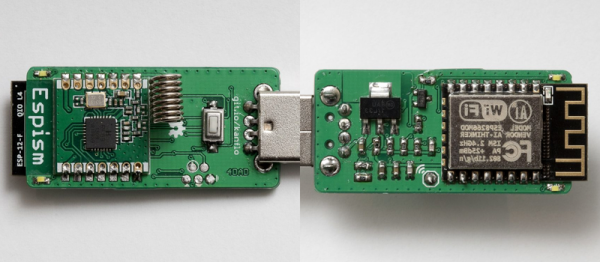
[Johan Kanflo] sent us his latest recipe: a blend of one part RFM69 sub-gigahertz radio transceiver with one part ESP8266 module. The resulting dish looks absolutely delicious!
We’re all charmed with the ease of use that the ESP8266 brings to the table — plug it in and you’re talking to your existing WiFi network — but we hate the power consumption for battery-powered applications. WiFi is a power hog. And although ISM-band radio modules make point-to-point communications cheap and power-saving, getting them to talk with your computer takes an adapter.
So [Johan] combined the two radios and made a sweet ISM-radio-to-WiFi bridge. His demo application takes whatever data is sent over the ISM band and pushes it to an MQTT broker on his WiFi network. Hardware and firmware are up on GitHub.
We’ve been wanting a device like this for our home network for a while now. Kudos, [Johan] for making it so easy!