Hackaday Passes 1,000,000 Comments

For just over sixteen years we’ve been publishing fresh hacks every day. We’ve just passed another milestone: the one millionth Hackaday comment was made just a few minutes ago.

A million of anything is impressive, but it’s not the sheer volume that’s on my mind today, but how time and again I’m gobsmacked by the insightful comments I find on these pages, and the people who put them there. We find leads for futures stories, answers to unknowns voiced in the articles, and have conversations with thousands of people whose paths we never would have crossed otherwise.

Not a week goes by that I don’t lose myself in a comment thread, usually taking me down the rabbit hole of exploring a bit of technology previously hidden to me but revealed by a few words. How many Hackaday articles were spawned by someone posting just the right link in the comment section?

Too often the people who moved the world with interesting technologies move through their careers and beyond without anyone to really tell their stories to, and those are some of the best stories from the people working with the tech on a daily basis for decades. But then we publish an article that puts a spotlight on their corner of knowledge and we get to hear how it was from their perspective. It’s so gratifying to get these moments of insight on who and what have kept humanity’s relay-race of science forward.

So thank you! Keep those comments and those stories coming!
Continue reading “Hackaday Passes 1,000,000 Comments”

The Prusa I3 MK3S And A Tale Of Two Sensors

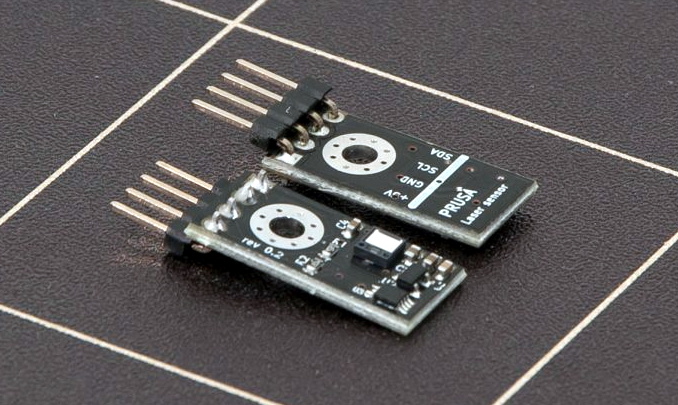
When the Prusa i3 MK3 was released in 2017, it was marketed as being “bloody smart” thanks to the impressive number of sensors that had been packed into the printer. The update wasn’t really about improving print quality over the MK2, but rather to make the machine easier to use and more reliable. There was a system for resuming prints that had stopped during a power outage, a thermometer so the firmware could compensate against thermal drift in the inductive bed sensor, RPM detection on all of the cooling fans, and advanced Trinamic stepper drivers that could detect when the printer had slipped or gotten stuck.

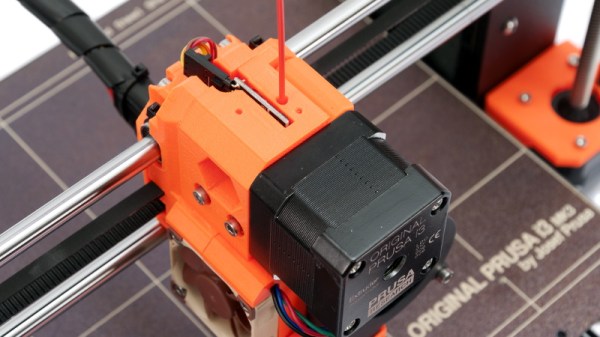
The optical filament sensor of the Prusa i3 MK3.

But the most exciting upgrade of all was the new filament sensor. Using an optical encoder similar to what you’d find in a mouse, the Prusa i3 MK3 could detect when filament had been inserted into the extruder. This allowed the firmware to pause the print if the filament had run out, a feature that before this point was largely unheard of on consumer-grade desktop 3D printers. More than that, the optical encoder could also detect whether or not the filament was actually moving through the extruder.

In theory, this meant the MK3 could sense problems such as a jammed extruder or a tangle in the filament path that was keeping the spool from unrolling. Any other consumer 3D printer on the market would simply continue merrily along, not realizing that it wasn’t actually extruding any plastic. But the MK3 would be able to see that the filament had stalled and alert the user. The capabilities of the optical filament sensor represented a minor revolution in desktop 3D printing, and combined with the rest of the instrumentation in the MK3, promised to all but eradicate the heartbreak of failed prints.

Fast forward to February of 2019, and the announcement of the Prusa i3 MK3S. This relatively minor refresh of the printer collected up all the incremental tweaks that had been made during the production of the MK3, and didn’t really add any new features. Though it did delete one: the MK3S removed the optical encoder sensor used in the MK3, and with it the ability to sense filament movement. Users would have to decide if keeping the ability to detect clogs and tangles was worth giving up all of the other improvements offered by the update.

But why? What happened in those three years that made Prusa Research decide to abandon what promised to be a huge usability improvement for their flagship product? The answer is an interesting look at how even the cleverest of engineering solutions don’t always work as expected in the real-world.

Continue reading “The Prusa I3 MK3S And A Tale Of Two Sensors”

3D Printed Mini MacBook With A Raspberry Pi Heart

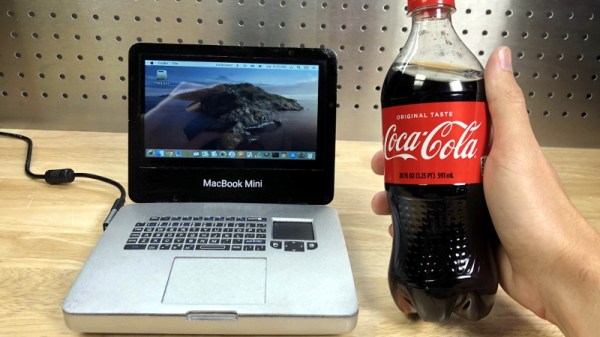
Do you like the sleek look of Apple’s laptops? Are you a fan of the Raspberry Pi? Have a particular affinity for hot glue and 3D printed plastic? Then you’re in luck, because this tiny “MacBook” built by serial miniaturizer [Michael Pick] features all of the above (and a good bit more) in one palm-sized package. (Video link, embedded below.)

Getting the LCD panel and Raspberry Pi 4 to fit into the slim 3D printed case took considerable coaxing. In the video after the break, you can see [Michael] strip off any unnecessary components that would stand in his way. The LCD panel had to lose its speakers and buttons, and the Pi has had its Ethernet and USB ports removed. While space was limited, he did manage to squeeze an illuminated resin-printed Apple logo into the lid of the laptop to help sell the overall look.

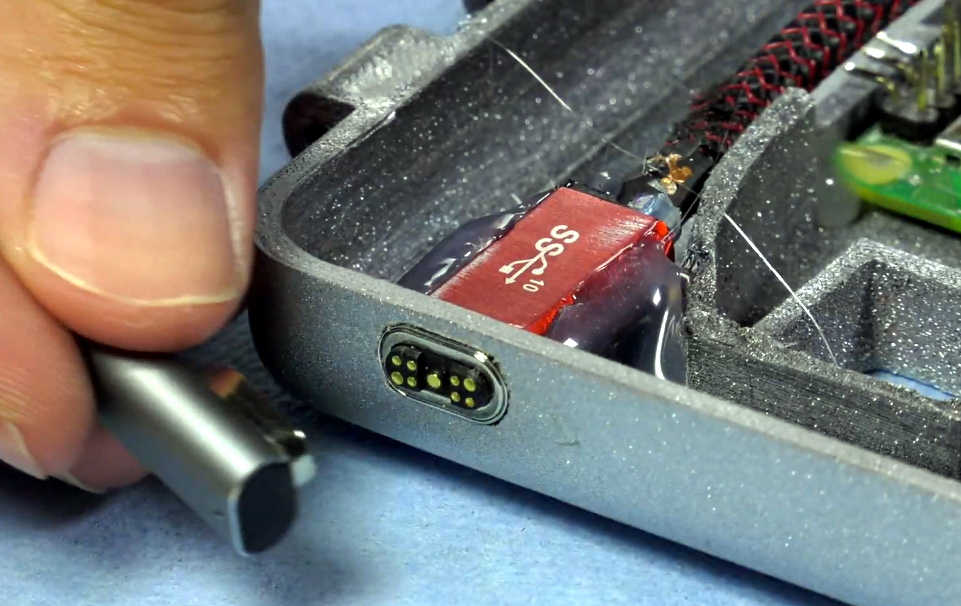
The bottom half of the machine has a number of really nice details, like the fan grill cut from metal hardware cloth and a functional “MagSafe” connector made from a magnetic USB cable. The keyboard PCB and membrane was liberated from a commercially available unit, all [Michael] needed to do was model in the openings for the keys. Since the keyboard already came with its own little trackpad, the lower one is just there for looks.

Speaking of which, to really drive home the Apple aesthetic, [Michael] made the bold move of covering up all the screws with body filler after assembly. It’s not a technique we’d necessarily recommend, but gluing it shut would probably have made it even harder to get back into down the line.

We’ve previously seen [Michael] create a miniature rendition of the iMac and an RGB LED equipped “gaming” computer using many of the same parts and techniques. He’ll have to start branching off into less common machines to replicate soon, which reminds us that we’re about due for another tiny Cray X-MP.

Continue reading “3D Printed Mini MacBook With A Raspberry Pi Heart”

3D Printed SCARA Arm With 3D Printer Components

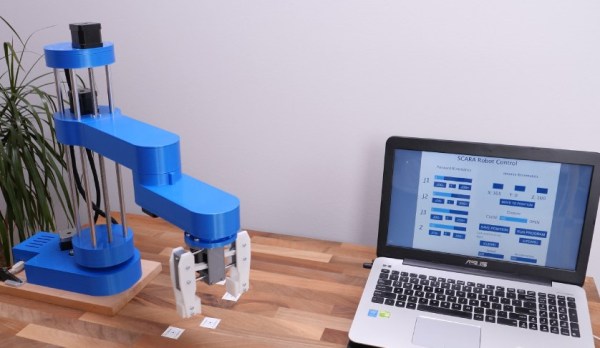
One of the side effects of the rise of 3D printers has been the increased availability and low cost of 3D printer components, which are use fill for range of applications. [How To Mechatronics] capitalized on this and built a SCARA robot arm using 3D-printed parts and common 3D-printer components.

The basic SCARA mechanism is a two-link arm, similar to a human arm. The end of the second joint can move through the XY-plane by rotating at the base and elbow of the mechanism. [How To Mechatronics] added Z-motion by moving the base of the first arm on four vertical linear rods with a lead screw. A combination of thrust bearings and ball bearings allow for smooth rotation of each of the joints, which are belt-driven with NEMA17 stepper motors. Each joint has a microswitch at a certain position in its rotation to give it a home position. The jaws of the gripper slide on two parallel linear rods, and are actuated with a servo. For controlling the motors, an Arduino Uno and CNC stepper shield was used.

The arm is operated from a computer with a GUI written in Processing, which sends instructions to the Arduino over serial. The GUI allows for both direct forward kinematic control of the joints, and inverse kinematic control,  which will automatically move the gripper to a specified coordinate. The GUI can also save positions, and then string them together to do complete tasks autonomously.

The base joint is a bit wobbly due to the weight of the rest of the arm, but this could be fixed by using a frame to support it at the top as well. We really like the fact that commonly available components were used, and the link in the first paragraph has detailed instructions and source files for building your own. If the remaining backlash can be solved, it could be a decent light duty CNC platform, especially with the small footprint and large travel area. Continue reading “3D Printed SCARA Arm With 3D Printer Components”

An Impressive Modular Mold Box

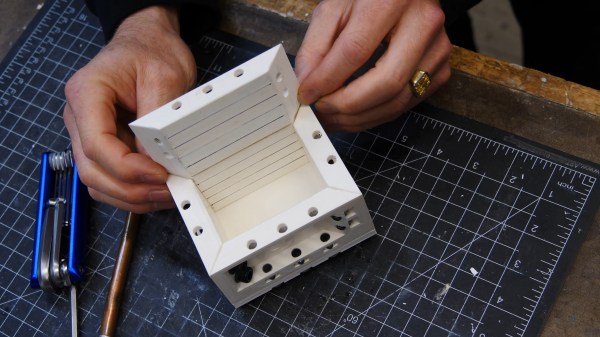
Prolific maker and product designer [Eric Strebel] has years of experience making reusable mold boxes for silicone and resin casting. He’s always used 3/4″ plywood before, but it comes with some problems such as inaccuracy, screws that eventually slip out, and no room at all for expansion. Now [Eric] has decided to devise a modular mold box system that’s so awesome, it’s even stack-able. Check out the design and build process in the video after the break.

[Eric] took advantage of additive manufacturing and made fancy trapezoidal walls with recessed bits that allow for the magic that this modular system hinges on — a handful of M6 socket cap screws and matching nuts for tensioning. Once the prints were ready, [Eric] pounded the nuts captive into the walls and marked fill lines every 10mm. As usual, [Eric]’s video comes with bonus nuggets of knowledge, like his use of a simple card scraper to clean up prints, smooth the sides, and chamfer all the edges.

If you want to mold stuff like concrete and plaster, you may be better off using flexible filament.

Continue reading “An Impressive Modular Mold Box”

Developing An Open Source Electronics Trainer

It’s a safe bet that most Hackaday reader’s interest in electronics started at a young age, and that their early forays into the world of hardware hacking likely involved some form of “playground” kit. As long as you didn’t lose any of the components, these kits promised the user that hundreds of possible projects were just a few jumper wires away. Extra points awarded for when you decide to toss away the manual and fly solo.

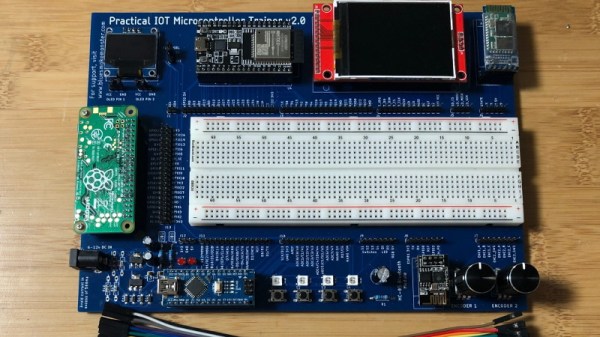
While there’s still no shortage of such products on the market, [Josh Kittle] felt the concept could do with a freshening up. His open hardware “Microcontroller Trainer” harkens back to those old multi-kits, but adds in the sort of high-tech gadgetry that makes the modern DIY world go round.

It’s still got the traditional layout: a center mounted breadboard surrounded by an array of LEDs, a handful of buttons, and a pair of potentiometers. But there’s also sockets for the Raspberry Pi, ESP8266, ESP32, and Arduino. Plus a few of their most popular friends to keep them company: a .96″ OLED, 2.4″ Touch TFT, and a BC05 Bluetooth module.

Originally [Josh] created this design to help clean up his own workspace, figuring he could just put his most used components on a single compact board. But as you might expect, others expressed interest in the concept. Now he’s producing them as kits, and even working his way towards a third hardware revision that adds features such as an integrated 18650 battery for portable use.

While electronics kits that have you build a functional device are a great way to learn the ropes, we’re always glad to see fresh takes on the classic electronic “playground” concept.

Portable Printer Is A Top Notch High School Project

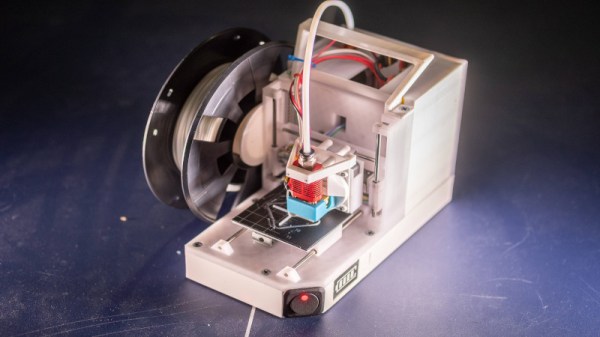
When we think 3D printers, we most commonly think of the fused-deposition modelling type that squirts molten plastic out of a hot nozzle. Typically, these are tabletop units designed to be set up and used in a workshop environment. [BingoFishy] dared to think outside the box however, and whipped up a compact, portable 3D printer for working out on the road.

The printer is almost entirely self-contained, running an OctoPrint controller with built-in hotspot which allows print files to be sent to the unit over a smartphone. The motion platform is built out of DVD drive stepper motors and rails, with dual motors used on the Z-axis to ensure there’s enough torque to move smoothly. Power is courtesy of 26650 cells, in a 2S3P configuration, which provides 3 hours of runtime. While this might not sound like much, for a compact printer with a small build volume, it’s a useful period of time to work with.

While such a build will never replace a solid desktop unit with a large build volume, it nevertheless could come in handy for producing small parts out in the field. We can imagine a college robotics team toting one of these to a regional contest, where it could prove invaluable for whipping up some bushings after something breaks unexpectedly. The finish of the project is great, too, though we’ve seen great results from less-polished builds in the past as well. Video after the break.

Continue reading “Portable Printer Is A Top Notch High School Project”