Welcome To Solar Cycle 25; Our Sun Enters A New 11-Year Period

Most of us perceive time as an arrow, a one-way trip into the future. And while that’s true, nature has a way of interpolating circular patterns onto that linear model — day follows night, the seasons progress through the year, and generations are born, live, and die after creating the next generation to do experience the same cycles in the future.

Our star, too, follows this cyclical model, and goes through observable, periodic changes that are of keen interest to solar scientists. So it was with some fanfare that they recently announced that the sun had transitioned into Solar Cycle 25. But what exactly does that mean? Does the Sun’s changing face make much difference to the average person’s daily life? History shows that it can, so it pays to know what we’re in store for over the next couple of decades. Welcome to your primer on Solar Cycle 25.

Continue reading “Welcome To Solar Cycle 25; Our Sun Enters A New 11-Year Period”
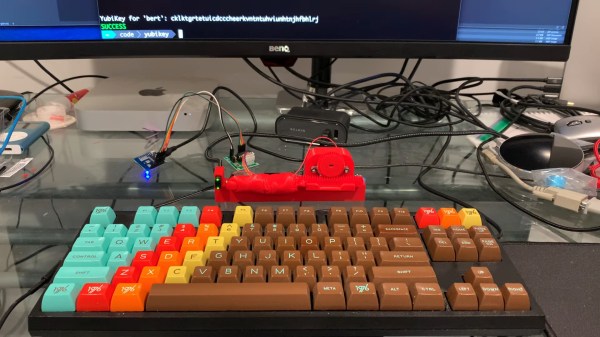
Hacker Has Robot Give Yubikey The Finger

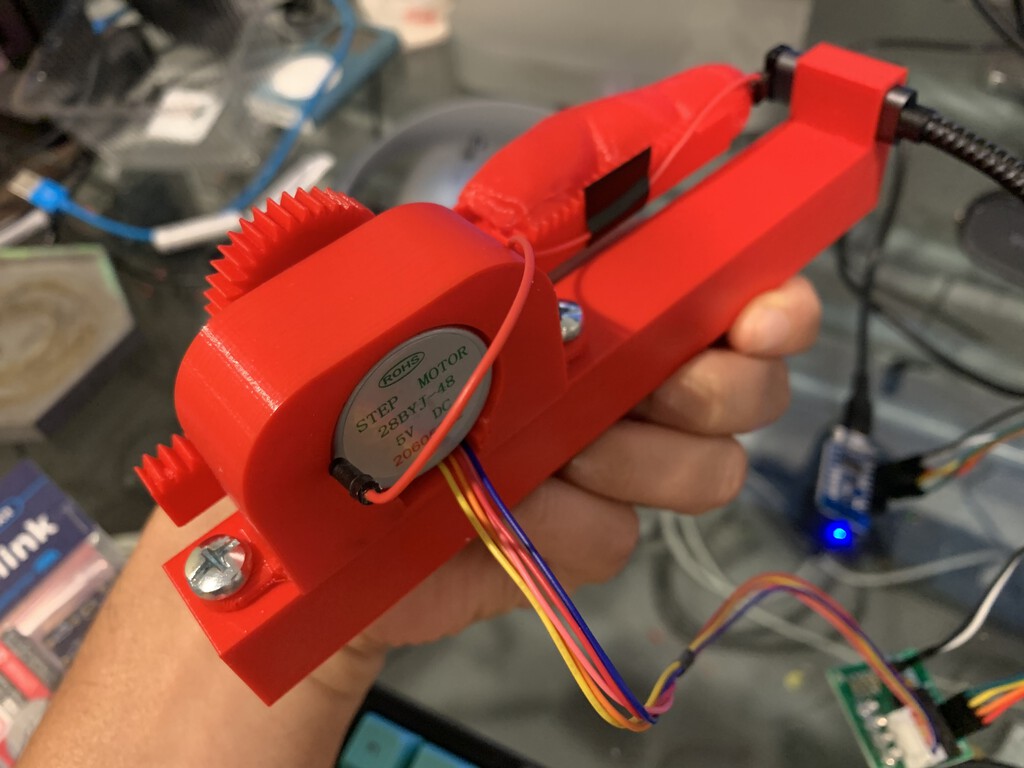
[Bertrand Fan] is not a fan of the tiny, hard-to-actuate button on the average Yubikey. Before all that is 2020 occurred, [Bert] had the little 2FA nano-donglette plugged into a spare USB port on the side of their laptop so that it was always available wherever the laptop traveled. Now that working from home is the norm, [Bert] has the laptop off to the side, far out of reach.

A USB-C extension cable certainly made it more accessible, but did nothing for the actuation fail rate of the tiny button. Fed up by inconvenience and looking for a lockdown project, [Bert] decided to make a button-pressing robot finger that’s driven by a spare key on their groovy TKL keyboard.

It runs on a Wemos D1 mini and uses a small stepper motor to push a 3D-printed finger along a rack-and-pinion actuator. Since the Yubikey requires capacitive touch, [Bert] added a screw to the finger tip that’s wired to ground. Now all [Bert] has to do is press a decidedly cooler key to make the finger press the button for him. Check out a brief demo after the break.

If this security flaw makes you uncomfortable, perhaps this 2FA launch console is more to your liking. And as we saw recently, if you don’t like the cost of Yubikeys, you can roll your own 2FA device with a blue pill.

Continue reading “Hacker Has Robot Give Yubikey The Finger”

Clock Is Not Readable By Humans

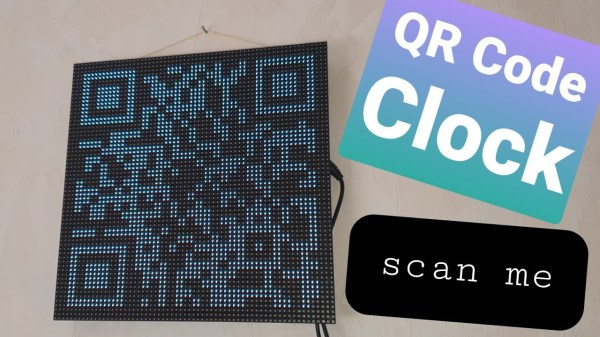
Not every build needs to be immediately useful or revolutionary. Plenty of builds are just for fun, for education, or even purposefully useless but still challenging. This clock, for example, might fit into all three categories. It’s a clock that displays time through a QR code, making it completely inscrutable unless you have a device which likely has its own readable clock on it already.

The QR Code clock comes to us from [Aaron] and is based on the now-ubiquitous ESP32 WiFi chip. The ESP32 is connected to a 64×64 LED matrix which is updated every second with a code for the current time. With single-second resolution that means that even with a method for reading a QR code by hand, like you sometimes can with barcodes, there’s no way to read it without a smartphone since it changes so rapidly.

Of course [Aaron] recognizes the flaw in his design in his video in which he notes tongue-in-cheek that with this clock you would never have to look at a smartphone again, since the clock is right there on the wall. We appreciate the humor and also that [Aaron] has made all of his source code available in case you would like to use this as an example project for using QR codes for more useful purposes. For now, though, we’ll just forward you along to some other useless machines.

Thanks to [willmore] for the tip!

Continue reading “Clock Is Not Readable By Humans”

Baseball Cap Mouse Provides A Look-And-Click Interface

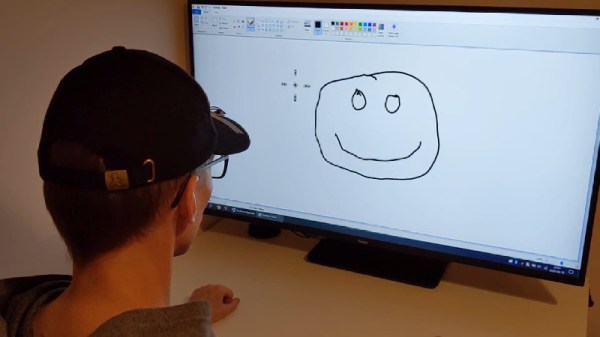
Once upon a time, the computer mouse didn’t exist. Early computers used a variety of other input devices, from the typical keyboard to more esoteric options such as joysticks or light pens. While the mouse as we know it dominates all, it doesn’t mean other tools can’t find their place. One such device is this hat mouse, from [Jacek Fedorynski].

The mouse consists of an Adafruit Feather nRF52840 Sense, mounted upon a basic baseball cap. The development board packs in a 9 degree-of-freedom motion sensor package featuring the ST LSM6DS33 acceleromater/gyro and LIS3MDL magnetometer. Through a robust sensor fusion algorithm, this enables the board to measure the orientation and motion of the wearer’s head with a great degree of finesse. This allows the user to look at different parts of the screen to move the mouse cursor, with the system working in an absolute rather than relative fashion. Commands are sent to the attached PC with the Feather’s built-in Bluetooth, avoiding the need for dangly cables running down the user’s neck. Files are available on Github for those eager to spin up their own.

Combined with some built-in accessibility aids in Windows, the setup allows the user to move the mouse well, with foot switches used to activate the left and right mouse buttons. For those who find using a traditional mouse difficult, this could be a great tool for better productivity. Of course, if you wish to learn more, it pays to take a look back at the very earliest days of mouse technology. Video after the break.

Continue reading “Baseball Cap Mouse Provides A Look-And-Click Interface”

Graphene Generates A Little Power

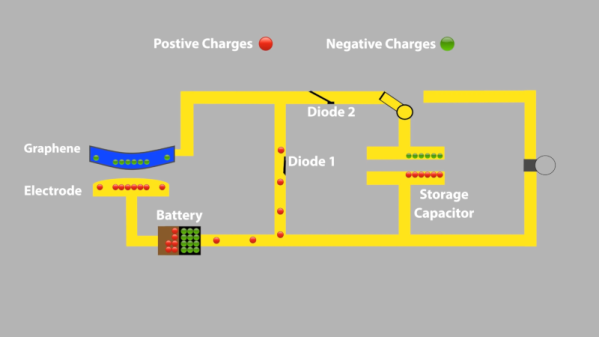
We never know exactly what to make of university press releases, as we see plenty of them with breathless claims of new batteries or supermaterials, but then we don’t see much else. Sometimes, the claims in the press release don’t hold up in the paper, while other times the claims seem to be impractical for use in real life. We aren’t quite sure what to make of a press release from the University of Arkansas claiming they can draw current from a sheet of freestanding graphene purely from its temperature fluctuations.

The press release seems to claim that this is a breakthrough leading to “clean, limitless power.” But if you look at the actual paper, normal room temperature is causing tiny displacements in the graphene sheet as in Brownian motion. A scanning tunneling microscope with two diodes can detect current flowing even once the system reaches thermal equilibrium. Keep in mind, though, that this in the presence of a bias voltage and we are talking about nanometer-scale displacements and 20 pA of current. You can see a simple video from the university showing a block diagram of the setup.

Continue reading “Graphene Generates A Little Power”

Spare SMD Storage, With Stacking SMT Tape Reels

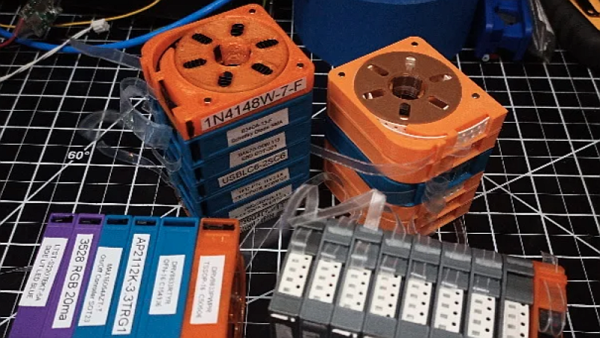
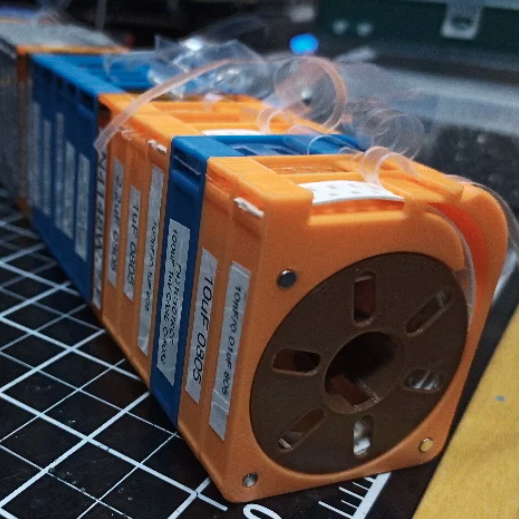
[Kadah]’s solution for storing short tapes of SMT parts is as attractive as it is clever. The small 3D-printed “tape reels” can double as dispensers, and stack nicely onto each other thanks to the sockets for magnets. The units come in a few different sizes, but are designed to stack in a consistent way.

We love the little touches such as recessed areas for labels, and the fact that the parts can print without supports (there are a couple of unsupported bridges, but they should work out fine.) Also, the outer dimensions of the units are not an accident. They have been specifically chosen to nestle snugly into the kind of part drawers that are a nearly ubiquitous feature of every hardware hacker’s work bench.

STLs are provided for handy download but [Kadah] also provides the original Fusion 360 design file, with all sizes defined as easily-customized parameters. In addition, [Kadah] thoughtfully provided each model in STEP format as well, making it easy to import and modify in almost any 3D CAD program.

Providing 3D models in STEP format alongside STLs is nice to see, because it gives more options to people if things need some tweaking, because editing the STL file can be done if needed, but isn’t optimal. Thankfully the ability to export STEP files is still open to hobbyists using Fusion 360, since Autodesk decided to leave that feature available to personal use licenses.

Dice Roller Keeps Germs Out Of Your Snake Eyes

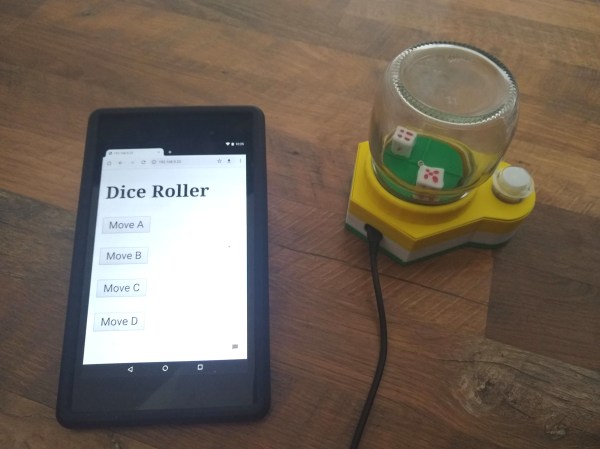
Do you need a to find a more sanitary way to roll the dice at your next socially-distanced board game gathering? [CJA3D]’s pop-o-matic mason jar dice roller can roll the bones two different ways — either by hitting that big, inviting arcade button, or though a web app that everyone can access on their own phones.

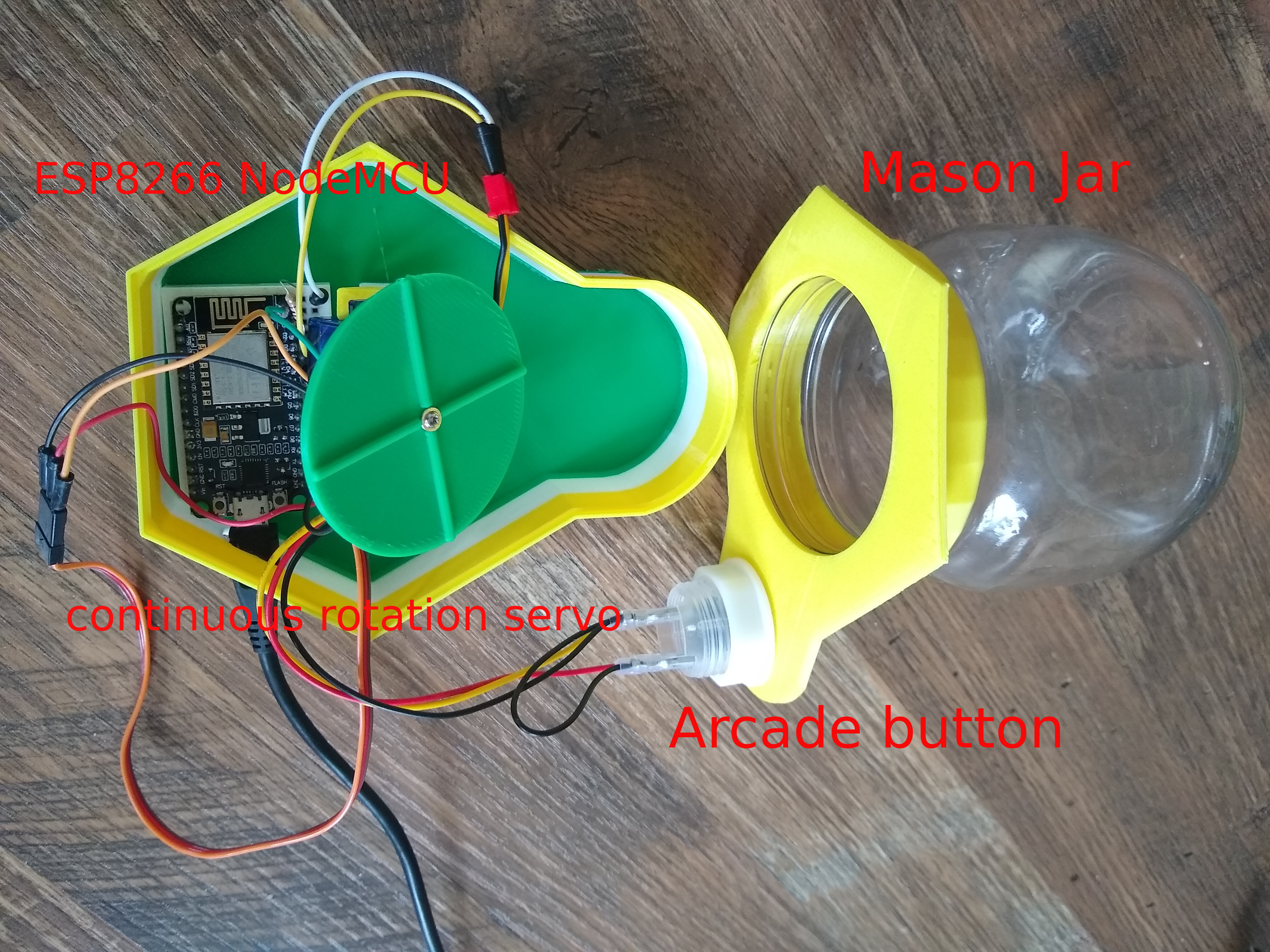
We think this looks great, and is a great reuse of a glass jar. The brains of this operation is an ESP8266, which drives a continuous-rotation servo underneath the dice. Push the button or use the web app and the servo disturbs the plate, moving the dice around.

Besides the sanitary aspect, one benefit of using the web app is that there are four different speed presets for the servo. As a bonus, [CJA3D] included the files for a pair of printed 6-sided dice. Click through to the project to see it in action.

We know you take games seriously, and so do we. Just look at this dice roller that uses machine vision to ensure fairness.