Tend Your Garden… Again

In the early 1940s, several countries saw an incredible shift in agriculture. What were called “victory gardens” were being planted en masse by people from all walks of life, encouraged by various national governments around the world. Millions of these small home gardens sprang up to help reduce the price of produce during World War 2, allowing anyone with even the tiniest pot of soil to contribute to the war effort.

It’s estimated that in 1943 alone, victory gardens accounted for around one third of all vegetables produced in the United States. Since then, however, the vast majority of these productive gardens have been abandoned in favor of highly manicured, fertilized, irrigated turfgrass (which produces no food yet costs more to maintain), but thanks to the recent global pandemic there has been a resurgence of people who at least are curious about growing their own food again, if not already actively planting gardens. In the modern age, even though a lot of the folk knowledge has been lost since the ’40s, planting a garden of any size is easier than ever especially with the amount of technology available to help.

As someone who not only puts food on the table as a writer for a world-renowned tech website but also literally and figuratively puts food on the table as a small-scale market farmer, there are a few things that I’ve learned that I hope will help if you’re starting your first garden.

Continue reading “Tend Your Garden… Again”

Super Mario 64 As Experienced By Mario

Microsoft’s Kinect, a motion-sensing peripherial originally for the Xbox 360, is almost exactly a decade old now. And in that decade it has expanded from its limited existence tied to a console to a widely-used tool for effective and detailed motion sensing, without breaking the bank. While it’s seen use well outside of video games, it’s still being used to reimagine some classic games. In this project, Reddit user [SuperLouis64] has used it to control Mario with his own body.

While the build still involves some use of a hand controller, most of Mario’s movements are controlled by making analogous movements on a small trampoline, including the famed triple jump. The kinect is able to sense all of these movements and translate them into the game using software that [SuperLouis64] built as well. The trickiest movement seems to be Mario’s spin movement, which appears to have taken some practice to get right.

We appreciate the build quality on this one, and [SuperLouis64]’s excitement in playing the game with his creation. It truly looks like a blast to play, and he even mentions in the Reddit thread that he’s gotten a lot of productive excercise with his various VR and augumented reality games in the past few months. Of course if this is too much physical activity, you could always switch to using your car as the unique game controller instead.

Continue reading “Super Mario 64 As Experienced By Mario”

Arduino Plays NES Games

Watching the advancement of technology is interesting enough by looking at improved specifications for various components as the years go by. But clock speeds, memory size, and power consumption are all fairly intangible compared to actual implementation of modern technology when compared to days of yore. For example, this $40 microcontroller can do what a video game console was able to do in the 80s for a tenth of the (inflation adjusted) price.

The NESDUE is an emulator for NES games which runs completely on an Arduino Due. The Arduino does have some limitations that have to be worked around to get the Nintendo to work, though. For one, it needs to be overclocked to be playable and it also needs a workaround to get past the memory limit of 96 kB of RAM. From there, a small screen is wired up along with a controller (from a Super Nintendo) and the gaming can begin.

This is an impressive feat for an Arduino platform to accomplish, especially with the amount of memory tweaking that has to happen. This might be the most advanced gaming system available that runs everything on an Arduino, right up there with the Arduinocade which can provide an arcade-like experience straight from the Arduino as well.

Continue reading “Arduino Plays NES Games”

Modern Mice On Old Computers

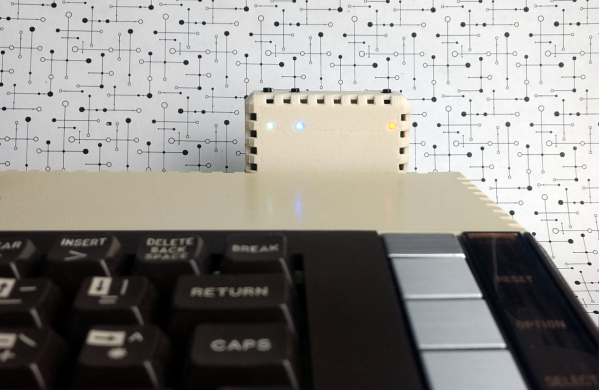
Getting retro hardware up and running again is sometimes a feat, and the amount of effort needed tends to go up exponentially with increased hardware age. Getting an IDE hard drive running again is one thing, but things like peripherals on truly “retro” computers like Commodores and Amigas is another beast altogether if you even have a 30-year-old mouse still lying around. That’s why adapters like Project mouSTer are here to help you connect modern USB hardware to truly ancient computers.

This piece of equipment was built for the Atari ST (hence the name), a 8-bit  computer from the mid-80s. It mates a DB9 plug with USB via a small microcontroller which does the translating. The firmware can be flashed over the USB connection so there’s planned support for other machines of this vintage. The chip supports all the features the original mouse did, too, including PS4 pad support and support for joysticks, and comes in an impressively tiny package once assembled which blends in seamlessly.

The project is a great step to getting retro computers working again, even if you can’t find exact OEM replacements anymore. That’s a common problem, and we’ve seen this solved in other ways for other old Ataris. It’s not uncommon to put modern power supplies in retro computers, either, as long as they power up and work after everything’s wired together.

Home Automation Covers Everything

When starting out on a project, it’s accepted best practice to try to avoid feature creep. Of course, we can’t all say that we follow this guideline completely every time. In fact, sometimes it can get away from us, and in rare situations it might actually turn out pretty well. That appears to be what happened with [superczar]’s home automation project which now covers basically everything possible in home automation.

The build started in 2013, so we assume that features have been added periodically and that the system wasn’t designed and built all in one furious weekend. Either way, though, it covers a lot: lights, switches, media players in several rooms, includes sensors and logging for temperature, smoke, fire, and power, supports a number of cameras, the doorbell, and the locks. It also includes voice control for most of the systems.

That’s an impressive list, but what really drew our attention to this project is that it used to be based on domoticz, but that community has waned over the years and [superczar] had kept his system patched together with self-built scripts. An accidental upgrade recently broke the entire setup, so rather than rebuild everything a migration was made to home-assistant, an open-source platform that has a more active community. We’ve seen plenty of projects around here that use it as a platform, for ceiling fans, custom remotes, and doorbells.

Thanks to [pradeepmur] for the tip!

Making PCBs The Easy Way

Building a PCB at home can be fraught. If you’re etching, there are chemicals and the nuances of toner transfer. If you’re milling, getting the surface height just right, and not breaking those pointy little v-cutters is always a challenge. [Robin] has tips for both of these cases, and solves a lot of the common hassles by using a milling machine.

Whether he’s scraping away etch resist or entire copper isolation lines, [Robin] uses a non-spinning scratching tool instead of a v-bit: they’re more robust and cut every bit as well. He’s got tips for using FlatCam and KiCAD to make scratched-out traces. His registration system allows him to get double-sided boards with a minimum of hassle. And as a bonus, he’s doing some experimentation with embedding SMT parts inside the boards as well. Be sure that you check out his whole guide, or just watch the video embedded below.

We’re pretty sure you’ll pick up a trick or two, and maybe you’ll be convinced to bite the bullet and invest in a nice mill. If you’d like a more traditional take on PCB milling, try out our own [Adil Malik]’s guide.

Continue reading “Making PCBs The Easy Way”

Gaming In Different Languages

One of the perks of using older hardware is its comparative simplicity and extensive documentation. After years or decades of users programming on a platform, the amount of knowledge available for it can become extensive. This is certainly the case with the 6502 microprocessor, used in old Apple computers and some video game systems from the ’80s. The extensive amount of resources available make it a prime candidate in exploring various programming languages, and their advantages and disadvantage.

This project looks into those differences using a robot game, which has been programmed four different ways in three languages. [Joey] created the game in Python first and then began to port it to the 65C02, a CMOS variant of the 6502. The first iteration is its assembly language, and then a second iteration with optimized assembly code. From there, he ports it to C and then finally to Forth. Each version of the game is available to play in a browser using an emulator to run the 6502 hardware.

Since the games run in the browser, other tools are available to examine the way the game runs in each language. Registers can be viewed in real time, as well as the values stored in the memory. It’s an interesting look at an old piece of hardware and of its inner workings. For an even deeper dive into the 6502, it’s possible to build a working computer on breadboards using one.