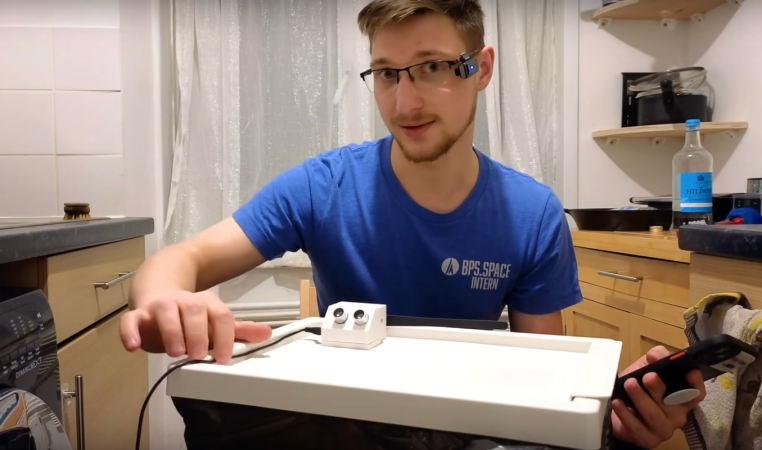
A System Board For The 8008

Intel processors, at least for PCs, are ubiquitous and have been for decades. Even beyond the chips specifically built by Intel, other companies have used their instruction set to build chips, including AMD and VIA, for nearly as long. They’re so common the shorthand “x86” is used for most of these processors, after Intel’s convention of naming their processors with an “-86” suffix since the 1970s. Not all of their processors share this convention, though, but you’ll have to go even further back in time to find one. [Mark] has brought one into the modern age and is showing off his system board for this 8008 processor.

The 8008 predates any x86 processor by about six years and was among the first mass-produced 8-bit processors even before the well-known 8080. The expansion from four bits to eight was massive for the time and allowed a much wider range of applications for embedded systems and early personal computers. [Mark] goes into some of the details for programming these antique processors before demonstrating his system board. It gets power from a USB-C connection and uses a set of regulators and level shifters to make sure the voltages all match. Support for all the functions the 8008 needs is courtesy of an STM32. That includes the system memory.

For those looking to develop something like this, [Mark] has also added his development tools to a separate GitHub page. Although it’s always a good idea for those interested in computer science to take a look at old processors like these, it’s not always the easiest path to get original hardware like this, which also carries the risk of letting smoke out of delicate components. A much easier route is to spin up an emulator like an 8086 IBM PC emulator on an ESP32. Want to see inside this old chip? Have a look.

Continue reading “A System Board For The 8008”

2024 Business Card Challenge: Adding Some Refinement To Breadboard Power Supplies

For small electronics projects, prototyping a design on a breadboard is a must to iron out kinks in the design and ensure everything works properly before a final version is created. The power supply for the breadboard is often overlooked, with newcomers to electronics sometimes using a 9V battery and regulator or a cheap USB supply to get a quick 5V source. We might eventually move on to hacking together an ATX power supply, or the more affluent among us might spring for a variable, regulated bench supply, but this power supply built specifically for breadboards might thread the needle for this use case much better than other options.

The unique supply is hosted on a small PCB with two breakout rails that connect directly to the positive and negative pins on a standard-sized breadboard. The power supply has two outputs, each of which can output up to 24V DC and both are adjustable by potentiometers. To maintain high efficiency and lower component sizes, a switch-mode design is used to provide variable DC voltage. A three-digit, seven-segment display at the top of the board keeps track of whichever output the user selects, and the supply itself can be powered by a number of inputs, including USB-C or lithium batteries.

Continue reading “2024 Business Card Challenge: Adding Some Refinement To Breadboard Power Supplies”

Homebrew Computer From The Ground Up

Building a retro computer of some sort is a rite of passage for many of us, with some building replicas or restorations of old Commodores, Ataris, and other machines from decades past. Others go even further back, to the time of the Intel 8008 or earlier, and a dedicated few will build something completely novel. This project from [3DSage] falls squarely in the latter category, with his completely DIY computer built component by component from scratch, including the machine code needed to run it.

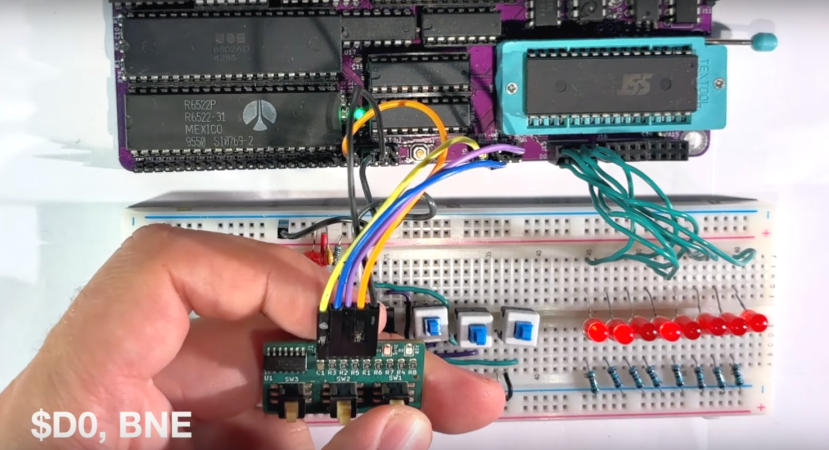
[3DSage] starts with the backbone of every computer: the clock. He first demonstrates how a pair of NOT gates with a set of capacitors can be used as a rudimentary clock pulse, then builds a more refined version with a 555 timer and potentiometer for adjustable rates. Then, it’s on to creating a binary counter, which is a fundamental part of the memory system for this small computer, and finally, allows this circuitry to behave like a normal computer. Using a set of switches to store values in memory and stepping through them with the clock, the computer can be programmed to do plenty of tasks just like a modern microcontroller.

[3DSage] built this project a few years ago and has used it for real-world applications such as controlling servos, LED arrays, playing music, and other tasks. Although he has to program it using his own machine code by hand, it’s a usable computer in many ways. If you want to eschew modernity and build a retro computer in the style of the 1960s, though, this piece goes through what it would have been like to build a similar system in the era when these computers were more common. If you have a switch fetish, you might like to see how real computers worked back then, too.

Continue reading “Homebrew Computer From The Ground Up”

BASIC Classroom Management

While we don’t see it used very often these days, BASIC was fairly revolutionary in bringing computers to the masses. It was one of the first high-level languages to catch on and make computers useful for those who didn’t want to (or have time) to program them in something more complex. But that doesn’t mean it wasn’t capable of getting real work done — this classroom management software built in the language illustrates its capabilities.

Written by [Mike Knox], father of [Ethan Knox] aka [norton120], for his classroom in 1987, the programs were meant to automate away many of the drudgeries of classroom work. It includes tools for generating random seating arrangements, tracking attendance, and other direct management tasks as well as tools for the teacher more directly like curving test grades, tracking grades, and other tedious tasks that normally would have been done by hand at that time. With how prevalent BASIC was at the time, this would have been a powerful tool for any educator with a standard desktop computer and a floppy disk drive.

Since most people likely don’t have an 80s-era x86 machine on hand capable of running this code, [Ethan] has also included a docker container to virtualize the environment for anyone who wants to try out his father’s old code. We’ve often revisited some of our own BASIC programming from back in the day, as our own [Tom Nardi] explored a few years ago.

CADmium Moves CAD To The Browser

For plenty of computer users, the operating system of choice is largely a middleman on the way to the browser, which hosts the tools that are most important. There are even entire operating systems with little more than browser support, under the assumption that everything will be done in the browser eventually. We may be one step closer to that type of utopia as well with this software tool called CADmium which runs exclusively in a browser.

As the name implies, this is a computer-aided design (CAD) package which looks to build everything one would need for designing project models in a traditional CAD program like AutoCAD or FreeCAD, but without the burden of needing to carry local files around on a specific computer. [Matt], one of the creators of this ambitious project, lays out the basic structure of a CAD program from the constraint solver, boundary representation (in this case, a modern one built in Rust), the history tracker, and various other underpinnings of a program like this. The group hopes to standardize around JSON files as well, making it easy to make changes to designs on the fly in whatever browser the user happens to have on hand.

While this project is extremely early in the design stage, it looks like they have a fairly solid framework going to get this developed. That said, they are looking for some more help getting it off the ground. If you’ve ever wanted something like this in the browser, or maybe if you’ve ever contributed to the FreeCAD project and have some experience, this might be worth taking a look at.

90s PowerBook Runs MacOS Monterey

Even though Apple isn’t known for making the most pro-consumer devices ever (at least not since the Apple II), the trope that Apples aren’t upgradable, customizable, or otherwise hackable doesn’t really hold much weight. It does take more work to modify them or change how Apple wants them to behave, but it’s not completely impossible. Take this example of a ’94 Apple PowerBook which runs macOS Moneterey thanks largely to new internals from a 2015 MacBook Pro.

[Billy] originally intended for a Raspberry Pi to go inside this old PowerBook, but at the time, prices for ARM single-board computer (SBC) were astronomical. For around the same price as the Pi was at the time, he was able to pick up a retina display from an iPad and the internals from a broken MacBook Pro to outfit this retro case. There’s also a Teensy installed to get the trackpad working and a driver board for the display from Adafruit, and a number of case mods were needed to get everything to fit including the screen which was slightly larger than the original 9.5″ display the laptop would have shipped with.

This project took both inspiration and some of the actual code needed to get everything working from another project we featured a while ago where a Mac Mini was installed inside of a PowerBook case from 1993. Unlike projects that use smaller SBCs for retrocomputing, these builds are notable because the hardware on the inside makes them usable as daily driver computers even today, and might even be an upgrade if you’re using the internals from a MacBook Pro that would have originally had a butterfly keyboard.

Continue reading “90s PowerBook Runs MacOS Monterey”

3D Printed Braille Trainer Reduces Barrier To Entry

Accessibility devices are a wonder of modern technology, allowing people with various needs to interact more easily with the world. From prosthetics to devices to augment or aid someone’s vision or hearing, devices like these can open up many more opportunities than would otherwise exist. A major problem with a wide array of these tools is that they can cost a fortune. [3D Printy] hoped to bring the cost down for Braille trainers which can often cost around $1000.

Braille trainers consist of a set of characters, each with six pins or buttons that can be depressed to form the various symbols used in the Braille system. [3D Printy]’s version originally included six buttons, each with a set of springs, that would be able to pop up and down. After some work and real-world use, though, he found that his device was too cumbersome to be effective and redesigned the entire mechanism around flexible TPU filament, allowing him to ditch the springs in favor of indentations and buttons that snap into place without a dedicated spring mechanism.

The new design is modular, allowing many units to be connected to form longer trainers than just a single character. He’s also released his design under the Creative Commons public domain license, allowing anyone to make and distribute these tools as they see fit. The design also achieves his goal of dramatically reducing the price of these tools to essentially just the cost of filament, provided you have access to a 3D printer of some sort. If you need to translate some Braille writing and don’t want to take the time to learn this system, take a look at this robotic Braille reader instead.

Thanks to [George] for the tip!

Continue reading “3D Printed Braille Trainer Reduces Barrier To Entry”