Robot Fights Fire With IR

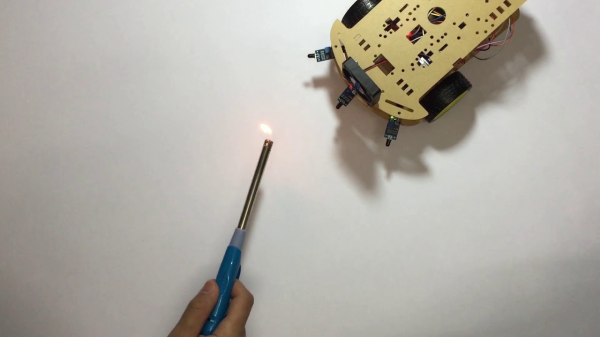
Fighting fire with robots may take jobs away from humans, but it can also save lives. [Mell Bell Electronics] has built a (supervised) kid-friendly version of a firefighting robot that extinguishes flames by chasing them down and blowing them out.

This hyper-vigilant robot is always on the lookout for fire, and doesn’t waste movement on anything else. As soon as it detects the presence of a flame, it centers itself on the source and speeds over to snuff it out with a fan made from a propeller and a DC motor.

Here comes the science: fire emits infrared light, and hobbyist flame sensors use IR to, well, detect fire. This fire bot has three of these flame sensors across the front that output digital data to what has got to be the world’s smallest Arduino – the ATmega32U4-based PICO board that [Mell Bell] just so happens to sell. Cover your mouth and nose and crawl along the floor toward the break to see how responsive this thing is.

Firefighters aren’t the only brave humans involved in the process of keeping the forests standing, or who feel the rising pressure of automation. Hackaday’s own [Tom Nardi] wrote a piece on a dying breed called fire lookouts that will no doubt ignite your interest.

Continue reading “Robot Fights Fire With IR”

Pump Up The (Windows) Volume With Physical Sliders

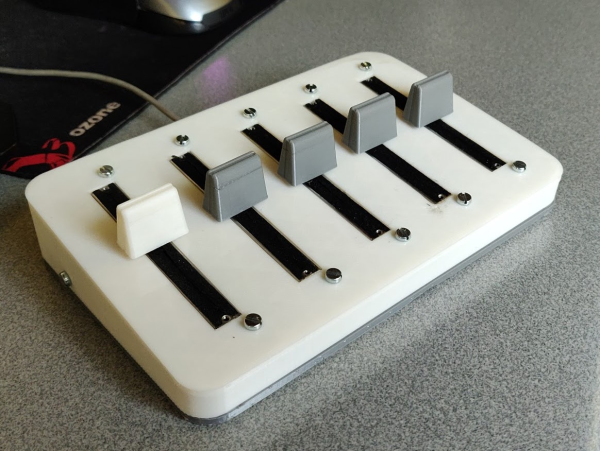
For as long as we can remember, Windows has provided a mixer that breaks out the volume level of every applicable application into its own slider-controlled lane. But navigating to these controls is non-trivial, especially if you’re in a hurry to silence someone on team speak. You have to stop what you’re doing, click the speaker, go into the mixer, and then go find the appropriate slider. Windows won’t respect resizes between mixer visits, so you’ll almost always have some horizontal scrolling to do.

So why on Earth would you put yourself through all of this when you could be pushing physical sliders on the fly like a DJ? A slider is just a potentiometer in a straight line, after all.

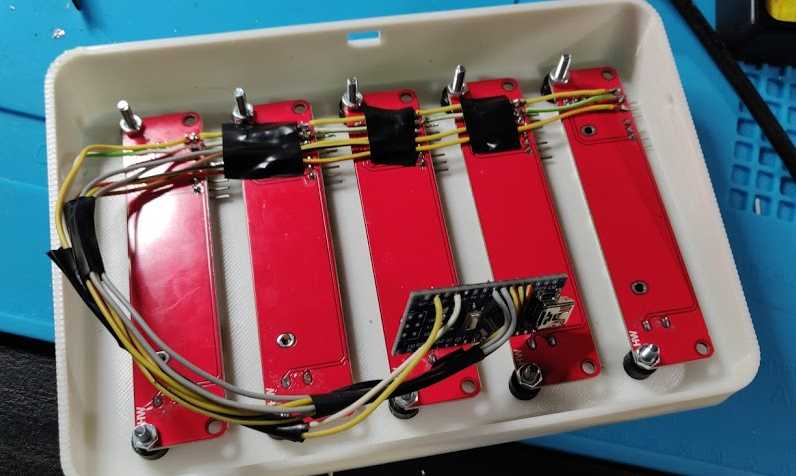
These are wired up to an Arduino Nano, which sends the serial data to a Python script on the PC that changes the volume values accordingly for whatever five programs are in the config file. Thanks to a little bit of Visual Basic, the Python script can run in the background.

[Aithorn]’s got everything you need to replicate this, so slide on over and grab the STL files and code. If you get to point where these sliders are too small, just build some bigger ones.

CherryPi Mechanical Keyboard Warrants A Long Look

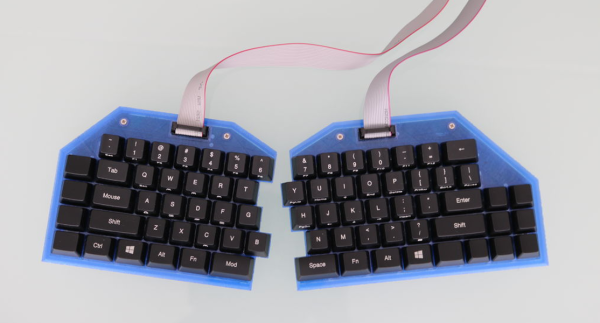
[Gosse Adema] has been poking a Microsoft Natural Elite for the last 20 years, and the curvy old girl is about to give out. Looks like he got bit pretty hard by the DIY mechanical keyboard bug in his quest to replace her. Luckily for us, he documented his build.

Where do we start? A first keeb is decently-sized undertaking, but [Gosse] turned it up a notch and made it as low-profile as he could — it’s 2cm thick with the keycaps on. This ultimately meant designing the board such that the anti-ghosting diodes sit inside a cutout underneath their respective switches, which are low-profile Cherry MX Reds. There is no Eagle template for those yet, so [Gosse] whipped one up and milled a prototype PCB before deciding to go the fab route.

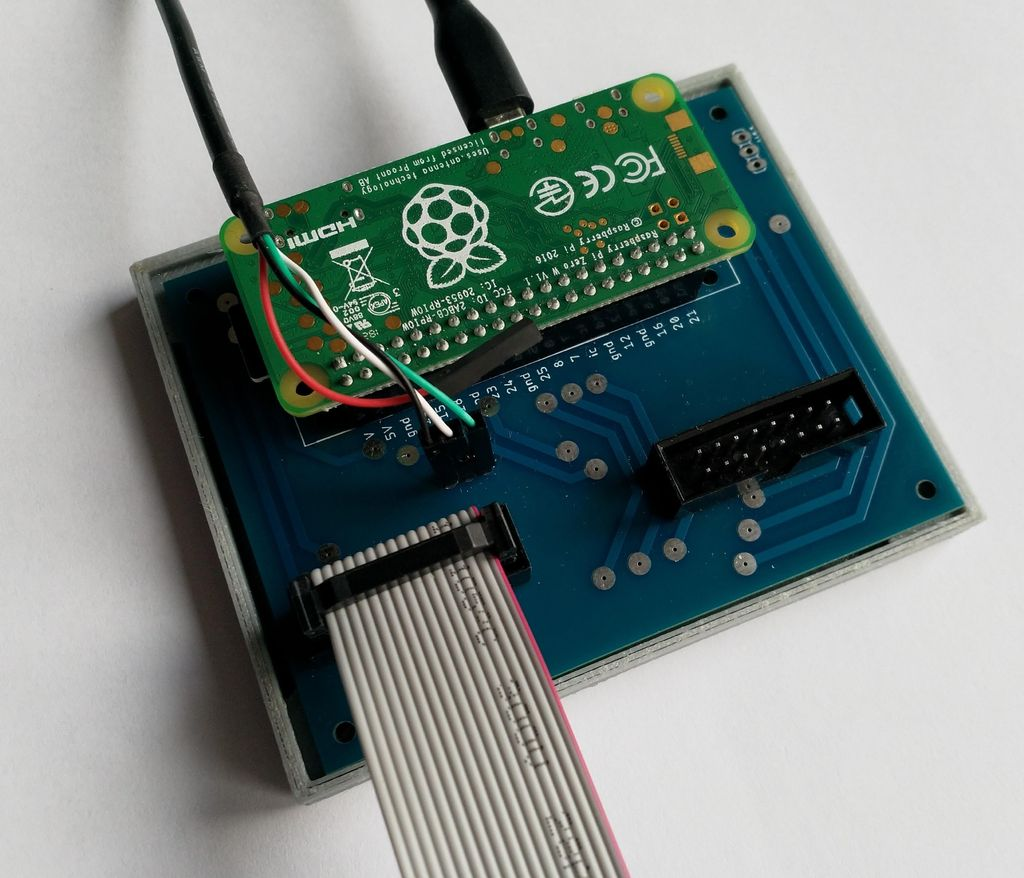
The Raspberry Pi Zero W that controls this keeb lives in a separate controller box in the name of slimness. If you are as-yet unimpressed by this build for some reason, [Gosse] even rolled his own firmware, which he explains as part of this epic journey. Seems the only thing he didn’t do was mold his own keycaps, but not everyone wants to type on blanks. We wonder if [Gosse] is aware of the terrifically low-slung Kailh choc switches, although prefab keycap options for those are even more limited.

Speaking of, here’s a tasty choc-filled game pad.

Dog-Harnessing The Power Of Walkie Talkies

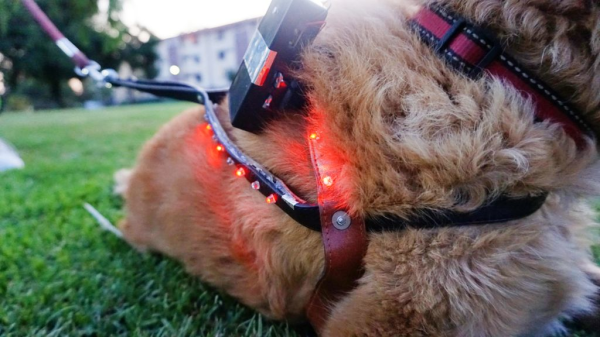
[javier.borquez] likes to take his dog to the hang out at the dog park around dusk. But once the sun goes down and [Rusio]’s off the leash, running amok with the other dogs, it’s almost impossible to keep track of him.

Sure, there are probably glow-in-the-dark or lighted collars out there, but if you go commercial, chances are good that someone else’s dog will be wearing the same thing. Besides, what’s the fun in buying something that you can do a better job making yourself? With this dog distance indicator harness, you don’t even have to program anything. Instead, it uses a cheap pair of modified walkie talkies to show green LEDs on the harness while the dog is in range, and red when it isn’t.

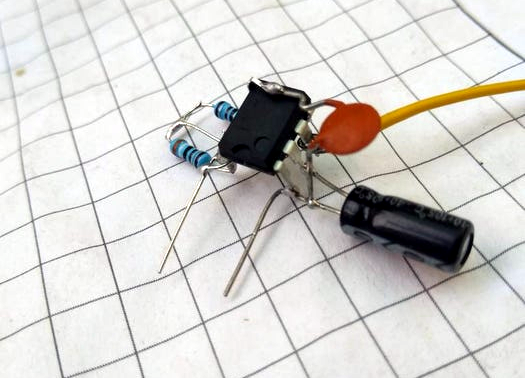
Although [javier]’s pupper is the best pupper yes he is, [Rusio] can’t be expected to hold down the button and bark his location. His walkie talkie uses a 555-based frequency generator and a glued-down button to speak at 1 kHz.

Over in [javier]’s walkie, there’s a resistor in place of the speaker to keep the talkie parts working. There’s also a half-wave bridge rectifier that charges a capacitor when [Rusio] is within range, and a resistor that drains it when he’s outside the 6-8 meter range. The rectifier’s output goes to a second 555 set up as a Schmitt trigger, which tells a transistor to turn the red LEDs on instead.

If you got stuck on the idea of hearing your dog talk to you over distances, here’s a Bluetooth Babelfish collar.

Stop ‘n Go DUPLO

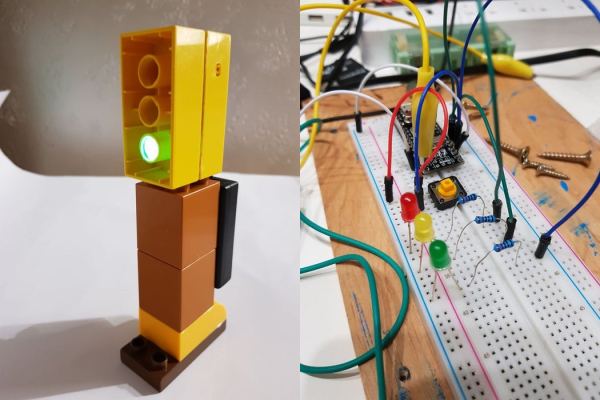
[beshur]’s 2-year-old is obsessed with transportation, so he lifted a few DUPLO blocks from the bin and made this toy traffic light as a birthday present. Hey, might as well get him used to the realities of traffic, right? It also makes for a good early hacker lesson: why buy something when you can make it yourself?

The traffic pattern is determined by an Arduino Nano V3 situated inside the carved-out rear block. There’s a push button on the side in case there’s a spill and the lights need to go blinking red until the issue is dealt with. Instead of trying to solder everything in situ and risk melting the plastic, [beshur] dead-bugged the LEDs and resistors to the Nano with a helping hands and then worked everything into the case. The 5mm LEDs fit perfectly into the drilled-out posts of a second block and produce a nice, soft glow. Proceed with caution and check it out after the break.

Of course, plastic building blocks can do real work, too. This LEGO chocolate pantograph is pretty sweet.

Continue reading “Stop ‘n Go DUPLO”

Inputs Of Interest: My First Aggressively Ergonomic Keyboard

Ever since my RSI surgery, I’ve had to resort to using what I call my compromise keyboard — a wireless rubber dome affair with a gentle curvature to the keys. It’s far from perfect, but it has allowed me to continue to type when I thought I wouldn’t be able to anymore.

This keyboard has served me well, but it’s been nearly three years since the surgery, and I wanted to go back to a nice, clicky keyboard. So a few weeks ago, I dusted off my 1991 IBM Model M. Heck, I did more than that — I ordered a semi-weird hex socket (7/32″) so I could open it up and clean it properly.

And then I used it for half a day or so. It was glorious to hear the buckling springs singing again, but I couldn’t ignore the strain I felt in my pinkies and ring fingers after just a few hours. I knew I had to stop and retire it for good if I wanted to keep being able to type.

Continue reading “Inputs Of Interest: My First Aggressively Ergonomic Keyboard”

Esper Makes Virtual Reality From Live Reality

There’s a scene in Bladerunner where Deckard puts a photograph in a magical machine that lets him zoom and enhance without limit, and even see around obstacles. In today’s climate, this is starting to seem more plausible, what with all the cameras everywhere. [Jasper van Loenen] explores this concept in Esper, a technological art installation he created in Seoul, Korea during an artist residency.

Esper is a two-part piece that turns virtual reality on its head by showing actual reality in VR. It covers two adjoining rooms, one to record reality, and the other for real-time virtual viewing on headsets. The first is outfitted with 60 ESP32 cameras on custom mounts, all pointing in different directions from various perches and ceiling drops. [Jasper] used an Android app based on openFrameworks to map the cameras’ locations in 3D space. The room next door is so empty, it’s even devoid of FOMO. You don’t want to miss this one, so check it out after the break.

Recreating sci-fi props is all fun and games until the dystopia arrives. Then again, the fact that we can all easily access 70,000 or so insecure surveillance cameras is a pretty good start.

Continue reading “Esper Makes Virtual Reality From Live Reality”