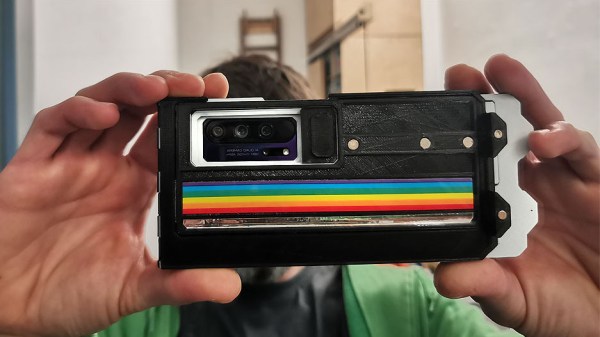
[Niklas Roy] rolled his own photo diary, because he found the core functionality of something like instagram attractive, but didn’t want the social network baggage that it came with. His simple system is called my own insta ;) and it consists of some javascript and PHP to create a nice progressive web app photo diary and backend that can be accessed just fine from a mobile device. It is available on GitHub for anyone interested in having their own.
This project came up because [Niklas] sometimes found himself working on small projects or experiments that aren’t destined for proper documentation, but nevertheless could benefit from being shared as a photo with a short description. This dovetails with what many social networks offer, except that those platforms also come with other aspects [Niklas] doesn’t particularly want. His online photo diary solves this by having a simple back end with which he can upload, sort, and caption photos in an easy way even from a mobile device.
[Jan Mrázek] is no stranger at all to home-grown improvements with his Elegoo Mars SLA 3D printer, and there is a lot going on in his experimental multi-LED upgrade which even involved casting his own lens array. In the end it did speed up his prints by a factor of three to four, though he cooked an LCD to failure in the process. Still, it was a fun project done during a COVID-19 lockdown; as usual there is a lot to learn from [Jan]’s experiences but the mod is not something he necessarily recommends people do for themselves.
[Jan] started by wondering whether better print quality and performance could be obtained by improving the printer’s UV light source. The stock printer uses a single large UV LED nestled into a reflector, but [Jan] decided to try making a more precise source of UV, aiming to make the UV rays as parallel as possible.
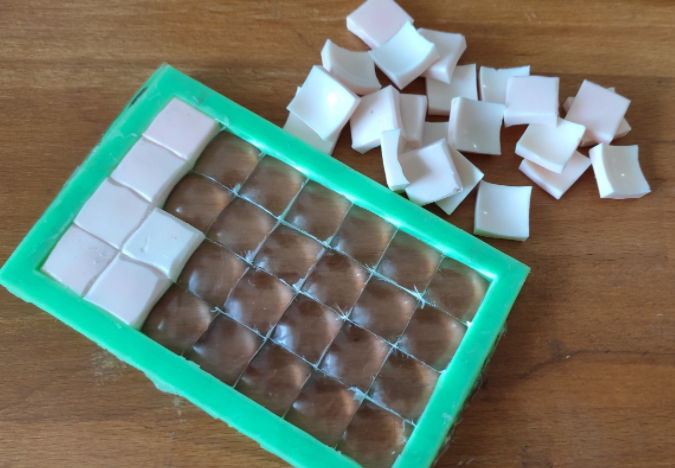
Custom LED array molded in clear epoxy.
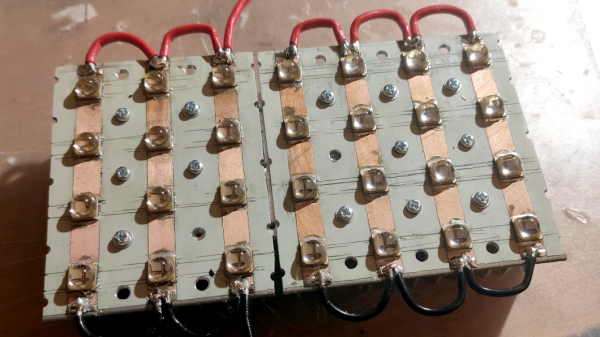
To do this, he took a two-pronged approach. One was to replace the single large UV LED with a 4×7 array of emitters plus heat sink and fans. The other was to make a matching array of custom lenses to get the UV rays as parallel as possible.
Casting one’s own lens array out of clear epoxy was a lot of work and had mixed results, but again, it was a lockdown project and the usual “is-this-really-worth-it” rules were relaxed. In short, casting a single custom lens out of clear epoxy worked shockingly well, but when [Jan] scaled it up to casting a whole 4×7 array of them, results were mixed. Mold deformation and artifacts caused by the areas between individual lenses robbed the end result of much of its promise.
More success was had with the array of UV emitters, which enabled faster curing thanks to higher power, but the heat needs to be managed. The stock emitter of the printer is about 30 W, and [Jan] was running his new array at 240 W. This meant a blazing fast one second exposure time per layer, but the heat generated by the new lighting was higher than anticipated. After only ten hours the LCD failed, probably at least in part due to the heat. [Jan] halved the power of the array down to 120 W and added an extra fan, which appears to have done the trick. Exposure time is two to three seconds per layer, and it’s up to 150 hours of printing without problems.
Again, it’s not a process [Jan] necessarily recommends to others (and he definitely recommends buying lenses if at all possible instead of casting them) but as usual there is a lot to learn from his frank sharing of results, both good and bad. We’ve seen 3D-printed lenses as well as adding WiFi connectivity to one of these hobbyist printers, and it’s great to see the spirit of hacking alive and well when it comes to these devices.
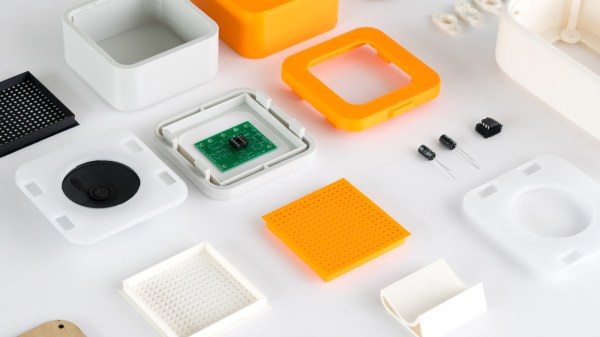
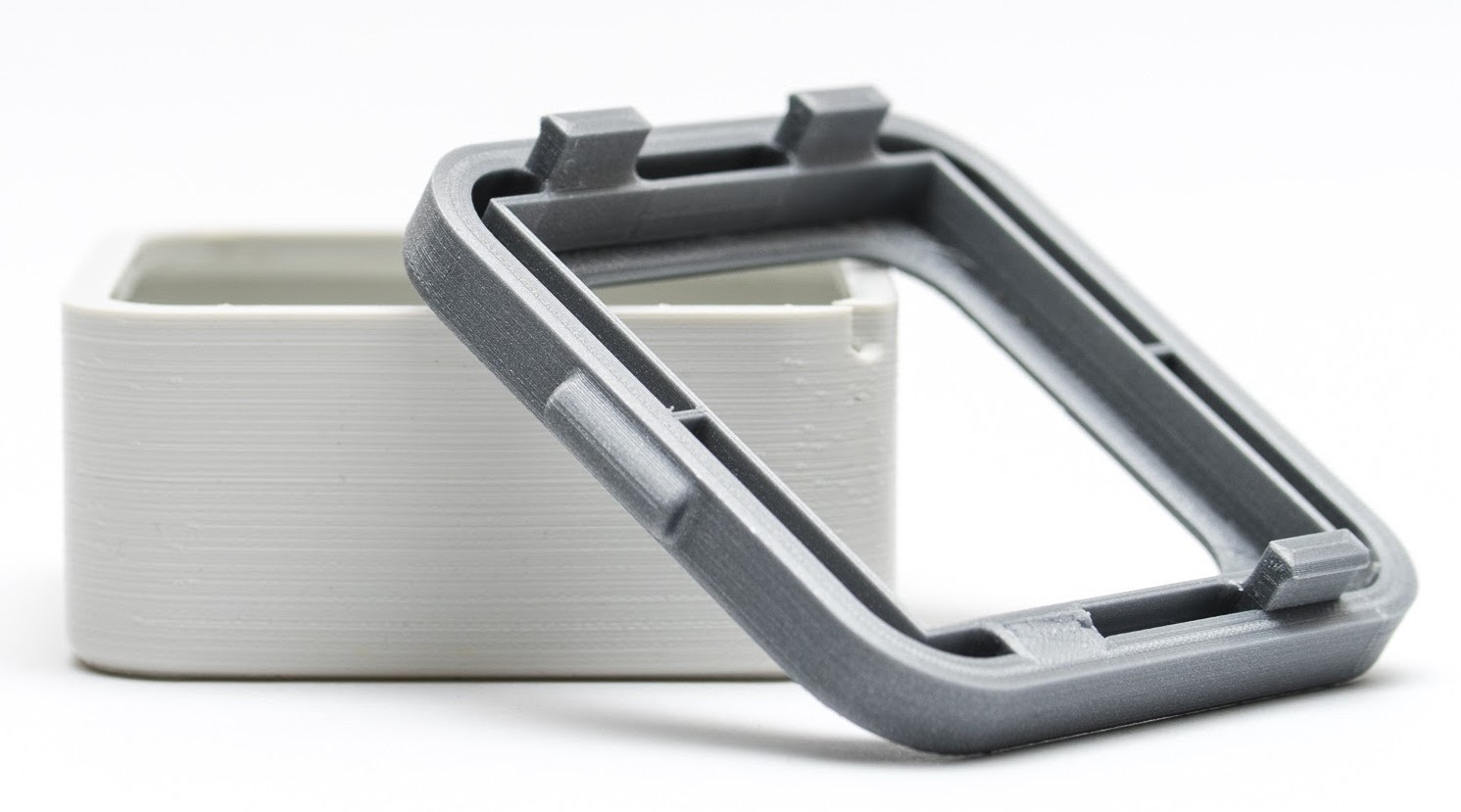
3D printing can be great for making enclosures, and following some simple guidelines can help the whole process go much smoother. 3D Hubs has an article on designing printed enclosures that has clear steps and tips to get enclosures coming out right the first time. 3D Hubs offers 3D printing and other services, and the article starts with a short roundup of fabrication methods but the rest is a solid set of tips applicable to anyone.
The first recommendation is to model the contents of the enclosure as a way to help ensure everything fits as it should, and try to discover problems as early as possible during the design phase, before anything gets actually printed. We’ve seen how a PCB that doesn’t take the enclosure into account risks needing a redesign, because there are some issues an enclosure just can’t fix.
The rest of their advice boils down to concrete design guidelines about wall thickness (they recommend 2 mm or more), clearances (allow a minimum of 0.5 mm between internal components and enclosure), and how to size holes for fasteners, clips, or ports. These numbers aren’t absolute minimums, but good baseline values to avoid surprises.
One final useful tip is that using a uniform wall thickness throughout the enclosure is general good practice. While this isn’t strictly necessary for successful 3D printing, it will make life easier if the enclosure ever moves to injection molding. Want to know more? Our own Bob Baddeley has an excellent primer on injection molding, and his been-there-done-that perspective is invaluable.
3D printers are amazing things, but if one judges solely by the successes that get showcased online, it can look as through anything at all is possible. Yet in many ways, 3D printers are actually quite limited. Because success looks easy and no one showcases failure, people can end up with lopsided ideas of what is realistic. This isn’t surprising; behind every shining 3D print that pushes the boundaries of the technology, there are misprints and test pieces piled just out of sight.
If you have ever considered getting into 3D printing, or are wondering what kinds of expectations are realistic, read on because I am going to explain where objects come from, and how to recognize whether something is a good (or bad) fit for 3D printing. The important thing to understand is that printers have limitations, and to get a working idea of what those limitations are. The result will be a better understanding of what they can do, and what problems they can reliably solve.
3D Printers Have Limits
I recently had a talk with someone who wanted to know if a 3D printer could help with a problem they had. As I listened to them describe their needs, I realized I had in a way heard it all before many times.
My colleague actually had a fairly good idea of what printers could do, in theory. But they had very little grasp of what printers did not do, and that disconnect left them a bit adrift when it came to practical applications. To help address this gap, here are some tips that can give anyone a working understanding of the things 3D printers do not do well. Continue reading “3D Printering: The Things Printers (Don’t) Do”→
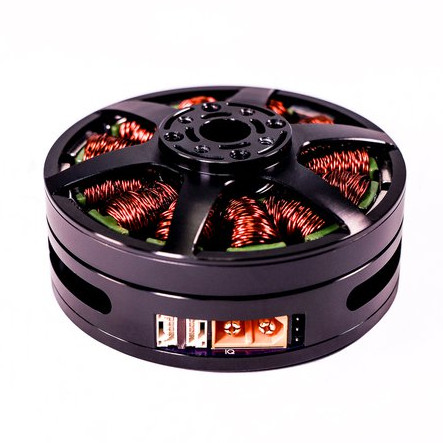
Brushless motors can offer impressive torque-to-size ratios, and when combined with complex drive control and sensor feedback, exciting things become possible that expand the usual ideas of what motors can accomplish. For example, to use a DC motor in a robot leg, one might expect to need a gearbox, a motor driver, plus an encoder for position sensing. If smooth, organic motion is desired, some sort of compliant mechanical design would be involved as well. But motors like the IQ Vertiq 6806 offered by [IQ Motion Control] challenge those assumptions. By combining a high-torque brushless DC motor, advanced controller, and position sensing into an integrated device, things like improved drone performance and direct-drive robotic legs like those of the Mini Cheetah become possible.
IQ Vertiq 6806 brushless DC motor with integrated controller, driver, and position sensing.
First, the bad news: these are not cheap motors. The IQ Vertiq 6806 costs $399 USD each through the Crowd Supply pre-order ($1499 for four), but they aren’t overpriced for what they are. The cost compares favorably with other motors and controllers of the same class. A little further than halfway down the Crowd Supply page, [IQ Motion Control] makes a pretty good case for itself by comparing features with other solutions. Still, these are not likely to be anyone’s weekend impulse purchase.
So how do these smart motors work? They have two basic operating modes: Speed and Position, each of which requires different firmware, and which one to use depends on the intended application.
The “Speed” firmware is designed with driving propeller loads in mind, and works a lot like any other brushless DC motor with an ESC (electronic speed control) on something like a drone or other UAV. But while the unit can be given throttle or speed control signals like any other motor, it can also do things like accept commands in terms of thrust. In other words, an aircraft’s flight controller can communicate to motors directly in thrust units, instead of a speed control signal whose actual effect is subject to variances like motor voltage level.
The “Position” mode has the motor function like a servo with adjustable torque, which is perfect for direct drive applications like robotic legs. The position sensing also allows for a few neat tricks, like the ability to use the motors as inputs. Embedded below are two short videos showcasing both of these features, so check them out.
The Quest 2 wireless VR headsetby Oculus was recently released, and improves on the one-and-a-half year old Quest mainly in terms of computing power and screen resolution. But Oculus is owned by Facebook, a fact that Facebook is increasingly keen on making very clear. The emerging scene is one that looks familiar: a successful hardware device, and a manufacturer that wants to keep users in a walled garden while fully controlling how the device can be used. Oculus started out very differently, but the writing has been on the wall for a while. Rooting and jailbreaking the Quest 2 seems inevitable, but what will happen then? Continue reading “As Facebook Tightens Their Grip On VR, Jailbreaking Looks More Likely”→
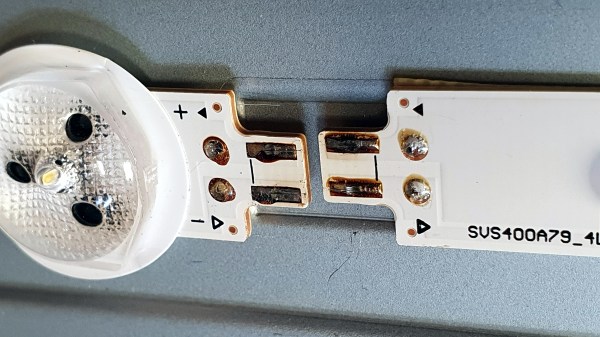
Wiggling this connector caused the backlight to turn off and on.
[Tweepy]’s TV stopped working, and the experience is a brief reminder that if a modern appliance fails, it is worth taking a look inside because the failure might be something simple. In this case, the dead TV was actually a dead LED backlight, and the fix was so embarrassingly simple that [Tweepy] is tempted to chalk it up to negligently poor DFM (design for manufacture) at best, or even some kind of effort at planned obsolescence at worst.
What happened is this: the TV appeared to stop working, but one could still make out screen content while shining a bright light on the screen. Seeing this, [Tweepy] deduced that the backlight had failed, and opened up the device to see if it could be repaired. However, the reason for the backlight failure was a surprise. It was not the power supply, nor even any of the LEDs themselves; the whole backlight wouldn’t turn on because of a cheap little PCB-to-PCB connector, and the two small spring contacts inside that had failed.
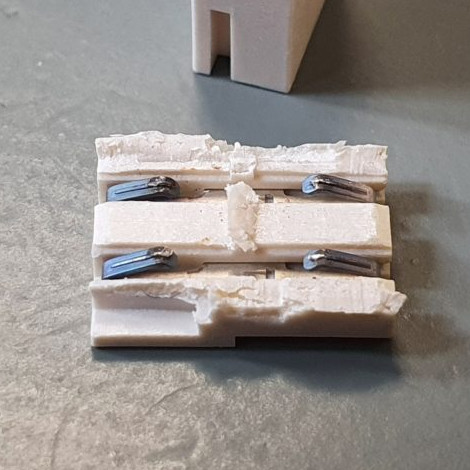
The failed connector, once cut open, showed contacts in poor condition (click to enlarge). It was ditched for a soldered connection, and the TV lived again.
From the outside things looked okay, but wiggling the connector made the backlight turn on and off, so the connection was clearly bad. Investigating further, [Tweepy] saw that the contact points of the PCBs and the two little conductors inside the connector showed clear signs of arcing and oxidation, leading to a poor connection that eventually failed, resulting in a useless TV. The fix wasn’t to clean the contacts; the correct fix was to replace the connector with a soldered connection.
Using that cheap little connector doubtlessly saved some assembly time at the factory, but it also led to failure within a fairly short amount of time. Had [Tweepy] not been handy with a screwdriver (or not bothered to investigate) the otherwise working TV would doubtlessly have ended up in a landfill.
It serves as a good reminder to make some time to investigate failures of appliances, even if one’s repair skills are limited, because the problem might be a simple one. Planned obsolescence is a tempting doorstep upon which to dump failures like this, but a good case can be made that planned obsolescence isn’t really a thing, even if manufacturers compromising products in one way or another certainly is.