In the home theater space most people would tell you the age of optical audio, known officially as TOSLINK, is over. While at one time they were the standard for surround sound systems, the fiber cables with their glowing red tips have now been largely supplanted by the all-in-one capabilities of HDMI on new TVs and audio receivers. But of course, that doesn’t mean all that TOSLINK-compatible hardware that’s in the field simply disappears.
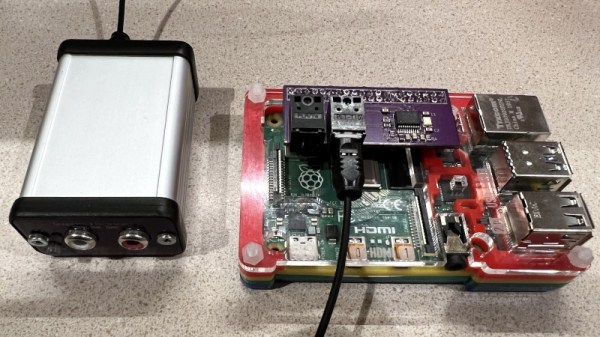
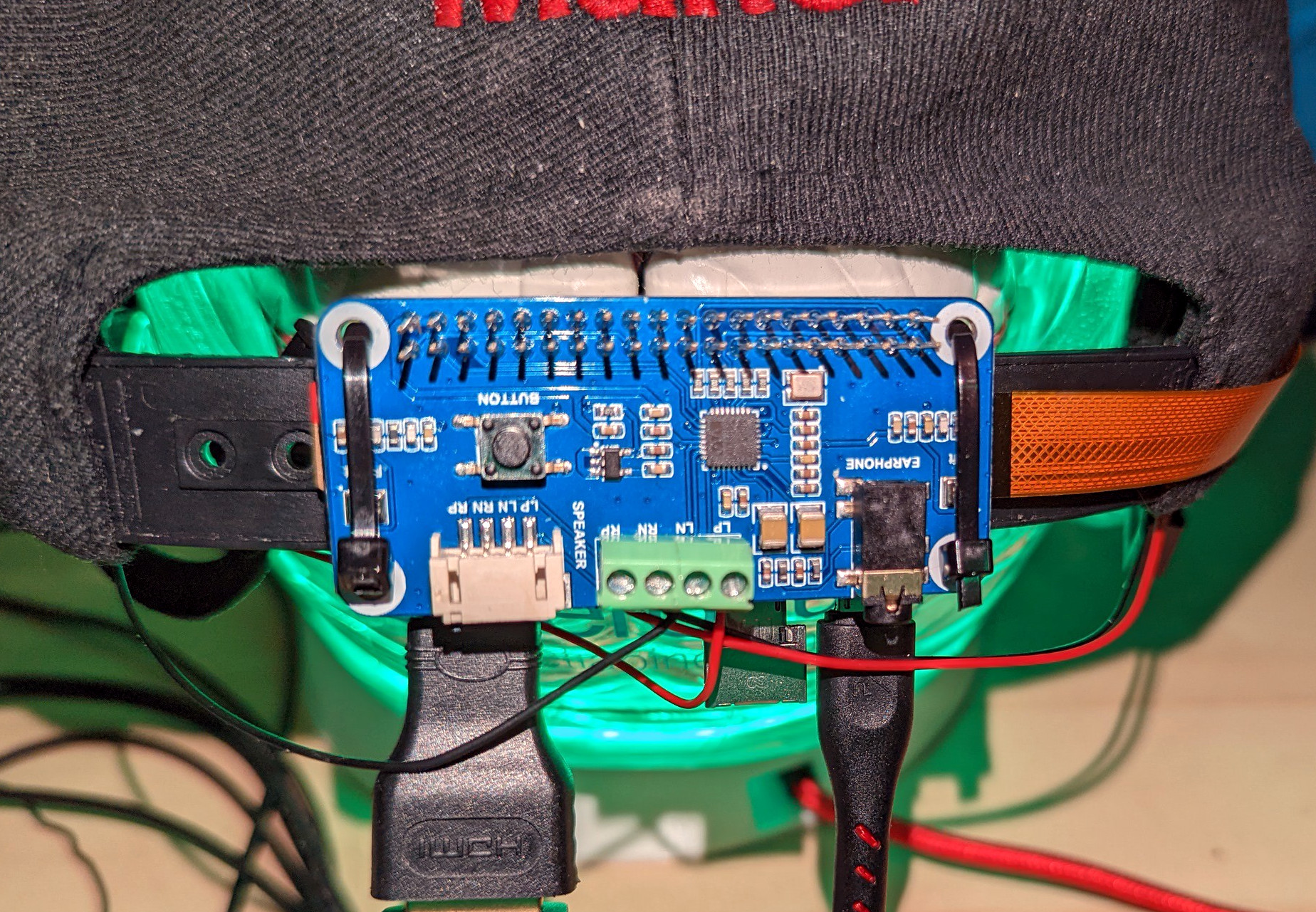
If you’re looking to connect a Raspberry Pi to the optical port of your AV system, [Nick Sayer] has you covered. His “TOSLINK Transceiver Hat” utilizes a WM8804 chip from Cirrus Logic to go from the Pi’s I2S audio output to S/PDIF. From there the signal goes directly into the TOSLINK input and output modules, which have the appropriate fiber optic hardware and drivers built-in. All you have to do from a software standpoint is enable a boot overlay intended for a digital-to-analog converter (DAC) from HiFiBerry.
A critical element of a good blasting cabinet setup is a vacuum system that can suck out the dust, blasting media, and bits of removed material faster than it collects inside the chamber. A cyclone separator can get the job done, but since it dumps all the waste from the cabinet into one bucket, it can make reusing the blasting material a dirty job. But as [Daniel Bauen] explains in the latest Engineerable video, his two-stage dust collector is able to keep the cabinet clear while separating the used blasting material into its own container.
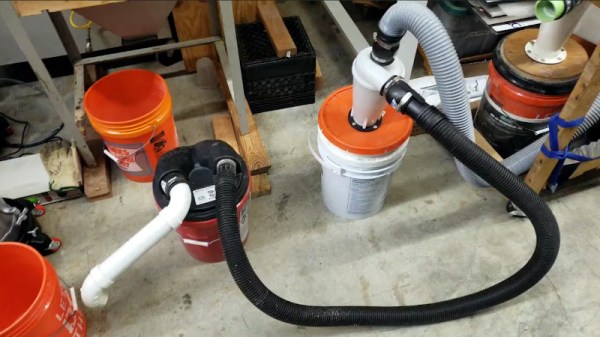
The cheap dust separator only works on large particles.
Basically, the idea here is to to use two different cyclone separators: one that’s very effective, and a cheap model that’s only able to remove large particulates. By running the air from the cabinet through the cheap separator first, the used blasting media is captured in a dedicated bucket. From there, the air runs through the high-efficiency separator to extract the finer dust. Finally, the shop vacuum [Daniel] is using has its own washable HEPA filter to catch anything that makes it through the two extractors; though he notes that it only rarely needs to be cleaned out.
Normally this system is attached directly to the blasting cabinet, and it does a good job of capturing the bulk of the used blasting media in real-time. But to make sure the media is really cleaned up being using it again, [Daniel] will actually run the contents of the first bucket through the system a few more times to separate out any of the more stubborn dust that might be mixed in.
Of course not everyone has the space, or even the need, for such an elaborate blasting setup. If you’re just trying to quickly clean up some parts on the cheap, you can make a basic blaster for around $6. Good luck capturing the media though.
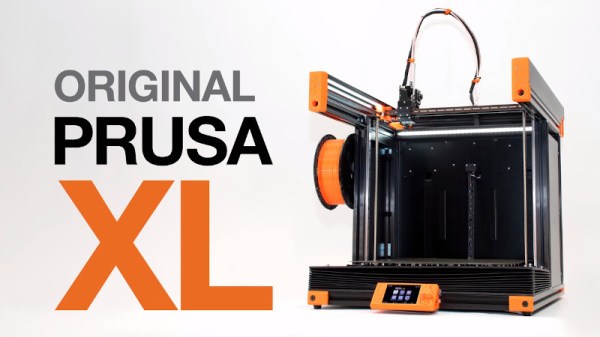
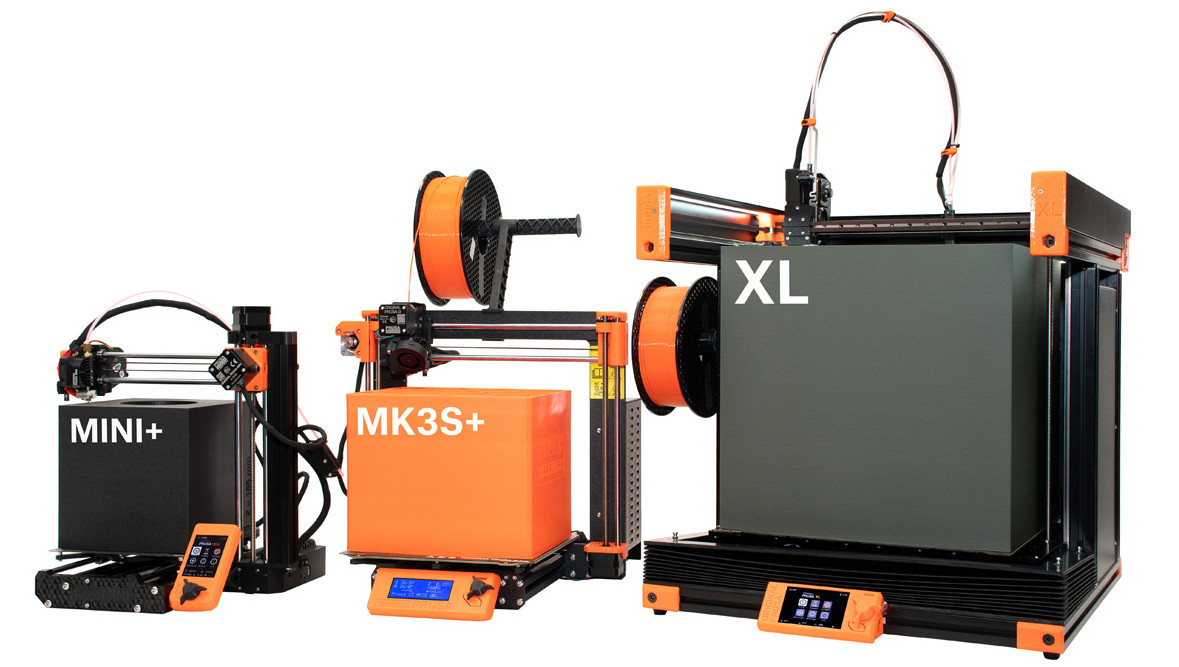
For a few years now it’s been an open secret that Prusa Research was working on a larger printer named, imaginatively enough, the Prusa XL. Positioned at the opposite end of their product spectrum from the wildly popular Prusa Mini, this upper-tier machine would be for serious hobbyists or small companies that need to print single-part objects that were too large for their flagship i3 MK3S+ printer. Unfortunately, the global COVID-19 pandemic made it difficult for the Czech company to focus on bringing a new product to market, to the point that some had begun to wonder if we’d ever see this mythical machine.
But now, finally, the wait is over. Or perhaps, it’s just beginning. That’s because while Prusa Research has officially announced their new XL model and opened preorders for the $1,999+ USD printer, it’s not expected to ship until at least the second quarter of 2022. That’s already a pretty substantial lead time, but given Prusa’s track record when it comes to product launches, we wouldn’t be surprised if early adopters don’t start seeing their machines until this time next year.
So what do you get for your money? Well, not an over-sized Prusa i3, that’s for sure. While many had speculated the XL would simply be a larger version of the company’s popular open source printer with a few modern niceties like a 32-bit control board sprinkled in, the reality is something else entirely. While the high purchase price and ponderous dimensions of the new machine might make it a tough sell for many in the hacker and maker communities, there’s little question that the technical improvements and innovations built into the Prusa XL provide a glimpse of the future for the desktop 3D printer market as a whole.
Well, that certainly didn’t take long. It’s been just about a month since the Raspberry Pi Zero 2 hit the market, and we’re already seeing folks revisit old projects to reap the benefits of the drop-in upgrade that provides five times the computational power in the same form factor.
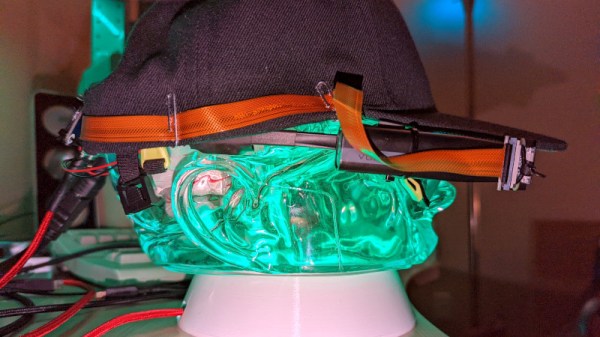
Take for example the PiGlass v2 that [Matt] has been working on. He originally put the Pi Zero wearable together back in 2018, and while it featured plenty of bells and whistles like a VuFine+ display, 5 MP camera, and bone conduction audio, the rather anemic hardware of the original Zero kept it from reaching its true potential.
But thanks to the newly released Pi Zero 2, slapping quad-core power onto the existing rig was as easy as unplugging a couple cables and swapping out the board. With the increased performance of the new Pi, he’s able to play multimedia content through Kodi, emulate classic games with RetroPie, and even stream live video to YouTube. Using the custom menu seen in the video below, a small off-the-shelf Bluetooth controller from 8BitDo is all he needs to control the wearable’s various functions without getting bogged down with a full keyboard and mouse.
A lot of hackers are rightfully concerned about the privacy issues that surround many of today’s “smart” gadgets, but it’s hard to argue that the ability to remotely control devices around your home isn’t convenient. Enter self-hosted, open source projects like Home Assistant. This provides the framework for building out a home automation system without having your soul information sold, but as you might expect, you’re going to have to put some effort in to get the most of it.
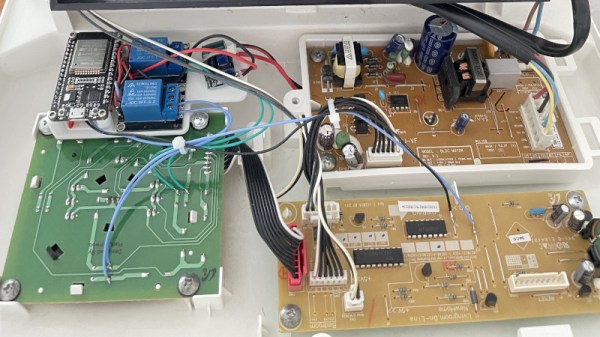
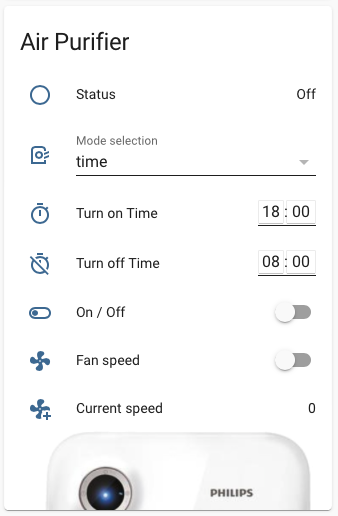
For example, take a look at this Phillips AC4014 air purifier that [Anton] connected to Home Assistant by way of an ESP32. Rather than getting too bogged down in reverse engineering the purifier’s surprisingly complex internal electronics, he took the easy way out and wired a couple of relays across the power and fan speed buttons; this allows the device to be easily controlled by the microcontroller, without impacting the functionality of the original controls.
But since those front panel controls still work, that meant [Anton] needed a way for the ESP32 to detect the device’s status and report that to Home Assistant so everything stayed in sync. So he looked around on the PCB for a trace that got powered up when the air purifier was up and running, which he connected to a pin of the microcontroller through a transistor. This let’s the firmware determine if the machine is running or not just by checking if the appropriate pin has gone high.
Speaking of the firmware, [Anton] decided to use ESPHome rather than trying to write his own code from scratch. This project allows you to rapidly add new devices to Home Assistant by providing the firmware with a relatively simple YAML configuration file, which he’s provided as an example. In fact, he’s provided quite a lot of examples with this project, down to an annotated image of the PCB that shows where to tap your wires into. He’s done quite a service for anyone who’s got this same model of air purifier.
By any metric you care to use, this is a very exciting time for America’s space program. NASA is refocusing their efforts towards the Moon and beyond, SpaceX is launching routine crew and cargo flights to the International Space Station with reusable rockets, and if you’ve got deep enough pockets, there are now multiple companies offering suborbital pleasure trips requiring little more than a few hours worth of training. It’s taken longer than many people had hoped, but it seems we’re finally making the confident strides necessary to truly utilize space’s vast resources.
But things are just getting started. A new generation of massive reusable rockets are currently being developed, which promise to make access to space cheaper and faster than ever before. We’ve seen quite a bit of SpaceX’s Starship, thanks in no small part to the dramatic test flights that the media-savvy company has been regularly live streaming to YouTube. But Blue Origin, founded by Amazon’s Jeff Bezos, has been far more secretive about their New Glenn. That is, until now.
GS1 under construction in Florida.
On November 8th, Blue Origin rolled out their GS1 simulator for the New Glenn’s first stage. This stand-in for the real rocket will never fly, but it’s designed to perfectly recreate the dimensions, center of gravity, and mass, of the real thing. Ground teams will use the GS1 to practice safely transporting the booster, which is approximately half the length of the Saturn V, from their production facility to Launch Complex 36 (LC-36) at Cape Canaveral. It will also be used to test the fit and function of various pieces of ground support equipment, and eventually, the second stage stacking procedure.
For the uninitiated, it might seem like this is a lot of fuss over what’s ultimately just a hollow metal tube. But the introduction of a test article such as this has traditionally been a major milestone during the design and construction of rockets and spacecraft, dating back to the “boilerplate” test capsules used during the Mercury, Gemini, and Apollo programs; a sure sign that what was just an idea is now becoming a reality.
With literally just hours to go before the 2021 Hackaday Remoticon kicks off, editors Tom Nardi and Elliot Williams still managed to find time to talk about some of the must-see stories from the last week. There’s fairly heavyweight topics on the docket this time around, from alternate methods of multiplying large numbers to the incredible engineering that goes into producing high purity silicon. But we’ll also talk about the movie making magic of Stan Winston and some Pokemon-themed environmental sensors, so it should all balance out nicely. So long as the Russian’s haven’t kicked off the Kessler effect by the time you tune in, we should be good.
Take a look at the links below if you want to follow along, and as always, tell us what you think about this episode in the comments!