Reverse Engineering Saves Trashed LED Panels

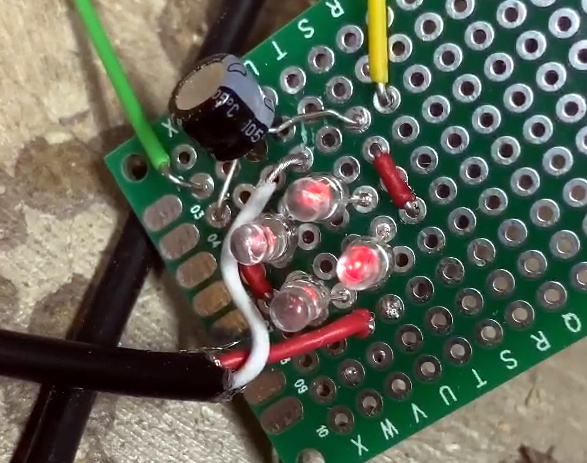
While out riding his bike, [Hammond Pearce] came across a dumpster overflowing with large LED panels. Despite the fact that the model numbers didn’t reveal anything helpful after some online searching, he decided to pedal off with as many as he could safely carry. The COVID-19 lockdown left him with only a limited set of tools, be he still managed to crack the protocol used to control his e-waste score and document it for our reading pleasure.

Between the helpful labels on the PCB silkscreen and the advice of a friend that used to work on digital road signs, it didn’t take [Hammond] long to get a general idea of what the panels were looking for in terms of power and control. Especially once he noticed the MBI5024 shift registers dotting the board.

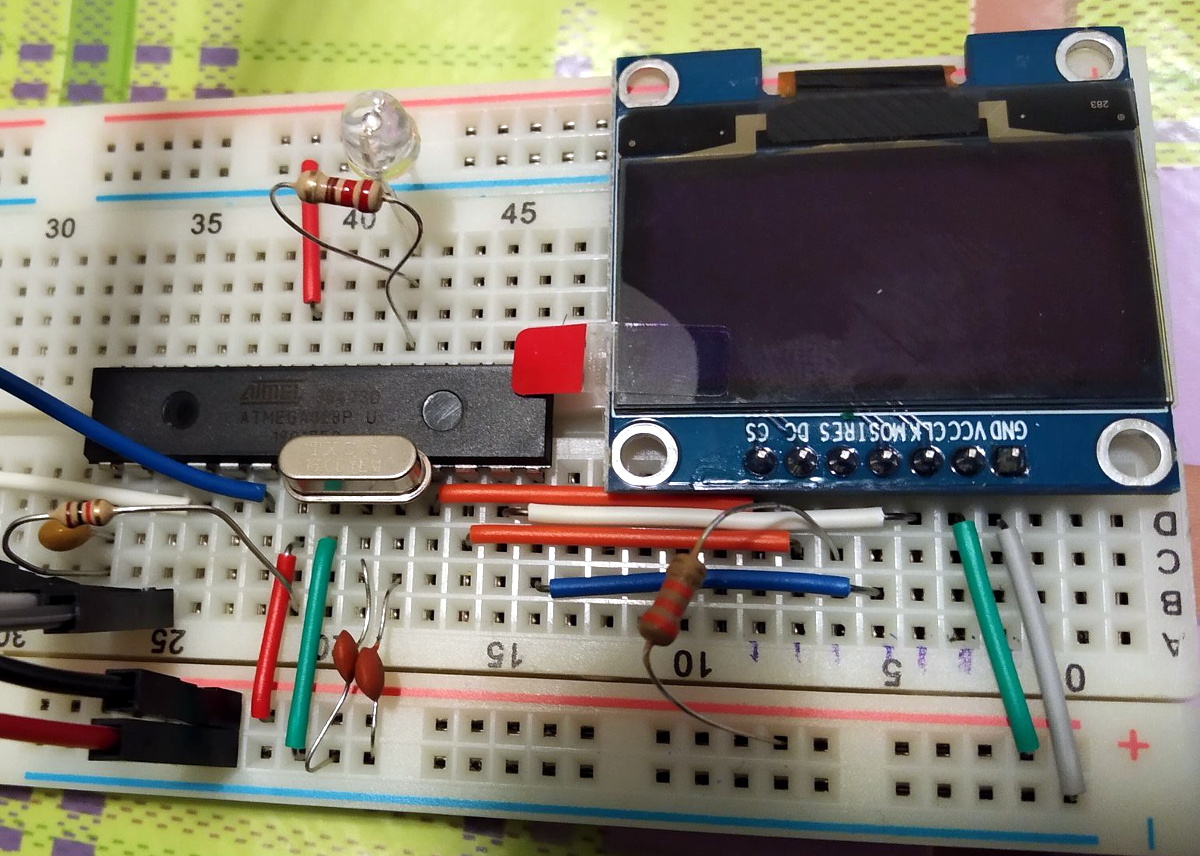
The next step was to take an ATmega328PB based development board and start throwing data at the panel’s input lines to see if he could elicit a response. With careful attention and some custom code, he eventually figured out that each byte of data sent down the line would control a 4 x 2 section of LEDs.

Once he had the basics down, the next step was to start expanding his code to handle things like shapes, text, and daisy-chained panels. After posting some of his work to Reddit, cyber-sleuths determined that the protocol appeared to be some variation of HUB75, which gave [Hammond] hints on what some of the other pins in the connector might be used for. He’s released all of his code online for anyone who might find it useful, but since he still doesn’t know who made these panels and why there’s really no telling how many of them are actually floating around out there.

Figuring out how to talk to an unknown or undocumented piece of hardware can be intimidating, but success stories like these are reminders of why it’s worth putting the effort in. As we’ve seen, the difference between trash and treasure is often a keen eye and a few lines of code.

Halloween Costume Turned Positive Pressure Suit

As a general rule, you probably shouldn’t be getting your Personal Protective Equipment (PPE) from the party store. But these are exceptional times, and rather than potentially depriving medical professionals the equipment they so desperately need on the front lines, the team at [Robots Everywhere] has been looking into improvised PPE. We’re not sure things are at the point where you would need to don this DIY Positive Pressure Suit (PAPR), but it’s certainly an interesting look at what’s possible when you think outside the box.

At the most basic level, a PAPR is a mostly air-tight garment that is continuously pumped full of filtered air. As long as the pressure inside the suit is higher than outside, there’s no way airborne bacteria and viruses can get in without traveling through the filter first.

For this project, the folks at [Robots Everywhere] took an inflatable astronaut costume and replaced the dinky original air pump with a much larger 12 V unit designed for inflating air beds. Upgrading the pump not only increased the internal air pressure of the suit, but also made it easier to add a HEPA filter to the inlet. As long as the suit is inflated and there are no leaks in the hose, the wearer will be surrounded by a bubble of filtered air.

Presumably, you don’t want to be tethered to the wall though, so the write-up briefly touches on how the pump system can be made more mobile with the addition of an RC-style battery pack. With the pump and batteries secured in a pouch attached to the suit, the wearer is free to venture outside the confines of their self-isolation bunker and go about their dystopian daily business.

A getup like this might seem a bit excessive, but with so many folks desperate for information on homemade protective gear, we aren’t passing any judgment. The team says you can modify a cheap painter’s suit in much the same way, but frankly, that doesn’t sound nearly as fun to us.

[Thanks to Aron for the tip.]

These LED Shades Will Blind You With Science

Unless you’re particularly fond of looking at the back of 88 individual WS2812B LEDs, these “RGB Goggles” from [Mukesh Sankhla] won’t offer you much of a view. But from an outsider’s perspective, the smartphone-controlled glasses certainly make a statement. Just don’t try to operate any heavy machinery while wearing them.

The build starts off with a pair of shades dark enough that the lights won’t be obvious until they’re powered up. [Mukesh] then carefully aligned the LEDs into a grid pattern on a piece of clear tape so they could be soldered together with the fewest number of jumper wires possible. Even if you’re not in the market for some technicolor eyewear, this clever arrangement of WS2812B modules could come in handy if you’re looking to make impromptu LED panels.

To control the LEDs, [Mukesh] is using an Arduino Nano and an HC-06 Bluetooth module that’s linked to an application running on an Android smartphone. The software, developed with the MIT App Inventor, allows the user to easily switch between various patterns and animations on the fly. With such an easy-to-use interface, the RGB Goggles don’t look far off from a commercial product; other than the whole not being able to actually see through the thing.

We’ve actually seen a number of custom glasses projects over the years, as it seems that a cheap pair of shades make an ideal platform for head-mounted hacks. We’ve even found what may be the ideal power source for them.

Continue reading “These LED Shades Will Blind You With Science”

No Corners Were Cut On This Arduino Circle Cutter

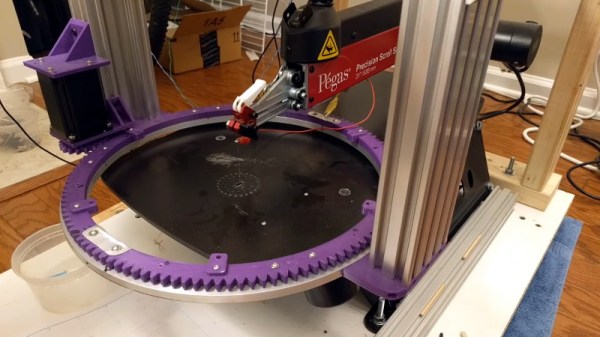
Hackers always have their eye out for a good deal, so when [Gadget Reboot] saw a good price on square stickers he had to pull the trigger. There was just one problem: his logo is a circle. He could have rectified the problem with a pair of scissors on a lazy afternoon, but we think building an elaborate circle cutting machine was a much better use of his time.

But this project isn’t just for the Giotto wannabes. Even if you don’t find yourself in need of an infinite supply of perfect paper circles, the video after the break provides an excellent case study in getting stepper motors to do your bidding; whatever that might be. [Gadget Reboot] walks the viewer through the design and construction of a dual stepper motor controller that could be used for a multitude of tasks.

With an onboard Arduino Pro Micro, OLED display, and rotary encoder, this controller just needs some custom software to make your CNC dreams come true. [Gadget Reboot] is even using low-cost optical endstops in this build, which are a great non-contact way of making sure your machine doesn’t go out of bounds. That’s particularly important when the machine happens to be wielding a razor blade.

If you’re a thoroughly modern hardware hacker who prefers using a web browser to twiddling knobs, then perhaps you’d be interested in the WiFi enabled stepper motor controller we covered recently.

Continue reading “No Corners Were Cut On This Arduino Circle Cutter”

Given Enough Time, Even A Circle Can Get Complicated

With the weather getting a little nicer, [Michael] thought that running some plant hangers off on his CNC router would be a simple stay-at-home project. After all, you just need to cut a couple circles out of a sheet of plywood…right?

Sure, but [Michael] realized that simply cutting out a ring wasn’t a very efficient approach. Unless you happen to need progressively smaller plant hangers, or maybe a new set of drink coasters, the center disc ends up being wasted material. That might not have been a big deal a few months ago, but when a trip to the Home Depot for more plywood could literally be hazardous to your health, that kind of inefficiency just won’t do.

He reasoned it would be better to break the ring down into sections, which could easily be nested so they fit neatly on a square plywood panel. Of course, now those sections need to be connected to each other in a way that’s strong enough for the ring to hold up the weight of the plant.

So that means extra pieces need to be cut out to serve as braces, and you’ll need to screw it all together, so better add some nuts and bolts to the BOM. You’ll probably want some eye bolts as well, but in a pinch you could just weld washers to the heads of screws like [Michael] did once he ran out of the good stuff.

Some would argue that the time [Michael] spent coming up with this revised design is more valuable than the wood he avoided wasting, which might be true if he was on the job and getting paid hourly. But when it’s a personal project, and quarantine has made sourcing materials difficult, we think it’s a fantastic example of working with what you’ve got on hand.

Quarantine Clock Answers The Important Question

For many people, these last few weeks have been quite an adjustment. When the normal routine of work or school is suddenly removed, it’s not unusual for your internal clock to get knocked out of alignment. It might have started with struggling to figure out if it was time for lunch or dinner, but now it’s gotten to the point that even the days are starting to blur together. If it takes more than a few seconds for you to remember whether or not it’s a weekday, [whosdadog] has come up with something that might help you get back on track.

Rather than showing the time of day, this 3D printed clock tells you where you are in the current week. Each day at midnight, the hand will advance to the center of the next day. If you wanted, a slight reworking of the gearing and servo arrangement on the rear of the device could allow it to sweep smoothly through each day. That would give you an idea of your progress through each 24 hour period, but then again, if you don’t even know if it’s morning or night you might be too far gone for this build anyway.

The clock’s servo is driven by a Wemos D1 Mini ESP8266 development board, which naturally means it has access to WiFi and can set itself to the current time (or at least, day) with NTP. All you’ve got to do is put your network information into the Sketch before flashing it to the ESP, and you’re good to go.

Naturally this project is a bit tongue-in-cheek, but we do think the design has practical applications. With a new face and some tweaked code, it could be an easy way to show all sorts of data that doesn’t require a high degree of granularity. Our very own [Elliot Williams] recently built a display to help his young son understand his new at-home schedule which operates on a similar principle.

NASA’s Plan For Sustained Lunar Exploration

The Apollo program proved that humans could land on the Moon and do useful work, but due to logistical and technical limitations, individual missions were kept short. For the $28 billion ($283 billion adjusted) spent on the entire program, astronauts only clocked in around 16 days total on the lunar surface. For comparison, the International Space Station has cost an estimated $150 billion to build, and has remained continuously occupied since November 2000. Apollo was an incredible technical achievement, but not a particularly cost-effective way to explore our nearest celestial neighbor.

Leveraging lessons learned from the Apollo program, modern technology, and cooperation with international and commercial partners, NASA has recently published their plans to establish a sustained presence on the Moon within the next decade. The Artemis program, named for the twin sister of Apollo, won’t just be a series of one-off missions. Fully realized, it would consist not only of a permanent outpost where astronauts will work and live on the surface of the Moon for months at a time, but a space station in lunar orbit that provides logistical support and offers a proving ground for the deep-space technologies that will eventually be required for a human mission to Mars.

It’s an ambitious program on a short timeline, but NASA believes it reflects the incredible technological strides that have been made since humans last left the relative safety of low Earth orbit. Operating the International Space Station for 20 years has given the countries involved practical experience in assembling and maintaining a large orbital complex, and decades of robotic missions have honed the technology required for precision powered landings. By combining all of the knowledge gained since the end of Apollo, the Artemis program hopes to finally establish a continuous human presence on and around the Moon.

Continue reading “NASA’s Plan For Sustained Lunar Exploration”