A USB-C Bench Power Supply

A bench power supply is one of those things that every hacker needs, and as the name implies, it’s intended to occupy a place of honor on your workbench. But with the addition of USB-C support to his DPH5005 bench supply, [Dennis Schneider] is ready to take his on the road should the need ever arise.

The build started with one of the common DPH5005 bench power supply kits, which [Dennis] says he was fairly happy with aside from a few issues which he details in the post on his blog. Even if you aren’t looking to modify your own kit with the latest and greatest in the world of Universal Serial Bus technology, it’s interesting to read his thoughts on the power supply kit if you’ve been considering picking one up yourself.

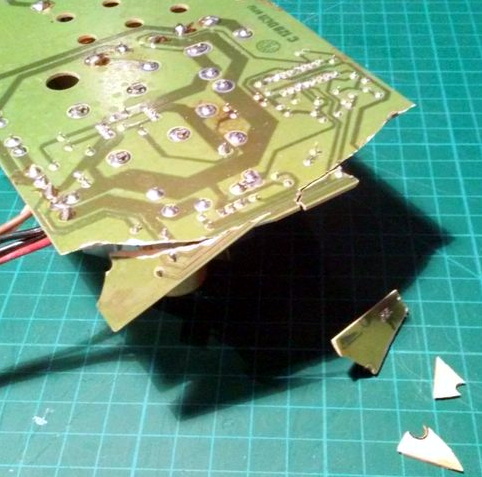
Under normal circumstances you are supposed to give the DPH5005 DC power via the terminals on the back panel of the supply, which in turn is regulated and adjusted via the front panel controls. To add support for USB-C, all [Dennis] had to do was install a USB-PD trigger module configured to negotiate 20 VDC in the back of the case and connect it to the DC input. To hold it in place while isolating it from the metal case, he used a piece of scrap PCB carefully cut and wrapped in Kapton tape.

This actually isn’t the first portable bench power supply we’ve seen. Last year we saw one that got its input power from Makita portable tool batteries, but we think all things considered, the USB-C option is probably a bit more convenient.

Rise And Shine With This Japanese-Inspired Clock

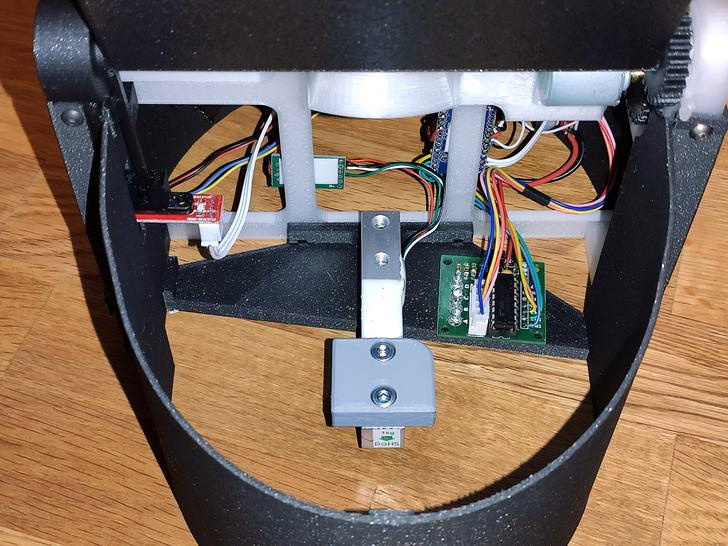
On the Hackaday.io page for his gorgeous “Sunrise Alarm Clock”, [The Big One] is quick to point out that his design is only inspired by Japanese lanterns, and does not use authentic materials or traditional woodworking techniques. Perhaps that’s an important fact to some, but we’ll just say that the materials used seem far less important when the end result looks this good.

Unfortunately [The Big One] hasn’t provided any interior shots of his clock, as it sounds like the aesthetics of the internal wiring isn’t quite up to the standard set by the outside of it. But he has provided a concise parts list, a wiring diagram, and source code, so we’ve got a pretty good idea of what’s under the hood.

The clock is powered by the uBBB 32u4, an ATMega32u4 development board that [The Big One] developed in conjunction with [Warren Janssens]. It uses the popular MAX7219 LED matrix for the display, and a DS3231 RTC module to help keep the time. There’s also a DFPlayer Mini module onboard that allows him to play whatever sound effects or music he wants when the alarm goes off.

Of course the star of the show is the LED strips which illuminate the shōji-style column. These have apparently been wrapped around a coffee can of all things, which not only serves as a convenient way of holding the strips, but [The Big One] says actually makes the speaker sound a bit better. Hey, whatever works.

This isn’t the first “lantern” clock to grace these pages, but compared to the high-tech presentation of previous projects, we can’t help but be impressed by the grace and elegance of this wooden masterpiece.

Atari Tape Drive Turned Security DVR

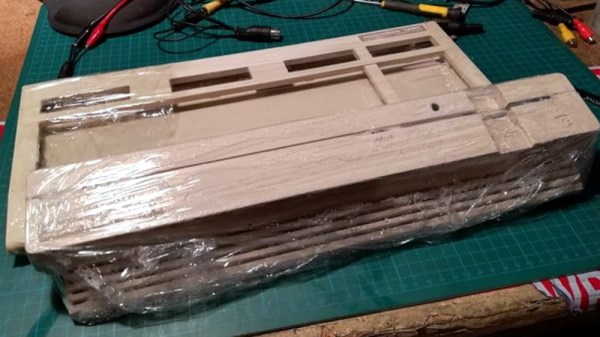
We know that a lot of our beloved readers don’t take kindly to abuse of vintage hardware, so the Atari fans in the audience may want to avert their eyes for this one. Especially if they’re particularly keen on spinning up their Jawbreaker cassette on authentic hardware, as [iot4c] has gutted an Atari XC12 Program Recorder to turn it into an enclosure for a Raspberry Pi video storage device.

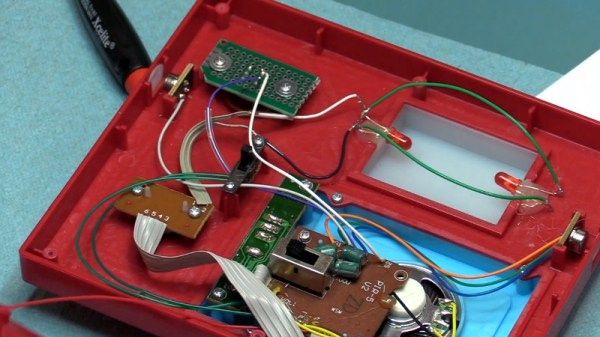
Step one of this conversion was, as you might expect, removing all the original hardware from the cassette recorder case. From there, [iot4c] fitted the Raspberry Pi, a USB hard drive, and a YDS-5A DC-DC converter to power them. Depending on what the drive setup looks like, it might also make sense to add a USB powered hub. A length of Ethernet cable was left hanging out the back of the Atari XC12 so it could be plugged into the network, but a panel mount RJ45 connector could spruce things up a bit.

Of course, gutting an old piece of hardware and sticking a Pi into it isn’t exactly breaking any new ground at this point. But we did appreciate that [iot4c] went the extra mile to wire it up so the “Save” LED now doubles as a network activity indicator. Which pretty much brings it full circle in terms of functionality for a network-attached video recorder.

Earlier in the year [iot4c] converted a 65XE into a USB keyboard with the help of an Arduino Leonardo, but the vintage Atari aficionados will be happy to note that at least in that case the donor machine remained fully functional.

Adding USB-C To The TS100

The TS100 is a popular entry into the new breed of small temperature-controlled soldering irons that, at least for some of us, have started to replace the bulky soldering stations of old. Unfortunately, one downside of this particular model is the need to plug it into a fairly ungainly laptop-style power supply, which certainly hinders its otherwise portable nature. But [Dennis Schneider] has come up with a very slick solution to that problem by adding a USB-PD module to his TS100.

The idea here is very simple: just remove the original DC barrel connector, and in its place install a USB-PD trigger module. In practice it took more than a little fiddling, cutting, persuasion, and creative soldering (ironically, with a soldering station), but the end result does look quite professional.

It helps that the USB-PD module [Dennis] used was almost the exact same width as the TS100 PCB, meaning that the modified iron could go back into its original case. Though as we saw not so long ago, there’s a growing community of 3D printed replacement cases should you select a trigger module that doesn’t so neatly fit the footprint of the original board. Or if you didn’t want to modify the iron at all, you could always just make an external adapter.

Those that have some experience with these irons might be wondering what the point of modifying the TS100 to take USB-C is when we already have the TS80. As it turns out, while the TS80 is using a USB-C connector it doesn’t actually use USB-PD, so its not taking advantage of the enhanced power delivery capabilities. We know, it’s all kind of confusing.

Raspberry Pi NAS Makes Itself At Home In Donor PC

It’s safe to say that most of us have at least one Raspberry Pi hanging from a USB cable someplace, silently hammering away at some unglamorous task that you’d rather not do on a “real” computer. With as cheap as they are, it’s not like there’s a big concern about where it sets up shop. But if you’re like [Jeremy S. Cook] and want your $35 Linux computer to be a permanent member of the family, then his tips on turning an old PC into a gloriously overkill Pi NAS may be of interest.

The main component [Jeremy] salvages from the old Lenovo desktop PC is, obviously, the case itself. Stripped of its original components, the case gives him plenty of room to mount the Pi as well as a couple of hard drives and a powered USB hub. To prevent the bottom of the Raspberry Pi from shorting out against the metal computer case, he designed and 3D printed a mount for it. Everything else is held down with hook and loop fastener, making it quick and easy to move things around and make adjustments.

While it might not be strictly necessary, [Jeremy] also took the time to salvage the computer’s old heatsink. Being far too large to fit on the Pi as-is, he ran a line down the back of it with his mill and snapped it in half. He uses a bit of thermal tape to hold the bisected heatsink onto the Pi’s SoC, with a couple pieces of electrical tape to make sure it doesn’t short out on anything.

Raspberry Pi NAS builds are exceptionally popular, and we’ve seen more than we can count over the years. You can build one out of parts from IKEA, and if you don’t mind plastic, you can always 3D print the whole thing. If you really want to go minimal, you can even hang some files on the network with little more than a Pi Zero stuck into a USB port.

Continue reading “Raspberry Pi NAS Makes Itself At Home In Donor PC”

Five Channel Monitor Keeps Boat Batteries Shipshape

While those of us stuck sailing desks might not be able to truly appreciate the problem, [Timo Birnschein] was tired of finding that some of the batteries aboard his boat had gone flat. He wanted some way to check the voltage on all of the the batteries in the system simultaneously and display the information in a central location, and not liking anything on the commercial market he decided to build it himself.

Even for those who don’t hear the call of the sea, this is a potentially useful project. Any system that has multiple batteries could benefit from a central monitor that can show you voltages at a glance, but [Timo] is actually going one better than that. With the addition of a nRF24 module, the battery monitor will also be able to wireless transmit the status of the batteries to…something. He actually hasn’t implemented that feature yet, but some way of getting the data into the computer so it can be graphed over time seems like a natural application.

The bill of materials is pretty short on this one. Beyond the aforementioned nRF24 module, the current version of the monitor features an Arduino Nano clone, a 128×160 SPI TFT display, and a handful of passives.

Knowing that a perfboard wouldn’t last long on the high seas, [Timo] even routed his own PCB for this project. We suspect there’s some kind of watertight enclosure in this board’s future, but it looks like things are still in the early phases. It will be interesting to follow along with this one and see how it eventually gets integrated in to the boat’s electrical system.

If you’re looking for a way to keep an eye on the voltages aboard your land ship, this battery monitor disguised as an automotive relay is still the high-water mark in our book.

Building An Open Hardware EBook Reader

On the whole, hackers aren’t overly fond of other people telling them what they can and cannot do with the hardware or software they’ve purchased. Unfortunately, it’s becoming more and more difficult to avoid DRM and other Draconian rules and limitations as time goes on. Digital “eBooks” and the devices that are used to view them are often the subject of such scrutiny, which is why [Joey Castillo] has made it his mission to develop a open hardware eReader that truly belongs to the user.

[Joey] has been working on what he calls the “The Open Book Project” for a few months now, and he’s just recently announced that the first reader has been successfully assembled and powered up. As is usually the case, a few hardware issues were identified with this initial prototype. But it sounds like the device was largely functional, and only a few relatively minor tweaks to the board layout and components should be necessary before the hardware is ready for the masses.

An earlier prototype, using the Adafruit Feather

If you’re feeling a bit of déjà vu seeing this, don’t worry. The Open Book Project has taken a somewhat circuitous path to get to this first prototype, and [Joey] had previously developed and built the “eBook Feather Wing”. While they look very similar, that earlier incarnation required an Adafruit Feather to operate and was used to help refine the firmware and design concepts that would go into the final hardware.

The Open Book is powered by a ATSAMD51N19A processor with a GD25Q16 2MB flash chip to hold the CircuitPython code, and a microSD slot to store the actual book files. It also features support for audio output via a standard 3.5 mm headset jack, an RGB status LED, and expansion ports that tap into the I2C interface for adding whatever other hardware you can dream up.

One of the most interesting aspects of this Creative Commons licensed reader is the extensive self documentation [Joey] has included on the silkscreen. Every major component on the back of the PCB has a small description of its purpose and in some cases even a breakdown of the pin assignments. The idea being that it not only makes the device easier to assemble and debug, but that it can also explain to the curious user what everything on the board does and why it’s necessary. It’s a concept that makes perfect sense given the goals of the Open Book Project, and something that we frankly would love to see more of.

[Marc Juul] presented his work on a FOSS operating system for older-model Kindles at HOPE XII as a way to avoid Orwellian monitoring of the user’s reading habits, so it’s interesting to see somebody take this idea to the next level with completely libre reader hardware. Unfortunately none of this addresses the limited availability of DRM-free eBooks, but one step at a time.