A Raspberry Pi 4 Video Streaming Backpack

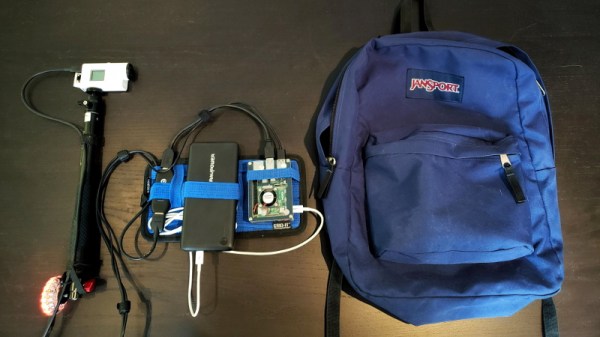
Were you aware that there’s a market for backpack-housed live streaming video systems, and that they can cost as much as $1600? Apparently these things are popular with social media moguls who want to stream themselves living their fabulous lives to people sitting at home watching on YouTube or Twitch. But believing that even slack jawed yokels like us should have access to the same technology, [Speedify Labs] has been working on less expensive DIY alternative based on the Raspberry Pi 4.

Now you’ll note we didn’t use the term “cheap” to describe this build. As detailed here, it’s still going to cost you around $600. You could always swap out the Sony AS-300 camera and Elgato Cam Link capture device with cheaper versions, but the goal of this project was to deliver high quality HD video that’s comparable to what the professional rigs are capable of, so those kinds of concessions were avoided.

Whatever video source your audience and budget are comfortable with, it eventually gets fed into the Raspberry Pi 4 which uses an ffmpeg one-liner to encode the video and ultimately push it out as 720p at 24 FPS, which [Speedify Labs] says seems to be about as good as the Pi can do. The operator is able to start and stop the stream at will using a Circuit Playground Express and a Python script.

Of course, the trick to all of this is getting the video stream uploaded over potentially flaky mobile networks. But as you might have guessed, that’s where [Speedify Labs] gets to flex their eponymous product: a VPN with software channel bonding that allows you to combine multiple Internet connections for higher bandwidth and reliability. With their software, the Pi is able to stream the video through two mobile phones connected to it over USB. As demonstrated in the video below, the setup was able to maintain the stream even as they walked in and out of buildings.

Our very own [Lewin Day] wrote about his experiments with streaming video over 4G on the Raspberry Pi which might be of interest to anyone looking to take their show on the road. Though if you want to get serious it would be worth taking a look at the impressive mobile streaming rig that [Jenny List] saw at the BornHack 2019 hacker camp in Denmark.

Continue reading “A Raspberry Pi 4 Video Streaming Backpack”
The Zen Of Mechanical Keyboard Wiring

Mechanical keyboards are all the rage right now, but the vast majority of them are purchased commercially. Only the most dedicated people are willing to put in the time and effort required to design and assemble their own custom board, and as you might imagine, we’ve featured a number of such projects here on Hackaday in the past.

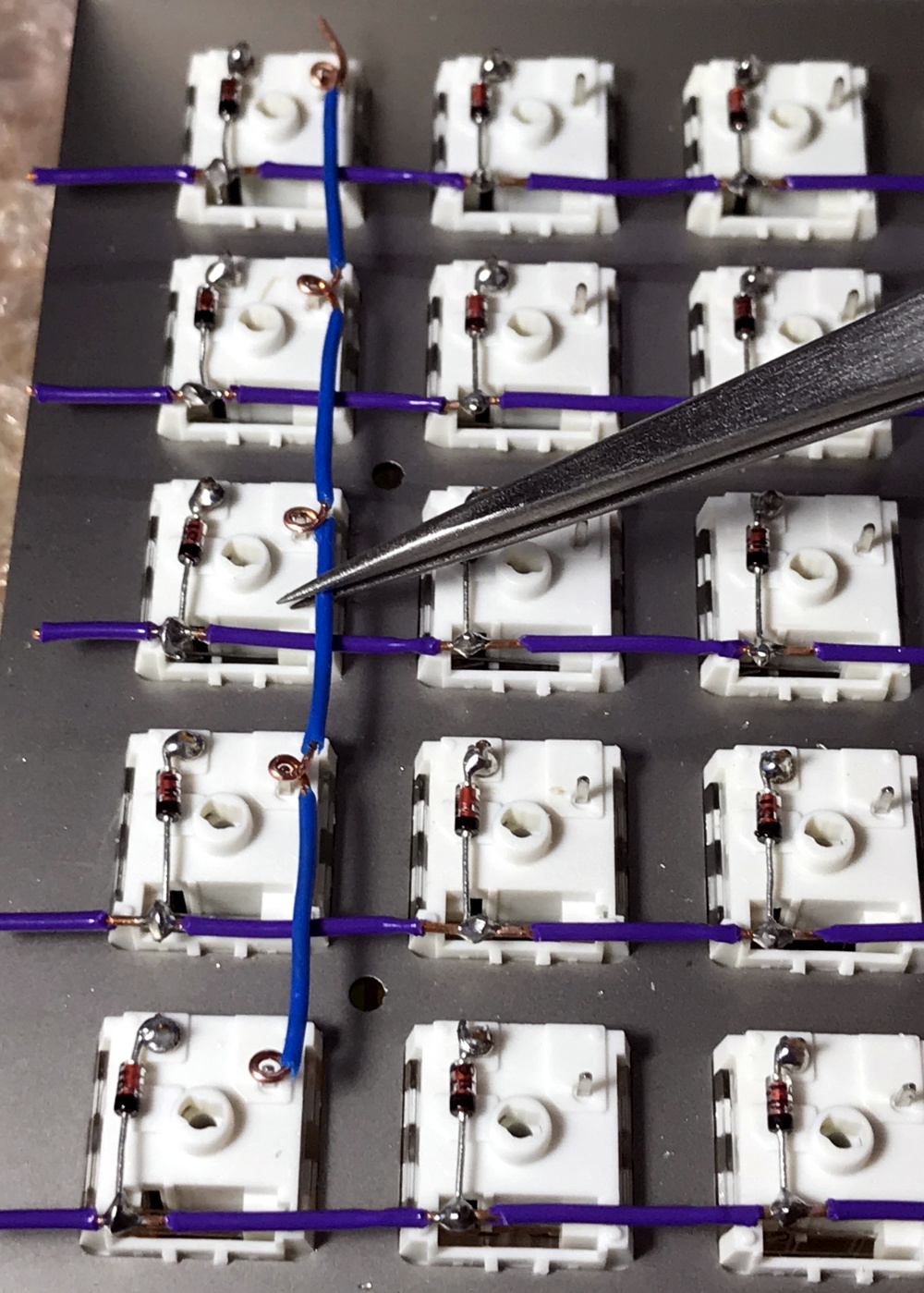
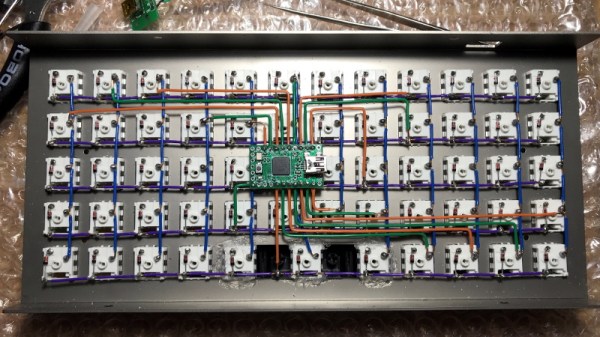
But what makes this particular mechanical keyboard build from [kentlamh] so special isn’t the final product (though it’s certainly quite nice), but the care he took when hand-wiring all of the switches to the Teensy 2.0 microcontroller that serves as its controller. There’s no PCB inside this custom board, it’s all rainbow colored wires, individual diodes, and the patience to put it all together with tweezers.

[kentlamh] takes the reader through every step of the wiring process, and drops a number of very helpful hints which are sure to be of interest to anyone who might be looking to embark on a similar journey. Such as bending the diode legs en masse on the edge of a table, or twisting them around a toothpick to create a neat loop that will fit over the pin on the back of the switch.

He also uses a soldering iron to melt away the insulation in the middle of the wires instead of suffering through hundreds of individual jumpers. We’ve seen this trick before with custom keyboards, and it’s one of those things we just can’t get enough of.

Some will no doubt argue that the correct way to do this would be to use an automatic wire stripper, and we don’t necessarily disagree. But there’s something undeniably appealing about the speed and convenience of just tapping the wire with the iron at each junction to give yourself a bit of bare copper to work with.

Even if you aren’t enough of a mechanical keyboard aficionado to travel all the way to Japan to attend the official meetup or discuss the finer points of their design at the Hackaday Superconference, there’s an undeniable beauty to this custom board. With a little guidance from [kentlamh], perhaps it will be your own handwired masterpiece that’s next to grace these pages.

[Thanks to Psybird for the tip.]

Hacked Tape Player Makes For A Unique Instrument

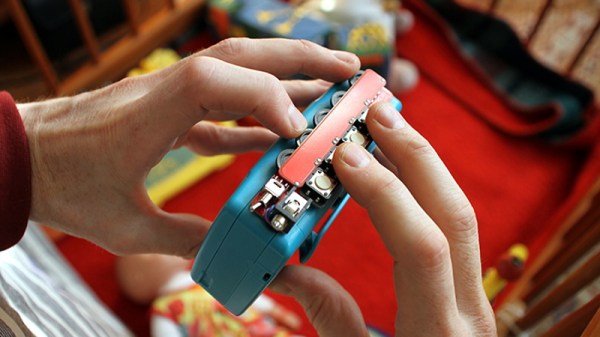
[Gijs Gieskes] is certainly no stranger to hacked cassette players, but his latest triumph may well be the most approachable project for anyone looking to explore the world of unorthodox tape unspooling. By attaching a fairly simple add-on PCB to a modern portable cassette player, the user is able to modify the playback speed of the tape at will. The skillful application of such temporal distortions leads to wonderfully abstract results.

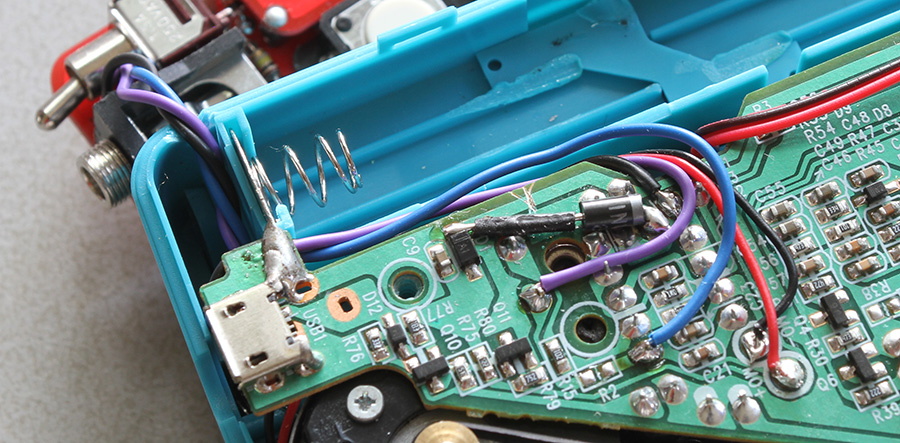
The board that [Gijs] has come up with uses four potentiometers and matching push buttons to allow the user to set different playback speeds that they can engage with the push of the button. There’s also a fifth potentiometer to augment the “global” speed as well as an override switch. During playback, these controls can be used to arbitrarily tweak and augment the sound of samples contained on a the looping cassette.

If that’s a little hard to conceptualize, don’t worry. [Gijs] has provided some examples of how the the rapid adjustment of playback speed offered by this “Zachtkind” can add a fascinating level of complexity to sounds and melodies. The assembled player is available for purchase ready to go, but he also provides kits and a detailed installation guide for those who’d rather build it themselves.

Going all the way back to 2005, [Gijs] and his incredible creations have been a staple of Hackaday. From the Arduino video sampler to the array of oddly musical analog clocks, we never cease to be in awe of this exceptionally prolific hacker.

Copying High Security Keys With OpenSCAD And Light

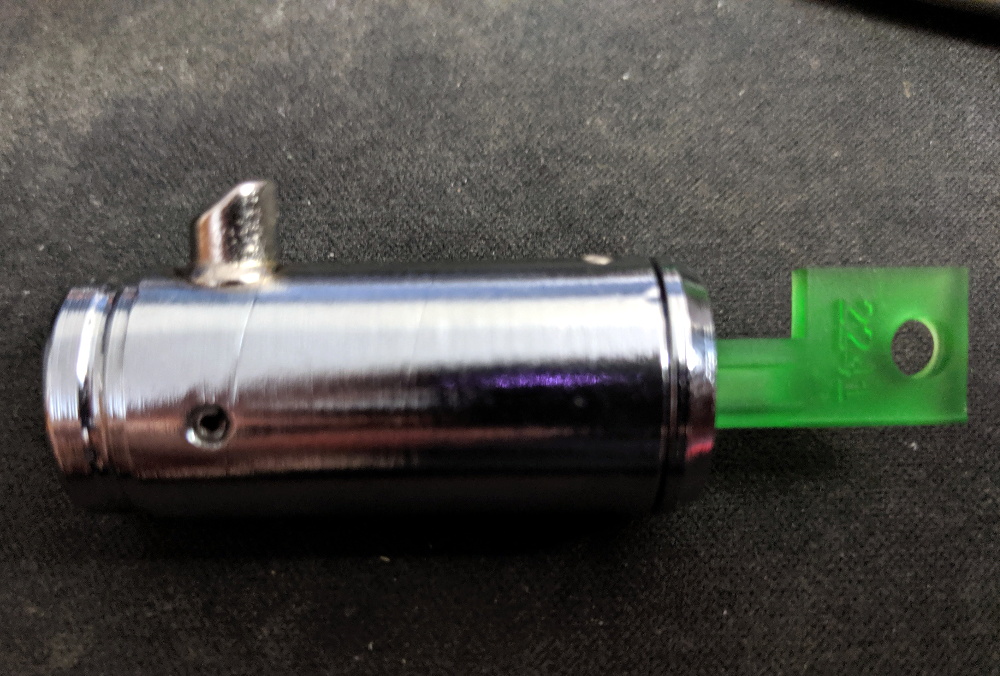
The ability to duplicate keys with a 3D printer is certainly nothing new, but so far we’ve only seen the technique used against relatively low hanging fruit. It’s one thing to print a key that will open a $15 Kwikset deadbolt from the hardware store or a TSA-approved “lock” that’s little more than a toy, but a high-security key is another story. The geometry of these keys is far more complex, making them too challenging to duplicate on a consumer-level printer. Or at least, you’d think so.

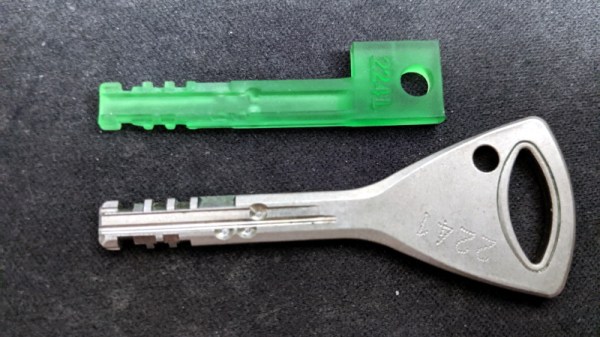
Inspired by previous printed keys, [Tiernan] wanted to see if the techniques could be refined for use against high security Abloy Protec locks, which are noted for their resistance to traditional physical attacks such as picking. The resulting STLs are, unsurprisingly, beyond the capabilities of your average desktop FDM printer. But with a sub-$300 USD Anycubic Photon DLP printer, it’s now possible to circumvent these highly regarded locks non-destructively.

Of course, these keys are far too intricate to duplicate from a single picture, so you’ll need to have the physical key in hand and decode it manually. [Tiernan] wisely leaves that step of the process out, so anyone looking to use this project will need to have a good working knowledge of the Abloy Protec system. Hopefully this keeps bad actors from doing anything too nefarious with this research.

Once you have the decoded values for the key you want to duplicate, you just need to provide them to the OpenSCAD library [Tiernan] has developed and print the resulting STL on your sufficiently high-resolution printer. Generally speaking, the parts produced by resin-based printing have a high tensile strength but are very brittle, so perhaps not the kind of thing you want to stick in your expensive Abloy lock. That said, there are some “Tough Resin” formulations available now which produce parts that are at least as strong as those made with thermoplastics. So while the printed keys might not be strong enough for daily use, they’ll certainly work in a pinch.

A Virtual Tour Of The B-17

The Boeing B-17 “Flying Fortress” is arguably the most recognizable aircraft of the Second World War. Made infamous by the daring daylight strategic bombing runs they carried out over Germany, more than 12,000 of these four-engined bombers were produced between 1939 and 1945. Thanks to the plane’s renowned survivability in battle, approximately 60% of them made it through the war and returned home to the United States, only to be rounded up in so-called “boneyards” where they were ultimately cut up and sold as scrap. Today there are fewer than 50 intact Boeing B-17s left in the world, and of those, only 11 remain airworthy.

One of them is Nine-O-Nine, a B-17G built in April 7, 1945. This particular aircraft was built too late to see any combat, although in the 1950s she was fitted with various instruments and exposed to three separate nuclear blasts for research purposes. It’s actually not the real Nine-O-Nine either, the original was scrapped after it completed eighteen bombing runs over Berlin. Without a combat record of its own, this bomber was painted to look like the real Nine-O-Nine in honor of its incredible service record of never losing a crewman.

Since 1986, Nine-O-Nine has been owned by the Collings Foundation, who operate her as a living history exhibit. The bomber flies around the United States with an entourage of similarly iconic WWII aircraft as part of the Wings of Freedom Tour, stopping by various airports and giving the public a chance to climb aboard and see the pinnacle of mid-1940s strategic bombing technology. History buffs with suitably deep pockets can even book a seat on one of the scheduled 30-minute flights that take place at every stop on the Tour.

I was lucky enough to have the The Wings of Freedom Tour pass through my area recently, and couldn’t pass up the opportunity to experience this incredible aircraft first hand. The fact that I’m equal parts a coward and miser kept me from taking a ride aboard the 74 year old Nine-O-Nine, at least for now, but I made sure to take plenty of pictures from inside this lovingly restored B-17G while it was safely on the ground.

Continue reading “A Virtual Tour Of The B-17”

RPi Tank Invades Living Room, Teaches OpenCV

If you’re looking for a simple project to start exploring the intersection of OpenCV and robotics, then the RPi Tank created by [Vishal Varghese] might be a good place to start. A Raspberry Pi and a few bits of ancillary hardware literally taped to the top of a toy M1 Abrams tank becomes a low-cost platform for testing out concepts such as network remote control and visual line following. Sure, you don’t need to base it around an Abrams tank, but if you’re going to do it you might as well do it with style.

As this is more of a tech demonstrator, the hardware details are pretty minimal. [Vishal] says you just need a relatively recent version of the Raspberry Pi, a MotoZero motor controller, and a camera module. To provide juice for the electronics you don’t need anything more exotic than a USB power bank, which in his case has been conveniently attached to the top of the turret. He doesn’t provide exact details on how the MotoZero gets wired into the Abram’s motors, but we imagine it’s straightforward enough that the average Hackaday reader probably doesn’t need it spelled out for them.

Ultimately, the software is the heart of this project, and that’s where [Vishal] really delivers. He’s provided sample Python scripts ordered by their level of complexity, from establishing a network connection on the Raspberry Pi to following a line of tape on the ground. Whether used together or examined individually, these scripts provide a great framework to get your first project rolling. Literally.

Line following robots, in their many forms, have been a favorite hacker project for years. Whether they home in with an analog circuit or replace the lines with hidden wires, they’re a great way to get started with semi-autonomous robotics.

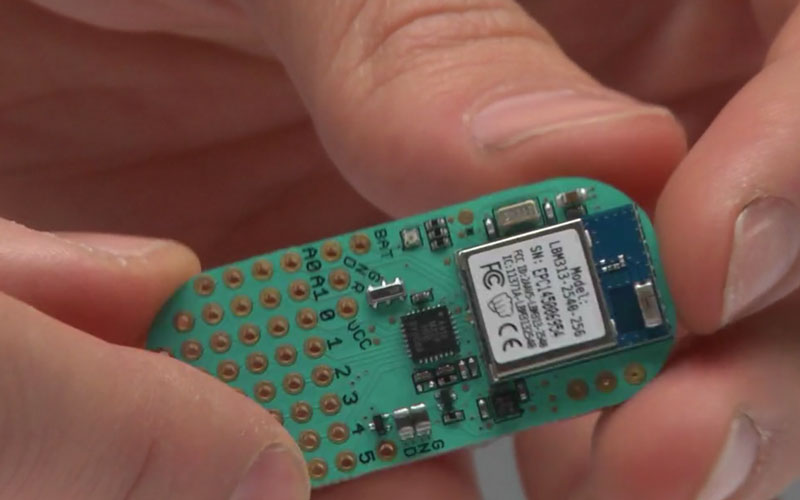
Punch Through Switches Gears, Shucks Beans

Do you own a LightBlue Bean or Bean+ from Punch Through? If you don’t have one now, you probably never will, as the company has recently announced they’re no longer selling or supporting the Bluetooth Low Energy microcontrollers. The company says that after selling more than 100,000 Bean devices, the challenge of keeping up with a constantly evolving software ecosystem became too difficult, and they are instead going to focus their efforts on advising other companies on how to best develop Bluetooth products.

Frankly, that sounds a bit like getting advice on how to build a fully armed and operational battle station from the Empire, but who are we to judge. While the Bean family of devices clearly wasn’t able to go the distance, Punch Through at least got them out the door and supported them for longer than many might have expected given the increased competition in the BLE market. It’s not hard to do the math: the LightBlue Bean retailed for around $35 USD, and today you can get a BLE-capable ESP32 for five bucks.

So what happens to all those Beans out in the wild? Normally, the parent company dropping support for a microcontroller wouldn’t be that big of a deal, but this time around we have the “Bean Loader” to contend with. This piece of software is used to push code to the device over Bluetooth, and it’s possible that the constant march of operating system upgrades (especially on mobile devices) will eventually break it. Long story short, there’s nothing to worry about in the short term. But down the road, these Beans might be baked.

Luckily, Punch Through did provide some pretty extensive documentation for the Beans. If there’s significant demand, we imagine the community will do their best to take over development of whatever ancillary software is required to keep the hardware usable for the foreseeable future. Speaking of which, the schematics and PCB layouts for both the Bean and Bean+ have been released under the Creative Commons Attribution 4.0 International license, so it’s not outside the realm of possibility that somebody else might put them back into production.

[Thanks to Chris for the tip.]