Sense Hat Comes Alive

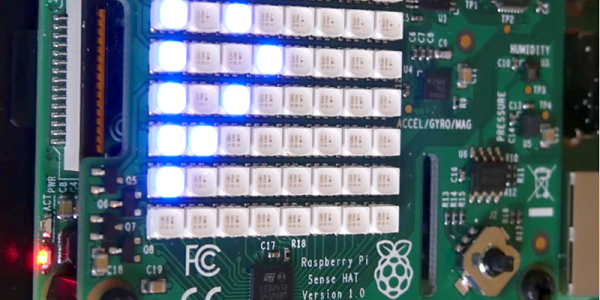
Remember the Raspberry Pi Sense Hat? Originally designed for a mission to the International Space Station, the board has quite a few sensors onboard as well as an 8×8 RGB LED matrix. What can you do with an 8×8 screen? You might be surprised if you use [Ethan’s] Python Sense Hat animation library. You can get the full visual effect in the video below.

The code uses an array to represent the screen, which isn’t a big deal since there are only 64 elements. Turning on a particular element to animate, say, a pong puck, isn’t hard with or without the library. Here’s some code to do it with the library:

for x in range(0,7):
 ect.cell(image,[0,x],[randint(0,255), randint(0,255), randint(0,255)],0.1)
 ect.cell(image,[0,x],e,0.1)
for x in range(7,0, -1):
 ect.cell(image,[0,x],[randint(0,255), randint(0,255), randint(0,255)],0.1)
 ect.cell(image,[0,x],e,0.1)

Each loop draws a box with a random color and then erases it before going to the next position. The second for loop makes the puck move in the opposite direction. You can probably deduce that the first argument is the screen array, the second is the position. The third argument sets the color, and the final argument sets an animation timer. Looking at the code, though, it does look like the timer blocks which is probably not going to work for some applications.

If that’s all there was, this wouldn’t be worth too much, but you can also draw triangles, circles, and squares. For example:

ect.circle(image,(4,4), 3, [randint(0,255), randint(0,255), randint(0,255)], 0.1)

We covered the Sense Hat awhile back. Of course, it does a lot more than just light up LEDs as you can see from this weather dashboard.

Continue reading “Sense Hat Comes Alive”

Hack Your Hot Air Station

It used to be hot air soldering gear was exotic, but not anymore. There are plenty of relatively inexpensive choices. Many of these appear to be the same despite having different brand names and model numbers. One that is common and inexpensive is the 858D. These run about $50. [Gabse] has one and decided to upgrade it using some open source controller hardware and software. There wasn’t a complete guide, so he created one himself.

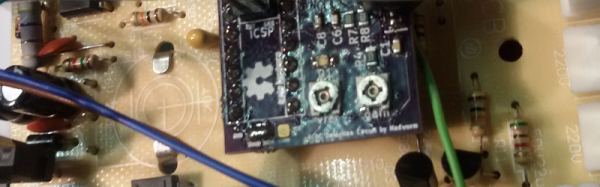
According to the original GitHub page, the controller will work with the Youyue-858D and any clones. However, there are others like the Atten 858D that use a different controller. In addition, there have been several variants. [Gabse’s] guide is for the latest version. Information on other versions and brands might be on this discussion board thread.

Continue reading “Hack Your Hot Air Station”

Ohm? Don’t Forget Kirchhoff!

It is hard to get very far into electronics without knowing Ohm’s law. Named after [Georg Ohm] it describes current and voltage relationships in linear circuits. However, there are two laws that are even more basic that don’t get nearly the respect that Ohm’s law gets. Those are Kirchhoff’s laws.

In simple terms, Kirchhoff’s laws are really an expression of conservation of energy. Kirchhoff’s current law (KCL) says that the current going into a single point (a node) has to have exactly the same amount of current going out of it. If you are more mathematical, you can say that the sum of the current going in and the current going out will always be zero, since the current going out will have a negative sign compared to the current going in.

You know the current in a series circuit is always the same, right? For example, in a circuit with a battery, an LED, and a resistor, the LED and the resistor will have the same current in them. That’s KCL. The current going into the resistor better be the same as the current going out of it and into the LED.

This is mostly interesting when there are more than two wires going into one point. If a battery drives 3 magically-identical light bulbs, for instance, then each bulb will get one-third of the total current. The node where the battery’s wire joins with the leads to the 3 bulbs is the node. All the current coming in, has to equal all the current going out. Even if the bulbs are not identical, the totals will still be equal. So if you know any three values, you can compute the fourth.

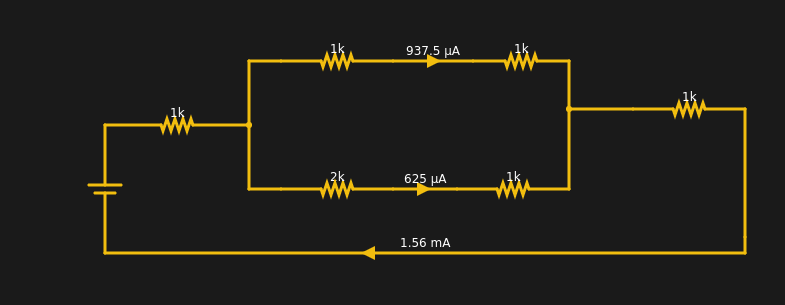
If you want to play with it yourself, you can simulate the circuit below.

The current from the battery has to equal the current going into the battery. The two resistors at the extreme left and right have the same current through them (1.56 mA). Within rounding error of the simulator, each branch of the split has its share of the total (note the bottom leg has 3K total resistance and, thus, carries less current).

Continue reading “Ohm? Don’t Forget Kirchhoff!”

Radar Sensors Put To The Test

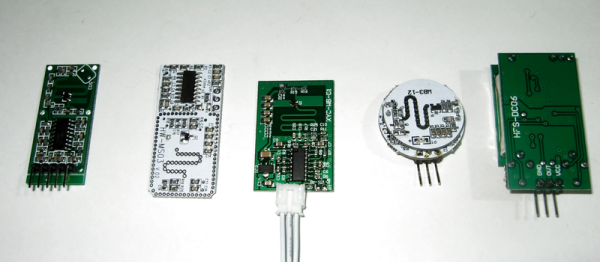
[Andreas Spiess] picked up a few inexpensive radar sensors. He decided to compare the devices and test them and–lucky for us–he collected his results in a video you can see below.

The questions he wanted to answer were:

  • Are they 3.3 V-compatible?
  • How much current do they draw?
  • How long to they show a detection?
  • How far away can they detect the motion of a typical adult?
  • What is the angle of detection?
  • Can they see through certain materials?
  • Can the devices coexist with other devices in the same area? What about WiFi networks?

Good list of questions, and if you want to know the answers, you should watch the video.

Continue reading “Radar Sensors Put To The Test”

Go Big Or Go Home: A Tablecloth Touchpad

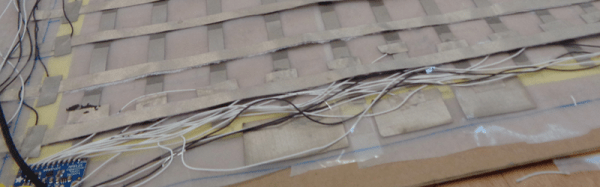
Phone screens keep getting bigger. Computer screens keep getting bigger. Why not a large trackpad to use as a mouse? [MaddyMaxey] had that thought and with a few components and some sewing skills created a trackpad in a tablecloth.

The electronics in this project are right off the shelf. A Flora board for the brains and 4 capacitive touch boards. If you haven’t seen the Flora, it is a circular-shaped Arduino made for sewing into things. The real interesting part is the construction. If you haven’t worked with conductive fabric and thread, this will be a real eye-opener. [Maddy’s] blog has a lot of information about her explorations into merging fabric and electronics and also covers things like selecting conductive thread.

As an optional feature, [MaddyMaxey] added vibration motors that provide haptic feedback to her touchpad. We were hoping for a video, but there doesn’t seem to be one. The code is just the example program for the capacitive sensor boards, although you can see in a screenshot the additions for the haptic motors.

We’ve covered the Flora before, by the way. You could also make a ridiculously large touch surface using tomography, although the resolution isn’t quite good enough for mouse purposes.

Stupid Git Tricks

My apologies if you speak the Queen’s English since that title probably has a whole different meaning to you than I intended. In fact, I’m talking about Git, the version control system. Last time I talked about how the program came to be and offered you a few tutorials. If you are a dyed-in-the-wool software developer, you probably don’t need to be convinced to use Git. But even if you aren’t, there are a lot of things you can do with Git that don’t fit the usual mold.

Continue reading “Stupid Git Tricks”

An Education On SoC Using Verilog

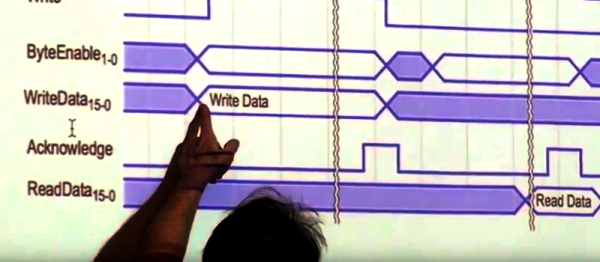
[Bruce Land] is one of those rare individuals who has his own Hackaday tag. He and his students at Cornell have produced many projects over the years that have appeared on these pages, lately with FPGA-related projects. If you only know [Land] from projects, you are missing out. He posts lectures from many of his classes and recently added a series of new lectures about developing with a DE1 System on Chip (SoC) using an Altera Cyclone FPGA using Verilog. You can catch the ten lectures on YouTube.

The class material is different for 2017, so the content is fresh and relevant. The DE1-SOC has a dual ARM processor and boots Linux from an SD card. There are several labs and quite a bit of background material. The first lab involves driving a VGA monitor. Another is a hardware solver for ordinary differential equations.

Continue reading “An Education On SoC Using Verilog”