A 4-bit Random Number Generator

Randomness is a pursuit in a similar vein to metrology or time and frequency, in that inordinate quantities of effort can be expended in pursuit of its purest form. The Holy Grail is a source of completely unpredictable randomness, and the search for entropy so pure has taken experimenters into the sampling of lava lamps, noise sources, unpredictable timings of user actions in computer systems, and even into sampling radioactive decay. It’s a field that need not be expensive or difficult to work in, as [Henk Mulder] shows us with his 4-bit analogue random number generator.

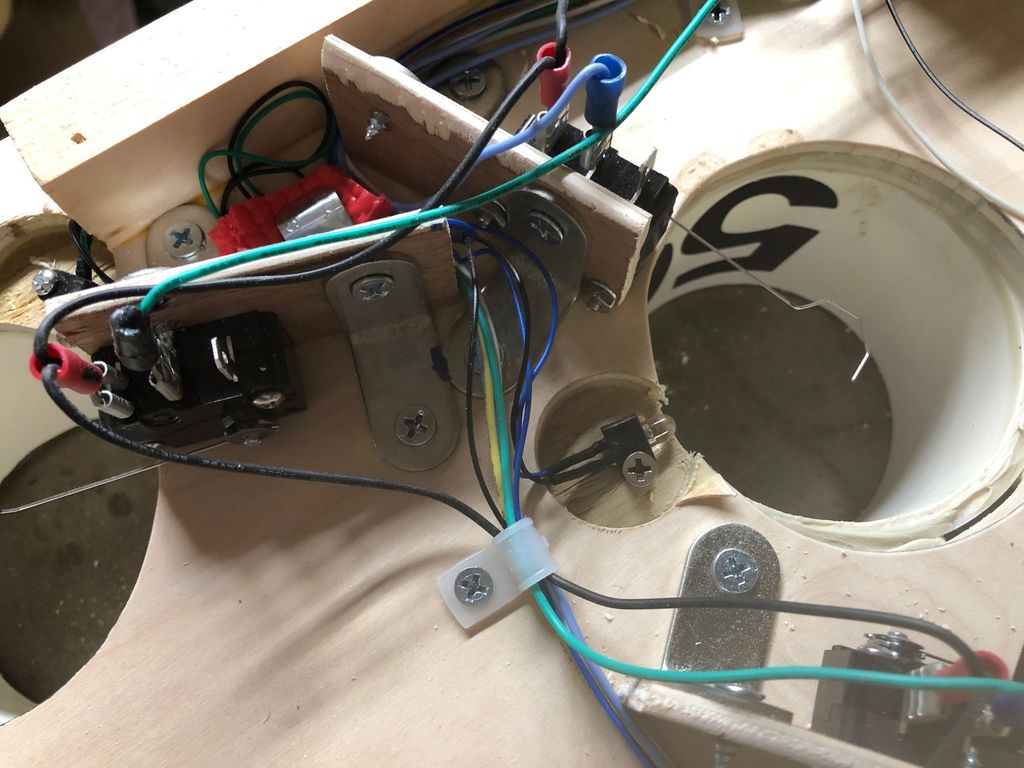
One of the simplest circuits for generating random analogue noise involves a reverse biased diode in either Zener or avalanche breakdown, and it is a variation on this that he’s using. A reverse biased emitter junction of a transistor produces noise which is amplified by another transistor and then converted to a digital on-off stream of ones and zeroes by a third. Instead of a shift register to create his four bits he’s using four identical circuits, with no clock their outputs randomly change state at will.

A large part of his post is an examination of randomness and what makes a random source. He finds this source to be flawed because it has a bias towards logic one in its output, but we wonder whether the culprit might be the two-transistor circuit and its biasing rather than the noise itself. It also produces a sampling frequency of about 100 kbps, which is a little slow when sampling with he Teensy he’s using.

An understanding of random number generation is both a fascinating and important skill to have. We’ve featured so many RNGs over the years, here’s one powered by memes, and another by a fish tank.

More Terrible Keyboards That Nonetheless Work

For most of computing history, keyboards have featured at least one key per letter one may wish to type – as far as the Latin alphabet goes, anyway. Mobile phones of the 90s and 2000s showed us that basic typing could be accomplished with less. [foone], however, likes to go way out into left field when designing text entry methods, and post them up on Twitter.

The most elegant, in our opinion, is this binary-based design. 7 flip switches are used to set the binary value of the key you wish to press, at which point hitting the button will send the keypress. It’s painfully slow for just about anything except backspace – set all the switches on for keycode 127, and mash away.

This breadboard design is an excercise in frustration. A keycode is randomly generated approximately once every second. Press the button if this keycode is the one you wish to send. Reportedly, it took ten minutes to type “Hello!”. An analog dial design speeds things up a little, but not by much.

While these may not be useful, they’re fun experiments which we could imagine making an excellent contest at a future hacker con. If you’re a big fan of the esoteric and insane when it comes to input devices, consider this typewriter simulation design.


Hiding Malware, With Windows XP

In the nearly four decades since the first PC viruses spread in the wild, malware writers have evolved some exceptionally clever ways to hide their creations from system administrators and from anti-virus writers. The researchers at Sophos have found one that conceals itself as probably the ultimate Trojan horse: it hides its tiny payload in a Windows XP installation.

The crusty Windows version is packaged up with a copy of an older version of the VirtualBox hypervisor on which to run it. A WIndows exploit allows Microsoft Installer to download the whole thing as a 122 MB installer package that hides the hypervisor and a 282 MB disk image containing Windows XP. The Ragnar Locker ransomware payload is a tiny 49 kB component of the XP image, which the infected host will run on the hypervisor unchallenged.

The Sophos analysis has a fascinating delve into some of the Windows batch file tricks it uses to probe its environment and set up the connections between host and XP, leaving us amazed at the unorthodox use of a complete Microsoft OS and that seemingly we have reached a point of system bloat at which such a large unauthorised download and the running of a complete Microsoft operating system albeit one from twenty years ago in a hypervisor can go unnoticed. Still, unlike some malware stories we’ve seen, at least this one is real.

Come On Baby Light My Fire Button

While the Nintendo GameCube stood deep in the shadows of the PS2 in its day, its controller remains a popular target for all sorts of modifications today — many of them involving LEDs, thanks to a translucent bottom and button option. As an avid player of the Super Smash Bros. series, [goomysmash] is of course an owner of the very same controller, which motivated him to write GoomWave, a “versatile and hackable LED library”. In an impressively detailed Instructable, he shows how to modify your own controller in two different ways to make use of the library for yourself.

Initially inspired by the Shinewave mod that lights up RGB LEDs in colors associated to pre-defined moves in Smash Bros, [goomysmash] aimed to improve on it and add more versatility from the very beginning. Its latest iteration comes in a simplified ABXY-buttons-only variety using an ATtiny85, and a full-blown all-button variety using an Arduino Nano. Both of them are powered straight from the controller board, and have different modes where they either react to controller interactions, or are just custom lights. A brief showcasing of all the different modes can be seen in the video after the break, and there a few more details also in an older version’s video, also embedded below.

Mesmerizing LED-blinking aside, we just have to admire the diligence and cleanliness [goomysmash] put into the wiring and fitting everything inside the controller. But in case light mods aren’t your thing or you’re looking for other GameCube controller modifications, how about adding Bluetooth?

Continue reading “Come On Baby Light My Fire Button”

Microsoft Releases The Source Code You Wanted Almost 30 Years Ago

In the late 1970s and early 1980s, if you had a personal computer there was a fair chance it either booted into some version of Microsoft Basic or you could load and run Basic. There were other versions, of course, especially for very small computers, but the gold standard for home computer Basic was Microsoft’s version, known then as GW-Basic. Now you can get the once-coveted Microsoft Basic source code for the 8086/8088 directly from Microsoft in the state you would have found it in 1983. They put up a read only GW-BASIC repository, presumably to stop a flood of feature requests for GPU acceleration.

You might wonder why they would do this? It is certainly educational, especially if you are interested in assembly language. For historical reasons, you might want to get a copy you could modify, too, for your latest retrocomputer project.

There are a few tidbits of interest. Some of the source is marked that it was translated. Apparently, Microsoft had a master implementation for some processor — real or imagined — and could translate from that code to 8088, Z-80, 6502, or any other processor they wanted to target.

From what we understand, GW-Basic was identical to IBM’s BASICA, but didn’t require certain IBM PC ROMs to operate. Of course, BASICA, itself, came from MBASIC, Microsoft’s CP/M language that originated with Altair Basic. A long lineage that influenced personal computers for many years. On a side note, there’s debate on what the GW stands for. Gee-Whiz is a popular vote, but it could stand for ‘Gates, William’, Greg Whitten (an early Microsoft employee), or Gates-Whitten. The source code doesn’t appear to answer that question.

We did enjoy the 1975 copyright message, though:

ORIGINALLY WRITTEN ON THE PDP-10 FROM
FEBRUARY 9 TO APRIL 9 1975

BILL GATES WROTE A LOT OF STUFF.
PAUL ALLEN WROTE A LOT OF OTHER STUFF AND FAST CODE.
MONTE DAVIDOFF WROTE THE MATH PACKAGE (F4I.MAC).

It wasn’t long ago that Microsoft released some old versions of MSDOS. If you have the urge to write some Basic, you might pass on GW-Basic and try QB64, instead.

GW-Basic Disk and Manual photo by [Palatinatian] CC-SA-4.0.

Milling A Custom 6-Pin DIN Connector

When [Charles Ouweland] found himself in need of a DIN connector that had a somewhat unusual pin arrangement, he figured he could fashion his own in less time than it would take to have a replacement shipped to him. In the end it sounds as though it took a lot longer than expected, but given the worldwide situation, we don’t doubt this bespoke connector was still put to work before its eBay counterpart would have arrived.

More importantly, the connector [Charles] produced looks fantastic. If we weren’t told otherwise, we’d have assumed the finished product was commercially produced. Although to be fair, he did have a little help there. The housing and pins themselves were pulled from a sacrificial connector; his primary contribution was the insulating block that holds the pins in their proper position.

So how did he make it? He had considered using a piece of scrap material and just putting the holes in it with a drill press, but he was worried getting the aliment right. Instead, he decided to call his cheap CNC router into service. By routing his design out of copper clad PCB, he was even able to tie the appropriate pins together right in the connector.

Admittedly, we don’t see a lot of hardware that still uses DIN connectors these days. But this tip is certainly worth filing away just in case. You never know when you might find an old piece of hardware that just needs a little TLC to get up and running again. Who knows, you might even find a dumpster full of them.

Dyeing Fabric To Create Sensors

Fabrics with electrical functionality have been around for several years, but are very rarely used in mainstream clothing. The fabrics are very expensive and the supply can be unreliable. Frustrated by this, [Counter Chemists] developed PolySense, simple open-source technology to make any fibrous material into a conductive material that can be used to sense pressure, stretch, capacitive touch, humidity, or temperature.

PolySense uses a process called in-situ polymerization, effectively dying a fabric to become piezoelectric. This is done by first soaking the fabric in a mixture of water and the organic compound pyrrole, and then adding iron chloride to trigger a reaction. The polymerization process that takes place wraps the individual fibers of the fabric in conductive polymer chains.

Instead of just uniformly coating a fabric, various masking techniques can be used to dye patterns onto the fabric for various use cases. The video after the break shows a range of these applications, including using polymerized gloves and leggings for motion capture, a zipper that acts like a linear potentiometer, and touch-sensitive fabric. The project page lists sources for the required chemicals in both Europe and the US, and we look forward to seeing what other applications the community can come up with.

The project is very well documented, with a number of scientific papers covering all the details. [Counter Chemists] will also be presenting PolySense at the 2020 Virtual Maker Faire.

This technology can also be used to make a fabric piano with a lot less effort. On the more mechanical side of things, you can also 3D print on pre-stretched fabric to make it pop into 3D shapes.

Continue reading “Dyeing Fabric To Create Sensors”