Competitive Soldering Is Now A Thing

At Hackaday, we’re constantly impressed by the skill and technique that goes into soldering up some homebrew creations. We’re not just talking about hand-soldering 80-pin QFNs without a stencil, either: there are people building charlieplexed LED arrays out of bare copper wire, and using Kynar wire for mechanical stability. There are some very, very talented people out there, and they all work in the medium of wire, heat, and flux.

At this year’s DEF CON, we opened the floodgates to competitive soldering. Along with [Bunny] from Hardware Hacking Village and the many volunteers from the HHV and Soldering Skills Village, dozens competed to solder up a tiny kit full of LEDs and microscopic resistors.

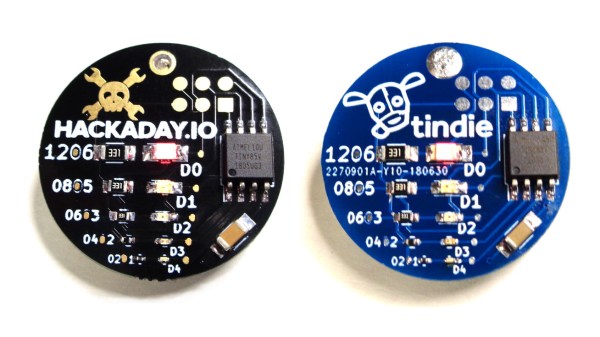
The kit in question was an SMD Challenge Kit put together my MakersBox, and consisted of a small PCB, an SOIC-8 ATtiny, and a LED and resistor for 1206, 0805, 0603, 0402, and 0201 sizes. The contest is done in rounds. Six challengers compete at a time, and everyone is given 35 minutes to complete the kit.

We’ve seen — and participated in — soldering challenges before, and each one has a slightly unique twist to make it that much more interesting. For example, at this summer’s Toorcamp, the soldering challenge was to simply drink a beer before moving to the next size of parts. You would solder the 1206 LED and resistor sober, drink a beer, solder the 0805, drink a beer, and keep plugging away until you get to the 01005 parts. Yes, people were able to do it.

Of course, being DEF CON and all, we were trying to be a bit more formal, and drinking before noon is uncouth. The rules for this Soldering Challenge award points on five categories: the total time taken, if the components are actually soldered down, a ‘functionality’ test, the orientation of the parts, and the quality of the solder joints.
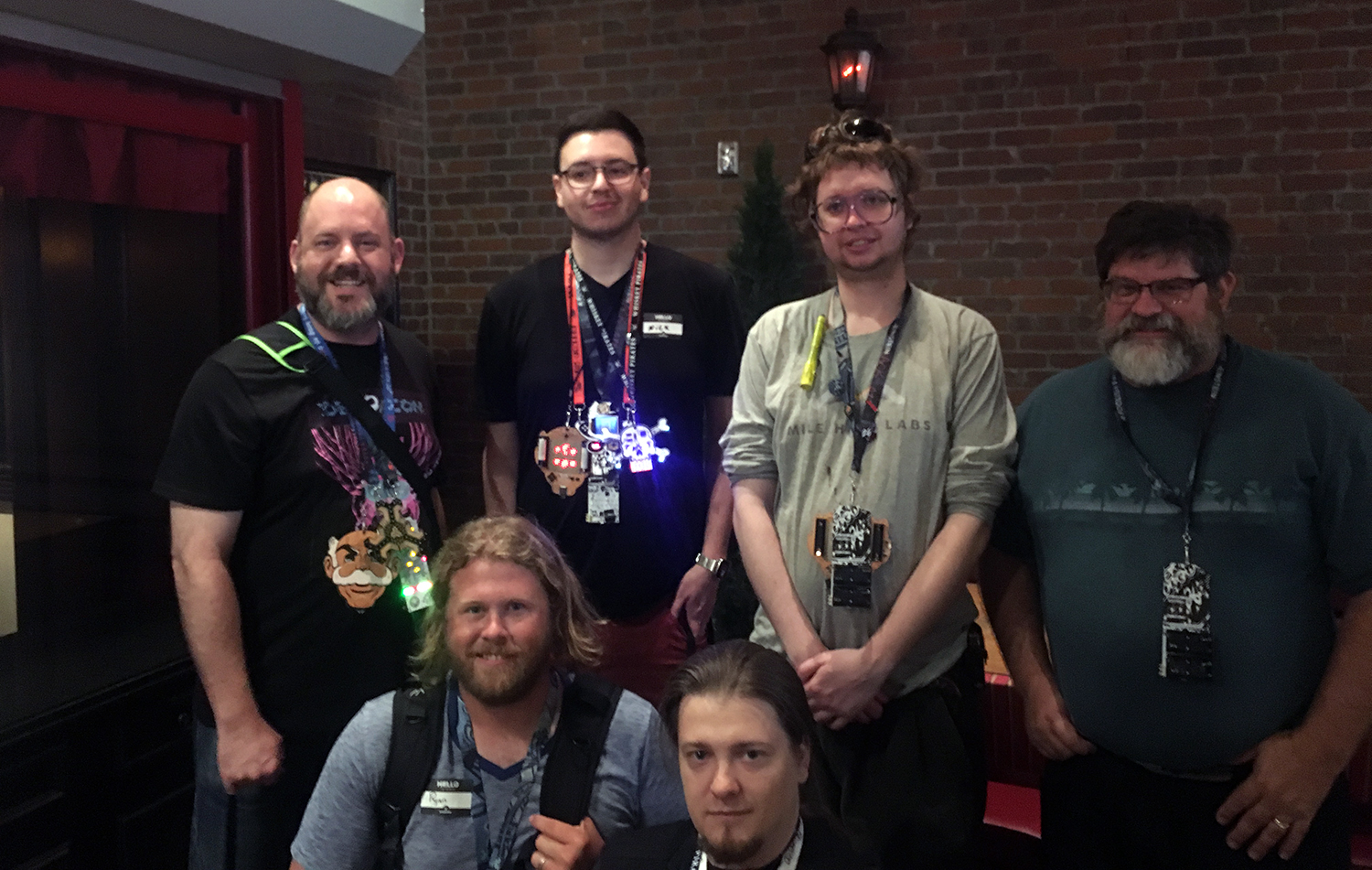
The winners of the soldering challenge, at the Hackaday Breakfast Meetup at DEF CON 26

So, with those rules in place, who won the Soldering Challenge at this year’s DEF CON? Out of a total 25 points, the top scorers are:

  • [True] – 23 pts
  • [Rushan] – 19 pts
  • [Ryan] – 18 pts
  • [Beardbyte] – 18 pts
  • [Casey] – 18 pts
  • [Bob] – 18 pts
  • [Nick] – 18 pts
  • [JEGEVA] – 18 pts

The Soldering Challenge had an incredible turnout, and the entire Soldering Skills Village was packed to the gills with folks eager to pick up an iron. The results were phenomenal!

We’d like to extend a note of thanks to [Bunny], the Hardware Hacking Village, the Soldering Skills Village, and MakersBox for making this happening. It was truly a magical experience, and now that competitive soldering is a thing, we’re going to be doing this a few more times. How do you think this could be improved? Leave a note in the comments.

The Challenges Of Shipping From China – Life Of A Flailing Tube Man

Last summer was an exercise in developing a completely different kind of product from my normal wheelhouse; a costume. My Halloween costume had been so popular that I decided to have a go at commercializing it, and that took me on a path into manufacturing that I hadn’t yet taken; shipping by boat from China. The short version is it’s a ridiculously difficult mess. Continue reading “The Challenges Of Shipping From China – Life Of A Flailing Tube Man”

Real Or Fake? Robot Uses AI To Find Waldo

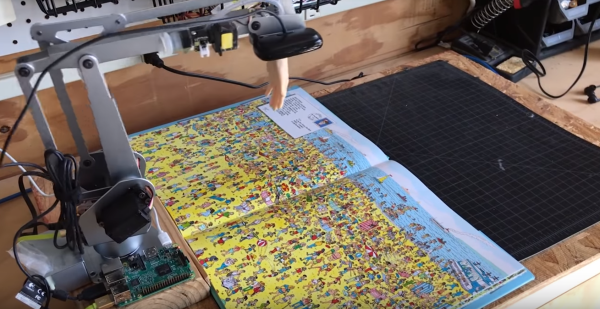
The last few weeks have seen a number of tech sites reporting on a robot which can find and point out Waldo in those “Where’s Waldo” books. Designed and built by Redpepper, an ad agency. The robot arm is a UARM Metal, with a Raspberry Pi controlling the show.

A Logitech c525 webcam captures images, which are processed by the Pi with OpenCV, then sent to Google’s cloud-based AutoML Vision service. AutoML is trained with numerous images of Waldo, which are used to attempt a pattern match.  If a pattern is found, the coordinates are fed to PYUARM, and the UARM will literally point Waldo out.

While this is a totally plausible project, we have to admit a few things caught our jaundiced eye. The Logitech c525 has a field of view (FOV) of 69°. While we don’t have dimensions of the UARM Metal, it looks like the camera is less than a foot in the air. Amazon states that “Where’s Waldo Delux Edition” is 10″ x 0.2″ x 12.5″ inches. That means the open book will be 10″ x 25″. The robot is going to have a hard time imaging a surface that large in a single image. What’s more, the c525 is a 720p camera, so there isn’t a whole lot of pixel density to pattern match. Finally, there’s the rubber hand the robot uses to point out Waldo. Wouldn’t that hand block at least some of the camera’s view to the left?

We’re not going to jump out and call this one fake just yet — it is entirely possible that the robot took a mosaic of images and used that to pattern match. Redpepper may have used a bit of movie magic to make the process more interesting. What do you think? Let us know down in the comments!

The Electric Vehicles Of Electromagnetic Field: The Ottermobile And The Ottercar

If you’ve followed these pages over the last few weeks, you’ll have seen an occasional series of posts featuring the comedic electric vehicle creations of the British Hacky Racers series, which will make their debut at the forthcoming Electromagnetic Field hacker camp. So far these intrepid electro-racers have come largely from the UK hackerspace and Robot Wars communities, but it was inevitable that before too long there would arrive some competition from further afield.

[Jana Marie Hemsing] and [Lucy Fauth] are a pair of prolific German hardware hackers whose work you may have seen from time to time in other fields. When they heard about Hacky Racers with barely two weeks until they were due to set off for England for EMF, they knew they had to move fast. The Ottermobile and the Ottercar are the fruits of their labours, and for vehicles knocked together in only two or three days they show an impressive degree of sophistication.

In both cases the power comes courtesy of hoverboard wheels with integrated motors. If you cast your mind back to last year’s SHA Camp in the Netherlands, our coverage had a picture of them on a motorised armchair, so this is a drive system with which they have extensive experience. The Ottercar is based upon a lengthened Kettler kids’ tricycle with the larger variant of the hoverboard motors, and unusually it sports three-wheel drive. Control for the rear pair comes from a hoverboard controller with custom firmware, while the front is supplied by a custom board. The Ottermobile meanwhile is a converted Bobby Car, with hoverboard drive. It’s an existing build that has been brought up to the Hacky Racer rules, and looks as though it could be one of the smaller Hacky Racers.

At the time of writing there is still just about enough time to create a Hacky Racer for Electromagnetic Field. Following the example set from Germany, it’s possible that the hoverboard route could be one of the simplest ways to do it.

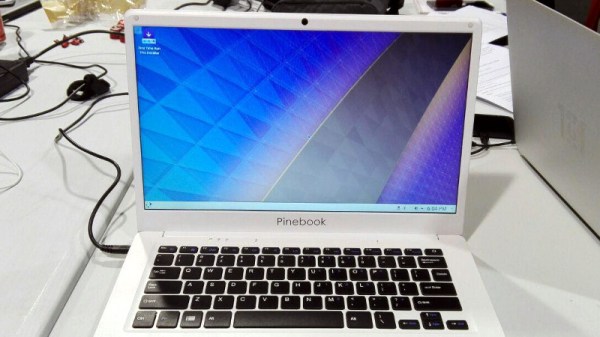
$99 Pinebook Gets KDE Neon Port

If you’re the kind of person who likes small and cheap Linux devices, you’re definitely alive in the perfect moment in history. It seems as if every few months we’ve got another tiny Linux board competing for our pocket change, all desperate to try to dethrone the Raspberry Pi which has already set the price bar exceptionally high (or low, as the case may be). We’ve even started to see these Linux boards work their way into appropriately cheap laptops, though so far none have really made that great of an impression.

But thanks to the efforts of Blue Systems and Pine64, the situation might be improving: they’ve worked together on a build of KDE Neon for the $99 Pinebook. The fact that they’ve gotten Plasma, KDE’s modern desktop environment, running on the rather mediocre hardware at all is an accomplishment by itself. But they’ve also set out tailor the entire system for the Pinebook, from the kernel and graphics drivers all the way up to Qt and Plasma tweaks.

In a blog post announcing the release candidate of the OS, Neon developer [Jonathan Riddell] says that these top-to-bottom improvements show that you can turn a super cheap Linux laptop into a practical computer if you’re willing to really get in there and optimize it. He also says the project has been something of a two-way street, in that improvements made for the Pinebook build have also been applied to upstream development.

The last time we looked at the Pinebook, we came away cautiously optimistic. It wasn’t great, but it was about as good as you could possibly expect given the price. If more developers are willing to go out on a limb and start optimizing their software for the device, it might become a very promising platform for low-cost mobile hacking.

Linux Fu: Modernize Your Command Line

If you use Linux and its associated tools on the desktop or on a Raspberry Pi, or on a server, you probably have used the command line. Some people love it and some people hate it. However, many of us have been using Linux for years and sometimes Unix before that, and we tend to use the same old tried-and-true tools. [Remy Sharp] had a recent post talking about how he had created aliases to replace those old tools with great modern replacements and it is definitely worth a read.

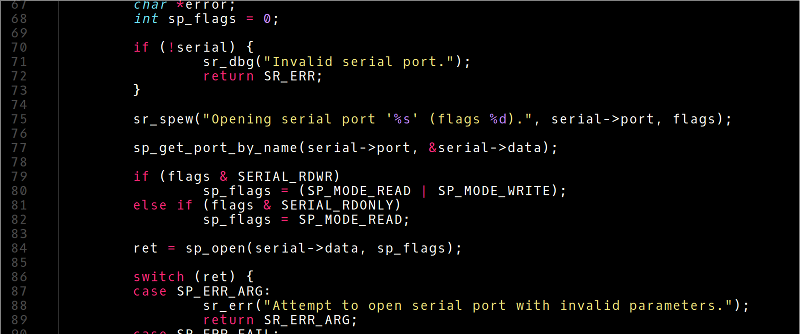
We’ll be honest, when we first saw the post we almost skipped reading it. A lot of Linux tip posts are pretty uninteresting unless you are a total beginner. But [Remy] has a lot of really great tools and how he has them installed including bat, which is like cat but with syntax coloring (see picture above), and fzf — a command line history search on steroids. He even shows how to join fzf and bat to make a very cool file browser from the command line (see below).

Continue reading “Linux Fu: Modernize Your Command Line”

Faded Beauty DMM Gets An OLED Makeover

When a fine piece of lab instrumentation crosses your bench, you’ve got to do your best to put it to work. But even in the highest quality devices no component lasts forever, especially vacuum tubes. For some vintage instruments with vacuum fluorescent displays, that means putting up with less-than-perfect digits in order to get that sweet, sweet precision. Or not – you can always reverse engineer the thing and add a spanking new OLED display.

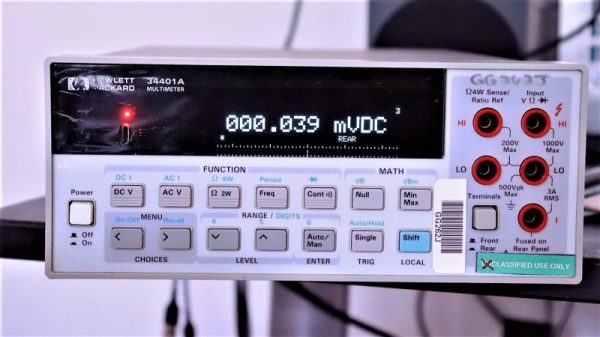
The Hewlett-Packard 34401A digital multimeter that fell into [qu1ck]’s lap was a beauty, but it had clearly seen better days. The display was full of spuriously illuminated dots and segments, making it hard to use the 6.5 digit DMM. After a futile bit of probing to see if a relatively easy driver fix would help, and with a replacement display being made of solid unobtanium, [qu1ck] settled in for the long process of reverse engineering the front panel protocol. As luck would have it, H-P used the SPI protocol to talk to the display, and it wasn’t long before [qu1ck] had a decent prototype working. The final version is much more polished, with a display sized to fit inside the original space occupied by the VFD. The original digits and annunciator icons are recreated, and he added a USB port and the bargraph display show in the clip below.

We think it looks fabulous, and both the firmware and hardware are on Github if you’d like to rescue a similar meter. You may want to check our guide to buying old test gear first, though, to get the most bang for your buck.

Continue reading “Faded Beauty DMM Gets An OLED Makeover”