Massive 20-oz. Copper PCB Enables Electric Racing

Is twenty times the copper twenty times as much fun to work with? Ask [limpkin] and follow along as he fabricates a DC/DC block for a Formula E race car on 20-oz copper PCBs.

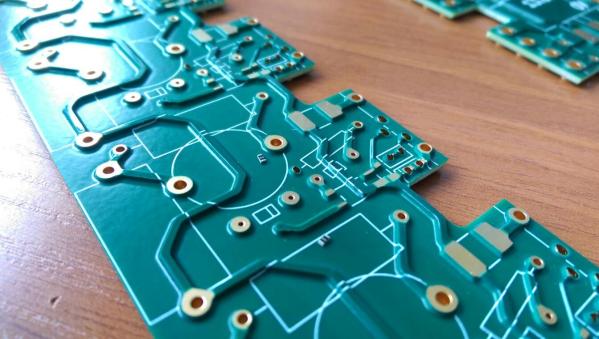
The typical boards you order from OSH Park and the like usually come with 1-ounce copper – that’s one ounce of copper cladding per square foot of board. For those averse to Imperial units, that’s a copper layer 34 micrometers thick. [limpkin]’s Formula E control board needs to carry a lot of current, so he specified 700-micrometer thick cladding, or 20-oz per square foot. The board pictured cost $2250, so you’d figure soldering on the components would be an exotic process, but aside from preheating the board, [limpkin] took it in stride. Check out the image gallery of the session and you’ll see nothing but a couple of regular high-wattage soldering irons, with dirty tips to boot.

It’s pretty neat comparing what’s needed for power electronics versus the normal small signal stuff we usually see. We’d recommend looking at [Brian Benchoff]’s “Creating a PCB in Everything” series for design tips, but we’re not sure traditional tools will work for boards like these. And just for fun, check out the Formula E highlights video below the break to see what this build is part of.

Continue reading “Massive 20-oz. Copper PCB Enables Electric Racing”
Revealed: Homebrew Controller Working In Steam VR

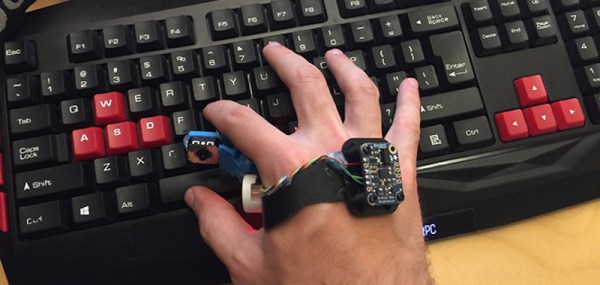
[Florian] has been putting a lot of work into VR controllers that can be used without interfering with a regular mouse + keyboard combination, and his most recent work has opened the door to successfully emulating a Vive VR controller in Steam VR. He uses Arduino-based custom hardware on the hand, a Leap Motion controller, and fuses the data in software.

We’ve seen [Florian]’s work before in successfully combining a Leap Motion with additional hardware sensors. The idea is to compensate for the fact that the Leap Motion sensor is not very good at detecting some types of movement, such as tilting a fist towards or away from yourself — a movement similar to aiming a gun up or down. At the same time, an important goal is for any added hardware to leave fingers and hands free.

Continue reading “Revealed: Homebrew Controller Working In Steam VR”

Building The First Ternary Microprocessor

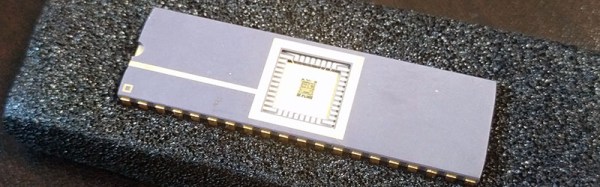
Your computer uses ones and zeros to represent data. There’s no real reason for the basic unit of information in a computer to be only a one or zero, though. It’s a historical choice that is common because of convention, like driving on one side of the road or having right-hand threads on bolts and screws. In fact, computers can be more efficient if they’re built using different number systems. Base 3, or ternary, computing is more efficient at computation and actually makes the design of the computer easier.

For the 2016 Hackaday Superconference, Jessie Tank gave a talk on what she’s been working on for the past few years. It’s a ternary computer, built with ones, zeros, and negative ones. This balanced ternary system is, ‘Perhaps the prettiest number system of all,’ writes Donald Knuth, and now this number system has made it into silicon as a real microprocessor.

Continue reading “Building The First Ternary Microprocessor”

Books You Should Read: The Hardware Hacker

There’s no one quite like Andrew ‘Bunnie’ Huang. His unofficial resume begins with an EE degree from MIT, the author of Hacking the Xbox, creator of the Chumby, developer of the Novena, the first Open Source laptop, and has mentored thousands of people with dozens of essays from his blog.

Above all, Bunnie is a bridge across worlds. He has spent the last decade plying the markets of Shenzhen, working with Chinese manufacturers, and writing about his experiences of taking an idea and turning it into a product with the help of Chinese partners. In short, there is no person better suited to tell the story of how Shenzhen works, what can be done, and how to do it.

Bunnie’s The Hardware Hacker ($29.95, No Starch Press) is the dead tree expression of years of living and working in Shenzhen, taking multiple products to market, and exploring the philosophy that turned a fishing village into a city that produces the world’s electronic baubles.

Continue reading “Books You Should Read: The Hardware Hacker”

[Huan] Liberates A Router

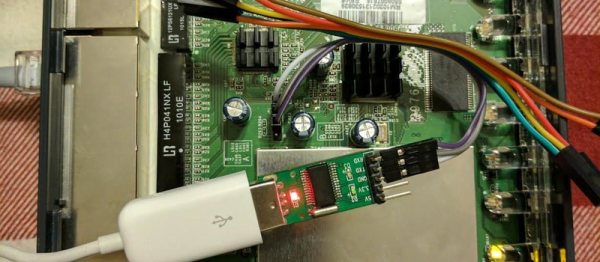
[Huan Truong] was given a WiFi router and thought he’d improve it by installing a free firmware on it. Unfortunately, the router in question is a bit old, and wasn’t ever popular to begin with, which meant that it was unsupported by the usual open firmware suspects. The problem was that it only had a 4 MB flash to boot off of, but [Huan] was determined to make it work. (Spoiler: he did it, and documented it fully.)

The flash workaround consisted basically of repartitioning the space, and then telling u-boot where to find everything. On a router like the WNR2000 that [Huan] had, the flash is memory-mapped, which meant adding an offset to the flash start (0xbf000000 instead of 0x00000000) and remembering to do this consistently so that he doesn’t overwrite things like the MAC address.

[Huan] went for the LEDE fork of OpenWRT, and rebuilt it from source because he needed a small version to fit inside his limited flash. With this task completed, it worked. All done? Nope, [Huan] then submitted a pull request to LEDE, and now you can enjoy the fruits of his labor without replicating it. But if you’ve got another low-flash, obscure router, you’ve got a head start in getting LEDE up and running on it.

Routers are perhaps the most-hacked device that we see here, and they can be made pretty darn useful with the right firmware. Sometimes getting a custom firmware running is relatively easy, as it was here, and sometimes it requires some deep reverse engineering. But it’s good to keep up your router-hacking chops, because they may not always be as open as they are now.

Harrowing Story Of Installing Libreboot On ThinkPad

As an Apple user, I’ve become somewhat disillusioned over the past few years. Maybe it’s the spirit of Steve Jobs slowly vanishing from the company, or that Apple seems to care more about keeping up with expensive trends lately rather than setting them, or the nagging notion Apple doesn’t have my best interests as a user in mind.

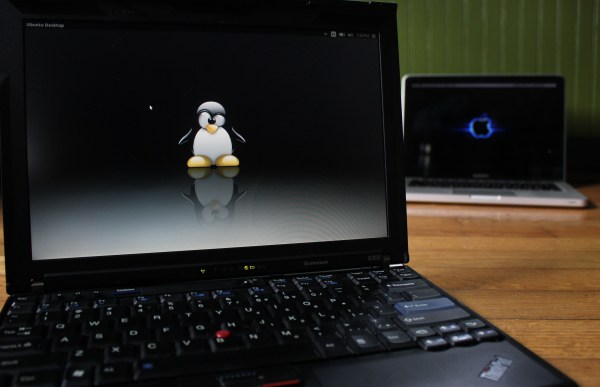
Whatever it is, I was passively on the hunt for a new laptop with the pipe dream that one day I could junk my Apple for something even better. One that could run a *nix operating system of some sort, be made with quality hardware, and not concern me over privacy issues. I didn’t think that those qualities existed in a laptop at all, and that my 2012 MacBook Pro was the “lesser of evils” that I might as well keep using. But then, we published a ThinkPad think piece that had two words in it that led me on a weeks-long journey to the brand-new, eight-year-old laptop I’m currently working from. Those two words: “install libreboot”.

Continue reading “Harrowing Story Of Installing Libreboot On ThinkPad”

Inside The Printrbot Printrhub

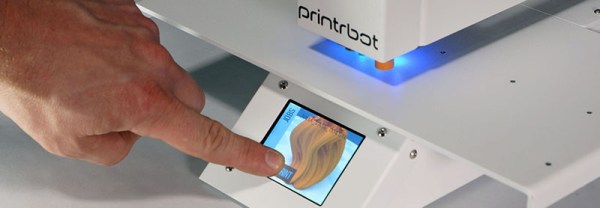
A new version of the Printrbot Simple was released this summer, and this sleek new model includes a few highly desirable features. The metal enclosure was improved, linear rails added, a power switch was thrown in, and the biggest feature — a touch screen — makes headless printing easy.

Adding a usable display and achieving reliable WiFi are big engineering challenges, and thanks to the Internet of Things it’s only going to become more common to expect those features. How did the Printrbot team implement this? [Philip Shuster] recently released a write-up of how the Printrbot Printrhub came together.

The story of the display and WiFi module in the newest Printrbot begins about a year ago with a post on Hackaday. [Philip] built the Little Helper, a little electronic Swiss Army knife capable of basic IO, sending out PWM pulses, sniffing I2C, and a few other handy features. The Printrbot team reached out to [Philip], and after a few conversations, he was roped into the development team for the Printrhub.

Departing slightly from the Little Helper, the Printrhub features the same microcontroller found in the Teensy 3, a 2.8 inch TFT display, capacitive touch sensor, microSD card slot, and an ESP-12 module to handle the WiFi connection. The display system was tricky, but the team eventually got it working. Using an ESP8266 as the WiFi module for a printer is more difficult than you would think, but that works too.

One of the more interesting challenges for 3D printers in the last few years is the development of a good printer display with wireless connectivity. Yes, those graphic LCDs attached to an Arduino still work, but a display from 1980 doesn’t sell printers. In just a few months, the Printrbot team came up with a relatively simple, very elegant display that does everything and they’re releasing all the hardware as open source. That’s great news, and we can’t wait to see similar setups in other makes of 3D printers.