SNES EPROM Programmer With Arduino

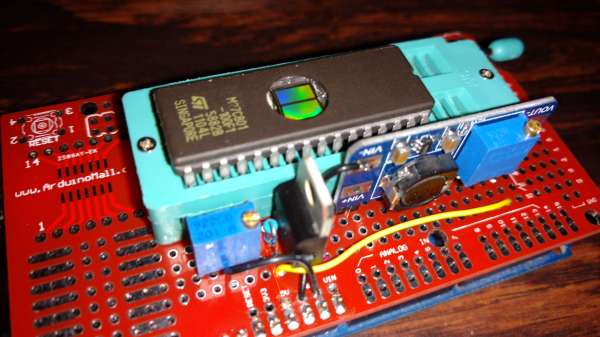
Most video game manufacturers aren’t too keen on homebrew games, or people trying to get more utility out of a video game system than it was designed to have. While some effort is made to keep people from slapping a modchip on an Xbox or from running an emulator for a Playstation, it’s almost completely impossible to stop some of the hardware hacking that is common on older cartridge-based games. The only limit is usually the cost of an EPROM programmer, but [Robson] has that covered now with his Arduino-based SNES EPROM programmer.

Normally this type of hack involves finding any cartridge for the SNES at the lowest possible value, burning an EPROM with the game that you really want, and then swapping the new programmed memory with the one in the worthless cartridge. Even though most programmers are pricey, it’s actually not that difficult to write bits to this type of memory. [Robson] runs us through all of the steps to get an Arduino set up to program these types of memory, and then puts it all together into a Super Nintendo where it looks exactly like the real thing.

If you don’t have an SNES lying around, it’s possible to perform a similar end-around on a Sega Genesis as well. And, if you’re more youthful than those of us that grew up in the 16-bit era, there’s a pretty decent homebrew community that has sprung up around the Nintendo DS and 3DS, too.

Thanks to [Rafael] for the tip!
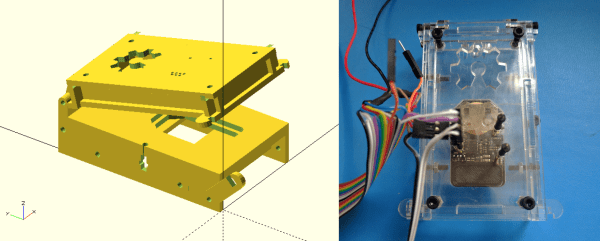
OpenFixture Takes The Pain Out Of Pogo Pins

[Elliot] (no relation, but hey, cool name!) wrote in with his OpenFixture model for OpenSCAD. It’s awesome because it takes a small problem, that nonetheless could consume an entire day, and solves it neatly. And that problem is making jigs to test assembled electrical products: a PCB test fixture.

In the PCB design software, you simply note down the locations of the test points and feed these into the OpenSCAD model. ([Elliot] shows you exactly how to do it using KiCAD.) There are a few more parameters of the model that you can tweak to match your particulars, but you should have a DXF outline for a test jig in short order. Cut that out, assemble, and test.

If you have to make more than a few handfuls of a complicated circuit, it becomes worth it to start thinking about testing them systematically. And with this OpenSCAD model, you can have the test jig up and running before the first prototype boards are back in from the fab. How cool is that?

Amalgamate Is The Internet Of Compost

A lot of people are scared of composting. After all, if the temperatures or humidity go badly wrong, you can end up with dried-out trash or a stinking soup. Getting the balance right is a secret known to the ancients: toss it in a big pile in your backyard. But what if you don’t have a big backyard?

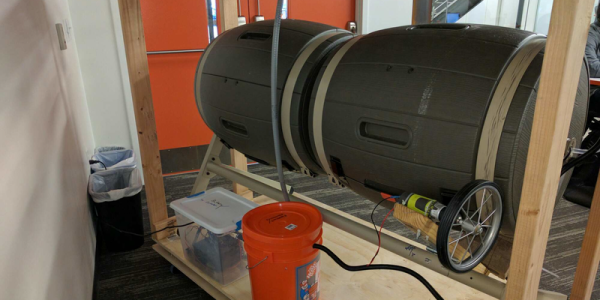
Amalgamate is a composting setup for the urban dweller, or for people who just don’t like bugs. [Jamie] built it as her first Raspberry Pi project, and that makes it a great entrée into the world of things. But it’s no lightweight: the software measures temperature and humidity, and lets you schedule watering and rotating the compost. And of course, if you’re a micromanager, you can get up-to-the-minute vitals on your cellphone and tweak everything to run just perfectly. Continue reading “Amalgamate Is The Internet Of Compost”

3D Universe Theater

If you are an astronomy buff, there are plenty of star maps you can find in print or online (or even on your Smartphone). But if you are a science fiction fan (or writer), you probably find those maps frustrating because they are flat. Two stars next to each other on the map might be light years apart in the axis coming out of the page. A star 3.2 light years from Sol (our sun) looks the same on the map as a star 100 light years away.

The Gaia satellite (an ESA project) orbits beyond the moon and is carefully mapping the 3D position of every point of light it sees. [Charlie Hoey] took the data for about 2 million stars and used WebGL to give you a 3D view of the data in your web browser.

Continue reading “3D Universe Theater”

WarWalking With The ESP8266

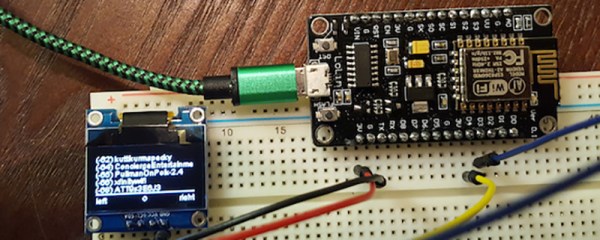
[Steve] needed a tool to diagnose and fix his friend’s and family’s WiFi. A laptop would do, but WiFi modules and tiny OLED displays are cheap now. His solution was to build a War Walker, a tiny handheld device that would listen in WiFi access points, return the signal strength, and monitor the 2.4GHz environment around him.

The War Walker didn’t appear out of a vacuum. It’s based on the WarCollar Dope Scope, a tiny, portable device consisting of an off-the-shelf Chinese OLED display, an ESP8266 module, and a PCB that can charge batteries, provide a serial port, and ties the whole thing together with jellybean glue. The Dope Scope is a capable device, but it’s marketed towards the 1337 utilikilt-wearing, The Prodigy-blasting pentesters of the world. It is, therefore, a ripoff. [Steve] can build his version for $6 in materials.

The core of the build is an ESP-based carrier board built for NodeMCU. This board is available for $3.77 in quantity one, with free shipping. A $2 SPI OLED display is the user interface, and the rest of the circuit is just some perfboard and a few wires.

The software is based on platformio, and dumps all the WiFi info you could want over the serial port or displays it right on the OLED. It’s a brilliantly simple device for War Walking, and the addition of a small LiPo makes this a much better value than the same circuit with a larger pricetag.

How To Make A Human Crossbow

Say you have a team of French engineers, a lake in the summer, a wizened old machinist, and some gigantic bungee cords. What would you build? The answer is clear, a human-launching crossbow. (Video, and making-of embedded below.)

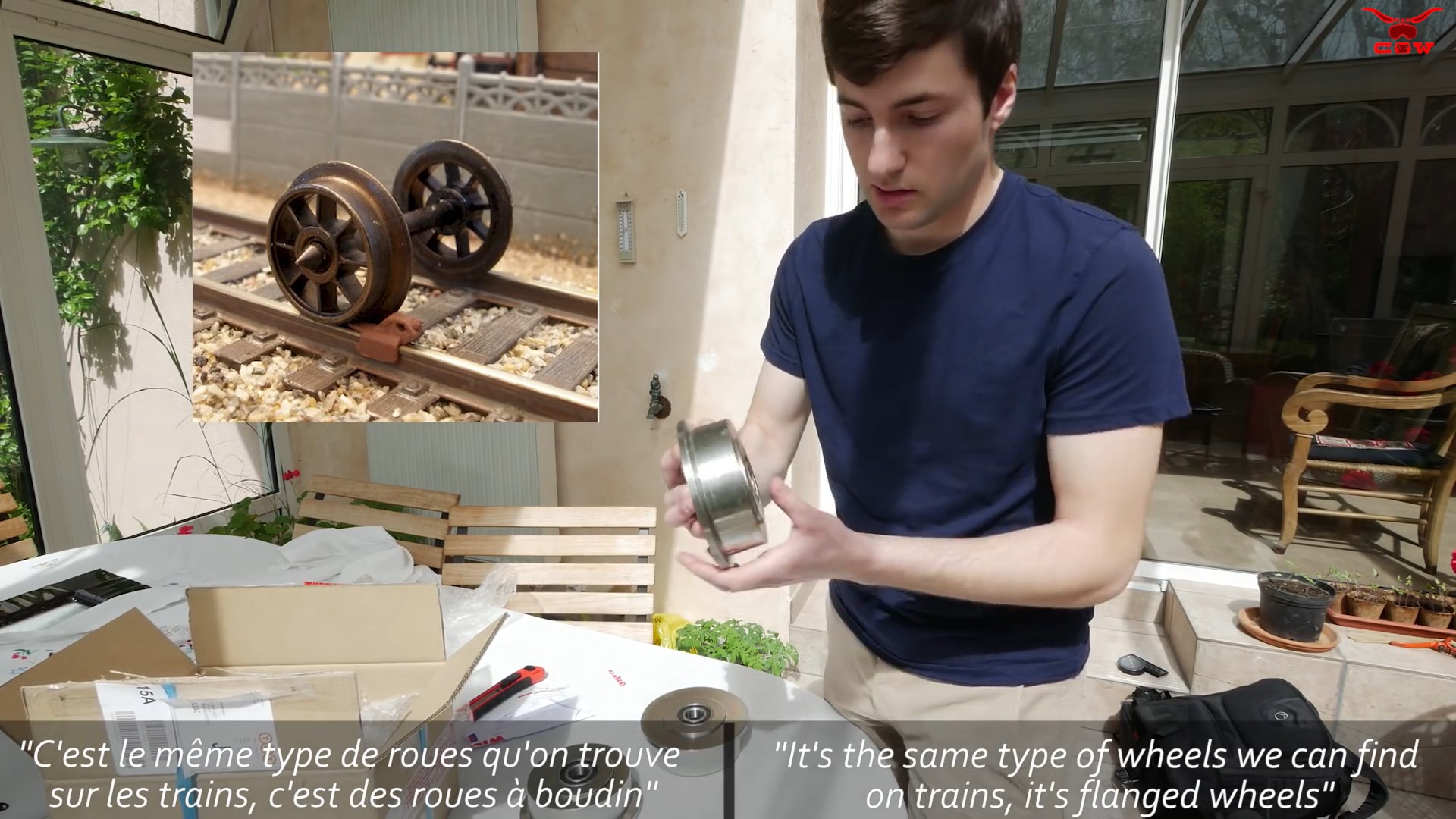
the-human-crossbow-how-we-made-it-kim41mdcizymp4-shot0001You can start out watching the promo video because it looks like a lot of fun, but don’t leave without watching the engineering video. What looks like a redneck contraption turns out to be painstakingly built, and probably not entirely a death trap. The [Rad Cow] team even went so far as to purchase metal cart wheels.

Everyone else on the Intertubes would tell you not to do this at home. We say go for it. That is, draw up reasonable plans, work with an obviously competent machinist, and make something silly. It’s not going to be more dangerous than the stuff that [Furze] pulls off.

Continue reading “How To Make A Human Crossbow”

Hackaday Prize Entry: The Fog – The Cloud At Ground Level

I did not coin the phrase in this article’s headline. It came, I believe, from an asinine press release I read years ago. It was a stupid phrase then, and it’s a stupid phrase now, but the idea behind it does have some merit. A collaborative Dropbox running on hardware you own isn’t a bad idea, and a physical device that does the same is a pretty good idea. That’s the idea behind the USB Borg Drive. It’s two (or more) mirrored USB thumb drives linked together by condescending condensation saying you too can have the cloud in both your pockets.

Like all good technology, the USB Borg Drive began as a joke. [heige] and his colleague were passing USB sticks back and forth to get software running on a machine without Internet. The idea of two USB sticks connected together via WiFi blossomed and the idea of the USB Borg Drive was born.

An idea is one thing, and an implementation another thing entirely. This is where [helge] is stumbling. The basic idea now is to use a Raspberry Pi Zero containing a WiFi adapter, USB set up in peripheral mode, some sort of way to power the devices, and maybe a way to set IDs between pairs of devices.

There’s still a lot of work for [heige] to do, but this is actually, honestly, not a terrible idea. Everything has a USB port on it these days, and USB mass storage is available on every platform imaginable. It’s the cloud, at ground level. A fog, if you will, but not something that sounds that stupid.