Camera Slider: Build Instead Of Buy Goes Awry

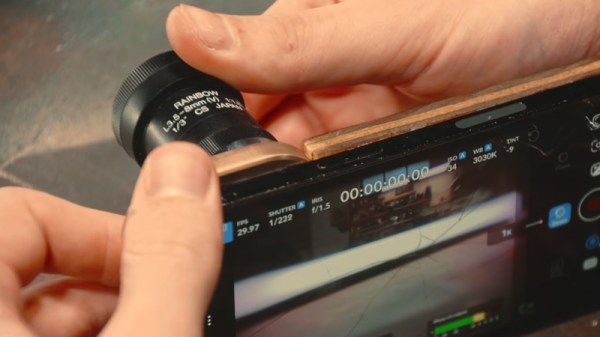
[TheHyperFix] had a problem. He’d spied a brilliant camera slider, but didn’t want to lay out big money to acquire it. The natural solution? Build one! Only, life is seldom so straightforward.

The plan was straightforward – take an old broken 3D printer, and repurpose its parts to make a camera slider instead. The build started with a aluminium extrusion, some V-slot wheels, and a 3D printed platform to hold the camera. Moving the platform was done via a belt drive, using the stepper motors and some software to tell the original printer controller what to do.

Unfortunately, the early experiments failed when the controller blew up under load. An Arduino was subbed in with a CNC shield, which got things back on track, and [TheHyperFix] had a somewhat functional slider with relatively jerky movement. A tough iterative design process ensued to work out problems with bearings and the Arduino’s pulse limit, among others.

As it stands, the slider is semi-functional, but it’s not quite well behaved enough to use for professional shooting. Still, for a first attempt at electronics prototyping, we think [TheHyperFix] did a pretty solid job. It might not be all there yet, but it’s well on the way, and a great deal was learned in the process.

If you’re trying to build a camera slider in a hurry, you might like to try recreating one of the builds we’ve featured before. Video after the break.

Continue reading “Camera Slider: Build Instead Of Buy Goes Awry”

Three-Axis Camera Slider From 3D Printer Parts

There’s a great reason 3D printers are made with things like extruded aluminum rails and other commodity, off-the-shelf parts. These things are designed not only for ease of construction and prototyping, but they’re also fairly strong especially given how modular they are. And they are excellent platforms for other projects as well. [CNCDan] has been using plenty of on-hand 3D printer parts to build a three-axis camera slider to film parts of his other projects, and this video documents his build and the latest upgrades to this platform.

After sorting out some issues with underpowered motors by improving their gear ratios, he found that many of the sizes and clearances on the existing platform changed enough that he needed to redo other parts of the carrier, including the mounting plate. He cut a new plate from steel and pressed bearings in, and then started putting together the other axes including a quick release mechanism for his camera. With a camera that weighs about 1.4 kg, getting the motors to move the camera smoothly was its own challenge. He re-worked all of his driver code over the course of a few weeks and eventually got his new system working much better than the original version.

With everything said and done, the camera slider can be controlled wirelessly with a GUI on another computer. Everything runs on an ESP32, and the slider can support other cameras besides his heavier one, including smartphones. He notes that this wasn’t the easiest way to build a project like this, but worked for him eventually because he had the parts and tools on hand to make it work. He’s also put the project files up on a GitHub page for anyone interested. Camera sliders like these have some niche uses as well; take a look at this high-speed camera slider for some examples.

Continue reading “Three-Axis Camera Slider From 3D Printer Parts”

Photographing The ISS With A Thrift Store Lens Is Challenging

There are plenty of photos of the International Space Station out there on the Internet, but taking your own from ground level is a special challenge. [saveitforparts] recently decided to attempt this feat using a $15 thrift store lens.

What a setup! The lens is so big it has its own tripod mount.

The cool thing about the digital photography revolution is that there is a lot of old film gear that can be had for cheap. In this case, [saveitforparts] found a 400 mm Sigma XQ lens with a 2x teleconverter for just $14.99. Paired with an adapter, it sat nicely on a Sony NEX-3 digital camera, ready to try and capture the ISS as it passed overhead.

But as you might imagine, aiming at the space station is not a point-and-shoot job. N2YO.com was used to figure out the best time to try and capture it. [saveitforparts] was able to capture the ISS as a white dot as it passed over, but couldn’t quite get enough zoom to really see the Station in detail. He was able to repeat the feat with a Canon camcorder, but the image was still pretty blobby and didn’t show much. Later attempts involved capturing transits as the ISS passed by the Sun, though the orbiting complex mostly appeared as a small speck.

[saveitforparts] did technically capture the ISS, just not closely enough to see much beyond a dot. It’s not the first time we’ve seen this attempted, though! If you try and capture the ISS with something truly ridiculous, like a Game Boy Camera or Kodak Charmera, you are honor-bound to tell us on the tipsline. Continue reading “Photographing The ISS With A Thrift Store Lens Is Challenging”

Making The Osmo Pocket 4 A More Serious Camera

The Osmo Pocket 4 is a handheld gimballed camera that’s perfect for shooting running content on the go. However, it’s got a weird sort of form factor and is limited when it comes to things like fitting filters or recording quality sound. To that end, [Byron Seven] whipped up an upgrade kit that turns the Pocket 4 into more of a “real” camera.

The idea is simple enough—the Osmo Pocket 4 is packaged in a 3D printed shell that expands its capabilities. It’s tucked into the structure with a USB power bank that greatly increases how long you can shoot before the batteries run out. In front of the gimbal head, there’s a fitting that allows attaching standard camera filters for visual effect. Topside there’s a handle for better physical control of the camera, along with a rail mount for a DJI wireless mic and a phone to act as a monitor. Down below, there’s a quick-connect fitting so the camera can be slammed on and off a tripod with ease. What’s great is that you can slot a Pocket 4 into this rig when you need, and pull it back out and use it as normal when you’re done.

If you’ve enjoyed the Osmo Pocket 4 but wished you could throw a polarizer on it or chuck it around more, this is a great build to explore. We’ve seen some fun stuff done with non-traditional cameras before, too.

Continue reading “Making The Osmo Pocket 4 A More Serious Camera”

A drill bit, not apparently rotating, descends toward a block of aluminium and throws up aluminium shavings as it passes through the block.

Freeze Moving Tools With A Stroboscopic Camera

If you take a video of a spinning wheel, you’ll probably notice that the spokes appear to turn more slowly than the wheel is actually rotating, and sometimes in the wrong direction. This is caused by a near match in the frame rate of the camera and the rate of rotation of the wheel – each time the camera captures a frame, the wheel has rotated a spoke into nearly the same position as in the last frame. If you time the exposures carefully, as [Excessive Overkill] did in his latest video, this effect can seemingly freeze moving objects, such as a fan or saw blade.

Most cameras only allow relatively coarse, fixed adjustments to frame rate, making it difficult to synchronize the shutter to an object’s motion. To get around this, [Excessive Overkill] used an industrial camera (previously used in this aimbot), which has fine frame rate control and external triggering. He connected the external trigger to a laser sensor, which detects a piece of retroreflective tape every time it passes by (for example, on one blade of a fan). When the laser sensor sends a signal, it also triggers a powerful LED flash. The flash is so powerful that dark materials create a hum when exposed to it, as pulses quickly heat the material, but each pulse is also so brief that the flash board doesn’t require any cooling.

Continue reading “Freeze Moving Tools With A Stroboscopic Camera”

Desktop Digitizer Makes Note Capture A Breeze

While it might seem quaint these days, we’ve met many makers and hackers who reach for a pen and a pad when learning something new or working their way through some technical problem. But even if you’re the type of person who thinks best when writing something out on paper, there’s still a good chance that you’ll eventually want to bring those notes and sketches into the digital realm. That’s where things can get a little tricky.

[Spencer Adams-Rand] recently wrote in with his clever solution for capturing written notes and pushing them into Notion, but the hardware design and digitization workflow is flexible enough that it could be adapted to your specific needs — especially since he was good enough to release all the files required to build your own version.

Whether they are hand-written notes, old photographs, or legal documents, digitization boils down to taking a high resolution digital photo of the object and running it through the appropriate software. But getting good and consistent photos is the key, especially when you’re working your way through a lot of pages. [Spencer] started out just snapping pictures with his phone, but quickly found the process was less than ideal.

His custom scanning station addresses that first part of the problem: getting consistent shots. The images are captured using a Raspberry Pi 5 with attached Camera Module 3, while the 3D printed structure of the device makes sure that the camera and integrated lighting system are always in the same position. All he needs to do is place his notepad inside the cavity, hit the button, and it produces a perfect shot of the page.

Using a dedicated digitizing station like this would already provide better results than trying to freehand it with your phone or camera, but [Spencer] took things quite a bit farther. The software side of the project puts a handy user interface on the 5 inch touch screen built into the top of the scanner, while also providing niceties like a REST API and integration with the OpenAI Vision API for optical character recognition (OCR).

Those with an aversion to AI could certainly swap this out for something open source like Tesseract, but [Spencer] notes that not only is OpenAI’s OCR better at reading his handwriting, it spits out structured markdown-like data that’s easier to parse. From there it goes into the Notion API, but again, this could be replaced with whatever you use to collect your digital thoughts.

A device like this would go a long way towards answering a question we posed to the community back in January about the best way to digitize your documents.

A Raspberry Pi Zero-based camera in a nice yellow case. There's a yellow lanyard, too.

Optocam Zero’s Pictures Look One Hundred

Yeah, we know, there’s a camera on your phone that does this and that. But these days its become trendy to turn towards older digital cameras in place of smartphones, and we can tell you from experience, that the joys of having a dedicated photographing contraption are many.

There’s plenty of cheap digital cameras on the secondhand market, but instead of fending off the clothes bros and other reseller types at the thrift store, stay home and build [Doruk Kumkumoğlu]’s Optocam Zero. Inspired by the Kodak Charmera and the like, [Doruk] aimed for something that’s playful, enjoyable, and intuitive to use.

Optocam Zero uses an auto-focus camera module and features eight photo filters. The screen dims when inactive to preserve battery life, but it can be charged back up with USB-C, and you can use it for the duration. And unlike my young adult camera, you don’t have to take out the SD card to see the pictures, just use the custom hotspot interface to transfer them.

Continue reading “Optocam Zero’s Pictures Look One Hundred”