If you’ve ever used FaceTime, Skype, own a Magic Jack, or have donated money after a disaster by sending a text message, then you have Marian Croak to thank. Her leadership and forward thinking changed how Ma Bell used its reach and made all of these things possible.
Marian Croak is a soft-spoken woman and a self-described non-talker, but her actions spoke loudly in support of Internet Protocol (IP) as the future of communication. Humans are always looking for the next best communication medium, the fastest path to understanding each other clearly. We are still making phone calls today, but voice has been joined by text and video as the next best thing to being there. All of it is riding on a versatile network strongly rooted in Marian’s work.
A few weeks ago, China launched the final satellite in its BeiDou-3 satellite positioning system. Didn’t know that China had its own GPS? How about Europe’s Galileo, Russia’s GLONASS, or Japan’s QZSS? There’s a whole world of GPS-alikes out there. Let’s take a look.
For decades scientists have been building detectors deep underground to search for dark matter. Now one of these experiments, the XENON1T detector, has found an unexpected signal in their data. Although the signal does not stem from dark matter it may still revolutionize physics.
Since the 1980s the majority of scientists believe that the most likely explanation for the missing mass problem is some yet undiscovered Weakly Interacting Massive Particle (WIMP). They also figured that if you build a large and sensitive enough detector we should be able to catch these particles which are constantly streaming through Earth. So since the early 1990s, we have been putting detectors made from ultrapure materials in tunnels and mines where they are shielded from cosmic radiation and natural radioactivity.
Over the decades these detectors have increased their sensitivity by a factor of about 10 million due to ever more sophisticated techniques of shielding and discriminating against before mentioned backgrounds. So far they haven’t found dark matter, but that doesn’t mean the high-end sensing installations will go unused.
Another couple of weeks, and a fresh crop of space news to run through as a quick briefing of the latest in the skies above us.
OneWeb’s most recent launch, from Baikonur on the 21st of March 2020. (OneWeb)
The global positioning orbits are getting pretty crowded, with GPS, Russia’s GLONASS, the EU’s Galileo, Japan’s QZSS, and now with the launch of the final satellite in their constellation, China’s BeiDou. As if five were not enough the chance that they might be joined by a sixth constellation from the United Kingdom resurfaced this week, as the UK government is expressing interest in supporting a rescue package for the troubled satellite broadband provider OneWeb. The idea of an independent GPS competitor from a post-Brexit UK has been bouncing around for a couple of years now, and on the face of it until this opportune chance to purchase an “oven ready” satellite constellation might deliver a route to incorporating a positioning payload into their design. The Guardian has its doubts, lining up a bevvy of scientists to point out the rather obvious fact that a low-earth-orbit satellite broadband platform is a very different prospect to a much-higher-orbiting global positioning platform. Despite the country possessing the expertise through its work on Galileo then it remains to be seen whether a OneWeb purchase would be a stroke of genius or a white elephant. Readers with long memories will know that British government investment in space has had its upsets before.
Happily for Brits, not all space endeavours from their islands end in ignominious retreat. Skyrora have scored another milestone, launching the first ever rocket skywards from the Shetland Islands. The Skylark Nano is a relatively tiny craft at only 2m high, and gathered research data during its flight to an altitude of 6km. We’ve followed their work before, including their testing in May of a Skylark L rocket on the Scottish mainland with a view to achieving launch capability in 2023.
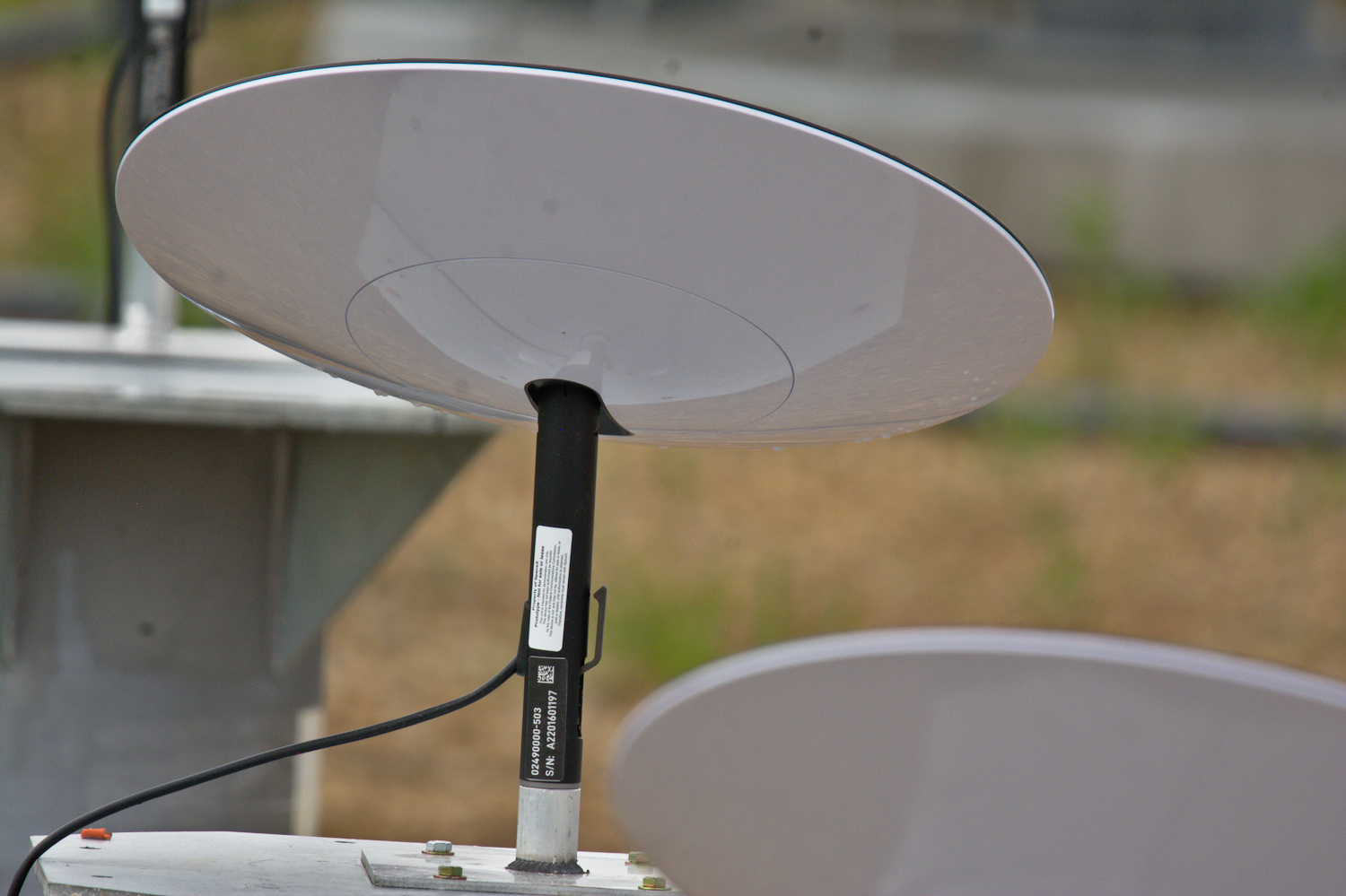
A Starlink phased array end user antenna, spotted in Winsconsin. (darkpenguin22)
SpaceX’s Starlink is never far away from the news, with a fresh set of launches delayed for extra pre-launch tests, and the prospect of signing up to be considered for the space broadband firm’s beta test. Of more interest for Hackaday readers though are a few shots of prototype Starlink ground stations and user terminals that have made it online, on the roof of a Tesla Gigafactory and at a SpaceX facility in Wisconsin. What can be seen are roughly 1.5m radomes for the ground stations and much smaller dinner-plate-sized enclosed arrays for the user terminals. The latter are particularly fascinating as they conceal computer-controlled phased arrays for tracking the constellation as it passes overhead. This is a technology more at home in billion-dollar military radars than consumer devices, so getting it to work on a budget that can put it on a roof anywhere in the world must be a challenge for the Starlink engineers. We can’t wait to see the inevitable eventual teardown when it comes.
Elsewhere, the Virgin Galactic SpaceShip Two completed its second glide test over its Mojave Spaceport home since being grounded in 2019 for extensive refitting, and is now said to be ready for powered tests leading to eventual commercial service giving the extremely well-heeled the chance to float in the zero gravity of suborbital spaceflight. And finally, comes the news that NASA are naming their Washington DC headquarters building for Mary W. Jackson, their first African American female engineer, whose story some of you may be familiar with from the book and film Hidden Figures. The previously unnamed building sits on a section of street named Hidden Figures Way.
While most people are satisfied with a calculator application on their smartphone these days, there’s still something to be said for the old fashioned desk calculator. Maybe it’s the fact the batteries last long enough that you can’t remember the last time you changed them, or the feel of physical buttons under your fingers. It could even be the fact that it keeps your expensive smartphone from needing to sit out on the workbench. Whatever the reason, it’s not uncommon to see a real-life calculator (or two) wherever solder smoke tends to congregate.
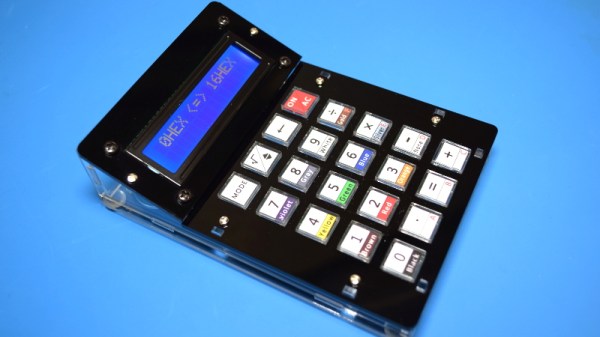
Which is precisely the idea behind this DIY calculator kit. Available from the usual overseas retailers for about $15 USD, it has some hobbyist-oriented features such as the ability to decode resistor color bands, convert hexadecimal numbers, and calculate resistor values for driving LEDs. If you’re going to keep a knock-around calculator on your bench, why not build the thing yourself?
Given the dual nature of this product, a DIY electronics kit and a functional desk calculator for electronic hobbyists, it seems only appropriate to review both aspects of it individually. Which is good, since there may be more to this product than just the sum of its parts.
Okay, let’s just get this out of the way up front, shall we? This ergonomic mechanical keyboard was a free sample offered to me by X-Bows. They contacted me after I expressed interest in trying one in the comments of my post about the Kinesis Advantage. I had my doubts about this keyboard as far as my own personal ergonomic needs go, which are admittedly on the extreme side. TL;DR: I won’t be abandoning my curvy girls anytime soon. But I will say that I’m definitely impressed by the X-Bows.
X-Bows was founded by a doctor who saw a lot of RSI issues in programmers and writers and decided to take matters into his own hands. The keyboard was born on Kickstarter in 2017 and now comes in three models. They sent me the mid-range model called The Knight, which retails for $249, but seems to be on permanent sale for $199. The top-of-the-line Knight Plus has a magnetic, detachable 10-key that can attach to either side. Continue reading “Inputs Of Interest: X-Bows Ergo-Mechanical Keyboard”→
In the matter of technological advancement, we are as a species, mostly insatiable. The latest toy, the fastest silicon, the largest storage, the list goes on. Take digital cameras as an example, what was your first one? Mine was a Casio QV200 in about 1997, I still have it somewhere though I can’t immediately lay my hands on it, and it could hold a what was for its time a whopping 64 VGA-resolution pictures in its 4Mb of onboard memory.
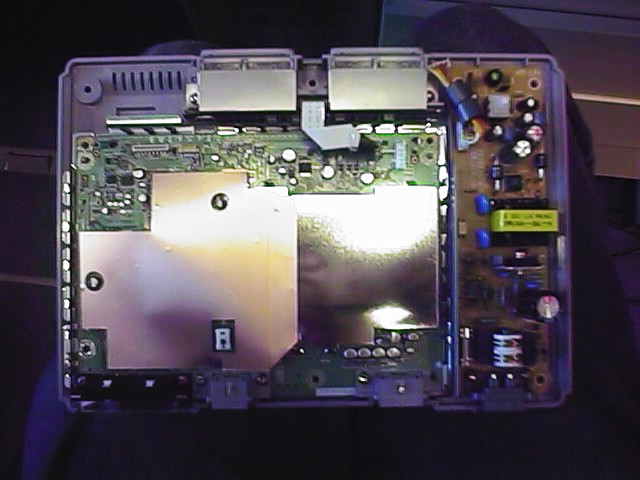
The QV200 showing off its VGA photography capabilities. It’s March 1998, and this is a brand-new PlayStation that I’m about to install a mod chip inside.
It’s a shock to realise that nearly a quarter century has passed since then, and its fixed-focus 640×480 camera module with a UV-sensitive CMOS sensor that gave everything a slight blue tint would not even grace the cheapest of feature phones in 2020. Every aspect of a digital camera has improved beyond measure since the first models in the 1980s and early 1990s that started to resemble what we’d know today as a standalone digital camera, they have near-limitless storage, excellent lenses, huge and faithfully-reproducing sensors, and broadcast-quality video capability.
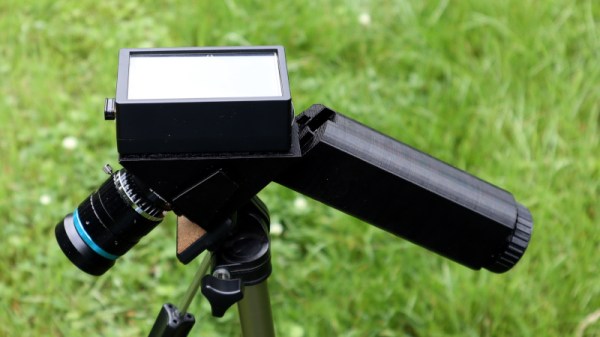
But how playful have camera manufacturers been with the form factor? We see reporters in sci-fi movies toting cameras that look nothing like their film-based ancestors. What do our real-life digital cameras have on offer as far as creative body design goes?