Cheetah 3d printer mobo

Cheetah MX4 Mini: A Pint-Sized 3D Printer Controller

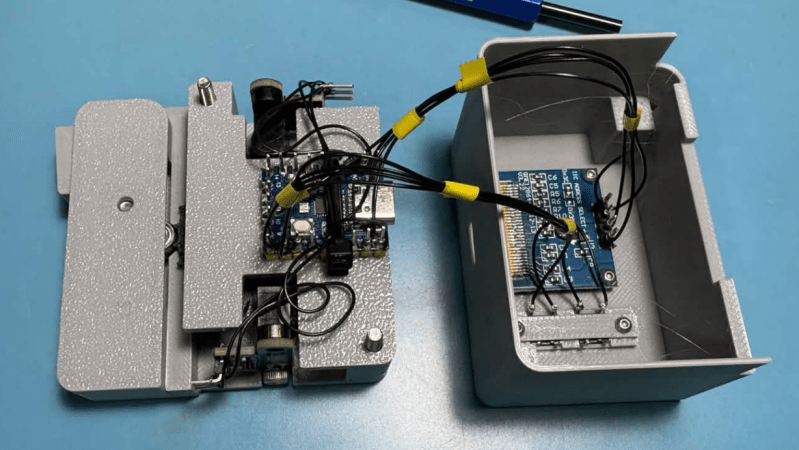
There’s a seemingly unending list of modifications or upgrades you can make to a 3D printer. Most revolve around the mechanical side of things, many are simple prints or small add-ons. This upgrade is no small task: this 17-year-old hacker [Kai] took on designing and building his own 3D printer control motherboard, the Cheetah MX4 Mini.

He started the build by picking out the MCU to control everything. For that, he settled on the STM32H743, a fast chip with tons of support for all the protocols he could ask for, even as he was still nailing down the exact features to implement. For stepper drivers, [Kai] went with four TMC stepstick slots for silent motor control. There are provisions for sensorless homing and endstops, support for parallel and serial displays, and both USB-C and microSD card slots for receiving G-code. It can drive up to three fans as well as two high-amperage loads, such as for the heated bed.

All these features are packed into a board roughly the size of a drink coaster. Thanks to the STM32H743, the Cheetah MX4 Mini supports both Marlin and Klipper firmware, a smart choice that lets [Kai] leverage the massive amount of work that’s already gone into those projects.

One of the things that stood out about this project is the lengths to which [Kai] went to document what he did. Check out the day-by-day breakdown of the 86 hours that went into this build; reading through it is a fantastic learning aid for others. Thanks [JohnU] for sending in this tip! It’s great to see such an ambitious project not only taken on and accomplished, but documented along the way for others to learn from. This is a fantastic addition to the other 3D printer controllers we’ve seen.

off grid weather station

915 MHz Forecast: Rolling Your Own Offline Weather Station

There are a lot of options for local weather stations; most of them, however, are sensors tied to a base station, often requiring an internet connection to access all features. [Vinnie] over at vinthewrench has published his exploration into an off-grid weather station revolving around a Raspberry Pi and an RTL-SDR for communications.

The weather station has several aspects to it. The main sensor package [Vinnie] settled on was the Ecowitt WS90, capable of measuring wind speed, wind direction, temperature, humidity, light, UVI, and rain amount. The WS90 communicates at 915 MHz, which can be read using the rtl_433 project. The WS90 is also available for purchase as a standalone sensor, allowing [Vinnie] to implement his own base station.

For the base station, [Vinnie] uses a weatherproof enclosure that houses a 12V battery with charger to act as a local UPS. This powers the brains of the operation: a Raspberry Pi. Hooked to the Pi is an RTL-SDR with a 915 MHz antenna. The Pi receives an update from the WS90 roughly every 5 seconds, which it can decode using the rtl_433 library. The Pi then turns that packet into structured JSON.

The JSON is fed into a weather model backend that handles keeping track of trends in the sensor data, as well as the health of the sensor station. The backend has an API that allows for a dashboard weather site for [Vinnie], no internet required.

Thanks, [Vinnie], for sending in your off-grid weather station project. Check out his site to read more about his process, and head over to the GitHub page to check out the technical details of his implementation. This is a great addition to some of the other DIY weather stations we’ve featured here.

Using GIMP for visual analysis

Decapsulating A PIC12F683 To Examine Its CMOS Implementation

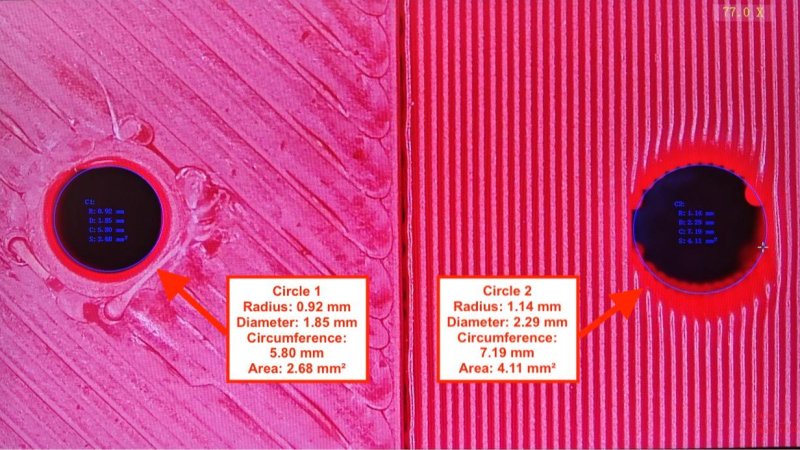
In a recent video, [Andrew Zonenberg] takes us through the process of decapsulating a PIC12F683 to take a peek at its CMOS implementation.

This is a multipart series with five parts done and more to come. The PIC12F683 is an 8-pin flash-based, 8-bit microcontroller from Microchip. [Andrew] picked the PIC12F683 for decapsulation because back in 2011 it was the first microcontroller he broke read-protection on and he wanted to go back and revisit this chip, given particularly that his resources and skills had advanced in the intervening period.

The five videos are a tour de force. He begins by taking a package cross section, then decapsulating and delayering. He collects high-resolution photos as he goes along. In the process, he takes some time to explain the dangers of working with acid and the risk mitigations he has in place. Then he does what he calls a “floorplan analysis” which takes stock of the entire chip before taking a close look at the SRAM implementation.

If you’re interested in decapsulating integrated circuits you might want to take a look at Laser Fault Injection, Now With Optional Decapping, A Particularly Festive Chip Decapping, or even read through the transcript of the Decapping Components Hack Chat With John McMaster.

Continue reading “Decapsulating A PIC12F683 To Examine Its CMOS Implementation”

A circuit diagram in a book on a desk with computers and microcontrollers

Taking Electronics To A Different Level

One part wants 3.3V logic. Another wants 5V. What do you do? Over on the [Playduino] YouTube channel, there’s a recent video running us through a not-so-recent concern: various approaches to level-shifting.

In the video, the specific voltage domains of 3.3 volts and 5 volts are given, but you can apply the same principles to other voltage domains, such as 1.8 volts, 2.5 volts, or nearly any two levels. Various approaches are discussed depending on whether you are interfacing 5 V to 3.3 V or 3.3 V to 5 V.

Continue reading “Taking Electronics To A Different Level”

It’s Hard To Make A (Good) Oscillator

There’s more to making an oscillator than meets the eye, and [lcamtuf] is here with a good primer on the subject. It starts with the old joke that if you need an oscillator it’s best to try to make an amplifier instead, but of course the real point here is to learn how to make not just a mere oscillator, but a good oscillator.

He does this by taking the oscillator back to first principles and explaining positive feedback on an amplifier, before introducing the Schmitt trigger, an RC circuit to induce a delay, and then phase shift. These oscillators are not complex circuits by any means, so understanding their principles should allow you to unlock the secrets of oscillation in a less haphazard way than just plugging in values and hoping.

Oscillation is a subject we’ve taken a deep dive into ourselves here at Hackaday, should you wish to learn any more. Meanshile [lcamtuf] is someone we’ve heard from here before, with a comparative review of inexpensive printed circuit board manufacturers.

Photo of [DENKI OTAKU] with his test circuit and oscilloscope

Exploring The Performance Gains Of Four-Pin MOSFETs

Over on YouTube [DENKI OTAKU] runs us through how a 4-pin MOSFET works and what the extra Kelvin source pin does.

A typical MOSFET might come in a 3-pin TO-247 package, but there are 4-pin variants which include an extra pin for the Kelvin source, also known as source sense. These 4-pin packages are known as TO-247-4. The fourth pin provides an additional source for gate current return which can in turn lessen the effect of parasitic inductance on the gate-source when switching current, particularly at high speed.

In the video [DENKI OTAKU] uses his custom made testing board to investigate the performance characteristics of some 4-pin TO-247-4 MOSFETs versus their 3-pin TO-247 equivalents. Spoiler alert: the TO-247-4 MOSFETs have better performance characteristics. The video takes a close look at the results on the oscilloscope. The downside is that as the switching speed increases the ringing in the Vds waveform increases, too. If you’re switching to a 4-pin MOSFET from a 3-pin MOSFET in your design you will need to be aware of this Vds overshoot and make accommodations for it.

If you’d like to go deeper with MOSFET technology check out Introduction To MOSFET Switching Losses and MOSFETs — The Hidden Gate.

Continue reading “Exploring The Performance Gains Of Four-Pin MOSFETs”

[Usagi Electric] and his home brew computer

TMS9900-based Home Brew Computer

[Usagi Electric] is known for minicomputers, but in a recent video, he shows off his TMS9900-based homebrew computer. The TMS9900 CPU was an early 16-bit CPU famously used in the old TI-99/4A computer, but as the video points out, it wasn’t put to particularly good use in the TI-99/4A because its RAM was hidden behind an inefficient interface and it didn’t leverage its 16-bit address space.

The plan is for this computer to have 2K words of ROM, 6K words of RAM, and three serial lines: one for the console terminal, another for a second user console terminal, and the third for access to a tape drive.

Continue reading “TMS9900-based Home Brew Computer”