Build Your Own Anechoic Chamber

For professional-level sound recording, you’ll need professional-level equipment. Microphones and mixing gear are the obvious necessities, as well as a good computer with the right software on it. But once you have those things covered, you’ll also need a place to record. Without a good acoustic space, you’ll have all kinds of reflections and artefacts in your sound recordings, and if you can’t rent a studio you can always build your anechoic chamber.

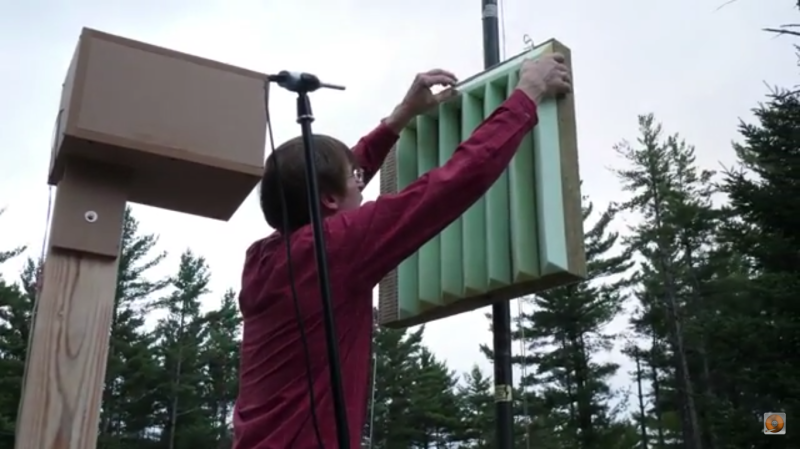
While it is possible to carpet the walls of a room or randomly glue egg crate foam to your walls, [Tech Ingredients] tests some homemade panels of various shapes, sizes, and materials against commercially available solutions. To do this he uses a special enclosed speaker pointed at the material, and a microphone to measure the sound reflections. The tests show promising results for the homemade acoustic-absorbing panels, at a fraction of the cost of ready-made panels.

From there, we are shown how to make and assemble these panels in order to get the best performance from them. When dealing with acoustics, even the glue used to hold everything together can change the properties of the materials. We also see a few other cost saving methods in construction that can help when building the panels themselves as well. And, while this build focuses on acoustic anechoic chambers, don’t forget that there are anechoic chambers for electromagnetic radiation that use the same principles as well.

Thanks to [jafinch78] for the tip!
Continue reading “Build Your Own Anechoic Chamber”

A Lecture By A Fun Guy

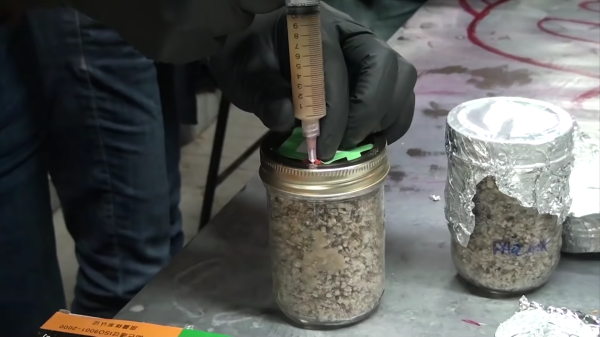
Many people hear “fungus” and think of mushrooms. This is akin to hearing “trees” and thinking of apples. Fungus makes up 2% of earth’s total biomass or 10% of the non-plant biomass, and ranges from the deadly to the delicious. This lecture by [Justin Atkin] of [The Thought Emporium] is slightly shorter than a college class period but is like a whole semester’s worth of tidbits, and the lab section is about growing something (potentially) edible rather than a mere demonstration. The video can also be found below the break.

Let’s start with the lab where we learn to grow fungus in a mason jar on purpose for a change. The ingredient list is simple.

  • 2 parts vermiculite
  • 1 part brown rice flour
  • 1 part water
  • Spore syringe

Combine, sterilize, cool, inoculate, and wait. We get distracted when cool things are happening so shopping around for these items was definitely hampered by listening to the lecture portion of the video.

Continue reading “A Lecture By A Fun Guy”

Lessons Learned From A 1-Day RTL-SDR Enclosure Project

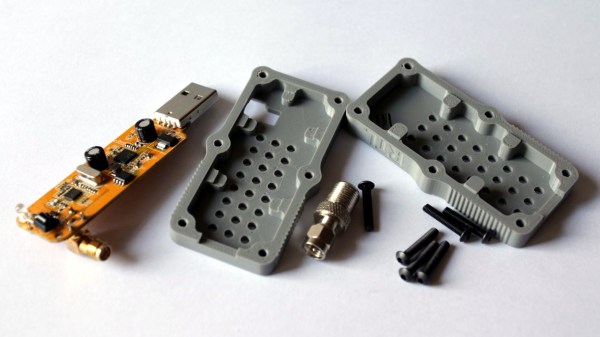
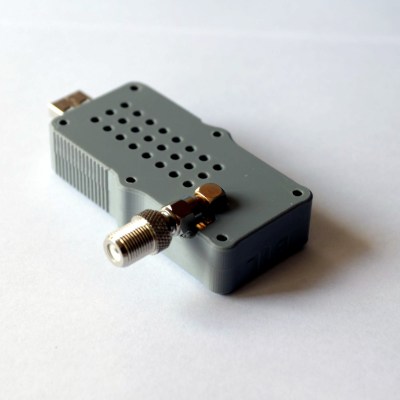
[ByTechLab] needed an enclosure for his R820T2 based RTL-SDR, which sports an SMA connector. Resolving to design and 3D print one in less than a day, he learned a few things about practical design for 3D printing and shared them online along with his CAD files.

The RTL-SDR is a family of economical software defined radio receivers, and [ByTechLab]’s’ enclosure (CAD files available on GrabCAD and STL on Thingiverse) is specific to his model. However, the lessons he learned are applicable to enclosure design in general, and a few of them specifically apply to 3D printing.

He started by making a basic model of the PCB and being sure to include all large components. With that, he could model the right voids inside the enclosure to ensure a minimum of wasted space. The PCB lacks any sort of mounting holes, so the model was also useful to choose where to place some tabs to hold the PCB in place. That took care of the enclosure design, but it also pays to be mindful of the manufacturing method so as to play to its strengths. For FDM 3D printing, that means most curved shapes and rounded edges are trivial. It also means that the biggest favor you can do yourself is to design parts so that they can be printed in a stable orientation without any supports.

This may be nothing that an experienced 3D printer and modeler doesn’t already know, but everyone is a novice at some point and learning from others’ experiences can be a real timesaver. For the more experienced, we covered a somewhat more in-depth guide to practical 3D printed enclosure design.

[ByTechLab]’s desire for a custom enclosure was partly because RTL-SDR devices come in many shapes and sizes, as you can see in this review of 19 different units (of which only 14 actually worked.)

Generating Power With Wind, Water, And Solar

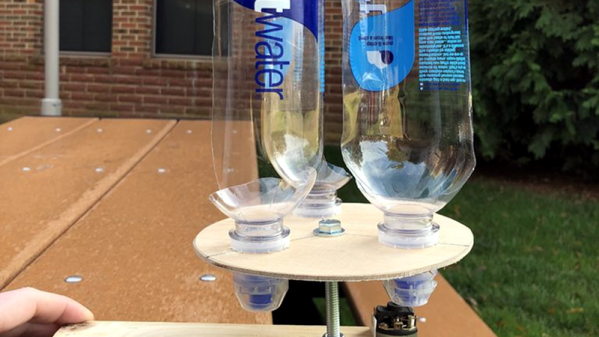
It is three weeks after the apocalypse. No zombies yet. But you do need to charge your cell phone. How do you quickly make a wind turbine? If you’ve read this project, you might reach for a few empty water bottles. This educational project might not charge your phone without some extra work, but it does illustrate how to use water bottles to make a workable air scoop for turning a crank and possibly generating electricity.

That takes care of the wind and water aspects, but how did we get solar? According to the post — and we agree it is technically true — wind power is a form of solar power since the wind is driven by temperature differences created by the sun. Technically true!

Continue reading “Generating Power With Wind, Water, And Solar”

Your BOM Is Not Your COGS

“The prototype was $12 in parts, so I’ll sell it for $15.” That is your recipe for disaster, and why so many Kickstarter projects fail. The Bill of Materials (BOM) is just a subset of the Cost of Goods Sold (COGS), and if you aren’t selling your product for more than your COGS, you will lose money and go out of business.

We’ve all been there; we throw together a project using parts we have laying around, and in our writeup we list the major components and their price. We ignore all the little bits of wire and screws and hot glue and time, and we aren’t shipping it, so there’s no packaging to consider. Someone asks how much it cost, and you throw out a ballpark number. They say “hey, that’s pretty reasonable” and now you’re imagining making it in volume and selling it for slightly higher than your BOM. Stop right there. Here’s how pricing really works, and how to avoid sinking time into an untenable business.

Continue reading “Your BOM Is Not Your COGS”

“Yell To Press B” Mod Makes N64 Controller Worse

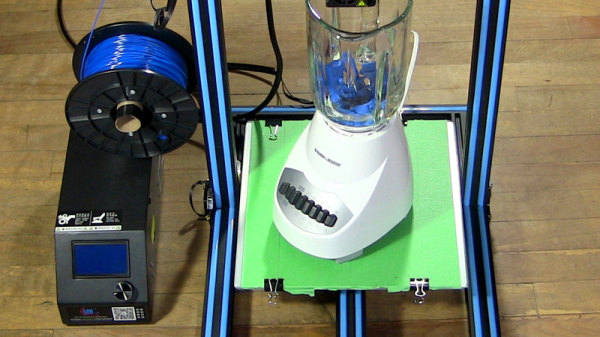
There’s probably no reason anyone would actually desire a mod like this. Well, no good reason. But [William Osman] had been pondering what it would be like to play some classic games with inputs other than buttons, and decided to make an audio sensor responsible for pressing the B button on an old N64 controller. This “Yell To Press B” mod was also something unique to show his hosts when he visited the YouTube video game aficionados, [Game Grumps].

[William] acknowledges that the build is a bit of a hack job, but the project page does a good job of documenting his build process and covering the kinds of decisions involved in interfacing to a separate piece of hardware. After all, most budding hackers have sooner or later asked themselves “how do I make my gadget press a button on this other thing?” [William] ends up using a small relay to close the connection between the traces for the B button when triggered by a microphone module, but he points out that it should be possible to do a non-destructive version of the mod. Examples exist of reading the N64 controller’s state with an Arduino, which could form the basis of a man-in-the-middle approach of “Yell To Press B” (or anything else) instead of soldering to the button contacts. A video is embedded below, in which you can watch people struggle to cope with the bizarre mod.
Continue reading ““Yell To Press B” Mod Makes N64 Controller Worse”

3D Printering: Blender Tips For Printable Objects

3D models drawn in Blender work great in a computer animated virtual world but don’t always when brought into a slicer for 3D printing. Slicers require something which makes sense in the real world. And the real world is far less forgiving, as I’ve found out with my own projects which use 3D printed parts.

Our [Brian Benchoff] already talked about making parts in Blender with his two-part series (here and here) so consider this the next step. These are the techniques I’ve come up with for preparing parts for 3D printing before handing them off to a slicer program. Note that the same may apply to other mesh-type modeling programs too, but as Blender is the only one I’ve used, please share your experiences with other programs in the comments below.

I’ll be using the latest version of Blender at this time, version 2.79b. My printer is the Crealty CR-10 and my slicer is Cura 3.1.0. Some of these steps may vary depending on your slicer or if you’re using a printing service. For example, Shapeways has instructions for people creating STLs from Blender for uploading to them.

Continue reading “3D Printering: Blender Tips For Printable Objects”