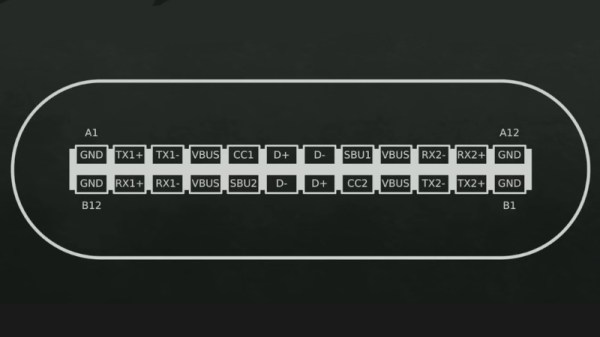
A Basic USB-C Primer

Over the last five years or so there has been a quiet take-over of the ports on laptops, phones, and other devices, as a variety of older ports as well as the familiar USB A and micro USB sockets have been replaced by the now-ubiquitous USB-C port. It’s a connector which can do so many things, so many in fact that it bears a handy explanation. The Electromagnetic Field 2022 hacker camp has been quietly uploading videos of its talks, and a recent one has [Tyler Ward] explaining the intricacies of the interface.

Many of you will be familiar with XKCD number 927 which makes a joke about proliferating connector standards, and it’s evident that USB-C is a rare case of a connector which bucks the trend of simply making another standard, and has instead created something with which it makes sense to replace what went before. We learn about the intricacies of inter-device communications and USB-PD, and the multiple high-speed connection  lanes shoehorned into it. That one small connector can plug into a laptop and provide power, USB peripherals including network, and display, is nothing short of amazing. Take a look at the video below the break, and if you’re interested in diving deeper, have a look at our colleague [Arya Voronova]’s USB-C for hackers series.
Continue reading “A Basic USB-C Primer”

Human-Interfacing Devices: The Descriptor Heist

Today, we’ll build our own input devices. And they will be easy to create and write firmware for, they will work perfectly, and they will be cross-platform. We can do that with help of the Human Interface Device (HID) standard, and by way of introduction, so that you never get confused by what a “descriptor” means, and we’ll build our own HID device — a Human Interface Device device. The way we build them won’t require reading specifications – instead, I’ll teach your how to steal HID descriptors from existing devices, tweak them for our purposes, and use them in our devices to harness the power of HID.

For decades now, it’s been possible to build a HID mouse or keyboard by using a library or two, and it’s been a godsend for hackers all around the world. However, these libraries are typically confined to a certain template and inflexible, and we hackers often go outside of what’s expected. HID allows for much more than a simple keyboard or a mouse. That’s why today we’re building a touchscreen – something not yet covered online or by libraries.

HID lets you build devices that are friendly. They don’t need drivers, they are plug and play, and they do what you expect them to do. At its core, the HID standard is as simple as is ubiquitous. You can tunnel HID over USB, Bluetooth, I2C, and modern-day operating systems support all three of these. Today, let’s go through the basics of HID, and then build a USB touchscreen out of a SPI-connected resistive touchscreen, with help of the usual RP2040+MicroPython combo. I will also give you a toolkit for how to debug a Human Interface Device device as thoroughly as possible – specifically on Linux, showing all the HID debug and introspection capabilities that Linux gives you. But it’ll work on Windows too through the beauty of standardization.

Continue reading “Human-Interfacing Devices: The Descriptor Heist”

A Mouse Becomes A Camera

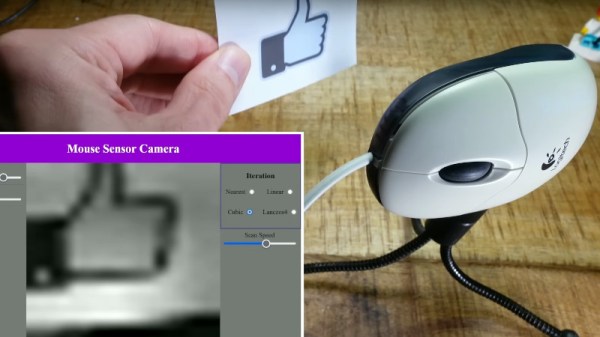
If your pointing device is a mouse, turn it over. The chances are you’ll see a red LED light if you’re not seriously old-school and your mouse has a ball, this light serves as the illumination for a very simple camera sensor. The mouse electronics do their thing by looking for movement in the resulting image, but it should be possible to pull out the data and repurpose the sensor as a digital camera. [Doctor Volt] has a new video showing just that with the innards of a Logitech peripheral.

The mouse contains a microcontroller and the camera part, which fortunately has an SPI interface. The correct register to query the sensor information was deduced, and as if my magic, an image appeared. An M12 lens provided focus with a handy 3D printed mount, and the board went back into the mouse case as a housing. The pictures have something of the Game Boy camera about them, being low-res and monochrome, but it’s still a neat hack.

If you’d like to give it a go you can find the code in a GitHub repository. You might find it worth finding a gaming mouse though, for the much higher resolution sensor.

Continue reading “A Mouse Becomes A Camera”

Displays We Love Hacking: Parallel RGB

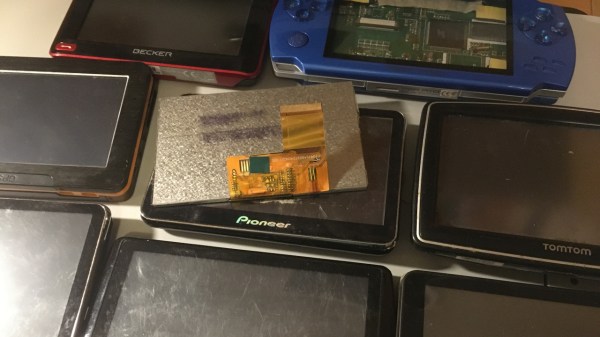
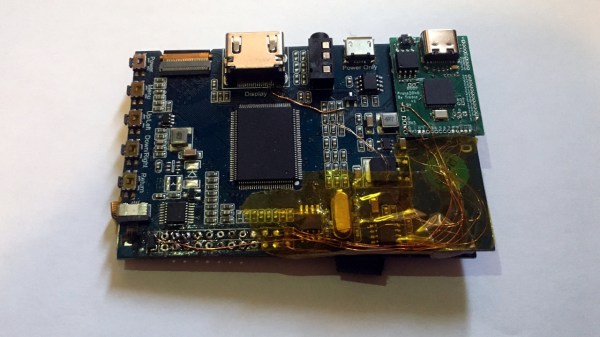
You might have seen old display panels, from 3″ to 10″, with 40-pin FFC connectors where every pin seems to be used for some data signal. We call these displays parallel RGB, or TTL RGB, or DPI, and you can find them in higher-power MCU, Raspberry Pi, and other Linux SBC projects. You deserve to know what to do with those – let’s take a look.

The idea is simple – this interface requires you to constantly send a stream of pixels to the display, and you need to send those pixels through a parallel bus. You can send up to 8 bits per color channel per pixel, which makes for 24 bits, and the 24-bit mode is indeed the standard, but in practice, many parallel RGB implementations don’t bother with more than 5-6 bits of color – two common kinds of parallel RGB links are RGB565 and RGB666. The parallel RGB interface is a very straightforward approach to sending pixels to your display, and in many cases, you can also convert parallel RGB to LVDS or VGA interfaces relatively easily!

If you’re new to it, the easiest way you can drive a parallel RGB display is from a Raspberry Pi, where the parallel RGB interface is known as DPI. This is how 800 x 480 display Pi HATs like the Pimoroni HyperPixel work – they use up almost all of the GPIOs on your Pi, but you get a reasonably high-resolution display with a low power footprint, and you don’t need any intermediate ICs either. FPGAs and some higher-grade MCUs also often have parallel RGB output capability, and surely, someone could even use the RP2040 PIO as well!

Throughout the last decade, parallel RGB has been used less and less, but you will still encounter it – maybe you’re working with an old game console like the PSP and would like to put new guts into it, maybe you’re playing with some tasty display that uses parallel RGB, or maybe you’d like to convert parallel RGB into something else while treating it with respect! Let’s go through what makes parallel RGB tick, what tools you have got to work with it, and a few tips and tricks. Continue reading “Displays We Love Hacking: Parallel RGB”

Arduino Provides No Fuss SNES-To-USB Conversion

Even for those of us who are fans of retrocomputing, it’s fair to say that not everyone plays their old-school games on real old-school hardware. The originals are now fragile and expensive, and emulators are good enough that if the gaming experience is all you’re after there’s little point in spending all that cash.

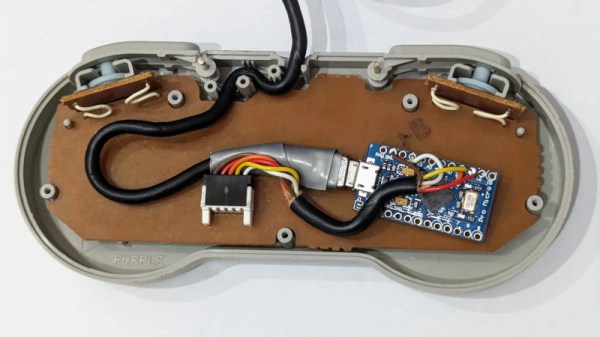
There’s one place in which the originals sometimes have the edge though, the classic controllers are the personal interface with the game. So when [Dome] found a SNES controller in an Akibahara shop, of course he picked it up. How to make it talk to a PC? Tuck an Arduino Pro Micro inside it, of course!

What we like about this project is that instead of ripping out the original electronics it instead hooks the Arduino board onto the original serial interface. We might have made a Nintendo socket to USB box to keep the original cable, but either way, the SNES (technically Super Famicom, because it’s a Japanese market unit) original stays true to its roots. The Arduino polls the clock line at the speed of the console, reads the result, and translates it to a USB interface for the computer. There’s a full run-down of the code and how it was made, should you wish to try.

Of course, if you don’t always have a PC handy, you could also put the whole computer in the controller.

Illustrated Kristina with an IBM Model M keyboard floating between her hands.

Keebin’ With Kristina: The One With The Really Snazzy Folding Keyboard

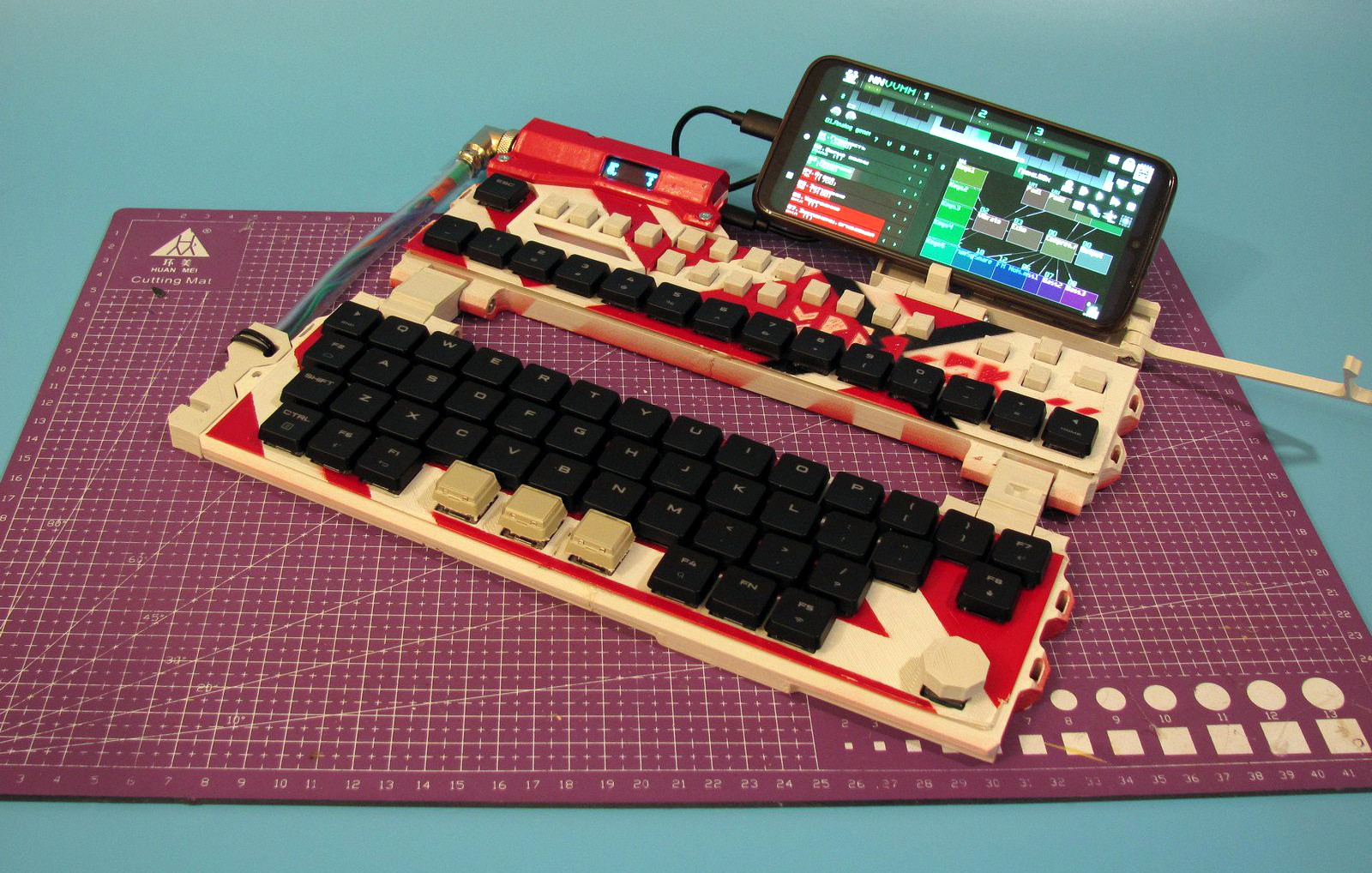
Sometimes you just have to throw your hat in the ring, and throw it hard. Here is [mkdxdx]’s rockin’ EVH 5150-esque take on the keyboard business. The Mriya foldable keyboard aims to be and sport a number of things, and it does all of them in great style. I could totally see my fingers flying over this thing somewhere in the wild, with robots fighting in the distance.

Image by [mkdxdx] via Hackaday.IO
I have to say I really like the fact that [mkdxdx] uses thumb keys here for what I can only assume are Enter, Space, and Backspace. It’s a nice compromise between compactness and ergonomics. I also really like the totally impractical but quite cool-looking connector that runs between the top and bottom.

If the color scheme looks familiar, you’re probably remembering [mkdxdx]’s first-place-winning entry into the 2023 Cyberdeck Contest. This RP2040-based keyboard might just end up as part of a larger project, but it’s already an outstanding peripheral. We can’t wait to see the next phase, should there be one for this keyboard.

Continue reading “Keebin’ With Kristina: The One With The Really Snazzy Folding Keyboard”

USB-C Power Supply Pushes Almost 2 KW

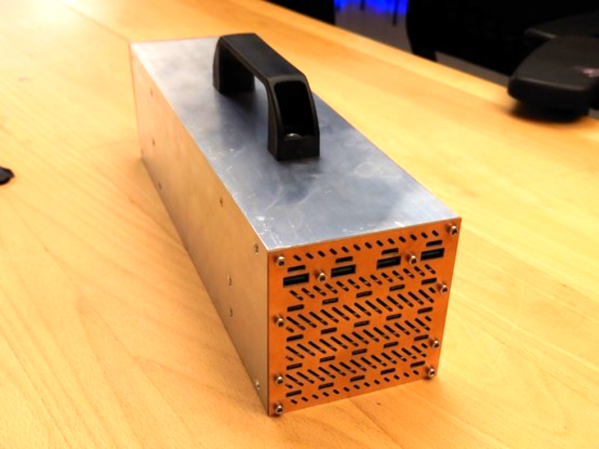
When the USB standard was first revealed, a few peripherals here and there adopted it but it was far from the “universal” standard implied by its name. It was slow, had limited ability to power anything, and its plug-and-play capability was spotty at best. The modern USB standard, on the other hand, has everything its predecessors lacked including extremely high data transfer rates and the ability to support sending or receiving a tremendous amount of power. [LeoDJ] is taking that latter capability to the extreme, with this USB-C power supply that can deliver 1.7 kW of power.

The project was inspired by the discovery of an inexpensive USB-PD (power delivery) module which is capable of delivering either 100W or 65W. After extensive testing, to see if the modules were following the USB standard and how they handled heat, [LeoDJ] grabbed 20 of the 65W modules and another four of the 100W modules and assembled them all into an array, held together in a metal chassis that also functions as a heat sink. The modules receive their DC power from two server power supplies wired together in series.

There was some troubleshooting, including soldering difficulty and a short circuit, but with all the kinks ironed out this power supply can deliver nearly 2 kW to an array of USB-capable devices and, according to the amount of thermal testing done, can supply that power nearly indefinitely. It’s an over-the-top power supply with a small niche of uses, but to see it built is satisfying nonetheless. For more information on all of the perks of working with USB-C, check out this tell-all we published last year.