It seems like just yesterday (maybe for some of you it was) we were installing Windows 3.1 off floppy drives onto a 256 MB hard drive, but hard drives have since gotten a lot bigger and a lot more complicated, and there are a lot more options than spinning platters.
The explosion of storage options is the result of addressing a variety of niches of use. The typical torrenter downloads a file, which is written once but read many times. For some people a drive is used as a backup that’s stored elsewhere and left unpowered. For others it is a server frequently reading and writing data like logs or swap files. In all cases it’s physics that sets the limits of what storage media can do; if you choose wisely for your use case you’ll get the bet performance.
The jargon in this realm is daunting: superparamagnetic limit, LMR, PMR, CMR, SMR, HAMR, MAMR, EAMR, XAMR, and QLC to name the most common. Let’s take a look at how we got here, and how the past and present of persistent storage have expanded what the word hard drive actually means and what is found under the hood.
Just over a fortnight ago, RV Polarstern, a German research vessel, sailed back into port, heralding the end of the largest Arctic research project ever undertaken. The MOSAiC expedition, short for Multidisciplinary drifting Observatory for the Study of Arctic Climate, spent a full year running experiments to measure conditions at the North Pole, and research how the unique Arctic climate is being affected by human activity.
Unprecedented In Size And Scope
The operation was regularly resupplied by visits from other icebreakers, bringing equipment, food, and fresh personnel. Alfred-Wegener-Institut / Jan Rohde (CC-BY 4.0)
With a budget exceeding €140 million, and with over 300 scientists attached to the project, the expedition aimed to study a full year-long ice cycle in the Arctic region. To achieve this, the research vessel of the project, RV Polarstern, was navigated into an ice floe, and allowed to freeze in and drift with the ice pack. As the seasons progressed, the vessel drifted with the sea ice across the polar region. Along the way, a series of rotating research teams set up equipment on the ice and took regular measurements, investigating several scientific focus areas. Different groups observed atmospheric conditions and the sea ice itself, with researchers also focusing on biogeochemistry, the ocean, and the ecosystems in the area.
Icebreakers were used to transport goods and personnel to the RV Polarstern over the duration of the mission. The project faced issues in spring, as a pre-planned changeover executed by aircraft had to be abandoned due to restrictions brought about by the COVID-19 pandemic. Instead, this was also executed by ship, with the Polarstern temporarily leaving the ice to rendezvous with RV Sonne and RV Maria S. Merian for the changeover of approximately 100 crew and to pick up provisions. The detour took three weeks, but didn’t have any major negative impacts on the mission. Continue reading “MOSAiC Project Freezes A Boat In The Arctic Ice Pack For Science”→
The Quest 2 wireless VR headsetby Oculus was recently released, and improves on the one-and-a-half year old Quest mainly in terms of computing power and screen resolution. But Oculus is owned by Facebook, a fact that Facebook is increasingly keen on making very clear. The emerging scene is one that looks familiar: a successful hardware device, and a manufacturer that wants to keep users in a walled garden while fully controlling how the device can be used. Oculus started out very differently, but the writing has been on the wall for a while. Rooting and jailbreaking the Quest 2 seems inevitable, but what will happen then? Continue reading “As Facebook Tightens Their Grip On VR, Jailbreaking Looks More Likely”→
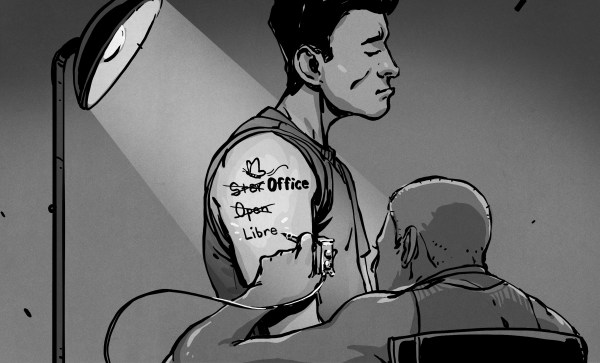
When it comes to open source office suites, most people choose OpenOffice or LibreOffice, and they both look suspiciously similar. That isn’t surprising since they both started with exactly the same code base. However, the LibreOffice team recently penned an open letter to the Apache project — the current keepers of OpenOffice — asking them to redirect new users to the LibreOffice project. Their logic is that OpenOffice has huge name recognition, but hasn’t had a new major release in several years. LibreOffice, on the other hand, is a very active project. We could argue that case either way, but we won’t. But it did get us thinking about how things got here.
It all started when German Marco Börries wrote StarWriter in 1985 for the Zilog Z80. By 1986, he created a company, Star Division, porting the word processor to platforms like CP/M and MSDOS. Eventually, the company added other office suite programs and with support for DOS, OS/2, and Windows, the suite became known as StarOffice.
The program was far less expensive than most competitors, costing about $70, yet in 1999 that price point prompted Sun Microsystems to buy StarOffice. We don’t mean they bought a copy or a license, they bought the entire thing for just under $74 million. The story was that it was still cheaper than buying a license for each Sun employee, particularly since most had both a Windows machine and a Unix machine which still required some capability.
Sun in Charge
Sun provided StarOffice 5.2 in 2000 as a free download for personal use, which gave the software a lot of attention. It eventually released much of the code under an open source license producing OpenOffice. Sun contributed to the project and would periodically snapshot the code to market future versions of StarOffice.
This was the state of affairs for a while. StarOffice 6.0 corresponded to OpenOffice 1.0. In 2003, release 1.1 turned into StarOffice 7. A couple of years later, StarOffice 8/OpenOffice 2.0 appeared and by 2008, we had StarOffice 9 with OpenOffice 3.0 just before Oracle entered the picture.
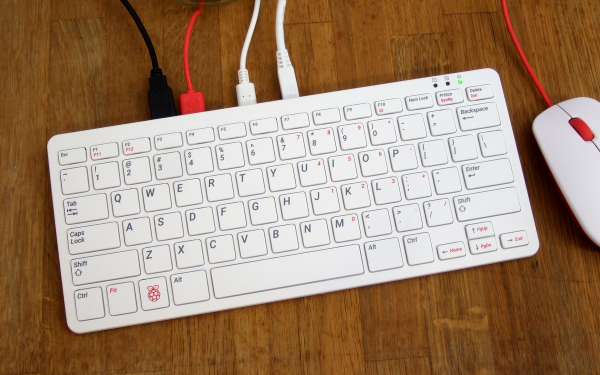
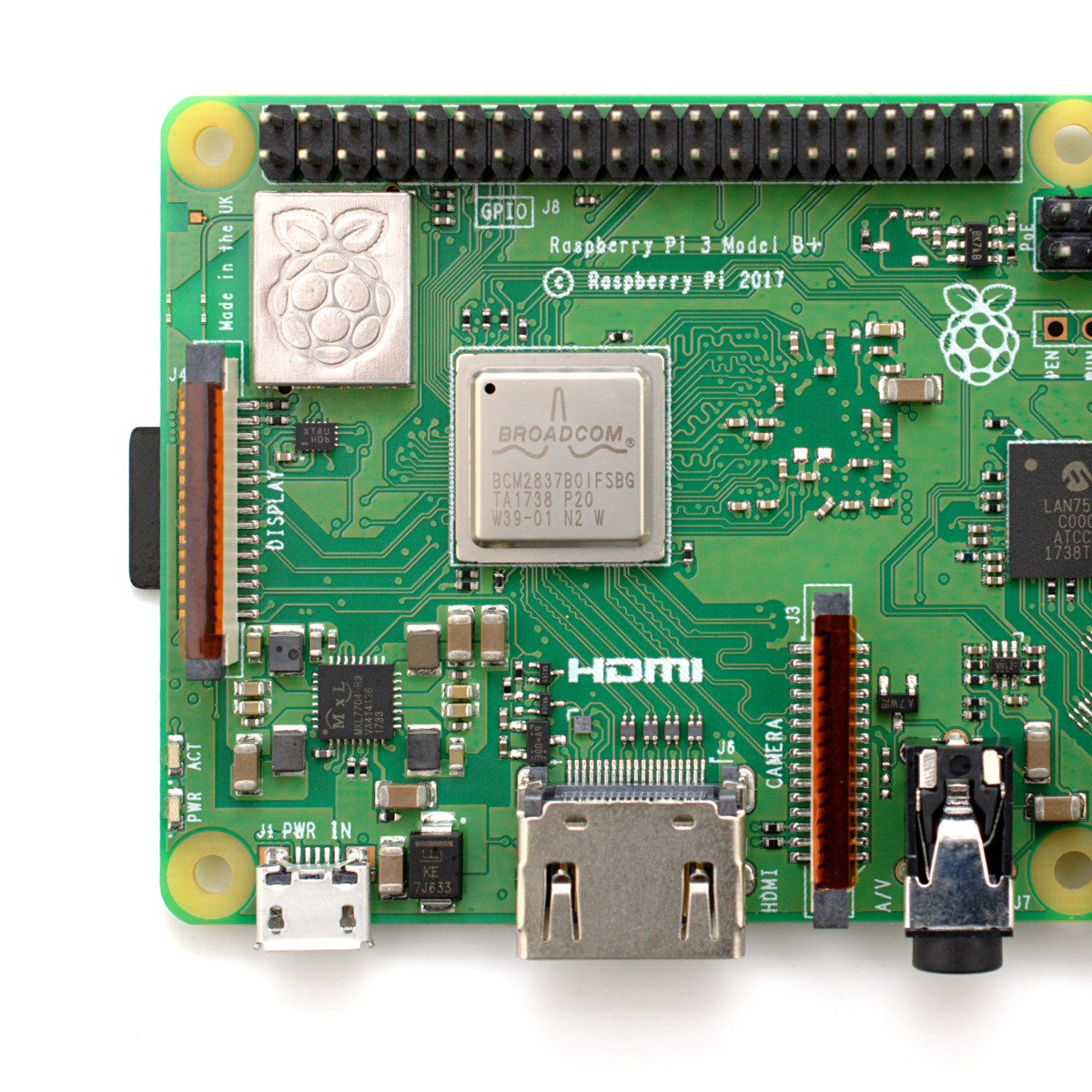
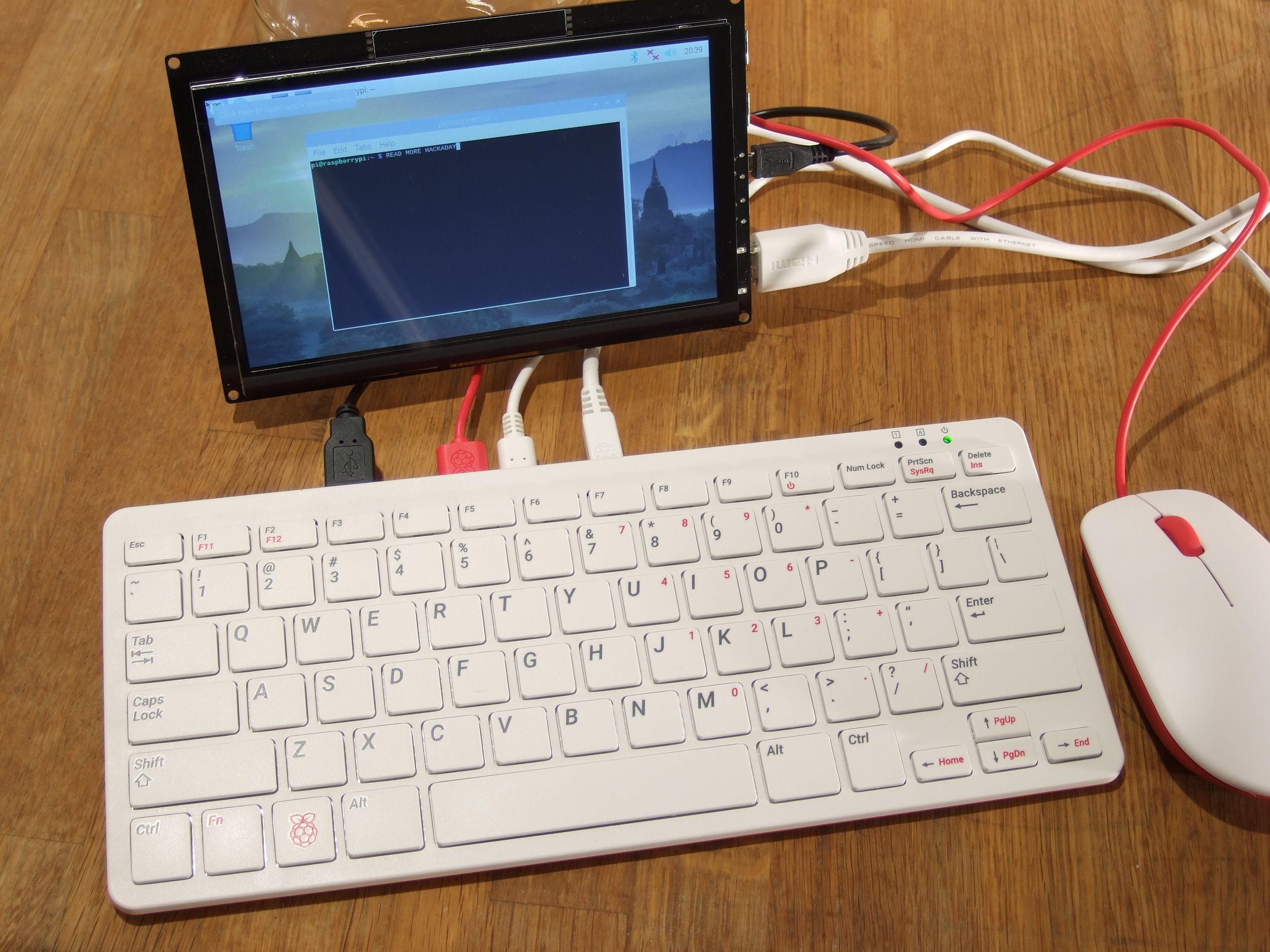
The newest Raspberry Pi 400 almost-all-in-one computer is very, very slick. Fitting in the size of a small portable keyboard, it’s got a Pi 4 processor of the 20% speedier 1.8 GHz variety, 4 GB of RAM, wireless, Ethernet, dual HDMI outputs, and even a 40-pin Raspberry Standard IDE-cable style header on the back. For $70 retail, it’s basically a steal, if it’s the kind of thing you’re looking for because it has $55 dollars worth of Raspberry Pi 4 inside.
In some sense, it’s getting dangerously close to fulfilling the Raspberry Pi Dream. (And it’s got one more trick up it’s sleeve in the form of a huge chunk of aluminum heat-sinked to the CPU that makes us think “overclocking”.)
We remember the founding dream of the Raspberry Pi as if it were just about a decade ago: to build a computer cheap enough that it would be within everyone’s reach, so that every school kid could have one, bringing us into a world of global computer literacy. That’s a damn big goal, and while they succeeded on the first count early on, putting together a $35 single-board computer, the gigantic second part of that master plan is still a work in progress. As ubiquitous as the Raspberry Pi is in our circles, it’s still got a ways to go with the general population.
The Raspberry Pi Model B wasn’t, and isn’t, exactly something that you’d show to my father-in-law without him asking incredulously “That’s a computer?!”. It was a green PCB, and you had to rig up your own beefy 5 V power supply, figure out some kind of enclosure, scrounge up a keyboard and mouse, add in a monitor, and only then did you have a computer. We’ve asked the question a couple of times, can the newest Raspberry Pi 4B be used as a daily-driver desktop, and answered that in the affirmative, certainly in terms of it having adequate performance.
But powerful doesn’t necessarily mean accessible. If you want to build your own cyberdeck, put together an arcade box, screw a computer into the underside of your workbench, or stack together Pi Hats and mount the whole thing on your autonomous vehicle testbed, the Raspberry Pi is just the ticket. But that’s the computer for the Hackaday crowd, not the computer for everybody. It’s just a little bit too involved.
The Raspberry Pi 400, in contrast, is a sleek piece of design. Sure, you still need a power supply, monitor, and mouse, but it’s a lot more of a stand-alone computer than the Pi Model B. It’s made of high-quality plastic, with a decent keyboard. It’s small, it’s light, and frankly, it’s sexy. It’s the kind of thing that would pass the father-in-law test, and we’d suggest that might go a long way toward actually realizing the dream of cheaply available universal (open source) computing. In some sense, it’s the least Hackaday Raspberry Pi. But that’s not saying that you might not want one to slip into your toolbag.
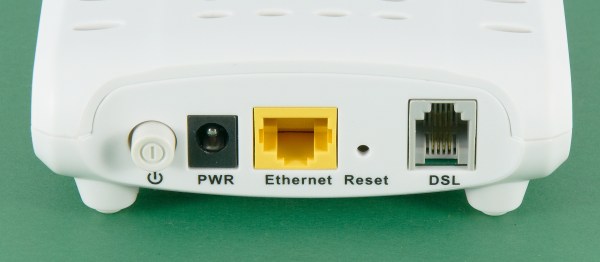
Are you reading this over AT&T DSL right now? If so, you might have to upgrade or go shopping for a new ISP soon. AT&T quietly stopped selling new traditional DSLs on October 1st, though they will continue to sell their upgraded fiber-to-the-node version. This leaves a gigantic digital divide, as only 28% of AT&T’s 21-state territory has been built out with full fiber to the home, and the company says they have done almost all of the fiber expansion that they intend to do. AT&T’s upgraded DSL offering is a fiber and copper hybrid, where fiber ends at the network node closest to the subscriber’s home, and the local loop is still over copper or coax.
At about the same time, a report came out written jointly by members of the Communications Workers of America union and a digital inclusion advocacy group. The report alleges that AT&T targets wealthy and non-rural areas for full fiber upgrades, leaving the rest of the country in the dark.
As the internet has been the glue holding these unprecedented times together, this news comes as a slap in the face to many rural customers who are trying to work, attend school, and see doctors over various videoconferencing services.
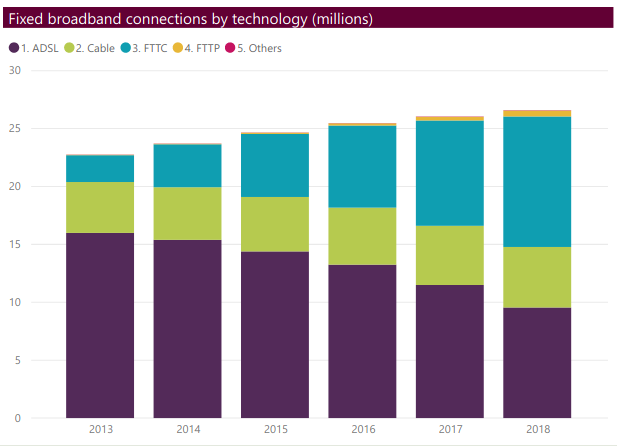
If you live in a big enough city, chances are you haven’t thought of DSL for about twenty years, if ever. It may surprise you to learn of the popularity of ADSL in the United Kindom. ADSL the main source of broadband in the UK until 2017, having been offset by the rise of fibre-to-the-cabinet (FTTC) connections. However, this Ofcom report shows that in 2018 ADSL still made up more than a third of all UK broadband connections.
Why do people still have it, and what are they supposed to do in the States when it dries up?
You probably know about cron, a program that lets you schedule programs to run at various times. We’ve also talked about incron, which is very similar but instead of time, it reacts to changes in the file system. If you ever wanted to write a program that, say, detects a change in a file and automatically uploads it to a programmer, backs it up, e-mails it somewhere, or anything else, then incron might be for you. Although we’ve talked about it before, incron has some peculiarities that make it very difficult to debug problems, so I thought I’d share some of the tricks I use when working with incron.
I was thinking about this because I wanted to set up a simple system where I have a single document directory under git control. Changing a markdown file in that folder would generate Word document and PDF equivalents. Conversely, changing a Word document would produce a markdown version.
This is easy to do with pandoc — it speaks many different formats. The trick is running it only on changed files and as soon as they change. The task isn’t that hard, but it does take a bit to debug since it’s a bit nontrivial.