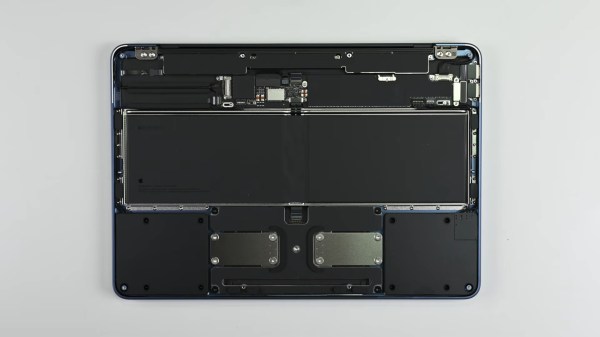
An upside down laptop with its cover removed on a grey surface. The inside of the laptop is a series of black modules connected to the frame with glorious amounts of screws and not glue!

Apple’s Most Repairable Laptop Is Thanks To Right-to-Repair

The common narrative around device design is that you can have repairability or a low price, but that they are inversely proportional to each other. Apple’s new budget MacBook Neo seems to attempt a bit of both.

Brittle snap-fit enclosures or glue can make a device pop together quickly during manufacture, but are a headache when it comes time to repair or hack it. Our friends at iFixit tore down the Neo and found it to be the most repairable MacBook since the 2012 unibody model. A screwed in battery, and modules for many of the individual components including the USB ports and headphone jack make it fairly simple to replace individual components. Most of those components are even accessible as soon as you pop the bottom cover instead of requiring major surgery.

As someone who has done a keyboard replacement on a 2010 MacBook, the 41 screws holding the keyboard in brought back (bad) memories. While this is a great improvement over Apple’s notoriously painful repair processes, we’re still only looking at an overall 6/10 score from iFixit versus a 10/10 from Framework or Lenovo.

The real story here is that these improvements from Apple were spurred by Right-to-Repair developments, particularly in the EU, that were the result of pressure from hackers like you.

If you want to push a Neo even further, how about water cooling it? If you’d rather have user-upgradeable RAM and storage too in a Mac, you’ve got to go a bit older.

Continue reading “Apple’s Most Repairable Laptop Is Thanks To Right-to-Repair”

Modern Smartphone Vs. 80s Supercomputer

One of the most common ways of comparing the processing power of some microcontroller or older smartphone in a fantastical way was to say that they had more processing power than the Apollo Guidance Computer. While this sounds impressive on the surface, the AGC was the first integrated circuit computer ever built and is predictably under-powered by almost all modern standards. A more apt comparison would be to compare a smartphone to a supercomputer from some bygone era, and someone has recently done just that.

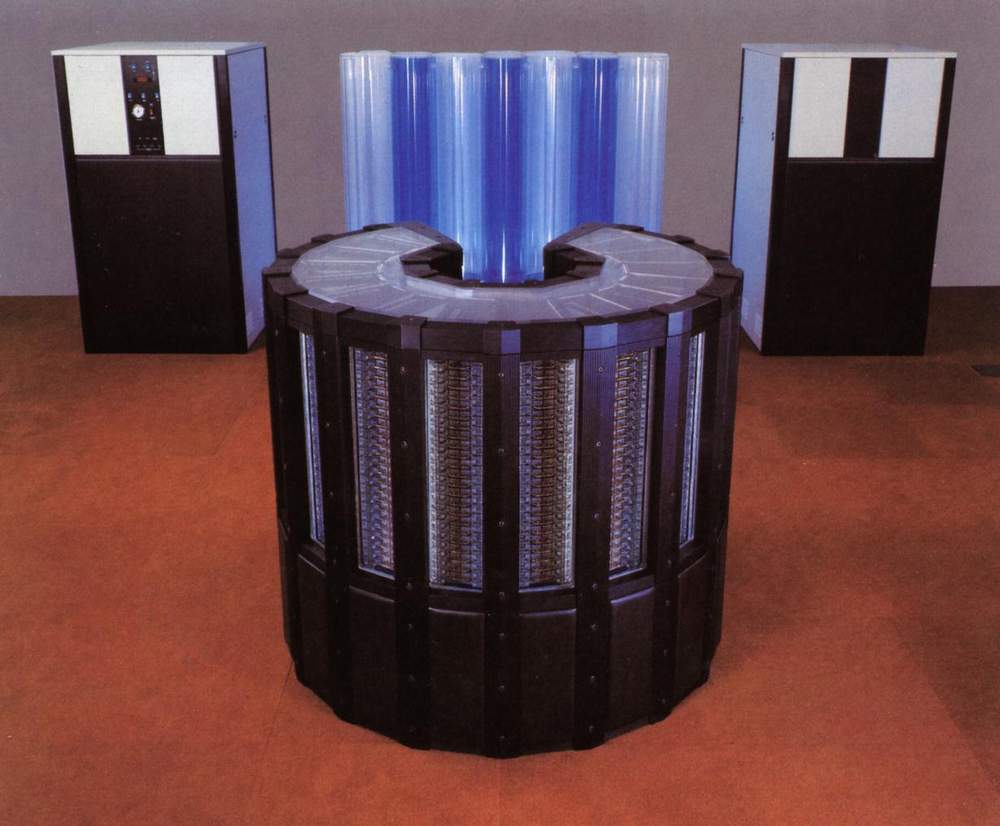
Cray 2

The linked article looks at a modern iPhone 17 compared to the Cray 2 supercomputer. When the Cray 2 was first built in the mid 80s, it was the fastest computer in the world at 1.9 GFLOPS using four vector processors. A modern iPhone is estimated to have slightly more than that, so in some ways the iPhone comes out on top.

However, the Cray 2 was built with vector processors, a specialized type of processor meant to perform rapid calculations on specific types of data sets. So the Cray 2 may have been faster at these types of tasks than the more general-purpose A19 processor, and the A19 may have the edge in other tasks.

The other major difference the article doesn’t discuss is what software runs on these computers. The Cray 2 supercomputer ran a modified version of UNIX System V, which at the time was owned by AT&T (and which ran on plenty of other computers as well). Although proprietary in some sense, it was much more open than Apple’s iOS operating system, allowing users to run whatever software they wanted to run on the supercomputers that they bought and paid for, and to modify many parts of the operating system itself. In that sense, the Cray will always maintain the edge over Apple and their walled garden.

AirTag Has Hole Behind The Battery? It’s Likely Been Silenced

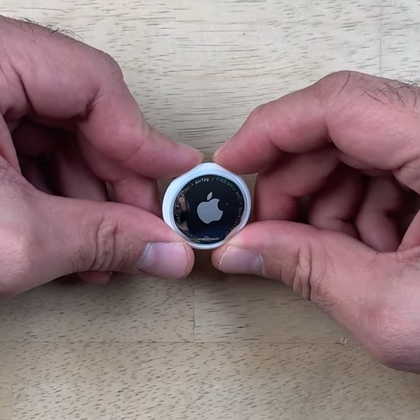
Apple AirTags have speakers in them, and the speaker is not entirely under the owner’s control. [Shahram] shows how the speaker of an AirTag can be disabled while keeping the device watertight. Because AirTags are not intended to be opened or tampered with, doing so boils down to making a hole in just the right place, as the video demonstrates.

By making a hole in just the right place, the speaker can be disabled while leaving water resistance intact.

How does putting a hole in the enclosure not compromise water resistance? By ensuring the hole is made in an area that is already “inside” the seal. In an AirTag, that seal is integrated into the battery compartment.

Behind the battery, the enclosure has a small area of thinner plastic that sits right above the PCB, and in particular, right above the soldered wire of the speaker. Since this area is “inside” the watertight seal, a hole can be made here without affecting water resistance.

Disabling the speaker consists of melting through that thin plastic with a soldering iron then desoldering the (tiny) wire and using some solder wick to clean up. It’s not the prettiest operation, but there are no components nor any particularly heat-sensitive bits in that spot. The modification has no effect on water resistance, and isn’t even visible unless the battery is removed.

In the video below, [Shahram] uses a second generation AirTag to demonstrate the mod, then shows that the AirTag still works normally while now being permanently silenced.

Continue reading “AirTag Has Hole Behind The Battery? It’s Likely Been Silenced”

5K IMac Turned Into 5K Display

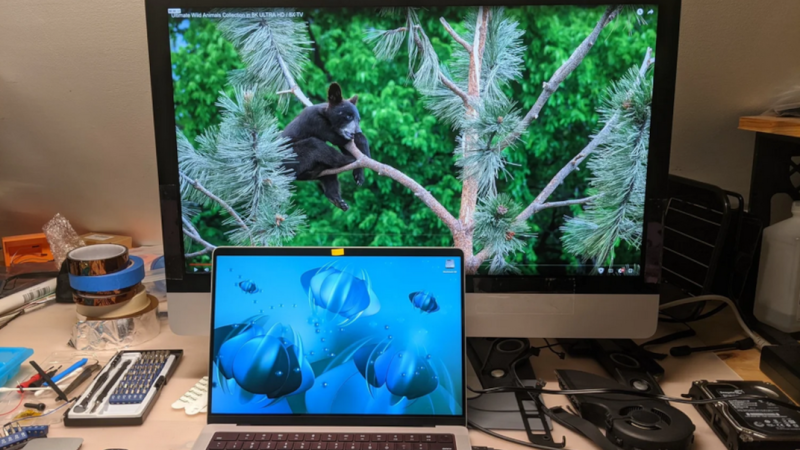
While Apple weren’t the first to invent high-DPI displays or to put them into consumer electronics, they did popularize them fairly effectively with the Retina displays in the early 2010s and made a huge number of them in the following years. The computers they’re attached to are getting up there in age, though, and although these displays are still functional it isn’t quite as straightforward to use them outside of their Apple-approved use. [David] demonstrates one way of getting this done by turning a 5k iMac into an external monitor.

The first attempt at getting a usable monitor from the old iMac was something called a Luna Display, but this didn’t have a satisfying latency. Instead, [David] turned to replacing the LCD driver board with a model called the R1811. This one had a number of problems including uneven backlighting, so he tried a second, less expensive board called the T18. This one only has 8-bit color instead of the 10-bit supported by the R1811 but [David] couldn’t personally tell the difference, and since it solved the other issues with the R1811 he went with this one. After mounting the new driver board and routing all of the wires, he also replaced the webcam with an external Logitech model and upgraded the speakers as well.

Even when counting the costs for both driver boards, the bill for this conversion comes in well under the cost of a new monitor of comparable quality from Apple, a company less concerned about innovation these days than overcharging their (admittedly willing) customers. For just a bit of effort, though, these older iMacs and other similar Apple machines with 5k displays can be repurposed to something relatively modern and still usable. Others have done similar projects and funded the upgrades by selling off the old parts.

Hackaday Links Column Banner

Hackaday Links: December 21, 2025

It’s amazing how fragile our digital lives can be, and how quickly they can fall to pieces. Case in point: the digital dilemma that Paris Buttfield-Addison found himself in last week, which denied him access to 20 years of photographs, messages, documents, and general access to the Apple ecosystem. According to Paris, the whole thing started when he tried to redeem a $500 Apple gift card in exchange for 6 TB of iCloud storage. The gift card purchase didn’t go through, and shortly thereafter, the account was locked, effectively bricking his $30,000 collection of iGadgets and rendering his massive trove of iCloud data inaccessible. Decades of loyalty to the Apple ecosystem, gone in a heartbeat.

Continue reading “Hackaday Links: December 21, 2025”

Mac System 7 On A G4? Why Not!

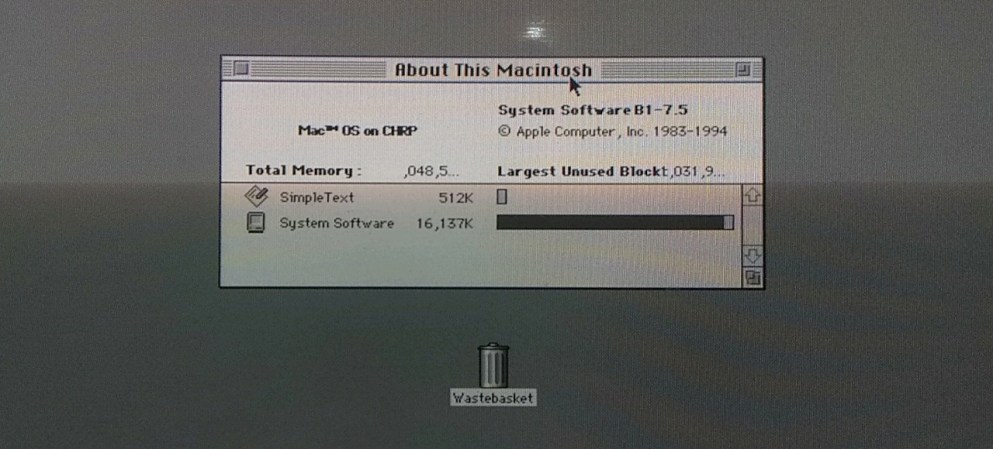
Over the many years Apple Computer have been in operation, they have made a success of nearly-seamlessly transitioning multiple times between both operating systems and their underlying architecture. There have been many overlapping versions, but there’s always a point at which a certain OS won’t run on newer hardware. Now [Jubadub] has pushed one of those a little further than Apple intended, by persuading classic Mac System 7 to run on a G4.

System 7 was the OS your Mac would have run some time in the mid ’90s, whether it was a later 68000 machine or a first-gen PowerMac. In its day it gave Windows 3.x and even 95 a run for their money, but it relied on an older Mac ROM architecture than the one found on a G4. The hack here lies in leaked ROMS, hidden backwards compatibility, and an unreleased but preserved System 7 version originally designed for the ’90s Mac clone programme axed by Steve Jobs.  It’s not perfect, but they achieved the impossible.

As to why, it seems there’s a significant amount of software that needs 7 to run, something mirrored in the non-Mac retrocomputing world. Even this hack isn’t the most surprising System 7 one we’ve seen recently, as an example someone even made a version for x86 machines.


Thumbnail Image Art: Apple PowerMac G4 by baku13, CC BY-SA 3.0

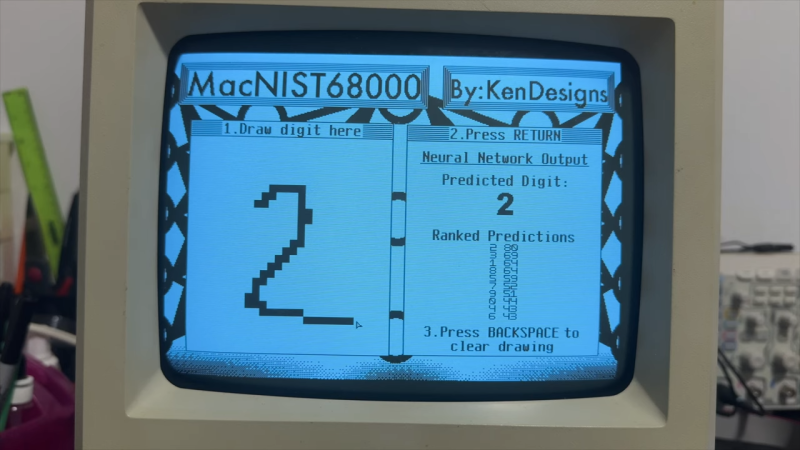
Neural network shown on original mac screen, handwritten 2 on left and predictions on right

Original Mac Limitations Can’t Stop You From Running AI Models

Modern retrocomputing tricks often push old hardware and systems further than any of the back-in-the-day developers could have ever dreamed. How about a neural network on an original Mac? [KenDesigns] does just this with a classic handwritten digit identification network running with an entire custom SDK!

Getting such a piece of hardware running what is effectively multiple decades of machine learning is as hard as most could imagine. (The MNIST dataset used wasn’t even put together until the 90s.) Due to floating-point limitations on the original Mac, there are a variety of issues with attempting to run machine learning models. One of the several hoops to jump through required quantization of the model. This also allows the model to be squeezed into the limited RAM of the Mac.

Impressively, one of the most important features of [KenDesigns] setup is the custom SDK, allowing for the lack of macOS. This allows for incredibly nitty-gritty adjustments, but also requires an entire custom installation. Not all for nothing, though, as after some training manipulation, the model runs with some clear proficiency.

If you want to see it go, check out the video embedded below. Or if you just want to run it on your ancient Mac, you’ll find a disk image here. Emulators have even been tested to work for those without the original hardware. Newer hardware traditionally proves to be easier and more compact to use than these older toys; however, it doesn’t make it any less impressive to run a neural network on a calculator!

Continue reading “Original Mac Limitations Can’t Stop You From Running AI Models”