After 30 Years, Virtual Boy Gets Its Chance To Shine

When looking back on classic gaming, there’s plenty of room for debate. What was the best Atari game? Which was the superior 16-bit console, the Genesis or the Super NES? Would the N64 have been more commercially successful if it had used CDs over cartridges? It goes on and on. Many of these questions are subjective, and have no definitive answer.

But even with so many opinions swirling around, there’s at least one point that anyone with even a passing knowledge of gaming history will agree with — the Virtual Boy is unquestionably the worst gaming system Nintendo ever produced. Which is what makes its return in 2026 all the more unexpected.

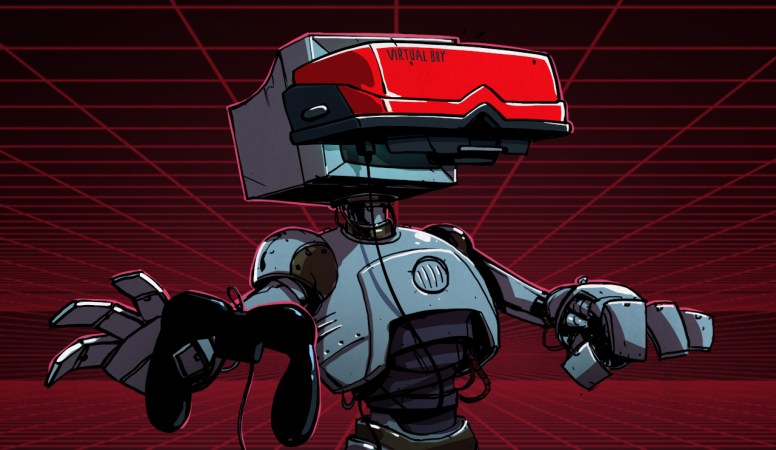
Released in Japan and North America in 1995, the Virtual Boy was touted as a revolution in gaming. It was the first mainstream consumer device capable of showing stereoscopic 3D imagery, powered by a 20 MHz 32-bit RISC CPU and a custom graphics processor developed by Nintendo to meet the unique challenges of rendering gameplay from two different perspectives simultaneously.

In many ways it’s the forebear of modern virtual reality (VR) headsets, but its high cost, small library of games, and the technical limitations of its unique display technology ultimately lead to it being pulled from shelves after less than a year on the market.

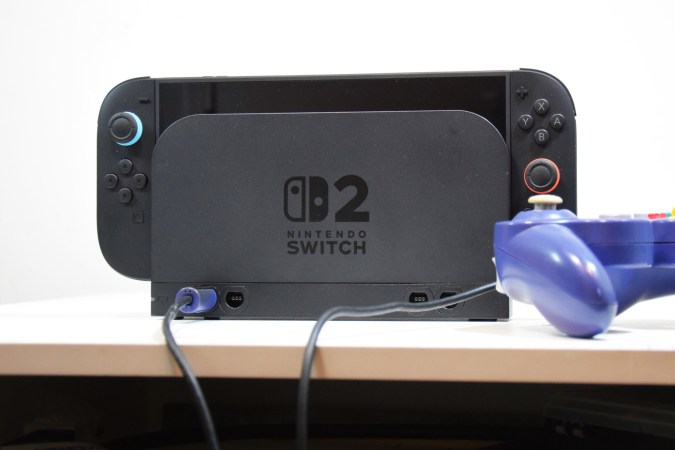
Now, 30 years after its disappointing debut, this groundbreaking system is getting a second chance. Later this month, Nintendo will be releasing a replica of the Virtual Boy into which players can insert their Switch or Switch 2 console. The device essentially works like Google Cardboard, and with the release of an official emulator, users will be able to play Virtual Boy games complete with the 3D effect the system was known for.

This is an exciting opportunity for those with an interest in classic gaming, as the relative rarity of the Virtual Boy has made it difficult to experience these games in the way they were meant to be played. It’s also reviving interest in this unique piece of hardware, and although we can’t turn back the clock on the financial failure of the Virtual Boy, perhaps a new generation can at least appreciate the engineering that made it possible.

Continue reading “After 30 Years, Virtual Boy Gets Its Chance To Shine”

The Switch 2 Pro Controller: Prepare For Glue And Fragile Parts

The Switch 2 Pro controller’s battery is technically removable, if you can get to it. (Credit: VK’s Channel, YouTube)

For those of us who have worked on SNES and GameCube controllers, we know that these are pretty simple to get into and maintain. However, in the trend of making modern game controllers more complex and less maintainable, Nintendo’s new Switch 2 Pro controller is giving modern Xbox and PlayStation controllers a run for their money in terms of repair complexity. As shown in a teardown by [VK] on YouTube (starting at nine minutes in), the first step is a disappointing removal of the glued-on front plate. After that you are dealing with thin plastic, the typical flimsy ribbon cables and a lot of screws.

The main controller IC on the primary PCB is an ARM-based MediaTek MT3689BCA Bluetooth SoC, which is also used in the Switch 2’s Joy-Cons. The 3.87 V, 1070 mAh Li-ion battery is connected to the PCB with a connector, but getting to it during a battery replacement might be a bit of a chore.

Continue reading “The Switch 2 Pro Controller: Prepare For Glue And Fragile Parts”

Illustrated Kristina with an IBM Model M keyboard floating between her hands.

Keebin’ With Kristina: The One With The Cutting Board Keyboard

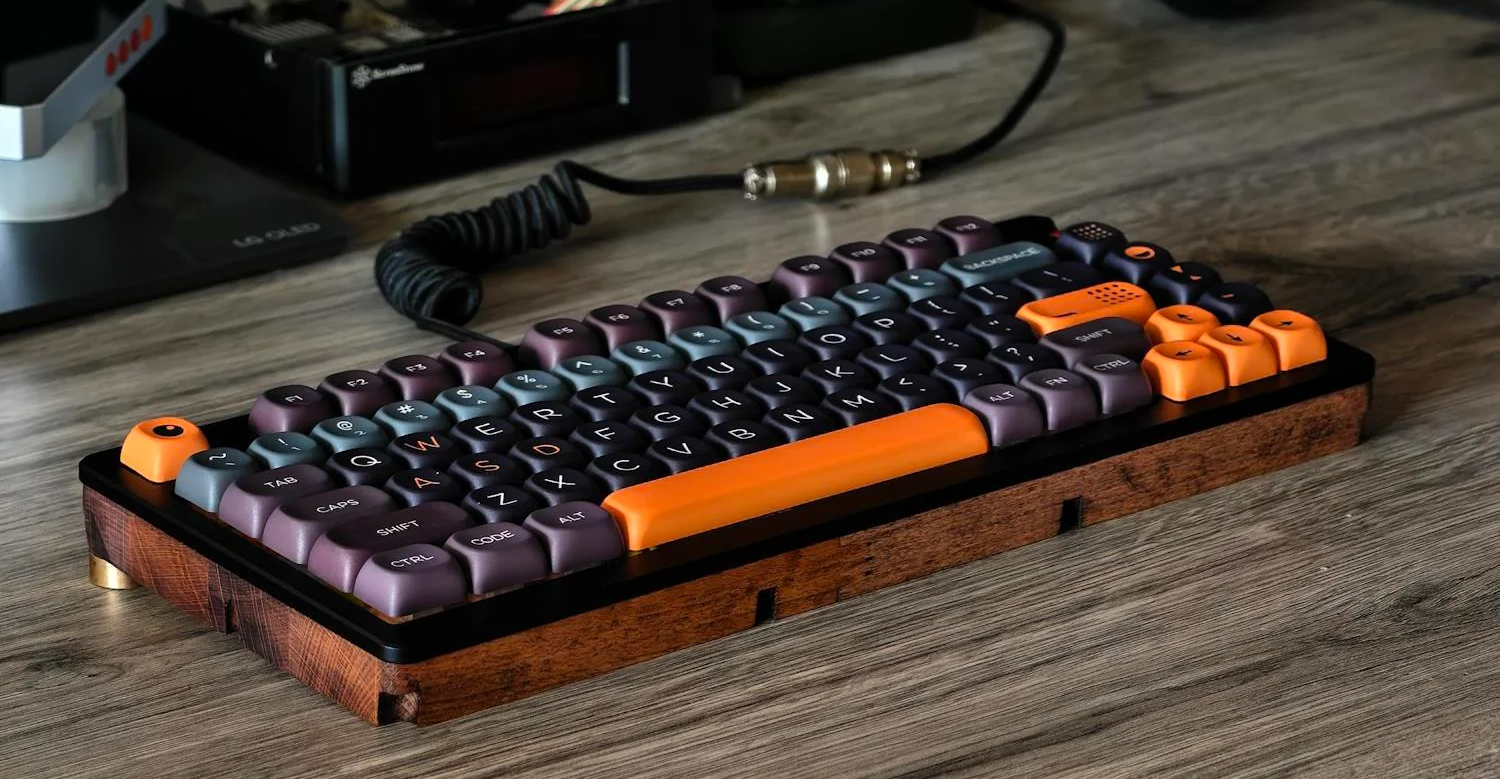
Doesn’t this look fantastic? Hard to believe it, but the base of this keyboard began life as a cutting board, and there’s a gallery to prove it. This is actually [androidbrick]’s second foray into this type of upcycling.

This time, [androidbrick] used a FiiO KB3 and replaced the bottom half of the plastic shell with a hand-routed kitchen cutting board. The battery has been disabled and it works only in wired mode, which is fine with me, because then you get to use a curly cord if you want.

A lovely keyboard built into a kitchen cutting board.
Image by [androidbrick] via reddit
The switches are mostly Gateron EF Currys, though [androidbrick] left some of the original Gateron G Pro 3.0 on the stabilized keys just for comparison. As you might imagine, the overall sound is much deeper with a wooden bottom. You can check out the sound test on YouTube if you’d like, though it’s pretty quiet, so turn it up.

Those keycaps look even nicer from top-down, which you’ll see in the sound test video linked above. Just search ‘JCM MOA GMK’ on Ali and you’ll find them in a bunch of colorways for around $20. Apparently, [androidbrick] was saving them for months, just waiting for this build.

Via reddit

Continue reading “Keebin’ With Kristina: The One With The Cutting Board Keyboard”

Mapping The Nintendo Switch PCB

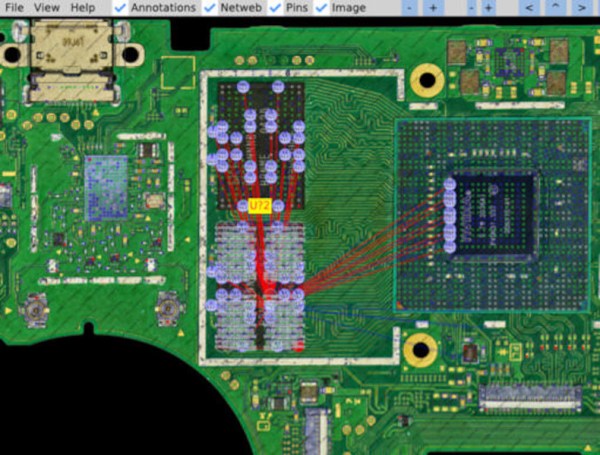
As electronics have advanced, they’ve not only gotten more powerful but smaller as well. This size is great for portability and speed but can make things like repair more inaccessible to those of us with only a simple soldering iron. Even simply figuring out what modern PCBs do is beyond most of our abilities due to the shrinking sizes. Thankfully, however, [μSoldering] has spent their career around state-of-the-art soldering equipment working on intricate PCBs with tiny surface-mount components and was just the person to document a complete netlist of the Nintendo Switch through meticulous testing, a special camera, and the use of a lot of very small wires.

The first part of reverse-engineering the Switch is to generate images of the PCBs. These images are taken at an astonishing 6,000 PPI and as a result are incredibly large files. But with that level of detail the process starts to come together. A special piece of software is used from there that allows point-and-click on the images to start to piece the puzzle together, and with an idea of where everything goes the build moves into the physical world.

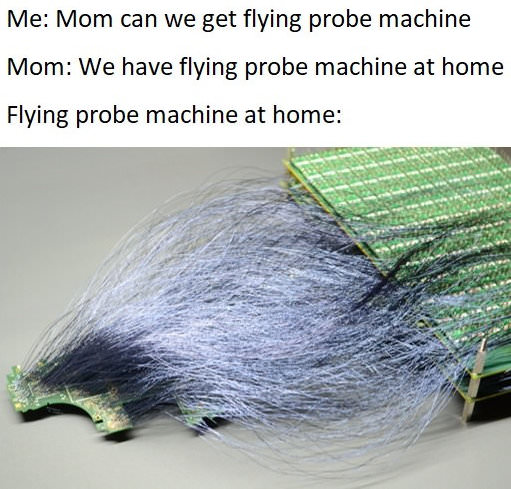
[μSoldering] removes all of the parts on the PCBs with hot air and then meticulously wires them back up using a custom PCB that allows each connection to be wired up and checked one-by-one. With everything working the way it is meant to, a completed netlist documenting every single connection on the Switch hardware can finally be assembled.

The final documentation includes over two thousand photos and almost as many individual wires with over 30,000 solder joints. It’s an impressive body of work that [μSoldering] hopes will help others working with this hardware while at the same time keeping their specialized skills up-to-date. We also have fairly extensive documentation about some of the Switch’s on-board chips as well, further expanding our body of knowledge on how these gaming consoles work and how they’re put together.

The Nintendo Switch CPU Exposed

Ever wonder what’s inside a Nintendo Switch? Well, the chip is an Nvidia Tegra X1. However, if you peel back a layer, there are four ARM CPU cores inside — specifically Cortex A57 cores, which take up about two square millimeters of space on the die. The whole cluster, including some cache memory, takes up just over 13 square millimeters. [ClamChowder] takes us inside the Cortex A57 inside the Nintendo Switch in a recent post.

Interestingly, the X1 also has four A53 cores, which are more power efficient, but according to the post, Nintendo doesn’t use them. The 4 GB of DRAM is LPDDR4 memory with a theoretical bandwidth of 25.6 GB/s.

The post details the out-of-order execution and branch prediction used to improve performance. We can’t help but marvel that in our lifetime, we’ve seen computers go from giant, expensive machines to the point where a game console has 8 CPU cores and advanced things like out-of-order execution. Still, [ClamChowder] makes the point that the Switch’s processor is anemic by today’s standards, and can’t even compare with an outdated desktop CPU.

Want to program the ARM in assembly language? We can help you get started. You can even do it on a breadboard, though the LPC1114 is a pretty far cry from what even the Switch is packing under the hood.

Squid-Con Brings Joy To All

While we’re always happy to see accessibility aids come into fruition, most of them focus on daily tasks, not that there’s anything wrong with that. But what about having some fun? That’s the idea behind [Akaki Kuumeri]’s accessibly-awesome Joy-Con controller, the Squid-Con, which provides access to every button with just one hand. It even has tripod and AMPS mounts.

The joysticks themselves are controlled with the thumb and pinky, although some of [Akaki]’s beta testers changed it up a bit. That’s okay, because it’s designed to be comfortable in a variety of positions for either hand. As for the ABXY buttons, those are actuated using 3D-printed arms that connect to a central piece which [Akaki] calls the turbine.

But perhaps the coolest part of this project is the flexures that actuate the shoulder buttons (L, R, zL, and zR) on the controllers. It’s a series of four arms that are actuated by bringing the fingers back toward the palm. If all of this sounds confusing, just check out the video after the break.

We love flexures around here, and we’ve seen them in everything from cat feeding calendars to 6-DOF positioners to completely new kinds of joysticks.

Continue reading “Squid-Con Brings Joy To All”

A Nintendo 64 controller with a USB adapter

Play N64 Games The Right Way With This Classic Controller Adapter

Game consoles typically support a limited number of input devices, meaning that console games are often completely optimized for the default controller supplied with that platform. Nintendo’s tendency to completely reinvent their controllers pretty much every generation can therefore become a little irritating, especially when they also enable their newer consoles to play games from their back catalog. So when [Robson Couto] found that using the Switch’s Joy-Cons was a bit awkward for playing emulated Nintendo 64 games, he decided to figure out how to connect real N64 controllers to a Nintendo Switch.

While you can buy modern N64-style controllers for the Switch, even straight from Nintendo themselves, [Robson] thought it would be way more interesting to reuse an old controller and implement the translation step from scratch. In the video (embedded below) he takes a deep dive into all the timing details of the N64 controller protocol, which is basically a 1-wire setup, and explains how to use an STM32F411 BlackPill board to read out the controller’s buttons and joystick.

Next, he explores how to map the resulting data to the USB HID protocol used by the Switch. Most of the buttons have a clear one-on-one mapping, but since the “minus”, “capture” and “home” buttons are missing on the N64 controller, he chose to map these to button combinations unlikely to be used during regular gameplay. [Robson] also ran into the common issue of the analog joystick having a poorly-defined maximum range, for which he added a rudimentary auto-calibration feature.

Finally, he designed and 3D-printed a neat enclosure for his system with an N64 controller port on one side and a USB port on the other. By 3D-printing the whole thing he also avoided having to either source the non-standard connector or permanently modify his hardware. The end result of [Robson]’s project is an unobtrusive gadget that connects classic controllers to modern hardware – but of course, the reverse process is very much possible, too. If you want, you can even play N64 games with a mouse and keyboard.

Continue reading “Play N64 Games The Right Way With This Classic Controller Adapter”