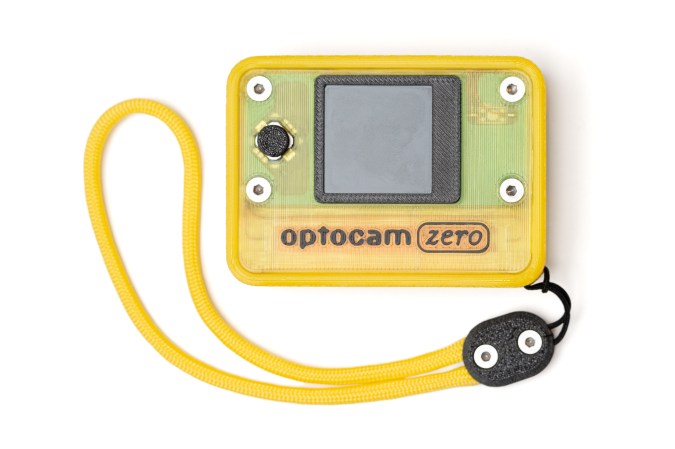
A Raspberry Pi Zero-based camera in a nice yellow case. There's a yellow lanyard, too.

Optocam Zero’s Pictures Look One Hundred

Yeah, we know, there’s a camera on your phone that does this and that. But these days its become trendy to turn towards older digital cameras in place of smartphones, and we can tell you from experience, that the joys of having a dedicated photographing contraption are many.

There’s plenty of cheap digital cameras on the secondhand market, but instead of fending off the clothes bros and other reseller types at the thrift store, stay home and build [Doruk KumkumoÄŸlu]’s Optocam Zero. Inspired by the Kodak Charmera and the like, [Doruk] aimed for something that’s playful, enjoyable, and intuitive to use.

Optocam Zero uses an auto-focus camera module and features eight photo filters. The screen dims when inactive to preserve battery life, but it can be charged back up with USB-C, and you can use it for the duration. And unlike my young adult camera, you don’t have to take out the SD card to see the pictures, just use the custom hotspot interface to transfer them.

Continue reading “Optocam Zero’s Pictures Look One Hundred”

LED Matrix Clock Proudly Shows Its Inner Wiring

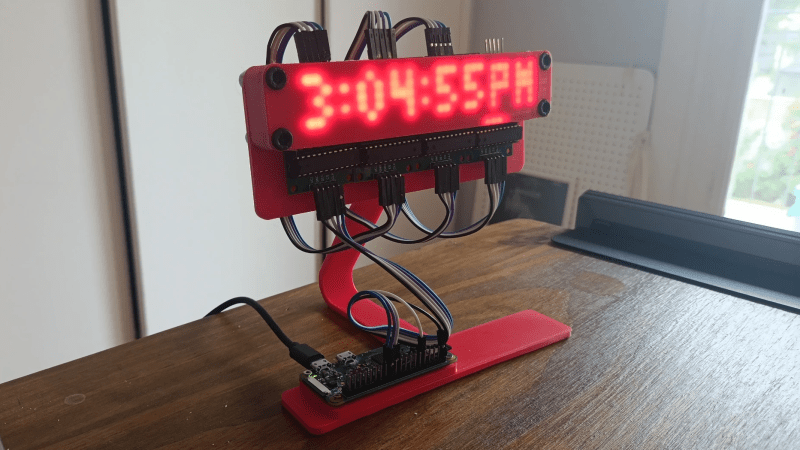
Some projects take great care to tuck away wire hookups, but not [Roberto Alsina]’s Reloj V2 clock. This desktop clock makes a point of exposing all components and wiring as part of its aesthetic. There are no hidden elements, everything that makes it work is open to view. Well, almost.

The exception is the four MAX7219 LED matrices whose faces are hidden behind a featureless red panel, and for good reason. As soon as the clock powers up, the LEDs shine through the thin red plastic in a clean glow that complements the rest of the clock nicely.

[Roberto]’s first version was a unit that worked similarly, but sealed everything away in a wedge-shaped enclosure that was just a little too sterile, featureless, and ugly for his liking. Hence this new version that takes the opposite approach. Clocks have long showcased their inner workings, and electronic clocks — like this circuit-sculpture design — are no exception.

The only components, besides the Raspberry Pi Zero W and the LED matrices, are the 3D-printed enclosure with a few hex screws and double-sided tape. Design files and code (including the FreeCAD project file) are available should you want to put your own spin on [Roberto]’s design.

Instant Photography For The Maker

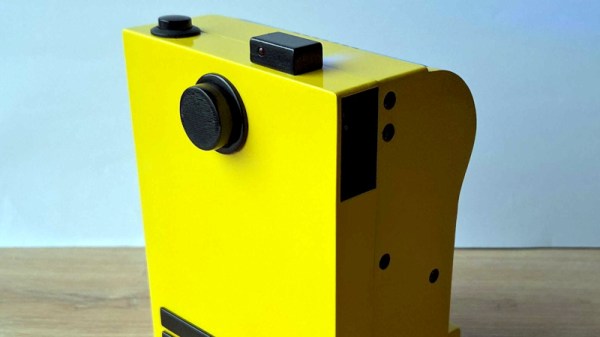
Instant photography is a miracle of the analog age, chemical photographs that develop in your hands moments after the shutter has been pressed. You can buy instant cameras and film from Fuji and the successor company to Polaroid, the originator of the technology, but they’re expensive. Fortunately [BoxArt] is here for those seeking a cheaper alternative, with an instant camera featuring a Raspberry Pi and a printer (Lithuanian language, Google Translate link).

It’s a fairly straightforward arrangement, with the Pi Zero and camera driving a receipt printer. There’s a nicely engineered 3D printed case, and the guts of a power bank to provide the volts for the thing. There are a set of status lights on top, and that’s it. Press the button, get a not-very-good grayscale image on curly paper.

You can of course buy off-the-shelf grayscale printing cameras from your favorite import site for much less than the cost of this camera, but we think this would probably take better pictures. Meanwhile if the original instant photography interests you, we’ve got you covered.

Pi-Powered Camera Turns Heads And Lenses In Equal Measure

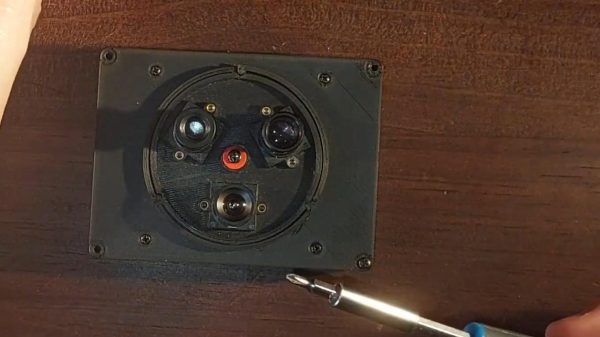
Have you ever seen photos of retro movie sets where the cameras seem to be bedazzled with lenses? Of course you can only film via one lens at a time, but mounting multiple lenses on a turret as was done in those days has certain advantages –particularly when working with tiny M12 lenses, like our own [Jenny List] recently did with this three-lens, Pi-zero based camera.

Given that it’s [Jenny], the hardware is truly open source, with not just the Python code to drive the Pi but the OpenSCAD code used to generate the STLs for the turret and the camera body all available via GitHub under a generous CC-BY-SA-4.0 license. Even using a cheap sensor and lenses from AliExpress, [Jenny] gets good results, as you can see from the demo video embedded below. (Jump to 1:20 if you just want to see images from the camera.)

The lenses are mounted to a 3D printed ring with detents to lock each quickly in place, held in place by a self-tapping screw, proving we at Hackaday practice what we preach. (Or that [Jenny] does, at least when it comes to fasteners.) Swapping lenses becomes a moment’s twist, as opposed to fiddling with tiny lenses hoping you don’t drop one. We imagine the same convenience is what drove turret cameras to be used in the movie industry, once upon a time.

Continue reading “Pi-Powered Camera Turns Heads And Lenses In Equal Measure”

Super8 Camera Brought To The Modern World

Certain styles of photography or videography immediately evoke an era. Black-and-white movies of flappers in bob cuts put us right in the roaring 20s, while a soft-focused, pastel heavy image with men in suits with narrow ties immediately ties us to the 60s. Similarly, a film shot at home with a Super 8 camera, with its coarse grain, punchy colors, and low resolution brings up immediate nostalgia from the 80s. These cameras are not at all uncommon in the modern era, but the cartridges themselves are definitely a bottleneck. [Nico Rahardian Tangara] retrofitted one with some modern technology that still preserves that 80s look.

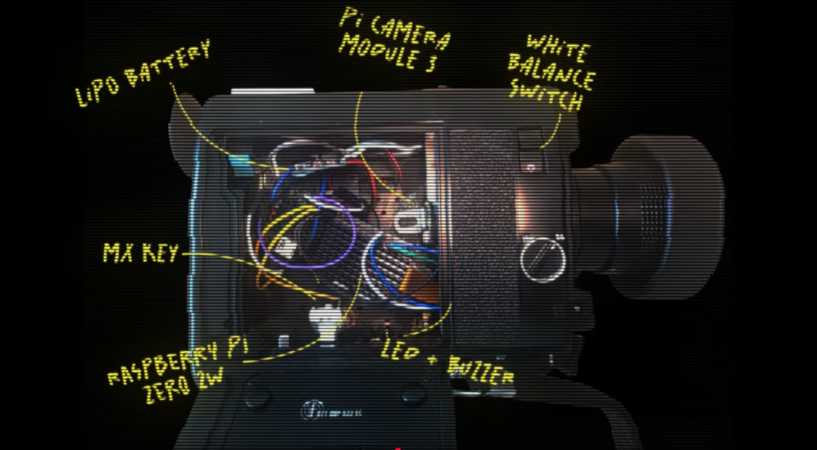
The camera he’s using here is a Canon 514XL-S that was purchased for only $5, which is a very common price point for these obsolete machines, especially since this one wasn’t working. He removed all of the internal components except for a few necessary for the camera to work as if it still was using film, like the trigger mechanism to allow the camera to record. In the place of tape he’s installed a Raspberry Pi Zero 2W and a Camera Module 3, so this camera can record in high definition while retaining those qualities that make it look as if it’s filmed on an analog medium four decades ago.

[Nico] reports that the camera does faithfully recreate this early era of home video, and we’d agree as well. He’s been using it to document his own family in the present day, but the results he’s getting immediately recall Super 8 home movies from the 80s and early 90s. Raspberry Pis are almost purpose-built for the task of bringing older camera technology into the modern era, and they’re not just limited to video cameras either. This project put one into an SLR camera from a similar era.

Continue reading “Super8 Camera Brought To The Modern World”

DIY Pipe Inspector Goes Where No Bot Has Gone Before

If you think your job sucks, be grateful you’re not this homebrew sewer inspection robot.

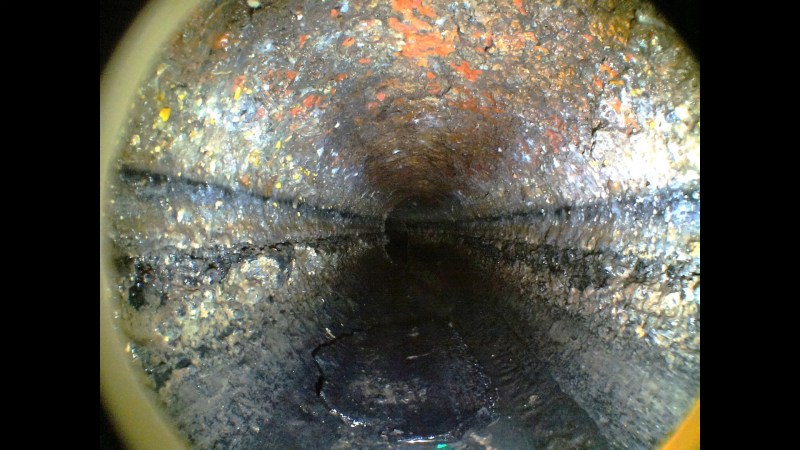
Before anyone gets upset, yes we know what [Stargate System] built here isn’t a robot at all; it’s more of a remotely operated vehicle. That doesn’t take away from the fact that this is a very cool build, especially since it has to work in one of the least hospitable and most unpleasant environments possible. The backstory of this project is that the sewer on a 50-year-old house kept backing up, and efforts to clear it only temporarily solved the problem. The cast iron lateral line was reconfigured at some point in its history to include a 120-degree bend, which left a blind spot for the camera used by a sewer inspection service. What’s worse, the bend was close to a joint where a line that once allowed gutters and foundation drains access to the sewer.

To better visualize the problem, [Stargate] turned to his experience building bots to whip up something for the job. The bot had to be able to fit into the pipe and short enough to make the turn, plus it needed to be — erm, waterproof. It also needed to carry a camera and a light, and to be powered and controlled from the other end of the line. Most of the body of the bot, including the hull and the driving gear, was 3D printed from ABS, which allowed the seams to be sealed with acetone later. The drive tracks were only added after the original wheels didn’t perform well in testing. Controlling the gear motors and camera was up to a Raspberry Pi Zero, chosen mostly due to space constraints. An Ethernet shield provided connectivity to the surface over a Cat5 cable, and a homebrew PoE system provided power.

As interesting as the construction details were, the real treat is the down-hole footage. It’s not too graphic, but the blockage is pretty gnarly. We also greatly appreciated the field-expedient chain flail [Stargate] whipped up to bust up the big chunks of yuck and get the pipe back in shape. He did a little bit of robo-spelunking, too, as you do.

And no, this isn’t the only sewer bot we’ve ever featured.

Continue reading “DIY Pipe Inspector Goes Where No Bot Has Gone Before”

Pi Zero Power Optimization Leaves No Stone Unturned

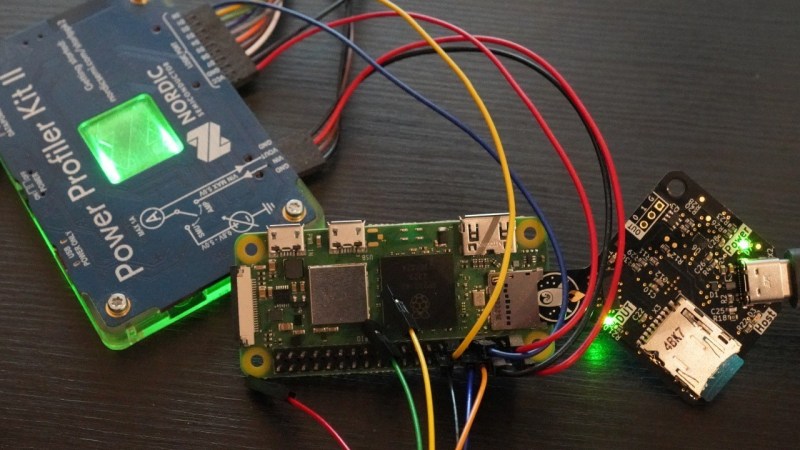
If you’ve ever designed a battery-powered device with a Pi Zero, you have no doubt looked into decreasing its power consumption. Generic advice, like disabling the HDMI interface and the onboard LED, is omnipresent, but [Manawyrm] from [Kittenlabs] goes beyond the surface-level, and gifts us an extensive write-up where every recommendation is backed with measurements. Armed with the Nordic Power Profiler kit and an SD card mux for quick experimentation, she aimed at two factors, boot time and power consumed while booting, and made sure to get all the debug information we could use.

Thanks to fast experimentation cycles and immediate feedback, we learn plenty of new things about what a Pi Zero does and when, and how we can tame various power-hungry aspects of its behavior. Disabling the GPU or its aspects like HDMI output, tweaking features like HAT and other peripheral probing, and even tactical overclocking during boot – it’s an extensive look at what makes a Pi Zero tick, and no chance for spreading baseless advice or myths.

All in all, this write-up helps you decrease the boot time from twelve seconds to just three seconds, and slash the power budget of the boot process by 80%. Some recommendations are as simple as config.txt entries, while others require you to recompile the kernel. No matter the amount of effort you can put into power optimization, you’ll certainly find things worth learning while following along, and [Manawyrm]’s effort in building her solar-powered Pi setup will help us all build better Pi-Zero-powered solar devices and handhelds.