The Silence Of The Fans

The good thing about using a server-grade machine as your desktop is having raw computing power at your fingertips. The downside is living next to a machine that sounds like a fleet of quadcopters taking off. Luckily, loud server fans can be replaced with quieter units if you know what you’re doing.

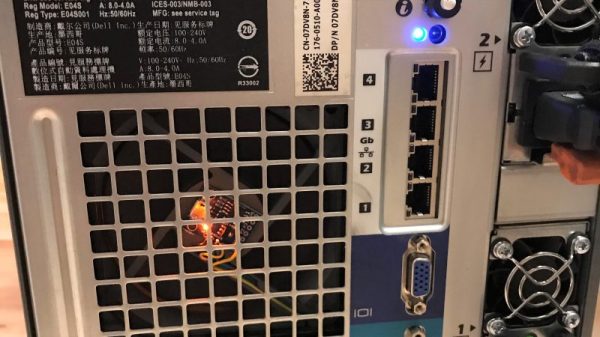
Servers are a breed apart from desktop-grade machines, and are designed around the fact that they’ll be installed in some kind of controlled environment. [Juan] made his Dell PowerEdge T710 tower server a better neighbor by probing the PWM signals to and from the stock Dell fans; he found that the motherboard is happy to just receive a fixed PWM signal that indicates the fans are running at top speed. Knowing this, [Juan] was able to spoof the feedback signal with an ATtiny85 and a single line of code. The noisy fans could then be swapped for desktop-grade fans; even running full-tilt, the new fans are quieter by far and still keep things cool inside.

But what to do with all those extra fans? Why not team them up with some lasers for a musical light show?

IOT Startup Bricks Customers Garage Door Intentionally

Internet of Things startup Garadget remotely bricked an unhappy customer’s WiFi garage door for giving a bad Amazon review and being rude to company reps. Garadget device owner [Robert Martin] found out the hard way how quickly the device can turn a door into a wall. After leaving a negative Amazon review, and starting a thread on Garadget’s support forum complaining the device didn’t work with his iPhone, Martin was banned from the forum until December 27, 2019 for his choice of words and was told his comments and bad Amazon review had convinced Garadget staff to ban his device from their servers.

The response was not what you would expect a community-funded startup. “Technically there is no bricking, though,” the rep replied. “No changes are made to the hardware or the firmware of the device, just denied use of company servers.” Tell that to [Robert] who can’t get into his garage.

This caused some discontent amoung other customers wondering if it was just a matter of time before more paying customers are subjected to this outlandish treatment. The Register asked Garadget’s founder [Denis Grisak] about the situation, his response is quoted below.

 It was a Bad PR Move, Martin has now had his server connection restored, and the IOT upstart has posted a public statement on the matter.– Garadget

This whole debacle brings us to the conclusion that the IoT boom has a lot of issues ahead that need to be straightened out especially when it comes to ethics and security. It’s bad enough to have to deal with the vagaries of IoT Security and companies who shut down their products because they’re just not making enough money. Now we have to worry about using “cloud” services because the people who own the little fluffy computers could just be jerks.

Bench Power Supply Uses Server Voltage Regulator

If you stuff a computer into a rack with a bunch of other machines, you’d better make it a tough machine. Server-grade means something, so using server parts in a project, like this high-wattage power supply using server voltage regulators, can take it to the next level of robustness.

But before [Andy Brown] could build this power supply, he had to reverse-engineer the modules. Based on what he learned, and armed with a data sheet for the modules, he designed a controller to take advantage of all the capabilities of them and ended up with a full-featured power supply. The modules are rated for 66 watts total dissipation at 3.3 volts and have a secondary 5-volt output. Using an ATmega328, [Andy] was able to control the module, provide a display for voltage and current, temperature sensing and fan control, and even a UART to allow data logging to a serial port. His design features mainly through-hole components to make the build accessible to everyone. A suitable case is yet to come, and we’re looking forward to seeing the finished product.

Can’t scrape together some of these modules on eBay? Or perhaps you prefer linear power supplies to switched- mode? No worries – here’s a super stable unregulated supply for you.

Continue reading “Bench Power Supply Uses Server Voltage Regulator”

Cheap Cat Feeder Enhances Sleep

We’ll admit it: we sometimes overcomplicate things. Look at [Peter Weissbrod’s] automated cat feeder, for example. It isn’t anything more than a bottle, a servo, some odds and ends, and an Arduino. However, it lets him sleep in without his cat waking him for service.

We looked at the code and thought, “This thing will just dispense food all the time! That’s not what you want!” Then we looked closer. [Peter] uses a common household timer to just turn the device on in the morning, let it run for a bit, and then turns it off. You can see a video of the mechanism, below.

Continue reading “Cheap Cat Feeder Enhances Sleep”

45-Year Old Nixie Calculator Turned UDP Server

In this beautiful and well-documented reverse engineering feat of strength, [Eric Cohen] reverse-engineered a 1971 Singer calculator to gain control of the fabulous Nixie tubes inside. Where a lesser hacker would have simply pulled the tubes out and put them in a more modern housing, [Eric] kept it all intact.

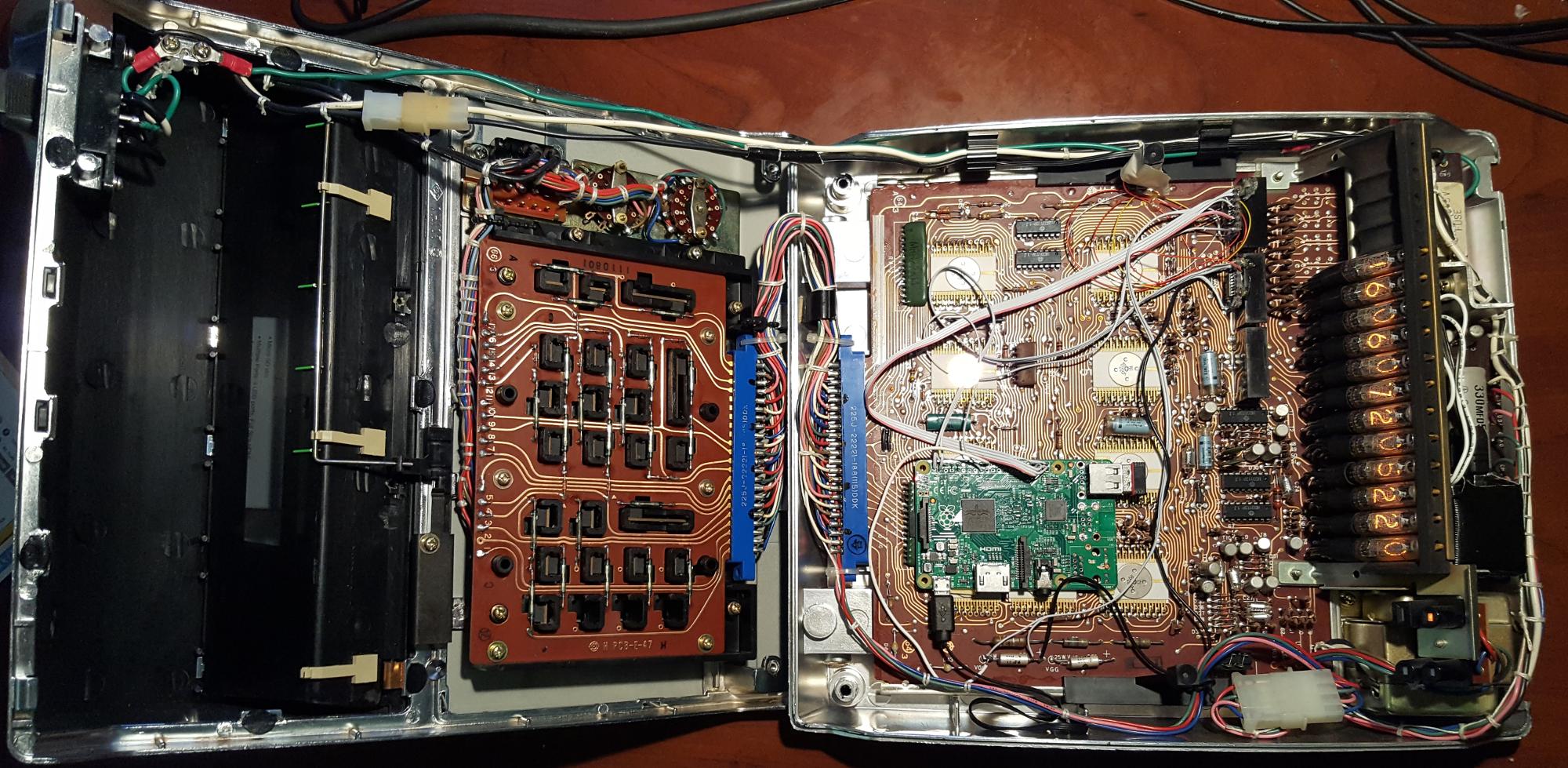
Not even content to gut the box and toss some modern brains inside, he snooped out the calculator’s internal wiring, interfaced a Raspberry Pi to it, and overrode the calculator’s (860 Hz) bus system. With the Pi on the inside, controlling the Nixie tubes, he did what any of us would do: set up a UDP server and write an Android app for his phone to push ASCII data over to the former calculator. When it’s not running in its default clock mode, naturally.

nixie-internals

All of this is extraordinarily well documented both on his website, in a slide presentation (PDF), and in video (embedded below). Our hats are tipped to the amazing attention to detail and fantastic documentation.

Now where is that Singer EC1117 calculator from 1971 that we’ve been saving for just such an occasion?

Continue reading “45-Year Old Nixie Calculator Turned UDP Server”

Transcend Wifi SD Card Is A Tiny Linux Server

[jamesone111] bought a Transcend WifiSD card, presumably for photography, but it may just have been because he heard that they’re actually tiny Linux servers.

He read a post about these cards on the OpenWRT forums. They’re all a similar configuration of a relatively large amount of memory (compared to the usual embedded computer), a WiFi chip, and an ARM processor running a tiny Linux install. The card acts as a WiFi access point with a little server running on it, and waits for the user to connect to it via a website. It also has a mode where it will connect to up to three access points specified by the user, but it doesn’t actually have a way to tell the user what its IP address is; which is kind of funny.

[jamesone111] hacked around with the Transcend card for a bit. He found it pretty insecure, which as long as you’re not a naked celebrity, shouldn’t be a huge issue. For the hacker this is great as it opens up the chance of hacking the firmware for other uses.

Some have already pulled off some cool hacks with these cards. For example, [peterburk] hacked a similar card by PQI to turn his iPod into a portable file server. 

Connect All Your IoT Through Your Pi 3

If you’re playing Hackaday Buzzword Bingo, today is your lucky day! Because not only does this article contain “Pi 3” and “IoT”, but we’re just about to type “ESP8266” and “home automation”. Check to see if you haven’t filled a row or something…

Seriously, though. If you’re running a home device network, and like us you’re running it totally insecurely, you might want to firewall that stuff off from the greater Interwebs at least, and probably any computers that you care about as well. The simplest way to do so is to keep your devices on their own WiFi network. That shiny Pi 3 you just bought has WiFi, and doesn’t use so much power that you’d mind leaving it on all the time.

Even if you’re not a Linux networking guru, [Phil Martin]’s tutorial on setting up the Raspberry Pi 3 as a WiFi access point should make it easy for you to use your Pi 3 as the hub of your IoT system’s WiFi. He even shows you how to configure it to forward your IoT network’s packets out to the real world over wired Ethernet, but if you can also use the Pi 3 as your central server, this may not even be necessary. Most of the IoT services that you’d want are available for the Pi.

Those who do want to open up to the world, you can easily set up a very strict firewall on the Pi that won’t interfere with your home’s normal WiFi. Here’s a quick guide to setting up iptables on the Pi, but using even friendlier software like Shorewall should also get the job done.

Still haven’t filled up your bingo card yet? “Arduino!”