The Simplest Quadrupedal Robot Ever

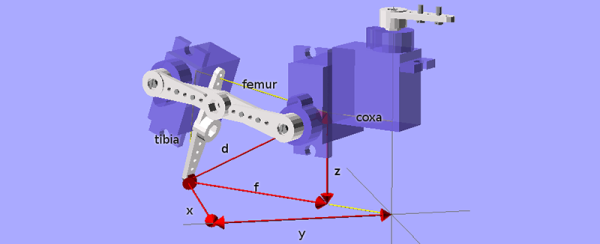
Wheeled and tracked robots are easy mode, and thanks to some helpful online tutorials for inverse kinematics, building quadruped, hexapod, and octopod robots is getting easier and easier. [deshipu] came up with what is probably the simplest quadruped robot ever. It’s designed to be a walking robot that’s as cheap and as simple to build as possible.

The biggest problem with walking robots is simply the frame. Where a wheeled robot is basically a model car, a walking robot needs legs, joints, and a sturdy frame to attach everything to. While there are laser cut hexapod frames out there, [deshipu]’s Tote robot uses servos for most of the skeleton. The servos are connected to each other by servo horns and screws.

The electronics are based on an Arduino Pro Mini, with a PCB for turning the Arduino’s pins into servo headers. Other than that, a 1000uF cap keeps brownouts from happening, and a 1S LiPo cell provides the power.

Electronics are easy, and the inverse kinematics and walking algorithms aren’t. For that, [deshipu] has a few tutorials for these topics. It’s a very complete guide to building a quadruped robot, but it’s still a work in progress. That’s okay, because [deshipu] says it will probably remain a work in progress until every kid on Earth builds one.

servo

Making Servos Spin Right Round Without Stopping

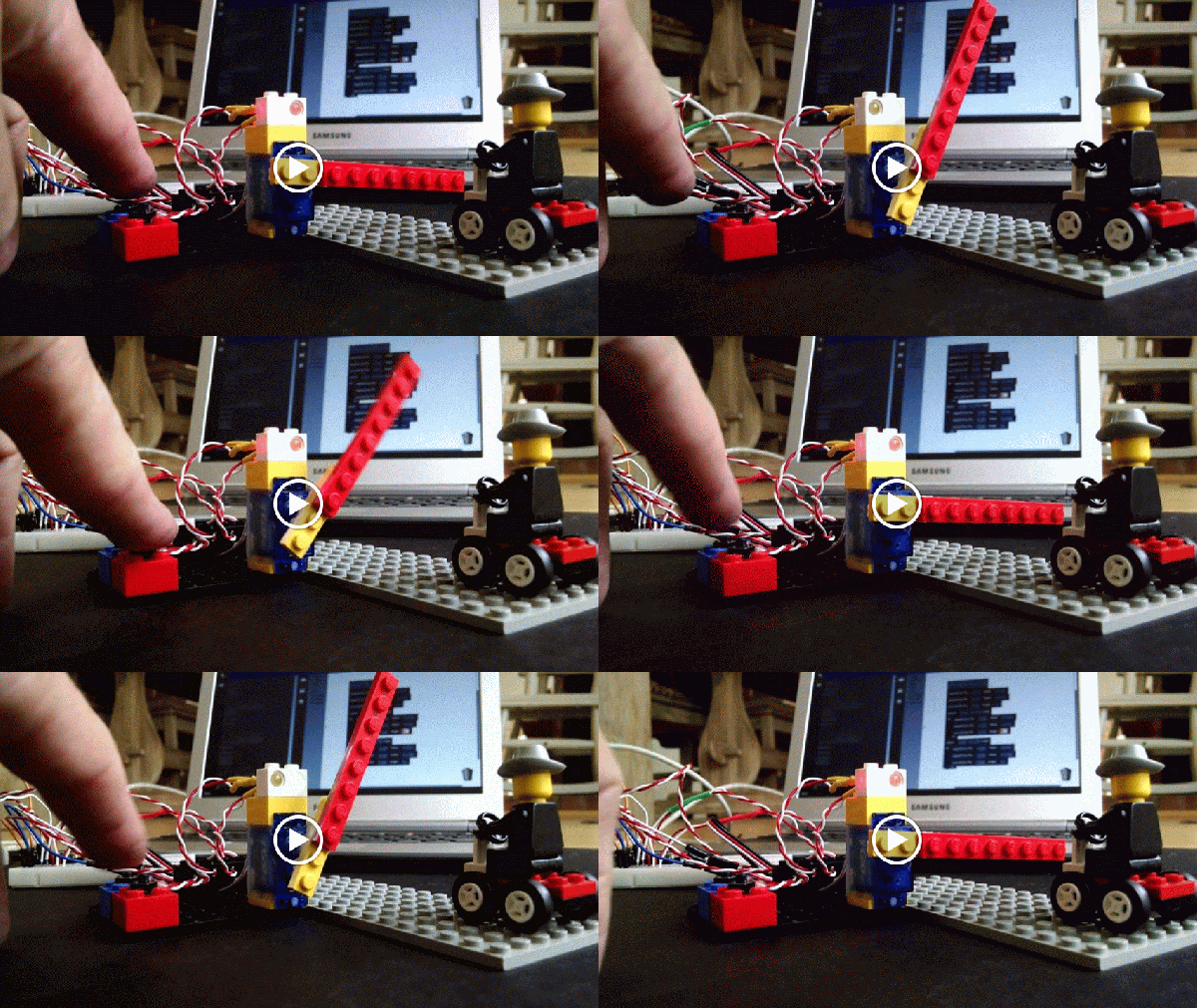
[Brian B] found a handful of servos at his local hackerspace, and like any good hacker worth his weight in 1N4001’s, he decided to improve upon their design. Most servos are configured to spin only so far – usually 180 degrees in either direction. [Brian B’s] hack makes them spin 360 degrees in continuous rotation (Internet Archive).

He starts off by removing the top most gear and making a small modification with a razor. Then he adds a little super glue to the potentiometer, and puts the thing back together again. A few lines of code and an Arduino confirms that the hack performs flawlessly.

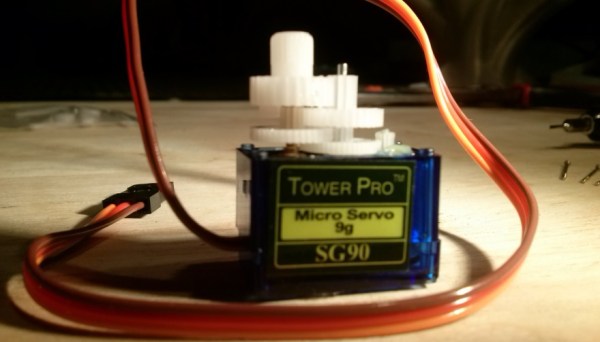
We’ve seen ways to modify other types of servos for 360 rotation. There’s a lot of servos out there, and every little bit of information helps. Be sure to check your parts bin for any Tower Pro SG90 9g servos and bookmark this article. It might come in handy on a rainy day.

Robotic Glockenspiel Crunches “Popcorn”

[James] sent us a video of his latest creation: a robotic glockenspiel that’s currently set up to play “Popcorn”. It uses eight servos to drive mallets that strike the tone bars with fast, crisp movements. The servos are driven with a 16-channel I²C servo driver and MIDI shield, which are in turn controlled with an Arduino Uno. The previous incarnation of his autoglockenspiel employed solenoids, dowels, and elastic bands.

[Gershon Kingsley]’s 1969 composition for synthesizer “Popcorn” has been covered by many artists over the years, though perhaps the most popular cut was [Hot Butter]’s 1972 release. Check it out after the break, and dig that lovely cable management. We’d love to see [James]’s autoglockenspiel play “Flight of the Bumblebee” next.

If you’re hungry for more electro-acoustic creations, have a gander at [Aaron Sherwood]’s Magnetophone.

Continue reading “Robotic Glockenspiel Crunches “Popcorn””

Fish Feeder

3D Printed Fish Feeder

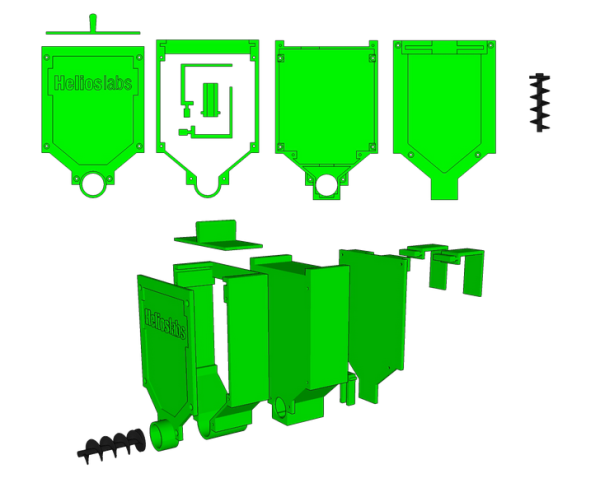
[Helios Labs] recently published version two of their 3D printed fish feeder. The system is designed to feed their fish twice a day. The design consists of nine separate STL files and can be mounted to a planter hanging above a fish tank in an aquaponics system. It probably wouldn’t take much to modify the design to work with a regular fish tank, though.

The system is very simple. The unit is primarily a box, or hopper, that holds the fish food. Towards the bottom is a 3D printed auger. The auger is super glued to the gear of a servo. The 9g servo is small and comes with internal limiters that only allow it to rotate about 180 degrees. The servo must be opened up and the limiters must be removed in order to enable a full 360 degree rotation. The servo is controlled by an Arduino, which can be mounted directly to the 3D printed case. The auger is designed in such a way as to prevent the fish food from accidentally entering the electronics compartment.

You might think that this project would use a real-time clock chip, or possibly interface with a computer to keep the time. Instead, the code simply feeds the fish one time as soon as it’s plugged in. Then it uses the “delay” function in order to wait a set period of time before feeding the fish a second time. In the example code this is set to 28,800,000 milliseconds, or eight hours. After feeding the fish a second time, the delay function is called again in order to wait until the original starting time.

Pac Man Clock

Pac-Man Clock Eats Time, Not Pellets

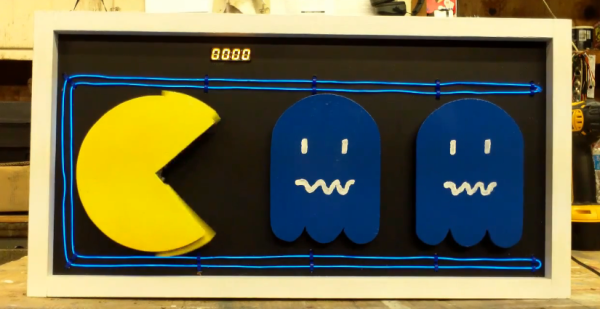
[Bob’s] Pac-Man clock is sure to appeal to the retro geek inside of us all. With a tiny display for the time, it’s clear that this project is more about the art piece than it is about keeping the time. Pac-Man periodically opens and closes his mouth at random intervals. The EL wire adds a nice glowing touch as well.

The project runs off of a Teensy 2.0. It’s a small and inexpensive microcontroller that’s compatible with Arduino. The Teensy uses an external real-time clock module to keep accurate time. It also connects to a seven segment display board via Serial. This kept the wiring simple and made the display easy to mount. The last major component is the servo. It’s just a standard servo, mounted to a customized 3D printed mounting bracket. When the servo rotates in one direction the mouth opens, and visa versa. The frame is also outlined with blue EL wire, giving that classic Pac-Man look a little something extra.

The physical clock itself is made almost entirely from wood. [Bob] is clearly a skilled wood worker as evidenced in the build video below. The Pac-Man and ghosts are all cut on a scroll saw, although [Bob] mentions that he would have 3D printed them if his printer was large enough. Many of the components are hot glued together. The electronics are also hot glued in place. This is often a convenient mounting solution because it’s relatively strong but only semi-permanent.

[Bob] mentions that he can’t have the EL wire and the servo running at the same time. If he tries this, the Teensy ends up “running haywire” after a few minutes. He’s looking for suggestions, so if you have one be sure to leave a comment. Continue reading “Pac-Man Clock Eats Time, Not Pellets”

Spline Thieving Makes Hobby Servos Even More Useful

For years the proprietary spline pattern of rc servos has been a dealbreaker for hobbyists who want to add custom shafts and gears to their servos. First, different servo sizes have different spline sizes, and each vendor equips their servos with different patterns. True, some special vendors sell custom gears that mate to these patterns, but, overall, the hard-to-replicate pattern has severely limited the output options for servos.

This pattern didn’t deter [JB], however. With some clever CAD skills, and two working implementations, he’s demonstrated that these spline patterns can be (1) harvested and (2) added into custom components, opening a new suite of design opportunities involving servos.

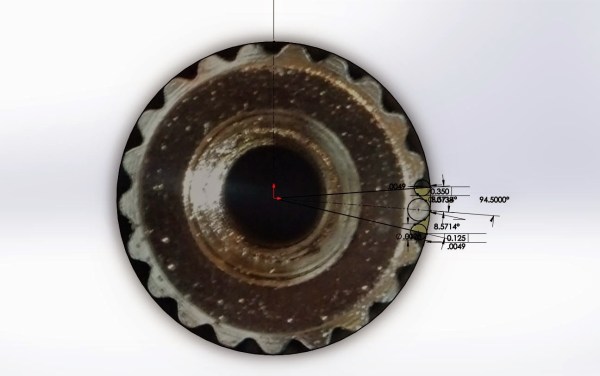
To capture the spline, [JB] imports an image into Solidworks, and traces the pattern on a properly scaled image. From there, he can embed this pattern directly into a physical model for fabrication.

To make parts that preserve this pattern, [JB] has two options. With his FormLabs printer, he can print components that already have the pattern feature, allowing him to press-fit custom links directly onto servos. Alternatively, for a sturdier component, he presents the milling method. With this technique, he drills a circle of bolt holes onto the desired output shaft and then mills out the center. From here, the shaft can also be directly pressed onto the servo spline where each spline groove fits snugly into the edge of the previously-drilled holes.

So, how well do they work? According to [JB] he’s actually managed to do some damage to himself before damaging to the 3D-printed part while trying to strip the pattern. The end-goal is to insert these shafts into transmissions for a miniature combat robot, another one of [JB’s] projects which is well-underway. Until then, we’re looking forward to seeing more servos tightly-integrated into upcoming projects.

ArduinoCamera

A Single Pixel Digital Camera With Arduino

[Jordan] managed to cobble together his own version of a low resolution digital camera using just a few components. The image generated is pretty low resolution and is only in grey scale, but it’s pretty impressive what can be done with some basic hardware.

The heart of the camera is the image sensor. Most consumer digital cameras have tons of tiny receptors all jammed into the sensor. This allows for a larger resolution image, capturing more detail in a smaller space. Unfortunately this also usually means a higher price tag. [Jordan’s] sensor includes just a single pixel. The sensor is really just an infrared photodiode inside of a tube. The diode is connected to an analog input pin on an Arduino. The sensor can be pointed at an object, and the Arduino can sense the brightness of that one point.

In order to compile an actual image, [Jordan] needs to obtain readings of multiple points. Most cameras do this using the large array of pixels. Since [Jordan’s] camera only has a single pixel, he has to move it around and take each reading one at a time. To accomplish this, the Arduino is hooked up to two servo motors. This allows the sensor to be aimed horizontally and vertically. The Arduino slowly scans the sensor in a grid, taking readings along the way. A Processing application then takes each reading and compiles the final image.

Since this camera compiles an image so slowly, it sometimes has a problem with varying brightness. [Jordan] noticed this issue when clouds would pass over while he was taking an image. To fix this problem, he added an ambient light sensor. The Arduino can detect the amount of overall ambient light and then adjust each reading to compensate. He says it’s not perfect but the results are still an improvement. Maybe next time he can try it in color.