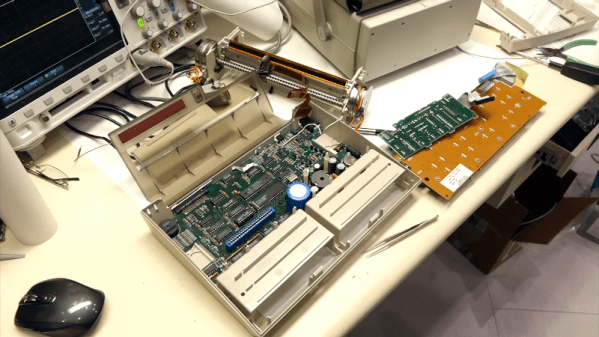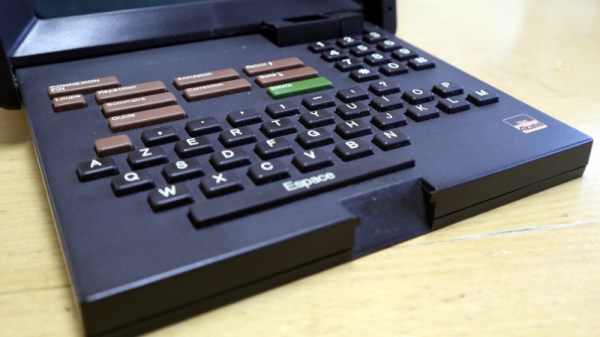
If you’ve ever used a real TeleType machine or seen a movie with a newsroom, you know that one TeleType makes a lot of noise and several make even more.[CuriousMarc] acquired the silent replacement, a real wonder of its day, the TI Silent 703. The $2,600 machine was portable if you think hauling a 25-pound suitcase around is portable. In 1971, it was definitely a step up.
The machine used a thermal printer, could have a built-in acoustic coupler for talking over the phone. You could also get a dual tape drive that acted like a mostly silent paper tape reader and punch.
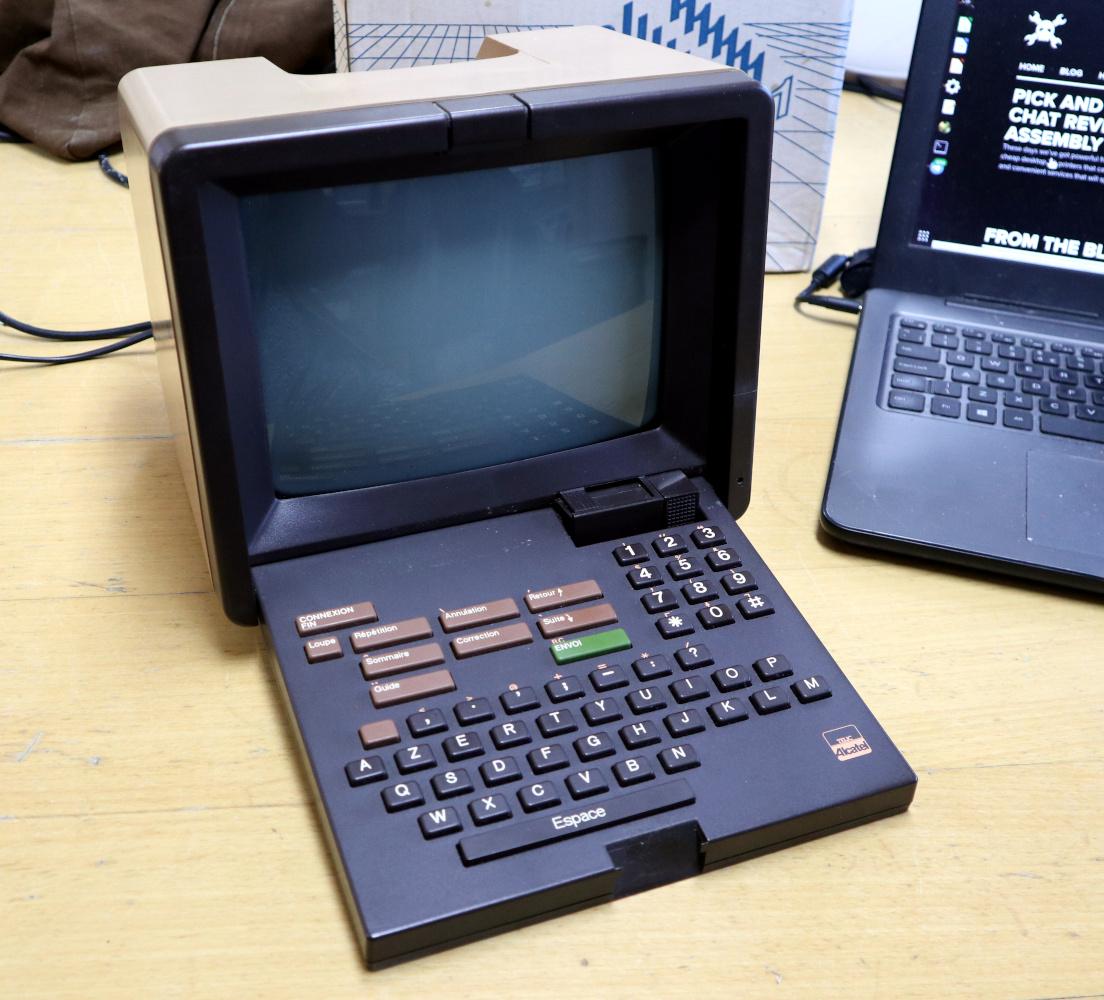
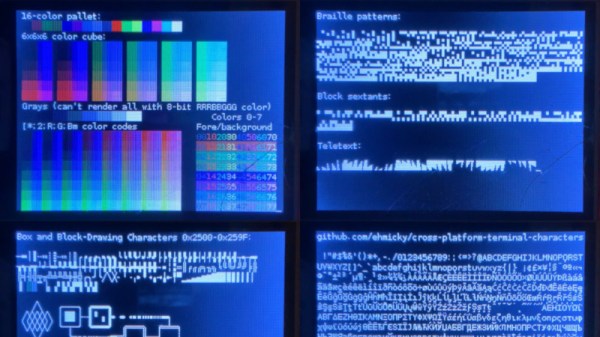
The job of a dumb terminal was originally to be a continuation of that performed by a paper teletype, to send text from its keyboard and display any it receives on its screen. But as the demands of computer systems extended beyond what mere ASCII could offer, their capabilities were extended with extra characters and graphical extensions whose descendants we see in today’s Unicode character sets and thus even in all those emojis on your mobile phone. Thus a fully-featured terminal has a host of semigraphics characters from which surprisingly non-textual output can be created. It’s something [Michael Rule] has done some work on, with his ILI9341TTY, a USB serial terminal monitor using an Arduino Uno and an ILI9341 LCD module that supports as many of the extended characters as possible.
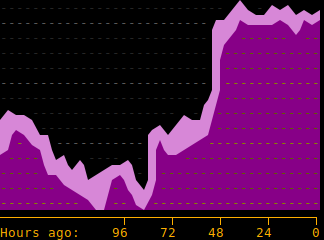
A graph, entirely in Unicode characters.
It’s fair to say that most of us who regularly use a terminal don’t go far beyond the ASCII, as it’s likely that a modern terminal will sit in a window over a desktop GUI. So even if you have little use for a hardware terminal monitor there’s still plenty of interest to be found in those rarely-seen character sets. Our favourite is probably the Symbols for Legacy Computing, an array of semigraphics characters that may be familiar to readers who have used an 8-bit home computer or two. He includes a graph example using these characters coloured with ANSI escape codes, and it’s certainly not what you expect from a terminal.
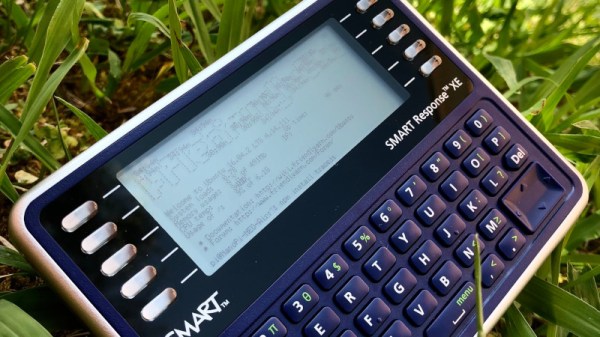
The SMART Response XE is a handheld computer that was originally sold for use in the classroom as a terminal for pupils taking tests. It’s now cheap enough on the surplus market to have become a target for experimenters, and we’ve seen them with a variety of cool hacks. We particularly like what [chmod775] has done with it, putting a VT100 terminal emulator on the device and hiding a NanoPi Neo Air single board computer in the battery bay. Powered from a USB battery bank, it gives a fully-featured Linux terminal in the palm of the hand. We see it running an Ubuntu LTS version, and it’s clear that it’s a functional and usable device.
This raises a more abstract question though: We’d guess comparatively few of us write software through an old-style dumb terminal, instead we’re more likely to get our terminal experience at a much more accomplished command line with all the conveniences of a modern desktop surrounding it. How many of us could comfortably return to the limited confines of a VT100 emulator on an odd-sized LCD display? We’d be interested to hear [chmod755]’s experiences using it, because if it retains usability it’s a device we wouldn’t mind having ourselves.
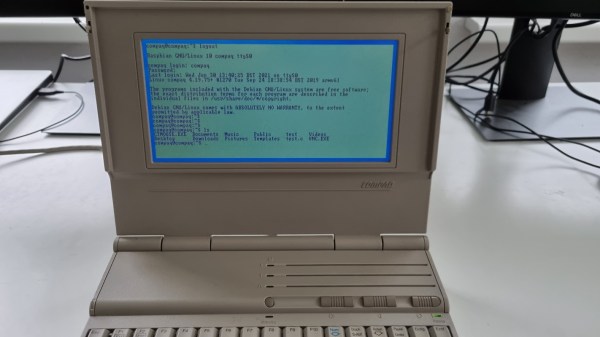
A common example of the sheer amount of computing power available to almost anyone today is comparing a smartphone to the Apollo guidance computer. This classic computer was the first to use integrated circuits so it’s fairly obvious that most modern technology would be orders of magnitude more powerful, but we don’t need to go back to the 1960s to see this disparity. Simply going back to 1989 and getting a Compaq laptop from that era running again, while using a Raspberry Pi Zero to help it along, illustrates this point well enough.
[befinitiv] was able to get a Raspberry Pi installed inside of the original computer case, and didn’t simply connect the original keyboard and display and then call it a completed build. The original 286 processor is connected to the Pi with a serial link, so both devices can communicate with each other. Booting up the computer into DOS and running a small piece of software allows the computer into a Linux terminal emulator hosted on the Raspberry Pi. The terminal can be exited and the computer will return back to its original DOS setup. This also helps to bypass the floppy disk drive for transferring files to the 286 as well, since files can be retrieved wirelessly on the Pi and then sent to the 286.
This is quite an interesting mashup of new and old technology, and with the Pi being around two orders of magnitude more powerful than the 286 and wedged into vacant space inside the original case, [befinitiv] points out that this amalgamation of computers is “borderline useful”. It’s certainly an upgrade for the Compaq, and for others attempting to get ancient hardware on the internet, don’t forget that you can always use hardware like this to access Hackaday’s retro site.
It’s hard to look at today as anything but the golden age of computing. Even entry level machines have quad-core processors and a terabyte or more of storage space, to say nothing of the incredible amount of tech packed into the modern smartphone. But even so, there’s something to be said for the elegant simplicity of early desktop computers.
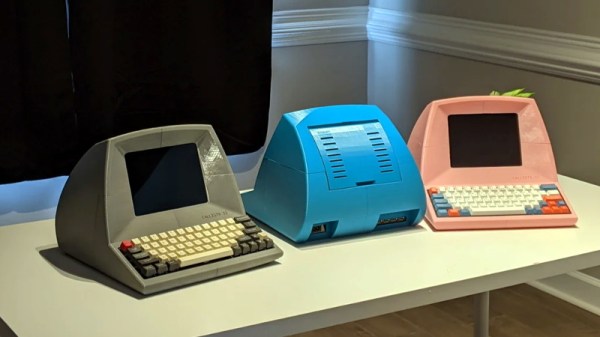
Looking to recreate the feeling of those bygone days, [Pigeonaut] created the Callisto II. Its entirely 3D printed case snaps together without glue or screws, making it easy to assemble, and the parts have been sized so they’ll be printable even on smaller machines like the Prusa Mini. Inside you’ll find a 1024×768 Pimoroni HDMI 8″ IPS LCD, 60% mechanical keyboard, four-port USB 3 hub, Raspberry Pi 4, and a 22 watt USB power supply to run it all.
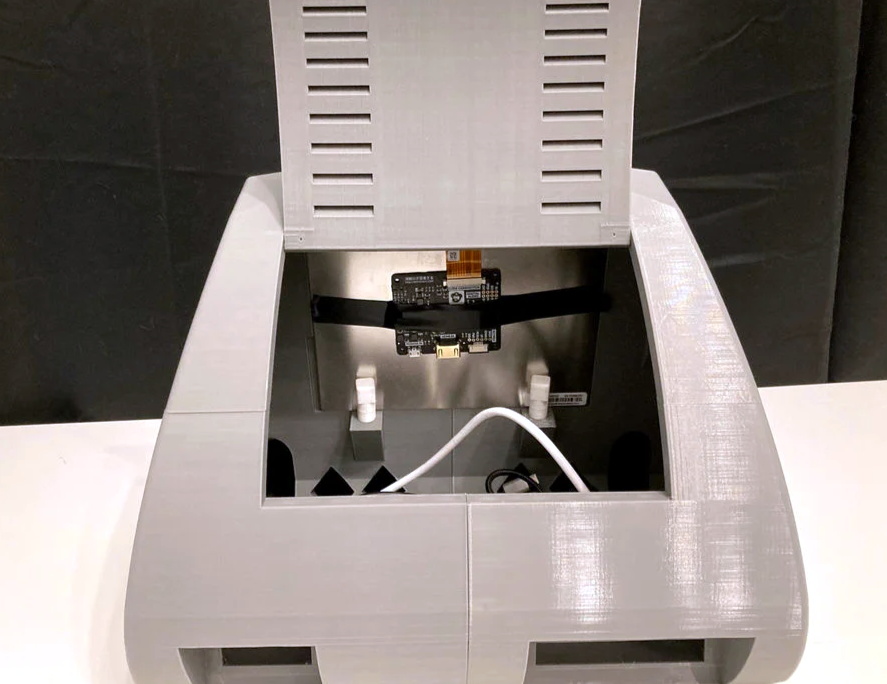
The internal components can be easily accessed with the hatch on the rear of the case, and there’s plenty of room inside to add new hardware should you want to toss in a hard drive or even swap out the Pi for a different single-board computer.
Incidentally the II suffix isn’t just part of the meme, there really was a Callisto before this one. We covered the earlier machine back in 2019, and while we’re a bit sad to see that the functional 3.5 inch floppy drive has been deleted, we can’t deny the overall aesthetics have been greatly improved in the latest version.
[Carsten] spent over a year developing a small CPU system, implementing his own minimalist instruction set entirely in TTL logic. The system uses a serial terminal interface for all I/O, hence the term UART in the title. [Carsten] began building this computer on multiple breadboards, which quickly got out of hand.
He moved the design over to a PCB, but he was still restless. This latest revision replaces EEPROM with cheaper and easier to use CMOS Flash chips, and the OS gains a small file system manager. As he says in the video, his enemy is feature creep.
Tetris on the UART Computer
In addition to designing this CPU project, [Carsten] built an assembler and wrote a substantial operating system and various demo programs and games. He not only learned KiCAD to make this board, but also taught himself to use an auto-router. The KiCAD design, Gerbers, and BOM are all provided in his repository above. ROM images and source code are provided, as well as a Windows cross-assembler. But wait – there’s more. He also wrote a cycle exact emulator of the CPU, which, as he rightfully brags, comes in at under 250 lines of C++ code. This whole project is an amazing undertaking and represents a lot of good work. We hope he will eventually release the assembler project as well, in case others want to take on the challenge of building it to run under Linux or MacOS. Despite this, the documentation of the Minimal UART Computer is excellent.
[Carsten] claims the project has finally passed the finish line of his design requirements, but we wonder, will he really stop here? Do check out his YouTube channel for further informative videos. And thanks to [Bruce] for sending in the tip.
One thing some of us here in the United States have always been jealous of is the WAGO connectors that seem so common in electrical wiring everywhere else in the world. We often wonder why the electrical trades here haven’t adopted them more widely — after all, they’re faster to use than traditional wire nuts, and time is money on the job site.
This print-in-place electrical connector is inspired by the WAGO connectors, specifically their Lever Nut series. We’ll be clear right up front that [Tomáš “Harvie” Mudruňka’s] connector is more of an homage to the commercially available units, and should not be used for critical applications. Plus, as a 3D-printed part, it would be hard to compete with something optimized to be manufactured in the millions. But the idea is pretty slick. The print-in-place part has a vaguely heart-shaped cage with a lever arm trapped inside it.
After printing and freeing the lever arm, a small piece of 1.3-mm (16 AWG) solid copper wire is inserted into a groove. The wire acts as a busbar against which the lever arm squeezes conductors. The lever cams into a groove on the opposite wall of the cage, making a strong physical and electrical connection. The video below shows the connectors being built and tested.