Those of you who were regular office dwellers before the pandemic: do you miss being with your coworkers at all? Maybe just a couple of them? There’s only so much fun you can have through a chat window or a videoconference. Even if you all happen to be musicians with instruments at the ready, your jam will likely be soured by latency issues.
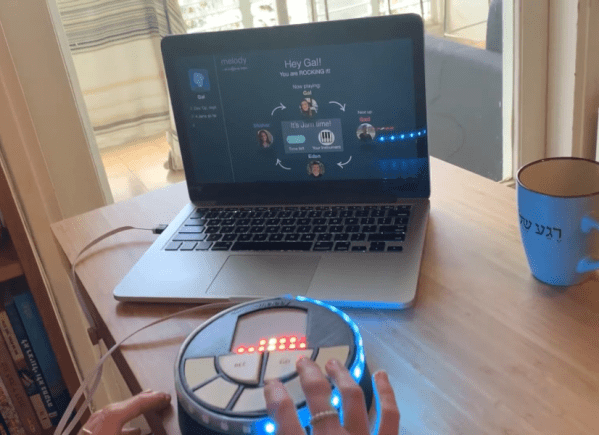
[Eden Bar-Tov] and some fellow students had a better idea for breaking up the work-from-home monotony — a collaborative sequencer built for 2020 and beyond. Instead of everyone mashing buttons at once and hoping for the best, the group takes turns building up a melody. Each person is assigned a random instrument at the beginning, and the first to go is responsible for laying down the beat.
Inside each music box is an ESP8266 that communicates with a NodeRed server over MQTT, sending each melody as a string of digits. Before each person’s turn begins, the LED matrix shows a three second countdown, and then scrolls the current state of the song. Your turn is over when the LED strip around the edge goes crazy.
Music can be frustrating if you don’t know what you’re doing, but this instrument is built with the non-musician in mind. There are only five possible notes to play, and they’re always from the same scale to avoid dissonance. Loops are always in 4/4, which makes things easy. Players don’t even have to worry about staying in time, because their contributions are automatically matched to the beat. Check it out after the break.
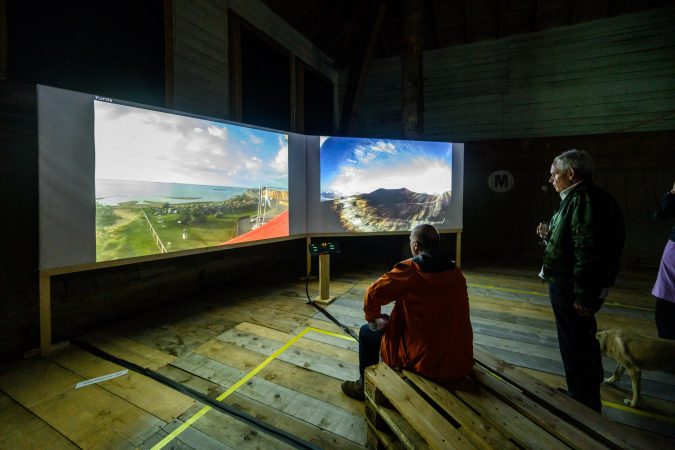
Sunrises and sunsets hardly ever disappoint. Still, it’s difficult to justify waking up early enough to catch one, or to stop what you’re doing in the evening just to watch the dying light. If there’s one good thing about CCTV cameras, it’s that some of them are positioned to catch a lovely view of one of the two, and a great many of them aren’t locked down at all.
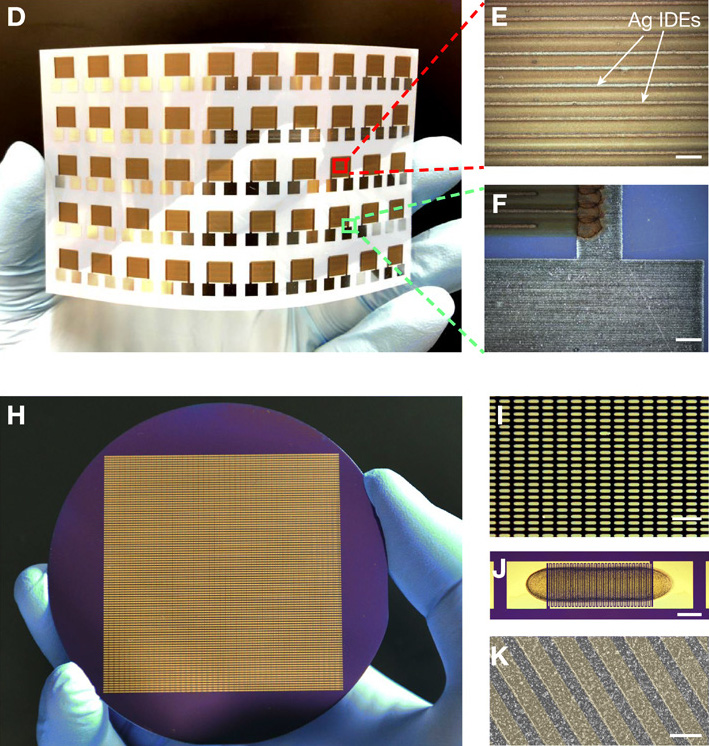
If you’ve ever sloshed coffee out of your mug and watched the tiny particles scurry to the edges of the puddle, then you’ve witnessed a genuine mystery of fluid mechanics called the coffee ring effect. The same phenomenon happens with spilled wine, and with functional inks like graphene.
Graphene and other 2D crystals print much better under the influence of alcohol.
The coffee ring effect makes it difficult to print graphene and similar materials onto silicon wafers, plastics, and other hard surfaces because of this drying problem. There are already a few commercial options that can be used to combat the coffee ring effect, but they’re all polymers and surfactants that negatively affect the electronic properties of graphene.
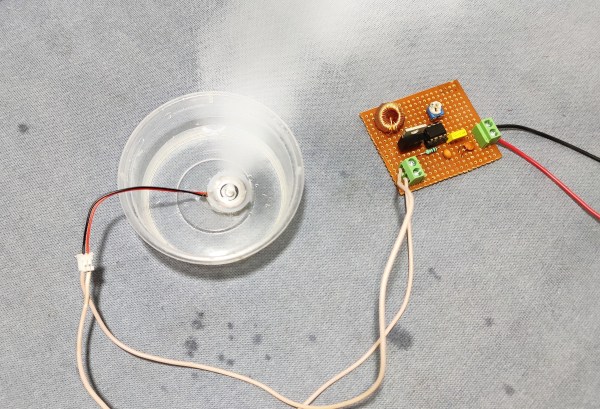
Some cool-mist humidifiers work by flinging water at a vaporizer, but our favorite kind uses a piezoelectric transducer. These work by using high-frequency sound waves to pound the surface of the water with mechanical energy. That energy introduces standing waves that force the water to break apart into a fine mist on the surface of the piezo disk.
The driving circuit for this DIY mist maker uses a 555 to generate 113 KHz, a trimmer potentiometer to fine-tune it, and a MOSFET to amplify the signal. You don’t need much more than that and a handful of passives to recreate this cool junk box experiment, but the spec of the piezo disk is quite important. The circuit is designed for atomizing transducers, which have a resonant frequency of 113 KHz — much higher than your average junk box piezo. Check out the demo and build video after the break.
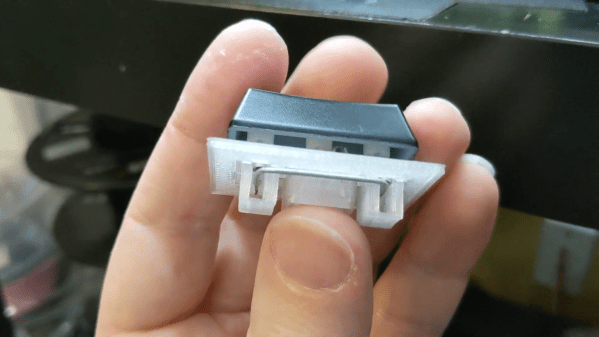
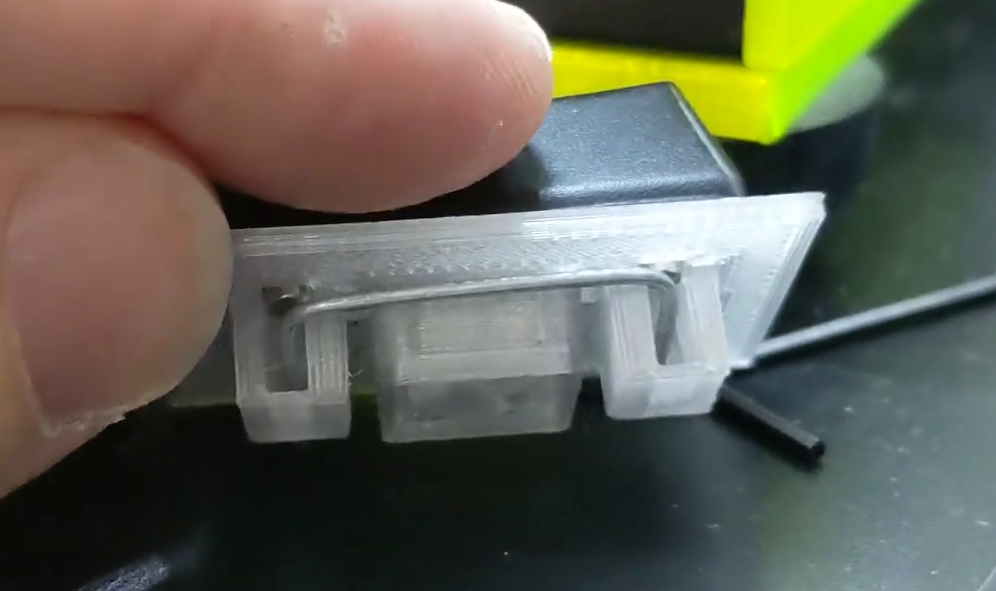
Keyboard key stabilizers, or stabs as they’re known in enthusiast circles, do exactly what you’d expect — they stabilize longer keys like the Shifts and the space bar so that they don’t have to be struck dead-center to actuate evenly. Stabs work by flanking the key switch with two non-functional switch actuators linked with a thick wire bar. Some people love stabs and insist on stabilizing every key that’s bigger than 1u, while other people think stabs are more trouble than they’re worth for various reasons, like rattling.
Although the print is an easy one, [Riskable] says the design process wasn’t as cut and dried as it seems. The center points of the stabilizer stems aren’t supposed to be in the center of cutouts, even though it looks that way to the naked eye. After that, the pain point has shifted to the wire, and getting it as straight as possible before making the necessary bends. [Riskable] is going to make a straightener to help out, and we suggest something like this one.
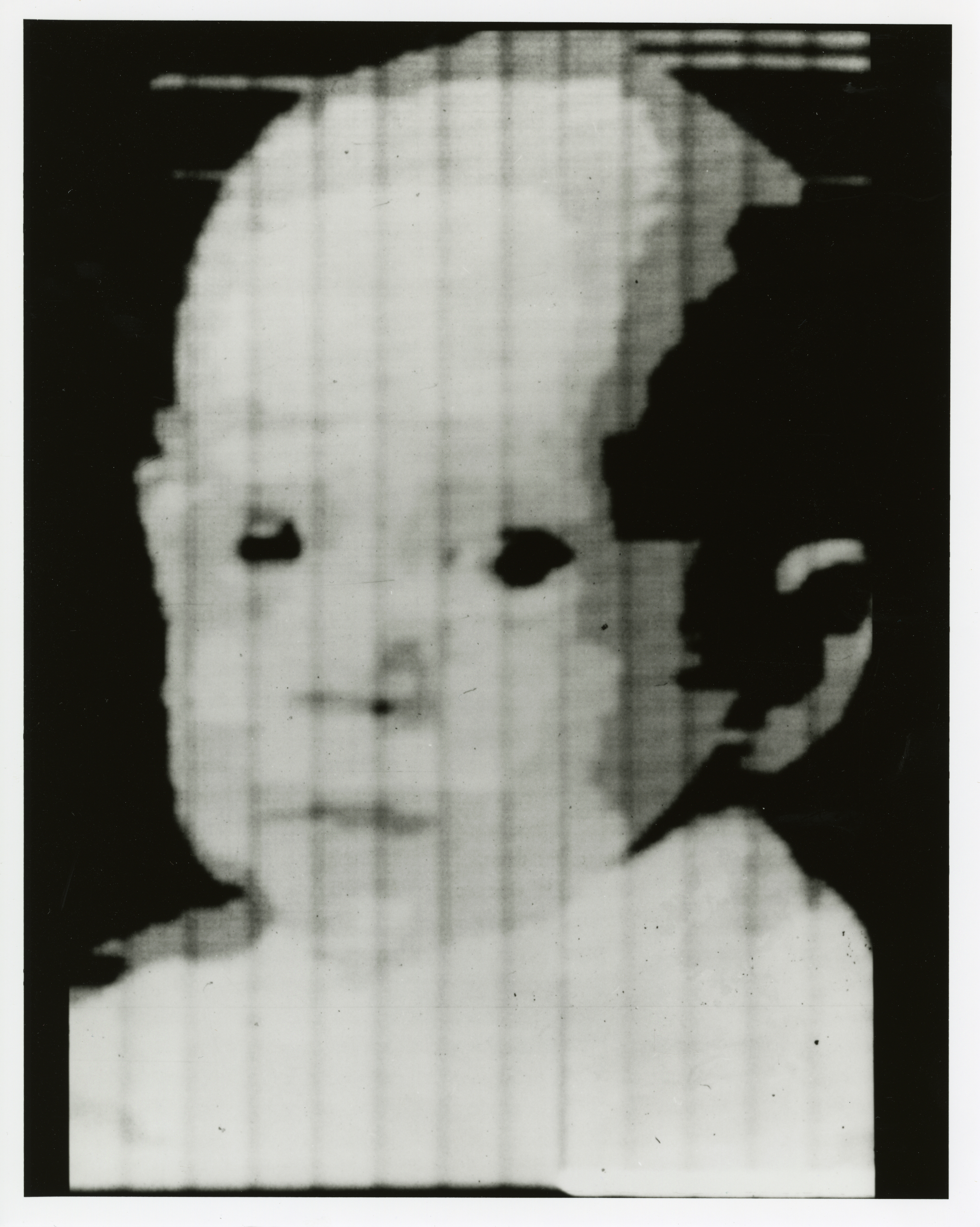
It’s true what they say — you never know what you can do until you try. Russell Kirsch, who developed the first digital image scanner and subsequently invented the pixel, was a firm believer in this axiom. And if Russell had never tried to get a picture of his three-month-old son into a computer back in 1957, you might be reading Hackaday in print right now. Russell’s work laid the foundation for the algorithms and storage methods that make digital imaging what it is today.
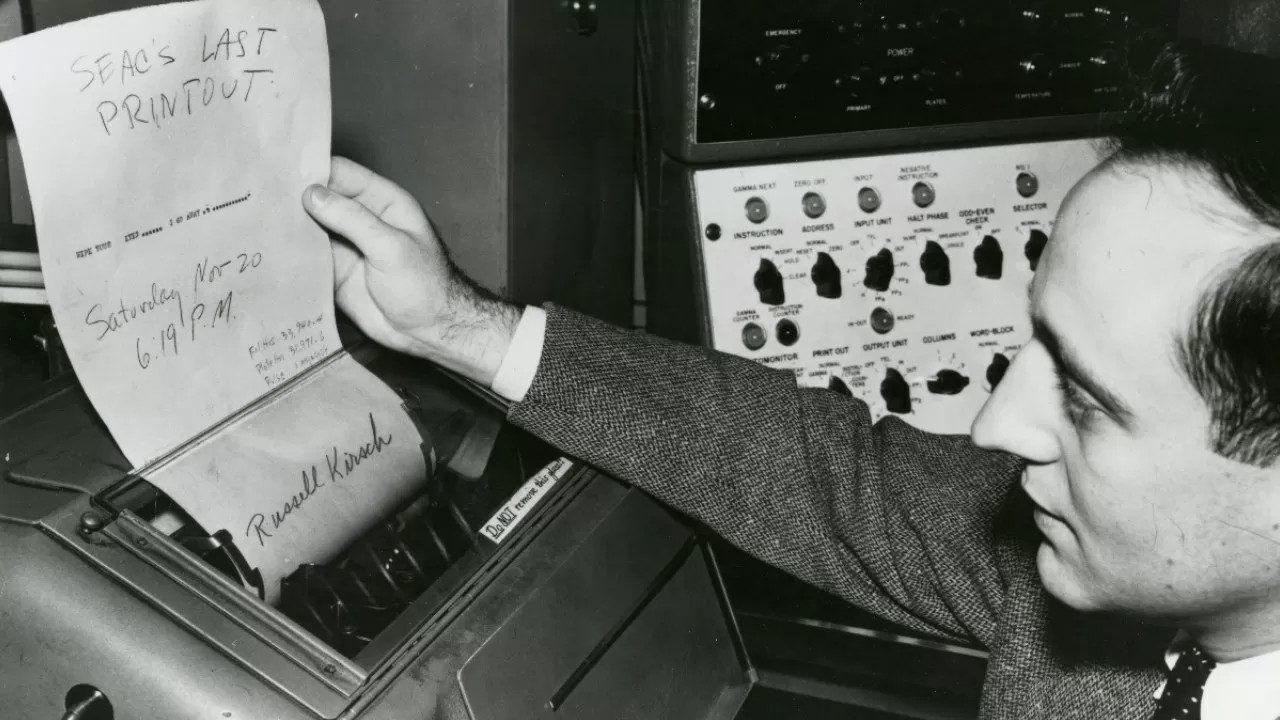
Russell reads SEAC’s last printout. Image via TechSpot
Russell A. Kirsch was born June 20, 1929 in New York City, the son of Russian and Hungarian immigrants. He got quite an education, beginning at Bronx High School of Science. Then he earned a bachelor’s of Electrical Engineering at NYU, a Master of Science from Harvard, and attended American University and MIT.
In 1951, Russell went to work for the National Bureau of Standards, now known as the National Institutes of Science and Technology (NIST). He spent nearly 50 years at NIST, and started out by working with one of the first programmable computers in America known as SEAC (Standards Eastern Automatic Computer). This room-sized computer built in 1950 was developed as an interim solution for the Census Bureau to do research (PDF).
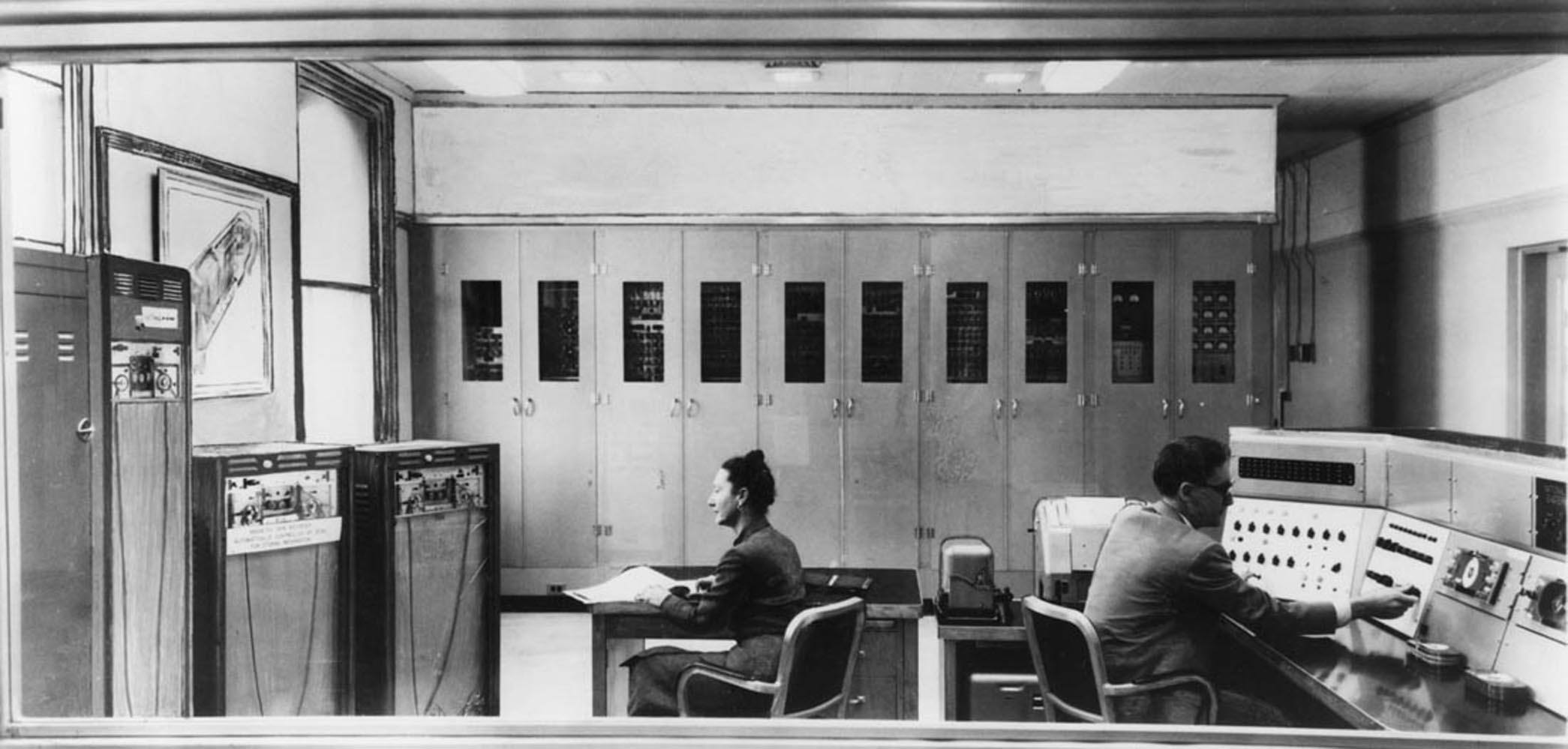
Standards Eastern Automatic Computer (SEAC) was the first programmable computer in the United States. Credit: NIST via Wikimedia
Like the other computers of its time, SEAC spoke the language of punch cards, mercury memory, and wire storage. Russell Kirsch and his team were tasked with finding a way to feed pictorial data into the machine without any prior processing. Since the computer was supposed to be temporary, its use wasn’t as tightly controlled as other computers. Although it ran 24/7 and got plenty of use, SEAC was more accessible than other computers, which allowed time for bleeding edge experimentation. NIST ended up keeping SEAC around for the next thirteen years, until 1963.
The Original Pixel Pusher
This photo of Russell’s son Walden is the first digitized image. Public Domain via Wikimedia
The term ‘pixel’ is a shortened portmanteau of picture element. Technically speaking, pixels are the unit of length for digital imaging. Pixels are building blocks for anything that can be displayed on a computer screen, so they’re kind of the first addressable blinkenlights.
As the drum slowly rotated, a photo-multiplier moved back and forth, scanning the image through a square viewing hole in the wall of a box. The tube digitized the picture by transmitting ones and zeros to SEAC that described what it saw through the square viewing hole — 1 for white, and 0 for black. The digital image of Walden is 76 x 76 pixels, which was the maximum allowed by SEAC.
In in the video below, Russell discusses the idea and proves that variable pixels make a better image with more information than square pixels do, and with significantly fewer pixels overall. It takes some finagling, as pixel pairs of triangles and rectangles must be carefully chosen, rotated, and mixed together to best represent the image, but the image quality is definitely worth the effort. Following that is a video of Russell discussing SEAC’s hardware.
Russell retired from NIST in 2001 and moved to Portland, Oregon. As of 2012, he could be found in the occasional coffeehouse, discussing technology with anyone he could engage. Unfortunately, Russell developed Alzheimer’s and died from complications on August 11, 2020. He was 91 years old.
We would be preaching to the choir if we told you that fear is the action killer when it comes to the challenge of new projects in uncharted territory. Everyone who reads Hackaday knows that it takes mettle to forge through the self-doubt as we push ourselves to new engineering heights.
[JBV Creative] hears the voice, too: the one that says you can’t build that thing, it’s too difficult/useless. He knows that both creativity and anti-creativity stem from the same source — the powerful human mind that dreams up these projects in the first place.
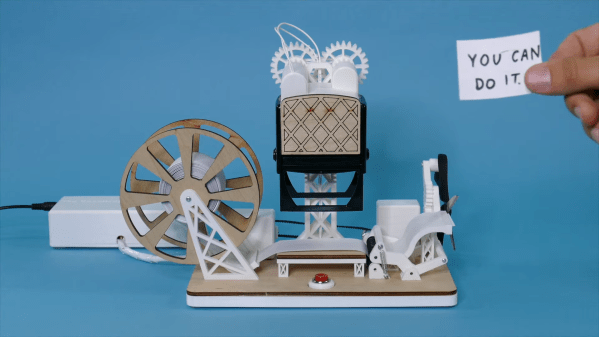
The Encouragement Machine combines the two in a piece that engineers art from garbage, aka negative thoughts. It works by first acknowledging the most basal of discouraging thoughts — an important step of the process — and then it simply trims away the negativity.
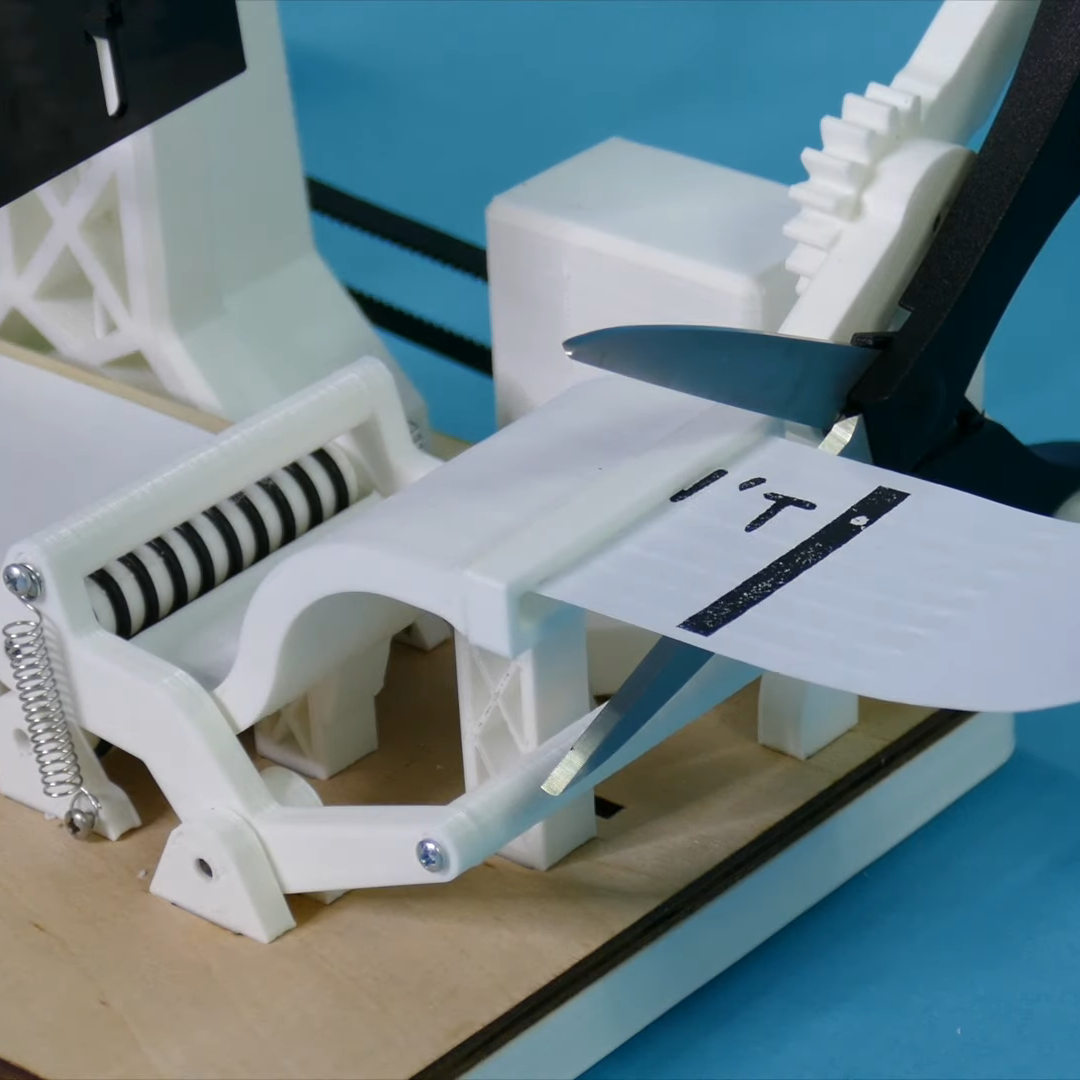
This machine uses a stepper motor to feed receipt paper underneath a custom stamp that says YOU CAN’T DO IT. Then it passes the paper through a pair of servo-driven scissors that snip off the apostrophe-t.
Ironically or not, [JBV Creative] ran into a few issues with this build, but managed to muster up enough moxie to work through the problems without encouraging slips of paper. We have to wonder how much more smoothly the next project will go given all the positivity he now has on-demand.
[JBV] doesn’t delve into the electronics much, but it looks like an Arduino and a motor driver to us. We totally dig the design — it looks like an electrical substation or rocket launch pad that happens to have a Ferris wheel. Step right up and check out the build video after the break.