An Open Source Game Boy Printer That Doesn’t Print

While we’ll admit seeing your Game Boy Camera shots come out on a little slip of thermal paper was pretty neat back in 1998, anyone who’s still using the Game Boy Printer these days is probably more interested in getting their images in digital form. Which is why the open source NeoGB Printer is so exciting.

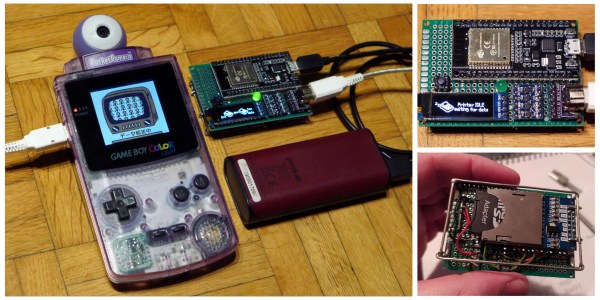
A collaborative effort between [Rafael Zenaro], [Raphaël BOICHOT], and [Brian Khuu], the project combines an ESP32 development board and some common components with their GPLv3 firmware to fully emulate the Game Boy Printer hardware. Once plugged into your Game Boy, any of the 110 titles that support Nintendo’s paper-pushing peripheral will recognize the NeoGB Printer as the real deal and happily send along the image.
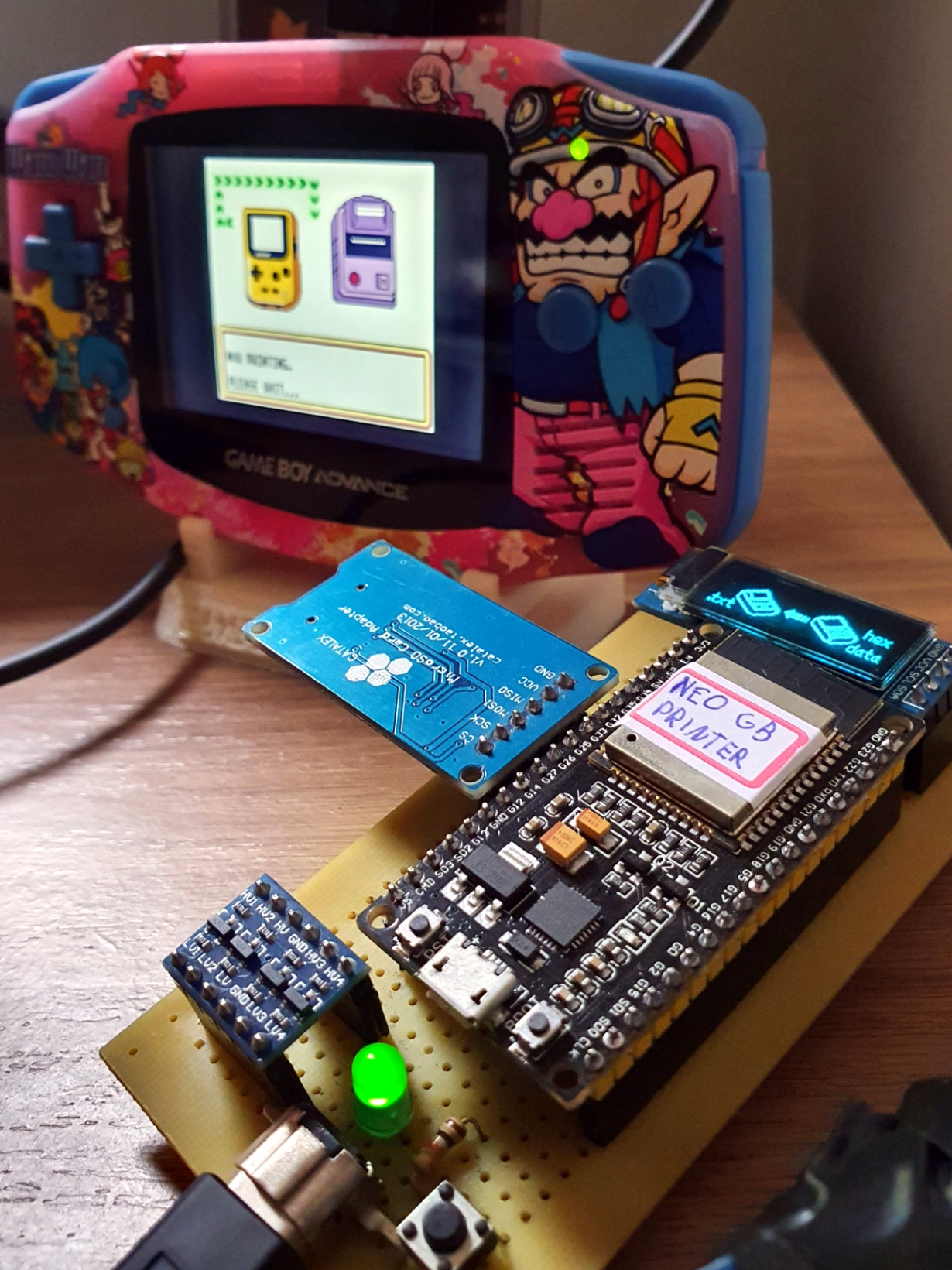
But rather than committing it to paper, the NeoGB Printer saves the image to an SD card. From there, you can put the card in your computer and do whatever you wish with the captured files. Incidentally, it turns out there’s already a commercial gadget on the market that does something very similar, but this DIY approach comes well under its $99 USD price tag. In fact, if you’ve got a Game Boy Link Cable you don’t mind cutting up, you’ve probably got everything you need to pull this off in the parts bin right now.

We particularly like how the team has went out of their way to support different hardware configurations for the NeoGB Printer. If you want to go all out and add status LEDs and an OLED display, go for it. But if you just plan on using the thing once to grab a copy of the Pokémon diploma you earned 20 years ago, then you can skip the bells and whistles.

If you’re only worried about getting your snaps out of the Game Boy Camera, we’ve covered projects that will extract them directly from the cartridge. But this approach certainly has its appeal, as works with a much wider variety of games. We’re glad this project exists, as it means a whole new generation can explore all the wacky ways developers came up with to utilize the Game Boy Printer back in the day.
Refining The Greatest Joystick Of The 1980s

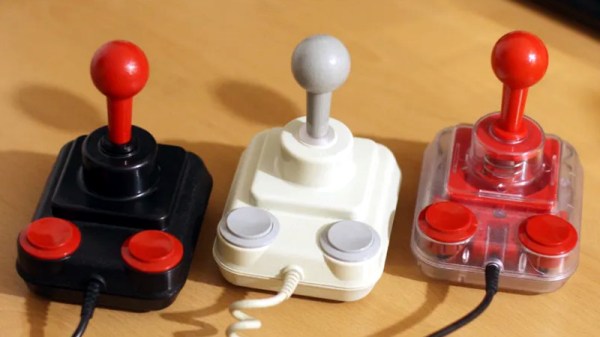
The Competition Pro joystick is often considered to be the pinnacle of input devices, at least as far as the 1980s gaming goes. But the design isn’t perfect, and time hasn’t been kind to certain aspects of its mechanism. For example, the large rubber disc used to keep the stick centered on early generations of the hardware will invariably be hardened up on any surviving specimens. Looking to return these classic controllers to their former glory, and then some, [mageb] has released a number of 3D printed modifications for the Competition Pro that should be of great interest to the vintage gamer.

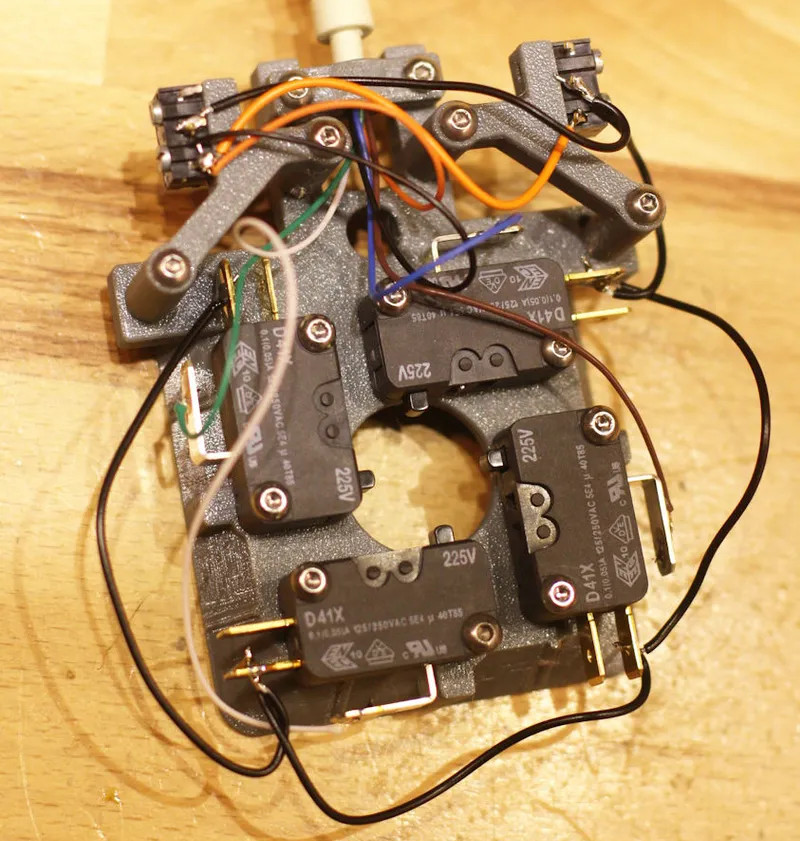
The new microswitches

First and foremost is the deletion of the original rubber disc for a new spring mechanism. Even if this is the only modification you do, [mageb] says you’ll already have a better and longer-lasting joystick to show for it. But if you want to continue with the full rebuild, be aware that there’s no going back to stock. Once you start cutting the original parts, you’re committed to taking it all the way.

Assuming you’re not afraid to get your hands dirty, the next step is cutting the metal contacts from the bottom of the face buttons so they’ll work with the new microswitch array he’s designed. Each button gets its switch, and four handle movement of the joystick. You can try out different switches to adjust the feel of the joystick, but [mageb] assures us that he’s already done the research and put the best quality switches in the bill of materials.

The end result is a Competition Pro joystick that looks more or less the same from the outside, but is considerably improved internally. That’s always a win in our books, though we’re sure somebody out there is going to get mad that the brittle old rubber disc wasn’t sent to the Smithsonian.

ESP32 Clock Pushes Outrun Graphics Over Composite

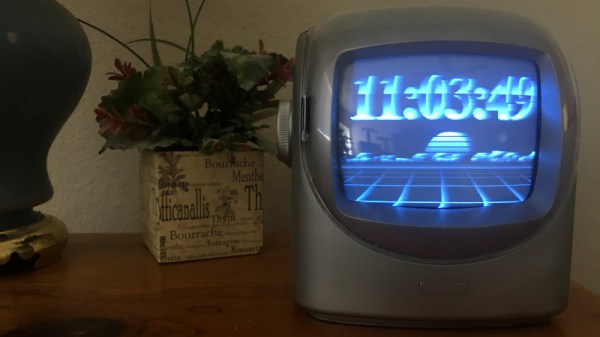
We’ve covered plenty of clocks powered by the ESP32, but this one from [Marcio Teixeira] is really something special. Rather than driving a traditional physical display, the microcontroller is instead generating a composite video signal of an animated digital clock. This could be fed into whatever device you wish, but given the 80’s synthwave style it’s pumping out, you’ll probably want to find a suitably retro CRT to do it justice.

Specifically this is a variant of the “Dali” clock, where each digit seems to melt and morph into its successor. Though his version doesn’t necessarily share code with all the previous iterations, [Marcio] does credit the developers who have pulled off similar visual tricks going all the way back to 1979. Given the vintage of this particular animation, the neon skyline and infinite scrolling grid certainly feel like a perfect fit.

Want to add a little vaporwave vibe to your own workbench? Assuming you’ve already got a 80s style CRT, all you need is an ESP32 and two wires stuck into the composite video port. One goes to ground, and the other goes to the chip’s analog pin. Once everything is powered up, you’ll be able to configure the clock with a web-based interface. It doesn’t get much easier than that.

In the documentation, [Marcio] calls out a few open source projects which were instrumental to getting his clock off the ground. The pioneering work [bitluni] did to get video out of the ESP32 is something of a given, but he also sends a hat tip to [rossumur] for his collection of 8-bit game console emulators written for the microcontroller. Projects like this are a fantastic example of what’s possible when a community works together to truly push the envelope.

Continue reading “ESP32 Clock Pushes Outrun Graphics Over Composite”

Turning Old Masks Into 3D Printer Filament

Disposable masks have been a necessity during the COVID-19 pandemic, but for all the good they’ve done, their disposal represents a monumental ecological challenge that has largely been ignored in favor of more immediate concerns. What exactly are we supposed to do with the hundreds of billions of masks that are used once or twice and then thrown away?

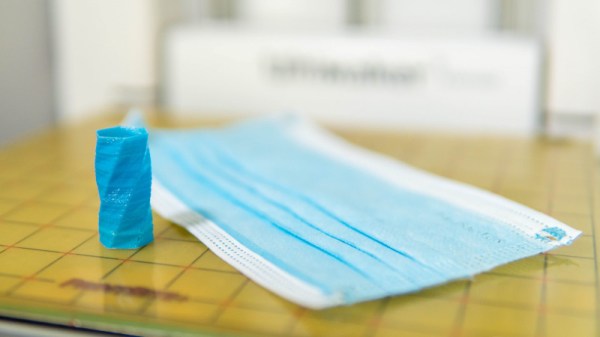
If the research being conducted at the University of Bristol’s Design and Manufacturing Futures Lab is any indication, at least some of those masks might get a second chance at life as a 3D printed object. Noting that the ubiquitous blue disposable mask is made up largely of polypropylene and not paper as most of us would assume, the team set out to determine if they could process the masks in such a way that they would end up with a filament that could be run through a standard 3D printer. While there’s still some fine tuning to be done, the results so far are exceptionally impressive; especially as it seems the technique is well within the means of the hobbyist.

From masks to usable filament.

The first step in the process, beyond removing the elastic ear straps and any metal strip that might be in the nose, is to heat a stack of masks between two pieces of non-stick paper with a conventional iron. This causes the masks to melt together, and turn into a solid mass that’s much easier to work with. These congealed masks were then put through a consumer-grade blender to produce the fine polypropylene granules that’re suitable for extrusion.

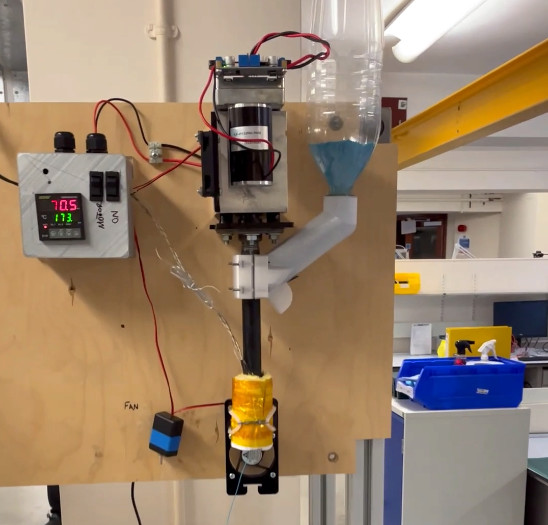
Mounted vertically, the open source Filastruder takes a hopper-full of polypropylene and extrudes it into a 1.75 mm filament. Or at least, that’s the idea. The team notes that the first test run of filament only had an average diameter of 1.5 mm, so they’re modifying the nozzle and developing a more powerful feed mechanism to get closer to the goal diameter. Even still, by cranking up the extrusion multiplier in the slicing software, the team was able to successfully print objects using the thin polypropylene filament.

This is only-during-a-pandemic recycling, and we’re very excited to see this concept developed further. The team notes that the extrusion temperature of 260 °C (500 °F) is far beyond what’s necessary to kill the COVID-19 virus, though if you planned on attempting this with used masks, we’d imagine they would need to be washed regardless. If the hacker and maker community were able to use their 3D printers to churn out personal protective equipment (PPE) in the early days of the pandemic, it seems only fitting that some of it could now be ground up and printed into something new.

VCF East Roars Back To Life

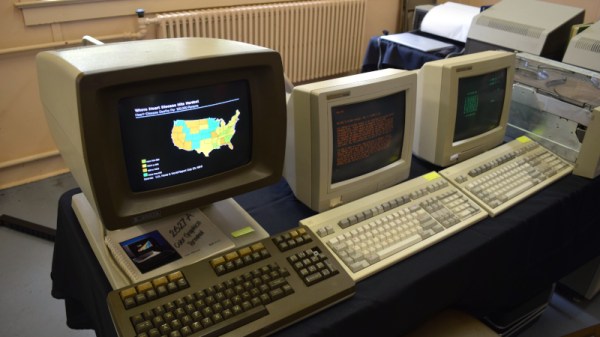
It didn’t take long to realize that the 2021 Vintage Computer Festival East — returning to the InfoAge Science and History Museum in Wall, New Jersey after being held virtually last year — was a massive success. In fact, the first clue came before I even got out of my car. When a volunteer came up to my window to apologetically explain that the primary parking lot was already full and I’d have to drive down the road to an overflow lot, there was no question about it; a whole lot of folks were more than ready to shake off those pandemic blues and get back to business.

They certainly picked a great event for it. While VCF East has always been a highlight of the East Coast hacker’s year, it was obvious things were really turned up to the max for this much-anticipated return to an in-person festival. With respect to all those involved in previous events, things just felt more cohesive and better organized this time around.

Veteran attendees I spoke to all felt like they were witnessing the event going through an evolutionary change into something bigger and better, while first time fliers were impressed with the buzz of activity and breadth of what was on display. In short, admiration for the event and the people working behind the scenes to make it possible was unanimous.

It’s simply not possible to adequately summarize a multi-day event like VCF East in a single post, so I won’t try to. This article, and the ones to follow it, serve only to document some of the highlights from my own personal time wandering through the sprawling InfoAge campus. Ultimately, there’s no real substitute for making the trip to Wall, NJ and experiencing this incredible event for yourself. But if that’s not an option for you, hopefully the following will give you a little taste of what the Vintage Computer Federation labors so hard over every year.

Continue reading “VCF East Roars Back To Life”

Drone And High Voltage Spin Up This DIY Corona Motor

The average Hackaday user could probably piece together a rough model of a simple DC motor with what they’ve got kicking around the parts bin. We imagine some of you could even get a brushless one up and running without too much trouble. But what about an electrostatic corona motor? If your knowledge of turning high voltage into rotational energy is a bit rusty, let [Jay Bowles] show you the ropes in his latest Plasma Channel video.

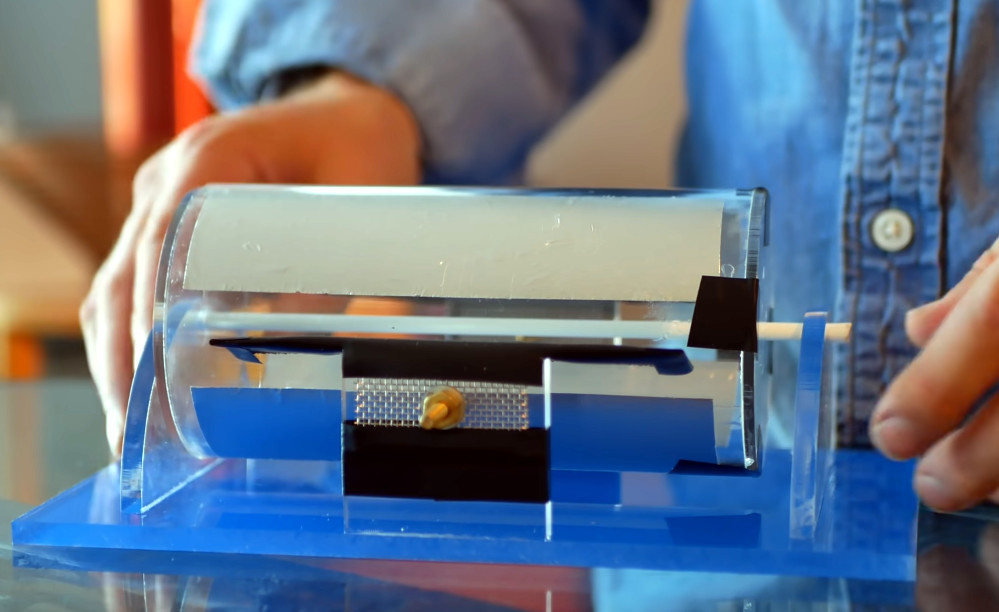
Like many of his projects, this corona motor relies on a few sheets of acrylic, a handful of fasteners, and a healthy dose of physics. The actual construction and wiring of the motor is, if you’ll excuse the pun, shockingly simple. Of course part of that is due to the fact that the motor is only half the equation, you still need a high voltage source to get it running.

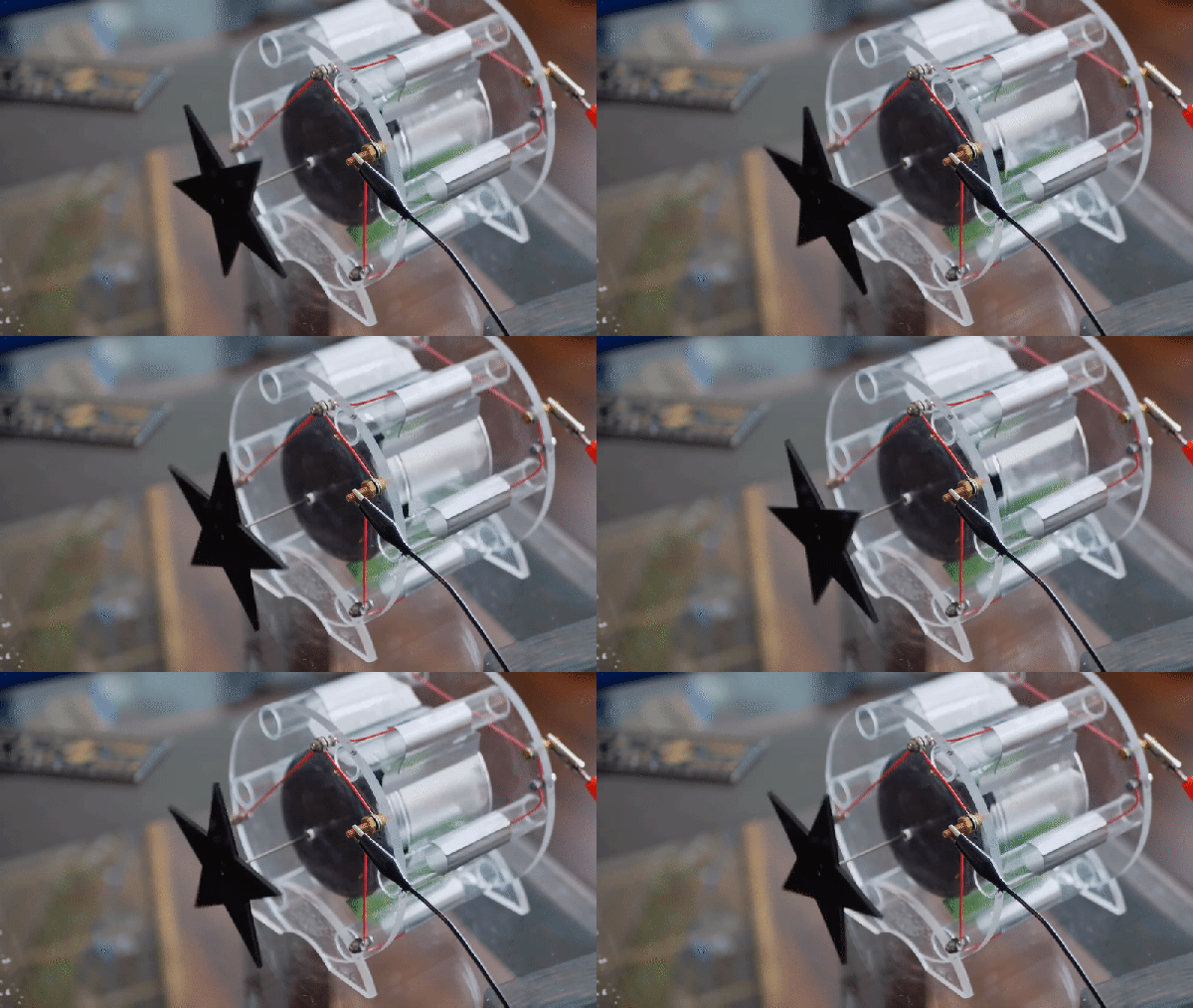
An earlier version of the motor ended up being too heavy.

In this case, [Jay] is revisiting his earlier experiments with atmospheric electricity to provide the necessary jolt. One side of the motor is connected to a metallic mesh electrode that’s carried 100 m into the air by a DJI Mini2 drone, while the other side is hooked up to several large nails driven into the ground.

The potential between the two gets the motor spinning, and makes for an impressive demonstration, but it’s not exactly the most practical way to experiment with your new corona motor. If you’d rather get it running on the workbench, he also shows that a more traditional high voltage source like a Van de Graaff generator will do the job nicely. As an added bonus, it can even power the device wirelessly from a few feet away.

So what can you do with a corona motor? While [Jay] is quick to explain that these sort of devices aren’t exactly known for their torque, he does show that his motor is able to lift a 45 gram weight suspended from a string. That’s frankly more power than we expected, and makes us wonder if there is some quasi-practical application for this contraption. If there is we suspect it’ll be featured in a future Plasma Channel video, so stay tuned.

Continue reading “Drone And High Voltage Spin Up This DIY Corona Motor”

Arduino Brings USB Mouse To Homebrew Computer

When building your own homebrew computer, everything is a challenge. Ultimately, that’s kind of the point. If you didn’t want to really get your hands dirty with the nuts and bolts of the thing, you wouldn’t have built it in the first place. For example, take the lengths to which [rehsd] was willing to go in order to support standard USB mice on their 6502 machine.

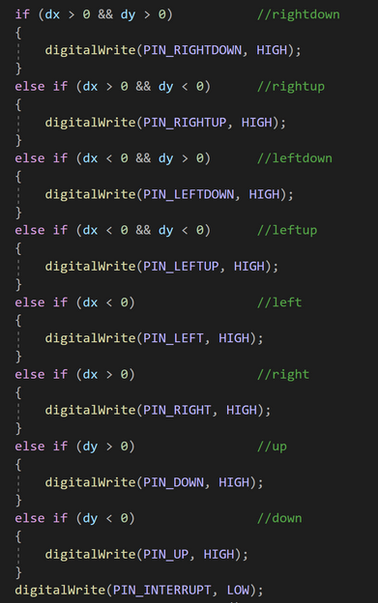
Code for mapping mouse movement to digital output.

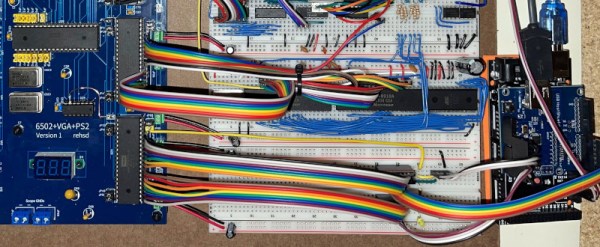
The idea early on was to leverage existing Arduino libraries to connect with a standard USB mouse, specifically, the hardware would take the form of an Arduino Mega 2560 with a USB Host Shield. There was plenty of code and examples that showed how you could read the mouse position and clicks from the Arduino, but [rehsd] still had to figure out a way to get that information into the 6502.

In the end, [rehsd] connected one of the digital pins from the Arduino to an interrupt pin on the computer’s W65C22 versatile interface adapter (VIA). Then eleven more digital pins were connected to the computer, each one representing a state for the mouse and buttons, such as MOUSE_CLICK_RIGHT and MOUSE_LEFT_DOWN.

Admittedly, [rehsd] says the mouse action is far from perfect. But as you can see in the video after the break, it’s at least functional. While the code could likely be tightened up, there’s obviously some improvements to be made in terms of the electrical interface. The use of shift registers could reduce the number of wires between the Arduino and VIA, which would be a start. It’s also possible a chip like the CH375 could be used, taking the microcontroller out of the equation entirely.

From classic breadboard builds to some impressively practical portable machines, we’ve seen our fair share of 6502 computers over the years. Despite the incredible variation to be found in these homebrew systems, one thing is always the same: they’re built by some of the most passionate folks out there.

Continue reading “Arduino Brings USB Mouse To Homebrew Computer”