This (mostly) Transparent Tesla Coil Shows It All

You’d be forgiven for assuming that a Tesla coil is some absurdly complex piece of high-voltage trickery. Clarke’s third law states that “any sufficiently advanced technology is indistinguishable from magic”, and lighting up a neon tube from across the room sure looks a lot like magic. But in his latest Plasma Channel video, [Jay Bowles] tries to set the record straight by demonstrating a see-through Tesla coil that leaves nothing to the imagination.
Of course, we haven’t yet mastered the technology required to produce transparent copper wire, so you can’t actually see through the primary and secondary coils themselves. But [Jay] did wind them on acrylic tubes to prove there aren’t any pixies hiding in there. The base of the coil is also made out of acrylic, which lets everyone see just how straightforward the whole thing is.

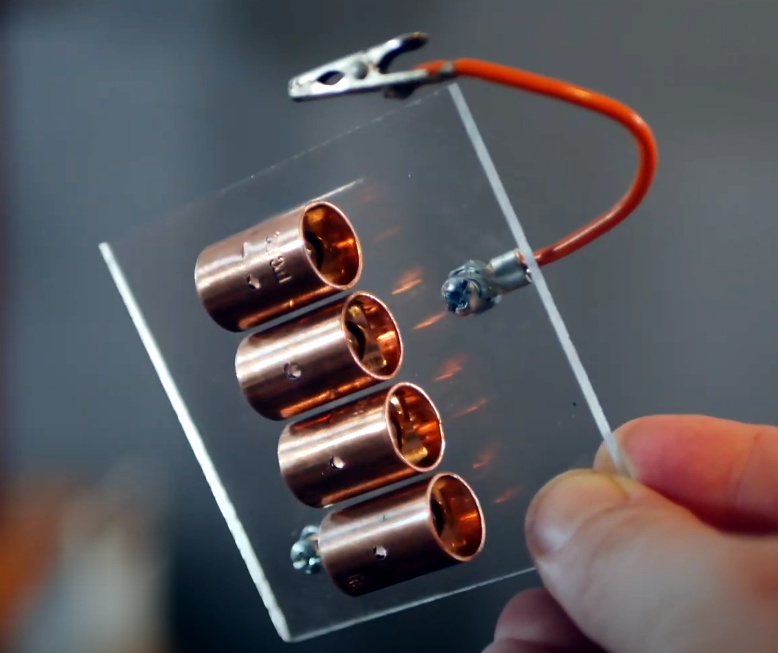
Beyond the coils, this build utilizes the DIY high-voltage power supply that [Jay] detailed a few months back. There’s also a bank of capacitors mounted to a small piece of acrylic, and a clever adjustable spark gap that’s made of little more than a few strategically placed pieces of copper pipe and an alligator clip. Beyond a few little details that might not be obvious at first glance, such as grounding the secondary coil to a layer of aluminum tape on the bottom of the base, it’s all right there in the open. No magic, just science.

[Jay] estimates this beauty can produce voltages in excess of 100,000 volts, and provides a demonstration of its capabilities in the video after the break. Unfortunately, before he could really put the new see-through coil through its paces, it took a tumble and was destroyed. A reminder that acrylic enclosures may be pretty, but they certainly aren’t invulnerable. With the value of hindsight, we’re sure the rebuilt version will be even better than the original.

If you’d rather not have your illusions shattered, we’ve seen plenty of complex Tesla coils to balance this one out. With witchcraft like PCB coils and SMD components, some of them still seem pretty magical.

Continue reading “This (mostly) Transparent Tesla Coil Shows It All”

Simplifying The Ruggedized Raspberry Pi Portable

Over the last year we’ve seen a wave of portable computer builds that center around the Raspberry Pi taking up residence inside a commercial heavy-duty storage case. It’s not hard to see why; whether you spring for the Pelican case or get a cheaper alternative, these water-tight cases are far stronger than anything you’re going to 3D print or otherwise cobble together in the home shop. Especially if you can avoid popping any holes in the side.

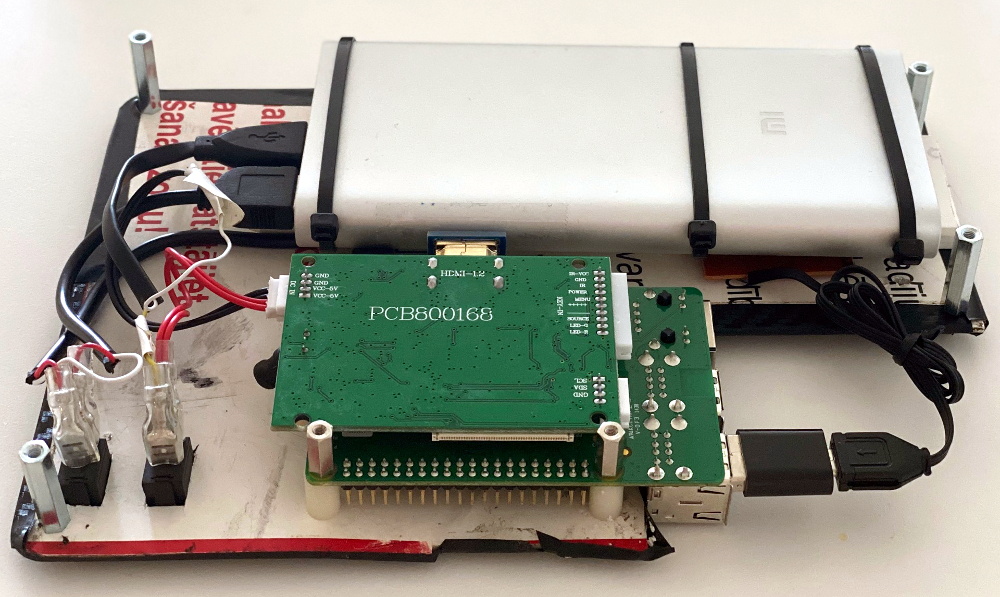
Inspired by these builds but looking to make it even easier and cheaper to roll your own version, [Dmitry] recently took the wraps off of what he calls the Militarish Pi. You don’t need a CNC to cut out any face plates or a 3D printer to create an internal framework for all your components. You could even do it without soldering anything, if you really wanted to. Short of just buying one of these rigs pre-built from somebody, it’s hard to imagine it could get much easier than this.

Most of the effort involves cutting the PVC foam sheet that holds the Raspberry Pi, battery pack, and the driver board for the LCD in the bottom of the $15 USD case [Dmitry] managed to track down on AliExpress. The “carbon fiber” sticker he put on the PVC sheet won’t do much for the structural integrity of the build, but it sure looks nice. Of course if you have access to the appropriate tools, you could certainly cut the plate out of something stouter. As for the display, the nine inch LCD is perfectly sized to press fit into the lid.

Rounding out the build, [Dmitry] found a cheap Android phone case that included a tiny USB keyboard which plugs right into the Pi and he’s looking to add a BlackBerry trackball to the setup down the line. We especially like the large open area that he’s kept around the Raspberry Pi’s ports that allow you to easily hook up to the network or plug in a flash drive. It could also be a nice compartment to keep your RTL-SDR for some mobile radio work.

For those that don’t mind spending name-brand money and have access to a 3D printer, the Raspberry Pi Quick Kit by [Jay Doscher] is another great way to get yourself a rough and tumble Pi without reinventing the wheel.

PyBot Is A 3D Printed SCARA Arm For The Masses

We’ve all seen videos of blisteringly fast SCARA arms working on assembly lines, and more than a few of us have fantasied about having that same kind of technology for the home shop. Unfortunately, while the prices for things like 3D printers and oscilloscopes have dropped lower than what many would have believed possible a decade ago, high-performance robotics are still too pricey for the home player.

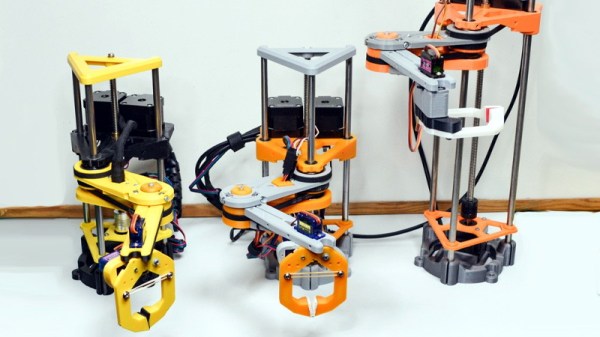
Unless of course, you’re willing to build it yourself. The PyBot designed by [jjRobots] is an open source robotic arm that should be well within the means of the average hardware hacker. One could argue that this is a project made entirely possible by desktop 3D printing; as not only are most of the structural components printed, but most of the mechanical elements are common 3D printer parts. Smooth rods, linear bearings, lead screws, and NEMA 17 motors are all exceptionally cheap these days thanks to the innumerable 3D printer kits that make use of them.

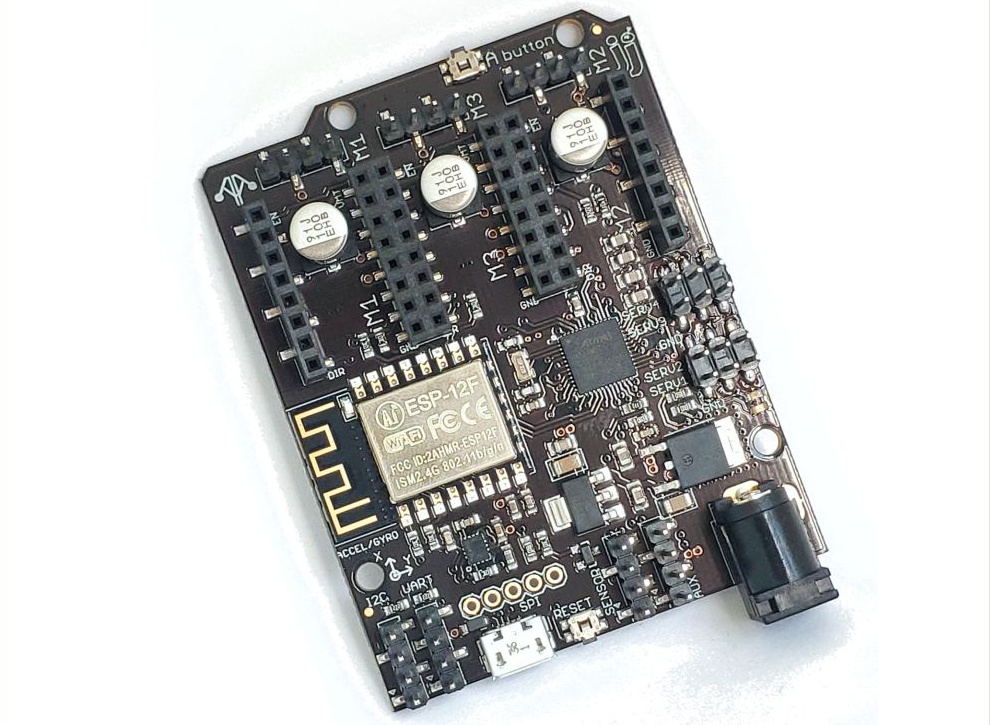
A custom control board keeps the wiring tight.

Those who’ve researched similar projects might notice that the design of this arm has clearly been influenced by the Mostly Printed SCARA (MPSCARA). But while that robot was designed to carry an extruder and act as a 3D printer, [jjRobots] intends for the PyBot to be more of a general purpose platform. By default it features a simple gripper, but that can easily be changed out for whatever tool or gadget you have in mind.

In the base of the arm is a custom control board that combines an Arduino M0, an ESP8266, and a trio of stepper motor drivers. But if you wanted to build your own version from the parts bin, you could certainly wire up all the principle components manually. As the name implies, the PyBot is controlled by Python tools running on the computer, so it should be relatively easy to get this capable arm to do your bidding.

We’ve seen some impressive 3D printed robotic arms over the years, but the simplicity of the PyBot is particularly compelling. This looks like something that you could reasonably assemble and program over a weekend or two, and then put to work in your ad-hoc PPE factory.

Custom Electronic Load Makes Use Of Gaming PC Tech

At first glance, you might think the piece of hardware pictured here is a modern gaming computer. It’s got water cooling, RGB LED lighting, and an ATX power supply, all of which happen to be mounted inside a flashy computer case complete with a clear window. In truth, it’s hard to see it as anything but a gaming PC.

In actuality, it’s an incredible custom electronic load that [EE for Everyone] has been developing over the last four months that’s been specifically designed to take advantage of all the cheap hardware out there intended for high-performance computers. After all, why scratch build a water cooling system or enclosure when there’s such a wide array of ready-made ones available online?

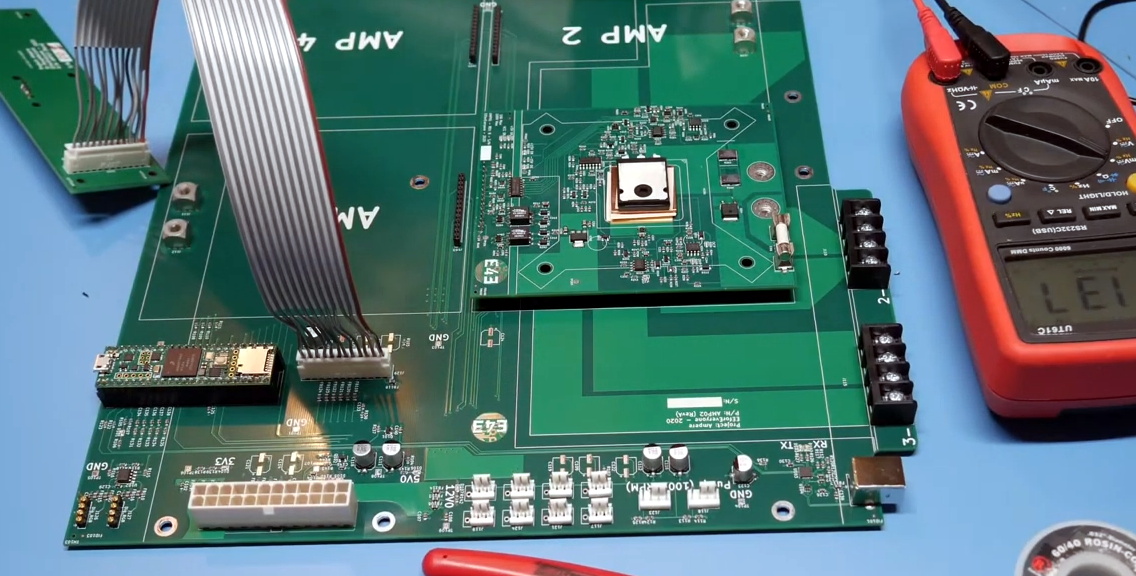
The “motherboard” with single load module installed.

Inside that fancy case is a large PCB taking the place of the original motherboard, to which four electronic load modules slot into. Each of these loads is designed to accept a standard Intel CPU cooler, be it the traditional heatsink and fan, or a water block for liquid cooling. With the current system installed [EE for Everyone] can push the individual modules up to 275 watts before the temperatures rise to unacceptable levels, though he’s hoping to push that a little higher with some future tweaks.

So what’s the end game here? Are we all expected to have a massive RGB-lit electronic load hidden under the bench? Not exactly. All of this has been part of an effort to design a highly accurate electronic load for the hobbyist which [EE for Everyone] refers to as the “Community Edition” of the project. Those smaller loads will be derived from the individual modules being used in this larger testing rig.

We’ve actually seen DIY liquid cooled electronic loads in the past, though this one certainly sets the bar quite a bit higher. For those with more meager requirements, you might consider flashing a cheap imported electronic load with an open source firmware to wring out some extra functionality.

Continue reading “Custom Electronic Load Makes Use Of Gaming PC Tech”

Saving Floor Space With A Scratch Built Bike Hoist

Vertical storage is often underused in the garage or workshop as it can be tricky to get bulky objects off the floor safely. So we stick a few shelves on the wall, put boxes of screws and components on them, and call it a day. Meanwhile, you end up playing a game of horizontal Tetris with all the big stuff on the ground.

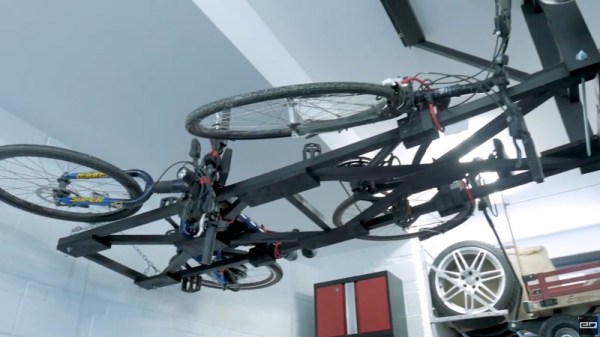
Looking to free up some floor space in his garage, [Chris Chimienti] recently decided to design and build his own hoist to lift his bicycles off the floor. While his design is obviously purpose built for bikes, the core concept could potentially be adapted to lift whatever it is you’ve been kicking across the garage floor as of late; assuming it doesn’t have any strong feelings on suddenly being tipped over on its side, anyway.

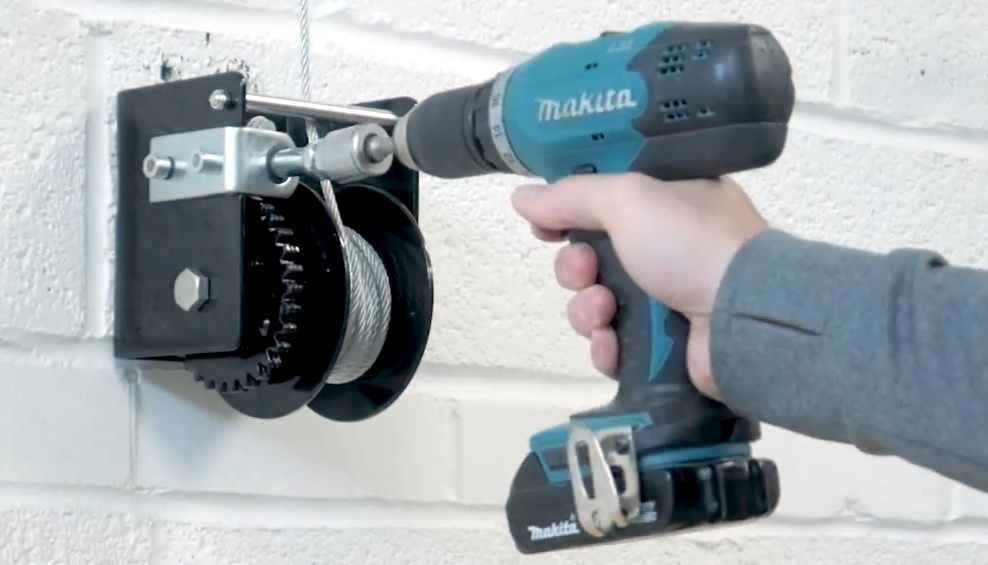
A simple modification allows for operation with a drill.

Before he started the actual build, [Chris] knocked together a rough facsimile of his garage in SolidWorks and started experimenting with the layout and mechanism that the hoist would ultimately use. While we’ve all felt the desire to run into a project full-speed, this more methodical approach can definitely save you time and money when working on a complex project. Redesigning a component in CAD to try it a different way will always be faster and easier than having to do it for real.

We’ve become accustomed to seeing projects include sensors, microcontrollers, and 3D printed components as a matter of course, but [Chris] kept this build relatively low-tech. Not that we blame him when heavy overhead loads are involved. Even still, he did have to make a few tweaks in the name of safety: his original ratcheting winch could freewheel under load, so he swapped it out for a worm gear version that he operates with an electric drill.

If you like the idea of having an overhead storage area but don’t necessarily want to look at it, you could always cover it up with a rock climbing wall.

Continue reading “Saving Floor Space With A Scratch Built Bike Hoist”

Handheld Pong On A 6502

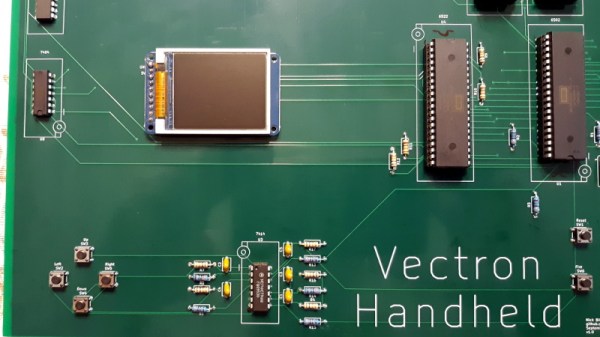
Recreating the arcade smash hit Pong in a device small enough to plug into a home television was a considerable technical challenge back in 1975. Of course, a big part of that was the fact that it needed to be cheap enough that consumers would actually buy it. But had money been no object, the Vectron Handheld by [Nick Bild] shows what a dedicated Pong board based on the 6502 CPU and 7400-series logic could have looked like.

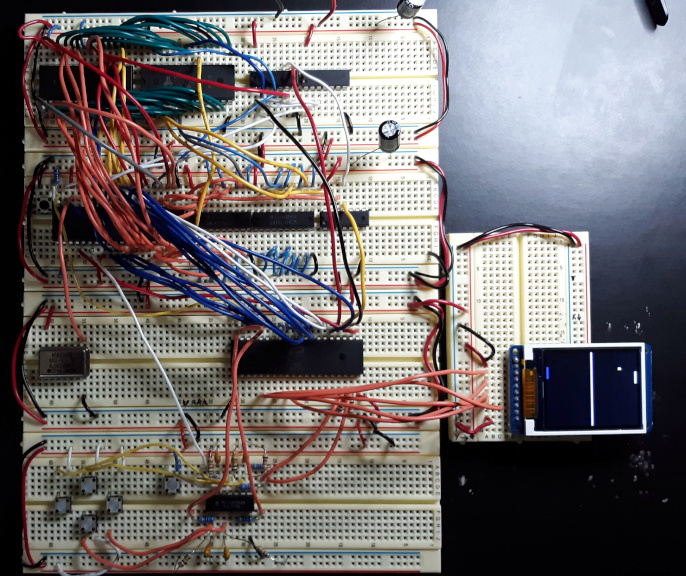
Prototyping the Vectron Handheld

Well, aside from the display anyway. While [Nick] made sure to use components that were contemporaries of the 6502 wherever possible, he did drop in a modern SPI LCD panel. After all, it’s supposed to be a portable game system.

Though as you can see in the video after the break, the massive 273 mm x 221 mm PCB only just meets that description. Incidentally, there’s no technical reason for the board to be this big; [Nick] was just playing it safe as he’s still learning KiCad.

Those with a keen eye towards 6502 projects likely saw the breadboard version of the Vectron that [Nick] put together last year. Compared to the original, the circuit for the handheld has been considerably simplified as it wasn’t designed to be a general purpose 6502 computer. Whether or not you think being able to play Pong on it makes up for those shortcomings is a matter of personal preference.

Continue reading “Handheld Pong On A 6502″

Rolling Your Own TiVo WiFi Adapter

The only thing more surprising than finding out TiVo actually put out a new 4K set-top box recently is learning that somehow they didn’t bother to build WiFi into the thing. You’re forced to buy a special wireless adapter to the tune of $60 USD to add the feature. We’d make a joke about the company living in the past, but frankly, it would be too easy.

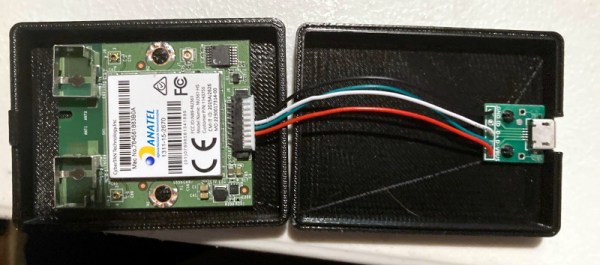
Having to buy just one of these expensive dongles in 2020 would be insulting enough, but TiVo superfan [xxbiohazrdxx] needed four of them. Rather than hand nearly $250 to the antennae-headed overlords, they decided to reverse engineer the adapter and produce their own low-cost version. While the final result might not be as slim and svelte as the original, it does come in at less than 1/4 the price.

Operating under the assumption that the TiVo would only talk to a WiFi adapter based on the same Broadcom BCM43569 chipset used in the official one, [xxbiohazrdxx] started by trying to find a standard USB dongle that might be a drop-in replacement. Unfortunately, it looks like this particular chip was almost exclusively used in proprietary applications, most commonly as a WiFi board inside of smart TVs. But as it turns out, that wasn’t necessarily a deal breaker.

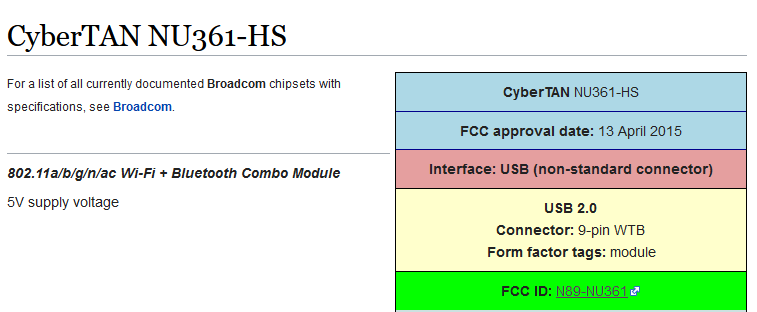
After some searching, [xxbiohazrdxx] eventually found the promising CyberTAN NU361-HS board. Not only was it based on the right chipset and ran from 5 volts, but its FCC ID entry had a complete pinout for the connector. This particular WiFi module is used in a number of budget TVs and is widely available as a spare part for less than $10. By combing the board and a USB breakout PCB inside of a 3D printed case, you’ve got a plug-and-play WiFi adapter that the TiVo thinks is the real deal.

There was a time when Hackaday was flooded with TiVo hacks, but it’s now been more than a decade since cheap carrier-provided DVRs ate the company’s lunch. Realistically, there’s an excellent chance that this post will be the only time a mention of the once-mighty DVR graces the front page in 2020. While the reign of the TiVo might be at its end, the impact it had as one of the first Linux-powered consumer devices will be etched in hacker history forever.