Assembly Required: Subroutine Calls And The 1K Challenge

The first computer I personally owned had 256 bytes of memory. Bytes. The processor in my mouse and keyboard both have more memory than that. Lots more. Granted, 256 bytes was a bit extreme, but even the embedded systems I was building as part of my job back then generally had a small fraction of the 64K bytes of memory they could address.

Some people are probably glad they don’t have to worry about things like that anymore. Me, I kind of miss it. It was often like a puzzle trying to squeeze ten more bytes out of an EPROM to get a bug fix or a new feature put in. I though with the 1K challenge underway, I might share some of the tricks we used in those days to work around the small memory problems.

Continue reading “Assembly Required: Subroutine Calls And The 1K Challenge”

Hacking A Device That Lives Inside The Matrix

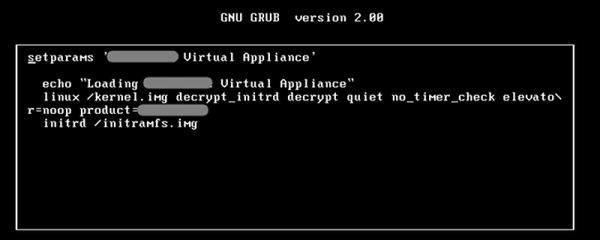
[Gerardo Iglesias Galván] decided he wanted to try his hand at bug-bounty hunting — where companies offer to pay hackers for finding vulnerabilities. Usually, this involves getting a device or accessing a device on the network, attacking it as a black box, and finding a way in. [Gerrado] realized that some vendors now supply virtual images of their appliances for testing, so instead of attacking a device on the network, he put the software in a virtual machine and attempted to gain access to the device. Understanding the steps he took can help you shore up your defenses against criminals, who might be after more than just a manufacturer’s debugging bounty.

Continue reading “Hacking A Device That Lives Inside The Matrix”

Code Like An Egyptian

[Marcelo Maximiano’s] son had a school project. He and a team of students built “The Pyramid’s Secret“–an electronic board game using the Arduino Nano. [Marcelo] helped with the electronics, but the result is impressive and a great example of packaging an Arduino project. You can see a video of the game, below.

In addition to the processor, the game uses a WT5001M02 MP3 player (along with an audio amplifier) to produce music and voices. There’s also a rotary encoder, an LCD, a EEPROM (to hold the quiz questions and answers), and an LED driver. There’s also a bunch of LEDs, switches, and a wire maze that requires the player to navigate without bumping into the wire (think 2D Operation).

Continue reading “Code Like An Egyptian”

Talking Neural Nets

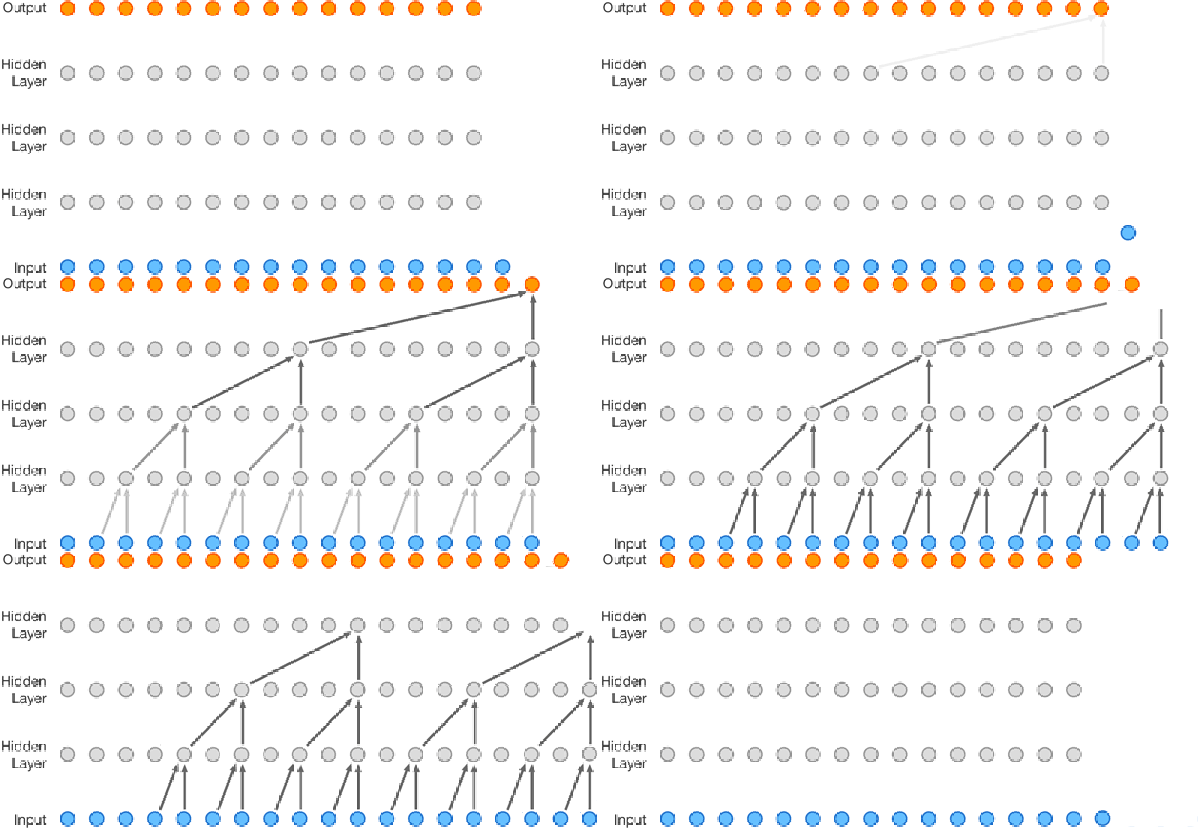
Speech synthesis is nothing new, but it has gotten better lately. It is about to get even better thanks to DeepMind’s WaveNet project. The Alphabet (or is it Google?) project uses neural networks to analyze audio data and it learns to speak by example. Unlike other text-to-speech systems, WaveNet creates sound one sample at a time and affords surprisingly human-sounding results.

Before you rush to comment “Not a hack!” you should know we are seeing projects pop up on GitHub that use the technology. For example, there is a concrete implementation by [ibab]. [Tomlepaine] has an optimized version. In addition to learning English, they successfully trained it for Mandarin and even to generate music. If you don’t want to build a system out yourself, the original paper has audio files (about midway down) comparing traditional parametric and concatenative voices with the WaveNet voices.

Another interesting project is the reverse path — teaching WaveNet to convert speech to text. Before you get too excited, though, you might want to note this quote from the read me file:

“We’ve trained this model on a single Titan X GPU during 30 hours until 20 epochs and the model stopped at 13.4 ctc loss. If you don’t have a Titan X GPU, reduce batch_size in the train.py file from 16 to 4.”

Last time we checked, you could get a Titan X for a little less than $2,000.

There is a multi-part lecture series on reinforced learning (the foundation for DeepMind). If you wanted to tackle a project yourself, that might be a good starting point (the first part appears below).

Continue reading “Talking Neural Nets”

Nascent Project: Open Source Scanning Electron Microscope

I used to have access to some pretty nice Scanning Electron Microscopes (a SEM) at my day job. While they are a bit more complex than a 3D printer, they are awfully handy when you need them. [Adam Guilmet] acquired a scrapped unit and started trying to figure out how to breathe life into it. His realization was that a SEM isn’t all that complicated by today’s standards. So he has set out to take what he has learned and build one from scrap.

In all fairness, he has a long way to go and is looking for help. He currently says, “[T]his is being powered by fairy dust, unicorn farts, and a budget that would make the poorest of students look like Donald Trump.” Still, he’s collected a lot of interesting data and we hope he can build a team that can succeed.

Continue reading “Nascent Project: Open Source Scanning Electron Microscope”

Blynk With Joy

Last time, I talked about how my storage situation and my cheap nature led me to build an RC joystick controller with a cell phone app and an ESP8266. The key to making this easy was to use the GUI builder called Blynk to make a user interface for an Android or Apple phone. Blynk can communicate with the ESP8266 and makes the project relatively simple.

ESP8266 and Arduino IDE

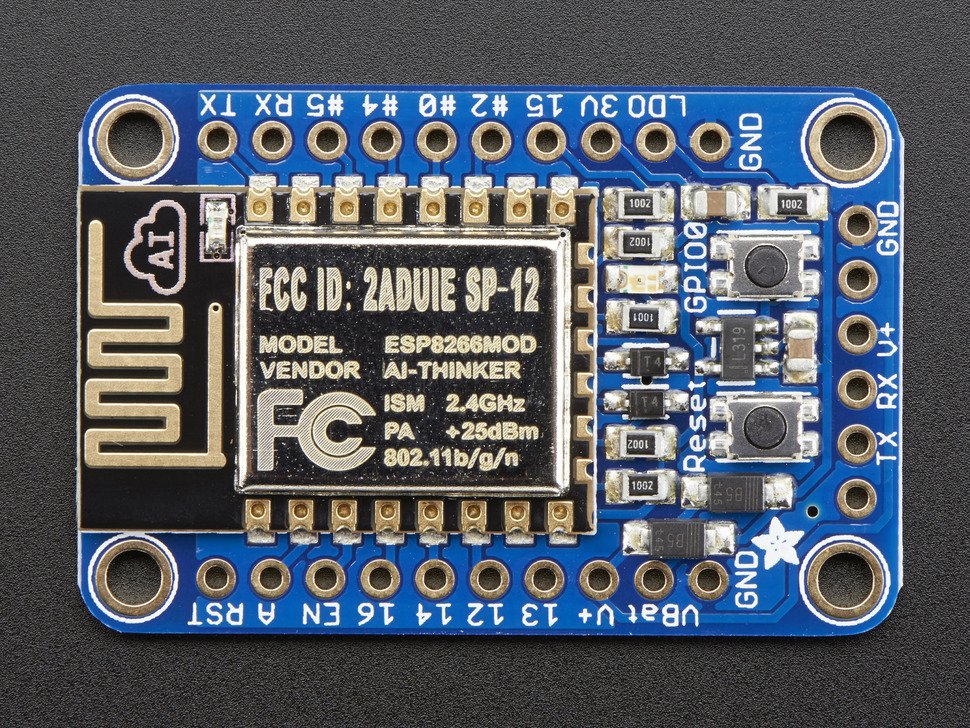
The ESP8266 Blynk code is straightforward. You do need to set up the Arduino IDE to build for the ESP8266. That can vary by board, but here’s the instructions for the board I was using (from Adafruit; see below).

adaesp

Depending on the type of ESP8266 device you are using, you may need a 3.3 V serial cable or some other means of getting the firmware into the device. For the Adafruit device I had, it has a 5 V-tolerant serial connection so a standard USB to serial dongle plugs right in. There’s also two switches on my device. To get into bootload mode, you have to push the one button down, hold it, and then press the reset button. Once you release the reset button you can release the other button. The red LED half-glows and the device is then waiting for a download.
Continue reading “Blynk With Joy”

The Joy Of The ESP8266 And Blynk

I’ll admit it. I can be a little cheap. I also find it hard to pass up a bargain. So when I saw a robot kit at the local store that had been originally $125 marked down to $20, I had to bite. There was only one problem. After I got the thing home, I found they expected you to supply your own radio control transmitter and receiver.

Normally, that wouldn’t be a problem but lately… let’s just say a lot of my stuff is in storage and I didn’t have anything handy. I certainly didn’t want to go buy something that would double the cost of this robot that I really didn’t need to begin with.

However, I did have a few ESP8266 modules handy. Good ones, too, from Adafruit with selected 5 V I/O compatibility and an onboard regulator. I started thinking about writing something for the ESP8266 to pick up data from, say, a UDP packet and converting it into RC servo commands.

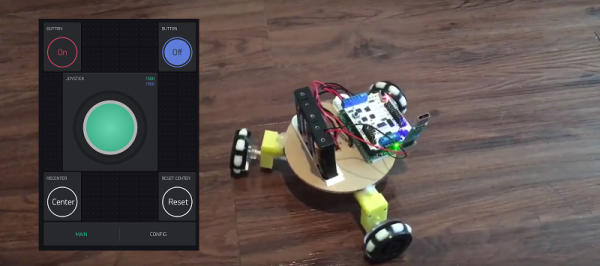
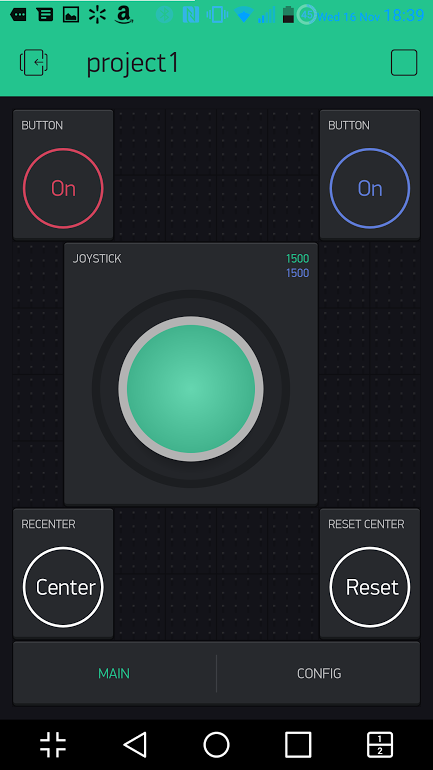
joymainSeemed like a fair amount of work and then I remembered that I wanted to try Blynk. If you haven’t heard of Blynk, it is a user interface for Android and Apple phones that can send commands to an embedded system over the Internet. You usually think of using Blynk with an Arduino, but you can also program the embedded part directly on an ESP8266. I quickly threw together a little prototype joystick.
Continue reading “The Joy Of The ESP8266 And Blynk”