What’s Coming In KiCad Version 5

Way back in the day, at least five years ago, if you wanted to design a printed circuit board your best option was Eagle. Now, Eagle is an Autodesk property, the licensing model has changed (although there’s still a free version, people) and the Open Source EDA suite KiCad is getting better and better. New developers are contributing to the project, and by some measures, KiCad is now the most popular tool to develop Open Source hardware.

At FOSDEM last week, [Wayne Stambaugh], project lead of KiCad laid out what features are due in the upcoming release of version 5. KiCad just keeps improving, and these new features are really killer features that will make everyone (unjustly) annoyed with Eagle’s new licensing very happy.

Although recent versions of KiCad have made improvements to the way part and footprint libraries are handled, the big upcoming change is that footprint libraries will be installed locally. The Github plugin for library management — a good idea in theory — is no longer the default. Spice simulation is also coming to KiCad. The best demo of the upcoming Spice integration is this relatively old video demonstrating how KiCad turns a schematic into graphs of voltage and current.

The biggest news, however, is the new ability to import Eagle projects. [Wayne] demoed this live on stage, importing an Eagle board and schematic of an Arduino Mega and turning it into a KiCad board and schematic in a matter of seconds. It’s not quite perfect yet, but it’s close and very, very good.

There are, of course, other fancy features that make designing schematics and PCBs easier. Eeschema is getting a better configuration dialog, improved bus and wire dragging, and improved junction handling. Pcbnew is getting rounded rectangle and complex pad shape support, direct export to STEP files, and you’ll soon be able to update the board from the schematic without updating the netlist file. Read that last feature again, slowly. It’s the best news we’ve ever heard.

Additionally, this is one of the rare times you get to hear [Wayne] speak. This means the argument over the pronunciation of KiCad is over. It’s ‘Key-CAD‘ not ‘Kai-CAD‘. You can check out the entirety of [Wayne]’s State of the KiCad talk below.
Continue reading “What’s Coming In KiCad Version 5”

ESP32 Weather Station On A PCB

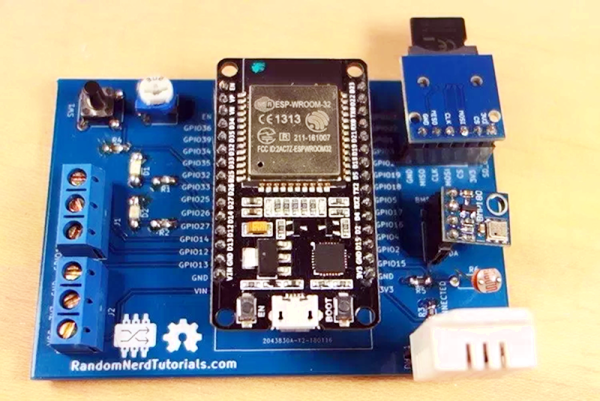
We see lots of ESP8266 projects, but considerably fewer for the ESP32. So this good-looking weather station on a PCB using an ESP32 caught our eye. The board has a few sockets for common weather gear, but with a little modification, it would be a great carrier for an ESP32. Since the PCB layout is available, you could change things around to suit you. You can see a video from [Rui Santos] about his project and its progress from breadboard to PCB in the video below.

Continue reading “ESP32 Weather Station On A PCB”

Reverse Engineering A Bitcoin Miner

If you’re brave enough to have dipped your toes into the Wild West that is cryptocurrency, you probably know that people have long since abandoned trying to mine on their desktop computers. Farms of GPUs are all the rage now, but dedicated mining hardware has also enjoyed a following among those who are serious about their fictitious money. The state-of-the-art for such devices is moving just as rapidly as cryptocurrency itself is, which means older mining gear can now be picked up fairly cheap on the second-hand market. This is an excellent opportunity for those who want to experiment with this type of hardware and potentially utilize it for some other purpose, but first you’ve got to figure out how the thing works.

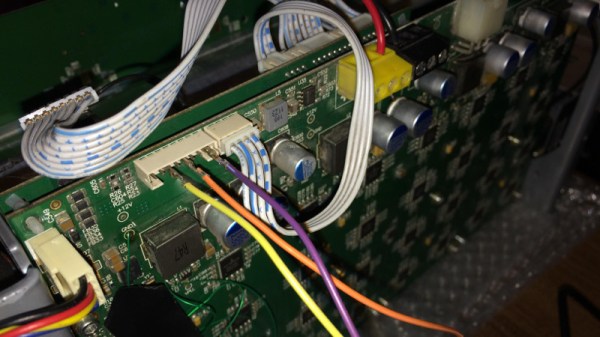
To that end, [Tomasz Wątorowski] wrote in to the tip line to tell us about the progress he’s made reverse engineering the control protocol for the Antminer S1. As is often the case, the documentation didn’t have all the details he needed, but it did have a schematic of the BM1380 chip at the heart of the device.

Performance of the Antminer S1 controlled via UART

The Antminer S1 contains 64 BM1380 chips on an internal UART bus. With the information from the schematic, [Tomasz] was able to tap into this UART bus with a USB adapter and start listening in on the conversation. He compiled a collection of commands and learned enough to be dangerous (which is always the goal here at Hackaday).

For example, he found that the could set the frequency of the BM1380 as high as he wished without any consideration for thermal overload. This could potentially allow somebody to run  the hardware to the point of destruction, à la Stuxnet.

Once he figured out how to give the hardware hashes to work on over the UART interface, he setup a little head-to-head competition between the software he wrote to command the Antminer S1 and the official control software. No drop in performance was found between his software and the real deal, which sounds like a win in our book.

Even if he can’t improve on the performance of this particular piece of outdated mining hardware, it still beats doing it by hand on a piece of paper.

USB To Quad Serial Port Adapter Offers TTL, Isolated Ports

[Felipe Navarro] wanted to add a few serial ports to his computer, but couldn’t find an adapter that suited his needs. So, he built his own.

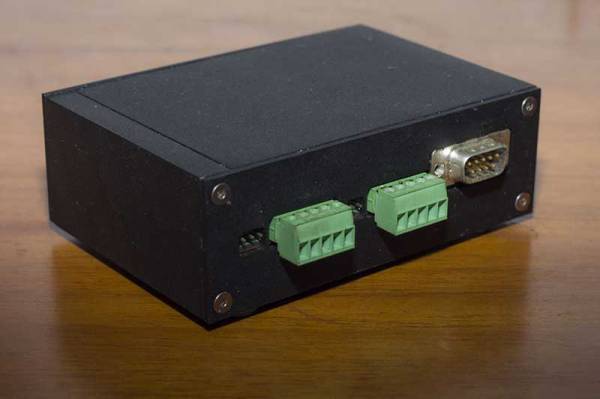
His Quad Serial device is a nicely designed converter that offers four serial ports, two of which are isolated to avoid blowing up too much stuff if things go wrong. The other two are TTL ports, but with an interesting twist: feed them any voltage between 1.8 V and 5 V, and they will happily work with it, which is a lot easier than messing about with TTL to RS-232 converters.

It’s all built around an FTDI FT4232H chip, which has drivers available for most OSes, so it should work with pretty much anything. And, as [Felipe] notes, this chip has not been cloned, so you won’t have to worry about the FTDI drivers disabling your device without warning.  Well, not at the moment, anyway. We did cover a similar quad serial port adapter last year, but this one is a bit more developed, with both DE-9 and screw terminal connectors available.

Heated DryBox Banishes Filament Moisture For Under $20

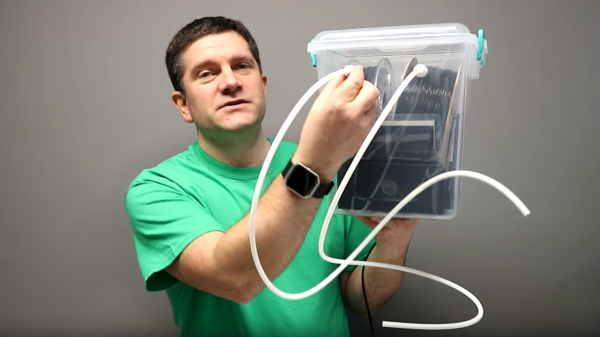
There has been a lot of activity from [Richard Horne] regarding 3D printing filaments lately; most recently he has shared two useful designs for upping one’s filament storage and monitoring game. The first is for a DIY Heated DryBox for 3D printing filament. It keeps filament dry not just by sealing it into a plastic box with some desiccant, but by incorporating a mild and economical heater intended for reptile habitats inside. Desiccant is great, but a gently heated enclosure can do wonders for driving away humidity in the right environment. The DryBox design also incorporates a handy little temperature and humidity sensor to show how well things are working.

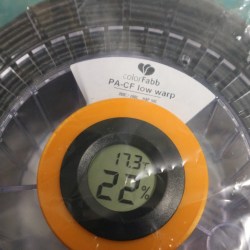
Spool-mounted adapter for temperature and humidity sensor (and desiccant) to monitor storage bag conditions.

The second design is a simple spin-off that we particularly liked: a 3D printed adapter that provides a way to conveniently mount one of the simple temperature and humidity sensors to a filament spool with a desiccant packet. This allows storing a filament spool in a clear plastic bag as usual, but provides a tidy way to monitor the conditions inside the bag at a glance. The designs for everything are on Thingiverse along with the parts for the Heated DryBox itself.

[Richard] kindly shares the magic words to search for on eBay for those seeking the build’s inexpensive key components: “15*28CM Adjustable Temperature Reptile Heating Heater Mat” and “Mini LCD Celsius Digital Thermometer Hygrometer Temperature Humidity Meter Gauge”. There are many vendors selling what are essentially the same parts with minor variations.

Since the DryBox is for dispensing filament as well as storing it, a good spool mounting system is necessary but [Richard] found that the lack of spool standardization made designing a reliable system difficult. He noted that having spool edges roll on bearings is a pretty good solution, but only if one doesn’t intend to use cardboard-sided spools, otherwise it creates troublesome cardboard fluff. In the end, [Richard] went with a fixed stand and 3D printable adapters for the spools themselves. He explains it all in the video, embedded below.

Continue reading “Heated DryBox Banishes Filament Moisture For Under $20”

All The Stuff You Wished You Knew About Fourier Transforms But Were Afraid To Ask

The Fourier transform underpins so much of our technological lives, in most cases probably without our realising it. The ability to mathematically split a waveform into its frequency components and vice versa underpins much of the field of digital signal processing, and DSP has become an essential part of many electronic devices we take for granted.

But while most of us will know what a Fourier transform is, fewer of us will know anything of how one works. They are a function called from a library rather than performed in themselves. Even when they are taught in schools or university courses they remain something that not all students “get”, and woe betide you if (as your scribe did) you have a sub-par maths lecturer.

The video below the break then is very much worth a look if Fourier transforms are a bit of a mystery to you. In it [Grant Sanderson] explains them through a series of simple graphical examples in a style that perhaps may chalk-and-talk mathematics teachers should emulate. You may still only use Foruier transforms through a library, but after watching this video perhaps some of their mysteries will be revealed.

Continue reading “All The Stuff You Wished You Knew About Fourier Transforms But Were Afraid To Ask”

Curing A Parrot’s Amnesia With BLEAH

[Dandu] recently wrote in to tell us how he managed to revive his Parrot Flower Power after the manufacturer told him it couldn’t be repaired. To save you the trouble of opening Google in another tab, the Parrot Flower Power is a Bluetooth Low Energy (BLE) “smart” device for your flower pot. Because of course that’s a thing.

A healthy Flower Power connected

When [Dandu] noticed his Flower Power was no longer being detected by his iOS devices, he contacted support who told him that sadly this was a hardware failure and that he should just throw it away. But he had his doubts about this diagnosis as other devices such as his Raspberry Pi could still communicate with it. Upon closer inspection, he realized that the Flower Power didn’t have a name, and could only be contacted by its MAC address directly. Reasoning the lack of a name might be upsetting the “It Just Works” sensibility of his iGadget, [Dandu] started researching if there was some way to get the device to take a new name remotely.

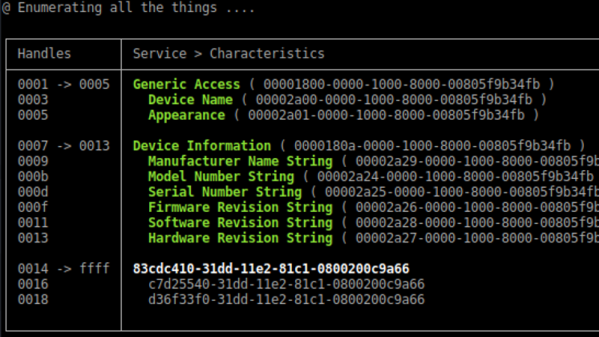
Luckily for our hero, BLE is kind of broken. Searching for a solution to his problem brought him to a blog post by the creator of BLEAH which demonstrated exactly what [Dandu] was looking to do. Following along, it took only a single command to push a new name to the Flower Power’s BLE configuration. With that, his “broken” device was brought back to life. Why the device lost its name, or how to prevent it from happening in the future are questions for another day. [Dandu] will take the win.

If you’re interested in the popular new technology that’s compromising our security in the name of convenience and improved battery life, the rabbit hole starts here.