On 3D Scanners And Giving Kinects A New Purpose In Life

The concept of a 3D scanner can seem rather simple in theory: simply point a camera at the physical object you wish to scan in, rotate around the object to capture all angles and stitch it together into a 3D model along with textures created from the same photos. This photogrammetry application is definitely viable, but also limited in the sense that you’re relying on inferring three-dimensional parameters from a set of 2D images and rely on suitable lighting.

To get more detailed depth information from a scene you’d need to perform direct measurements, which can be done physically or through e.g. time-of-flight (ToF) measurements. Since contact-free ways of measurements tend to be often preferred, ToF makes a lot of sense, but comes with the disadvantage of measuring of only a single spot at a time. When the target is actively moving, you can fall back on photogrammetry or use an approach called structured-light (SL) scanning.

SL is what consumer electronics like the Microsoft Kinect popularized, using the combination of a visible and near-infrared (NIR) camera to record a pattern projected onto the subject, which is similar to how e.g. face-based login systems like Apple’s Face ID work. Considering how often Kinects have been used for generic purpose 3D scanners, this raises many questions regarding today’s crop of consumer 3D scanners, such as whether they’re all just basically Kinect-clones.

Continue reading “On 3D Scanners And Giving Kinects A New Purpose In Life”
IPhone Air Still Apparently Repairable Despite Its Compact Construction

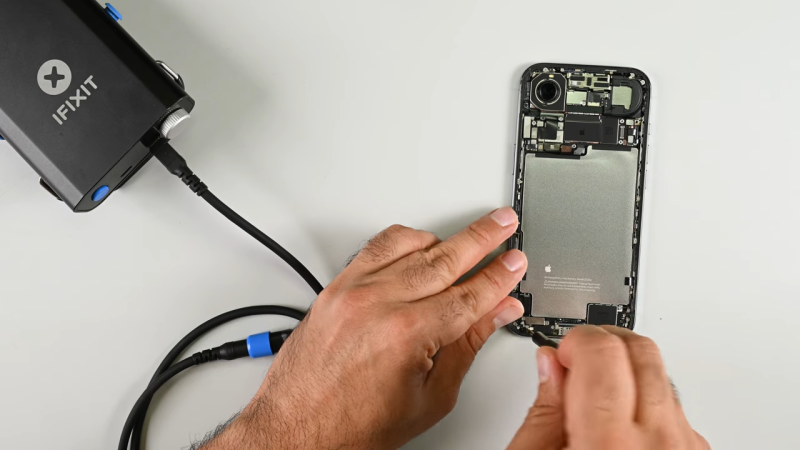
Miniaturization is a trend that comes and goes in the cellular phone space. For a while, our phones were all getting smaller, then they started getting bigger again as screens expanded to show us ever more content and advertising. The iPhone air is going back the other way, with a design that aims to sell based on its slimness. [iFixit] reckons that despite its diminutive dimensions, it should still be quite repairable.

“Thinner usually means flimsier, harder to fix, and more glued-down parts, but the iPhone Air proves otherwise,” states Elizabeth Chamberlain for the repair outlet. Much of this comes down to clever design, that makes repair possible at the same time as ensuring compactness. A big part of this is the way that Apple made the bottom half of the phone pretty much just battery. Most of the actual electronic components are on a logic board up by the camera. Segmenting the phone in this way makes it easier to access commonly-replaced parts like the battery without having to pull a lot of other parts out of the way first.

[iFixit] refers to this as flattening the “disassembly tree”—minimizing the number of components you have to touch to replace what you’re there to fix. In this regard, the thinness of the iPhone Air is actually a boon. The phone is so thin, it wasn’t possible to stack multiple components on top of each other, so everything is easier to get to. The design is also reasonably modular, which should make routine repairs like USB C port swaps relatively straightforward.

Whatever smartphone you’re working on, it often helps to have a disassembly guide to ensure you don’t wreck it when you’re trying to fix something. [iFixit] remains a stellar resource in that regard. Continue reading “IPhone Air Still Apparently Repairable Despite Its Compact Construction”

The Switch 2 Pro Controller: Prepare For Glue And Fragile Parts

The Switch 2 Pro controller’s battery is technically removable, if you can get to it. (Credit: VK’s Channel, YouTube)

For those of us who have worked on SNES and GameCube controllers, we know that these are pretty simple to get into and maintain. However, in the trend of making modern game controllers more complex and less maintainable, Nintendo’s new Switch 2 Pro controller is giving modern Xbox and PlayStation controllers a run for their money in terms of repair complexity. As shown in a teardown by [VK] on YouTube (starting at nine minutes in), the first step is a disappointing removal of the glued-on front plate. After that you are dealing with thin plastic, the typical flimsy ribbon cables and a lot of screws.

The main controller IC on the primary PCB is an ARM-based MediaTek MT3689BCA Bluetooth SoC, which is also used in the Switch 2’s Joy-Cons. The 3.87 V, 1070 mAh Li-ion battery is connected to the PCB with a connector, but getting to it during a battery replacement might be a bit of a chore.

Continue reading “The Switch 2 Pro Controller: Prepare For Glue And Fragile Parts”

Clever Engineering Leaves Appliance Useless

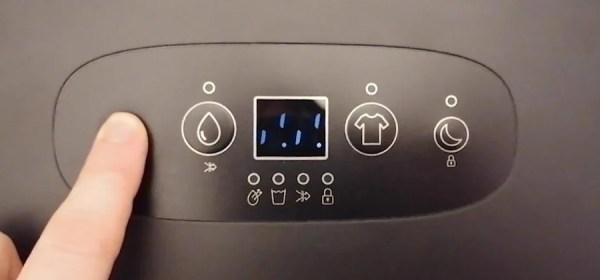
Around these parts, we generally celebrate clever hacks that let you do more with less. So if somebody wrote in to tell us how they used multiplexing to drive the front panel of their latest gadget with fewer pins on the microcontroller than would normally be required, we’d be all over it. But what if that same hack ended up leading to a common failure in a piece of consumer hardware?

As [Jim] recently found out, that’s precisely what seems to be ailing the Meaco Arete dehumidifier. When his stopped working, some Internet searching uncovered the cause of the failure: if a segment in the cheap LED display dies and shorts out, the multiplexing scheme used to interface with the front panel essentially reads that as a stuck button and causes the microcontroller to lock up. He passed the info along to us as a cautionary tale of how over-optimization can come with a hidden cost down the line.

Continue reading “Clever Engineering Leaves Appliance Useless”

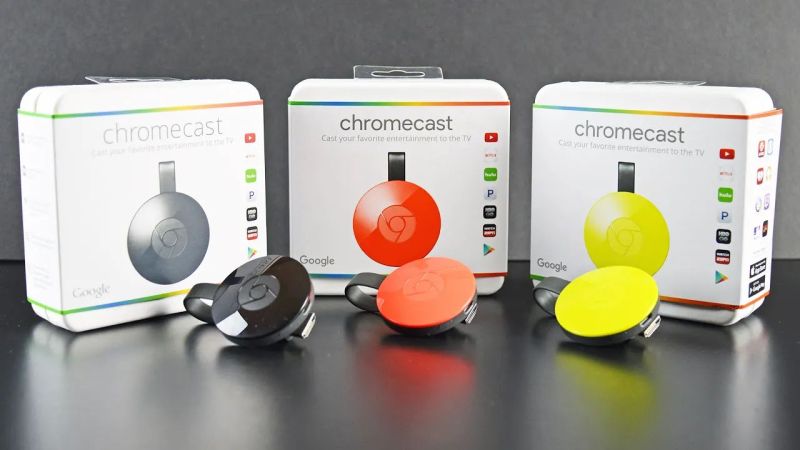
A Look Back At Google’s 2015 Chromecast

Google’s Chromecast was first released in 2013, with a more sophisticated follow-up in 2015, which saw itself joined by the Chromecast Audio dongle. The device went through an additional two hardware generations before the entire line of products was discontinued earlier this year in favor of Google TV.

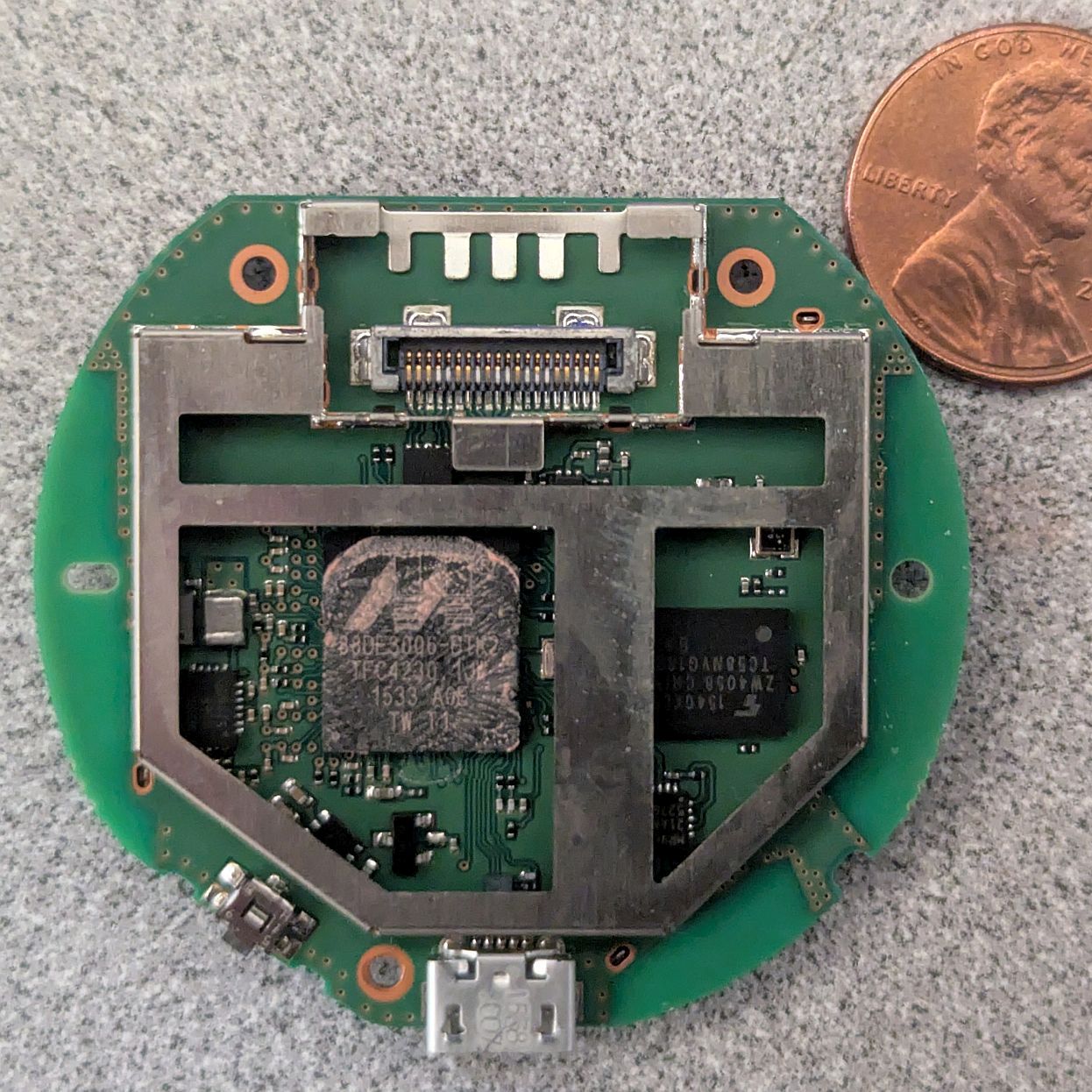
Marvell's Armada 88DE3006 dual-core Cortex-A7 powers the second-generation ChromeCast. (Credit: Brian Dipert, EDN)
Marvell’s Armada 88DE3006 dual-core Cortex-A7 powers the second-generation Chromecast. (Credit: Brian Dipert, EDN)

In addition to collecting each generation of Chromecast, [Brian Dipert] over at EDN looked back on this second-generation dongle from 2015 while also digging into the guts of a well-used example that got picked up used.

While not having any of the fascinating legacy features of the 2nd-generation Ultra in his collection that came with the Stadia gaming controller, it defines basically everything that Chromecast dongles were about: a simple dongle with a HDMI & USB connector that you plugged into a display that you wanted to show streaming content on. The teardown is mostly similar to the 2015-era teardown by iFixit, who incidentally decided not to assign any repairability score, for obvious reasons.

Most interesting about this second-generation Chromecast is that the hardware supported Bluetooth, but that this wasn’t enabled until a few years later, presumably to fix the wonky new device setup procedure that would be replaced with a new procedure via the Google Home app.

While Google’s attention has moved on to newer devices, the Chromecast isn’t dead — the dongles in the wild still work, and the protocol is supported by Google TV and many ‘smart’ appliances including TVs and multimedia receivers.

It’s A Soldering Iron! It’s A Multimeter! Relax! It’s Both!

Imagine this. A young person comes to you wanting to get started in the electronic hobby. They ask what five things should they buy to get started. Make your list. We’ll wait. We bet we can guess at least two of your items: a multimeter, and a soldering iron. [LearnElectroncsRepair] recently showed us a review of the Zotek Zoyi ZT-N2 which is a soldering iron and a multimeter in one unit. You can watch the video review below.

Honestly, when we heard about this, we didn’t think much of the combination. It doesn’t seem like having your probe get red hot is a feature. However, the probe tip replaces the soldering iron tip, so you are either soldering or measuring, but not both at the same time.

Continue reading “It’s A Soldering Iron! It’s A Multimeter! Relax! It’s Both!”

A stack of Activation Locked MacBooks destined for the shredder in refurbisher [John Bumstead]’s workshop.

Apple IOS 18’s New Repair Assistant: Easier Parts Pairing Yet With Many Limitations

Over the years, Apple has gone all-in on parts pairing. Virtually every component in an iPhone and iPad has a unique ID that’s kept in a big database over at Apple, which limits replacement parts to only those which have their pairing with the host system officially sanctified by Apple. With iOS 18 there seems to be somewhat of a change in how difficult getting a pairing approved, in the form of Apple’s new Repair Assistant. According to early responses by [iFixit] and in a video by [Hugh Jeffreys] the experience is ‘promising but flawed’.

As noted in the official Apple support page, the Repair Assistant is limited to the iPhone 15+, iPad Pro (M4) and iPad Air (M2), which still leaves many devices unable to make use of this feature. For the lucky few, however, this theoretically means that you can forego having to contact Apple directly to approve new parts. Instead the assistant will boot into its own environment, perform the pairing and calibration and allow you to go on your merry way with (theoretically) all functionality fully accessible.

Continue reading “Apple IOS 18’s New Repair Assistant: Easier Parts Pairing Yet With Many Limitations”