Aging Alcohol In 30 Minutes

Many alcoholic beverages are aged in barrels for long periods of time. The aim is to impart flavors from the wood of the barrel into the liquid, and allow a whole host of chemical reactions to happen, changing the character of the taste. However, this takes time, and time is money. There’s potentially a faster way, however, and [The Thought Emporium] set out to investigate.

Inspired by several research papers, the goal was to examine whether using ultrasound to agitate these fluids could speed the aging process. Initial tests consisted of artificially aging milk, apple cider, and vodka in a small ultrasonic jewelry cleaner for 30 minutes, with cognac chips for flavor. Results were positive amongst the tasters, with the vodka in particular showing a marked color change from the process. A later test expanded the types of wood chip and beverages under test. Results were more mixed, but with a small sample size of tasters, it’s to be expected.

While taste is subjective, there were definite visible results from the aging process. It’s a technique that’s being explored by industry, too. We’ve seen hackers brew up plenty of tasty beverages before, too – often with a little automation thrown in Video after the break.

Continue reading “Aging Alcohol In 30 Minutes”

Upgrade Board Turns Typewriter Into A Teletype

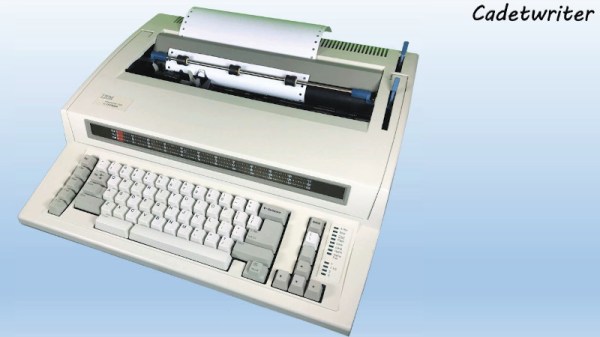
It may come as little surprise to find that Hackaday does not often play host to typewriter projects. While these iconic machines have their own particular charm, they generally don’t allow for much in the way of hardware modification. But then the IBM Wheelwriter 1000 isn’t exactly a traditional typewriter, which made its recent conversion to a fully functional computer terminal possible.

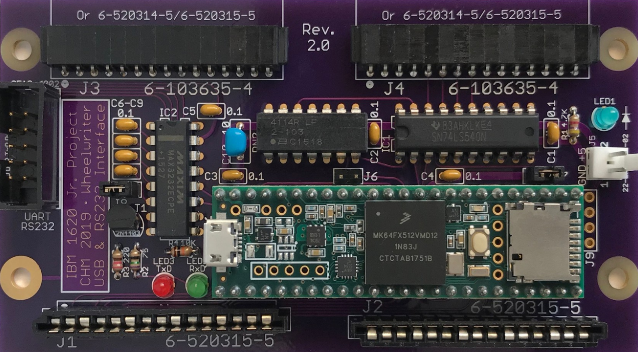
A product of the Computer History Museum’s [IBM 1620 Jr. Team], this modification takes the form of a serial interface board that can be built at home and installed into the Wheelwriter. The board allows the vintage electronic typewriter to speak RS-232 and USB, so it can be connected to whatever vintage (or not so vintage) computer you can imagine. The documentation for the project gives a rough cost of $150, though that does assume you’ve already got a Wheelwriter 1000 kicking around.

The GitHub repository includes everything you need to create your own board, and there’s even a highly detailed installation guide that goes over the case modifications necessary to get the new hardware installed. It also explains that you’ll want to get a new keycap set for your Wheelwriter if you perform this modification, as the original board doesn’t have all of the ASCII characters.

So why adapt an old electric typewriter to function as a teletype? As explained by the [IBM 1620 Jr. Team], there are projects out there looking to recreate authentic 1960s-era computing experiences that need a (relatively) affordable paper terminal. The originals are too rare to use in modern recreations, but with their adapter board, these slightly less archaic input devices can be used in their place.

Once you’ve built your new teletype, or in the somewhat unlikely event you already have one at the ready, we’ve seen a couple of projects that you might be interested in to put it to use.

Two Vintage Calculators In One

The FPGA revolution that occurred within the past few decades was a boon to many people interested in “antique” electronics. The devices “wire together” logic elements as needed rather than emulating chips completely in a software layer, which makes them uniquely suited for replicating chips that are rare, no longer in production, damaged, or otherwise lost. They also make it easy to experiment with hardware, like this project which combines two antique calculators into one single unit.

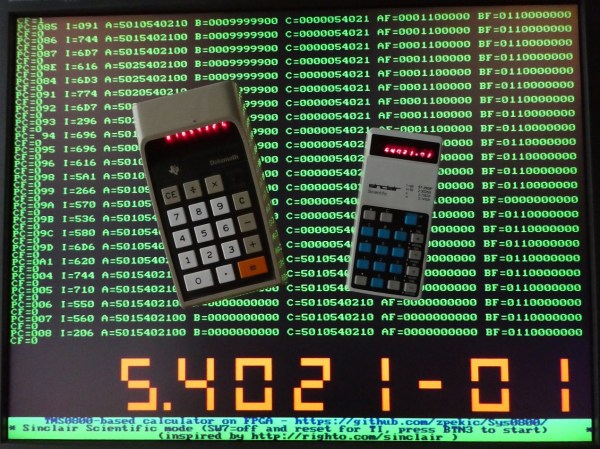
The two calculators used in this combination device are the TI Datamath and the Sinclair Scientific, both released in the early 1970s, the former of which has been extensively documented and reverse engineered on at least one occasion. The reproduction from [zpekic] has a toggle that allows the user to switch between the two “modes”. This showcases the power of microprogramming and microcode, and of the FPGA platform itself. Although both modes are functional, there are still a few bugs resulting from how different the two pieces of hardware were, which is really more of an interesting facet of this project than anything.

The build is a great showcase of FPGA technology, not to mention a great read-through for understanding these two calculators and their fundamental differences in data entry and manipulation, clock cycles, memory, and everything in between. It’s worth checking out, even if you don’t plan on using a decades-old calculator in your day-to-day life.

Peltier Device Experiments

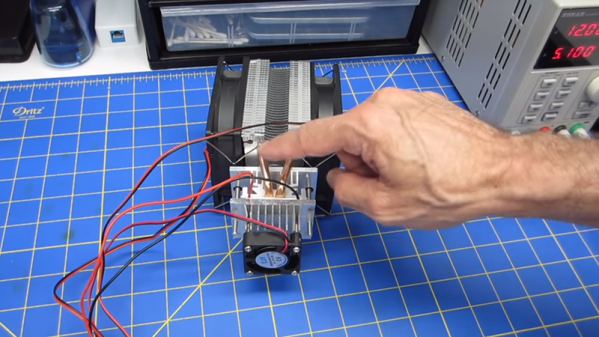
Once an exotic component, solid state heat pumps or Peltier devices are now pretty mainstream. The idea is simple: put electricity through a Peltier device and one side gets hot while the other side gets cold. [DroneBot] recently posted a video showing how these cool — really cool — devices work. You can see the video, below.

Many things in physics are reversible, and the Peltier is no exception. The device is actually a form of thermocouple, and in a thermocouple a temperature difference causes a voltage difference. This is known as the Seebeck effect as opposed to the Peltier effect in which current flowing between voltage differences causes a temperature difference. It was known for many years, but wasn’t very practical until modern semiconductor materials arrived.

Continue reading “Peltier Device Experiments”

This Arduino Keeps Its Eyes On You

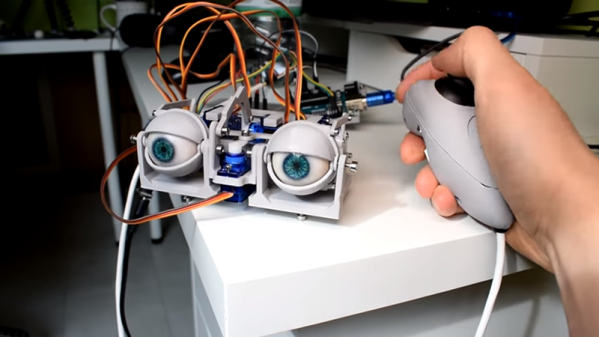
[Will] wanted to build some animatronic eyes that didn’t require high-precision 3D printing. He wound up with a forgiving design that uses an Arduino and six servo motors. You can see the video of the eyes moving around in the video below.

The bill of materials is pretty simple and features an Arduino, a driver board, and a joystick. The 3D printing parts are easy to print with no supports, and will work with PLA. Other than opening up holes there wasn’t much post-processing required, though he did sand the actual eyeballs which sounds painful.

Continue reading “This Arduino Keeps Its Eyes On You”

Break The Caps Lock Habit With This Annoying Buzzer

The much-maligned Caps Lock key has been causing problems for decades, and its continued existence is controversial enough that Google decided to drop it all together in their Chromebooks. Until the rest of the industry decides to follow their lead, they’ll likely be no shortage of awkward emails or overly aggressive comments that are the direct result of this treacherous key.

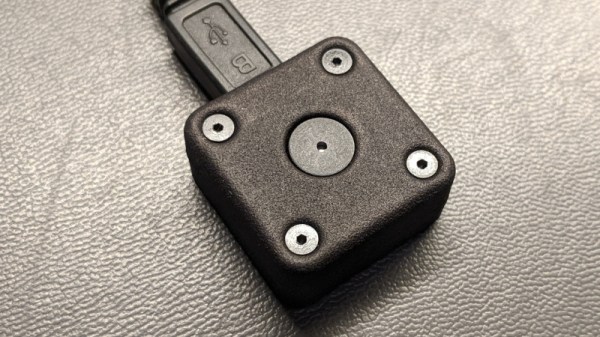
But [Glen Akins] thinks he has the solution. His creation is a tiny little USB notification device that has only one purpose: to make a terrible noise as long as the Caps Lock key is engaged. Think of it like the little indicator LED on your keyboard, but one that makes a terrible screeching noise that you simply can’t ignore. This is made possible by the fact that the Caps Lock status is handled at the OS level rather than the local input device.

The notifier is built around the PIC16F1459, as it allowed him to implement USB 2.0 while keeping the part count low. Beyond the PIC, the board uses a handful of passives and a transistor to drive the buzzer from a PWM signal. To avoid duplicated effort, everything was designed to fit inside the enclosure he already developed for his single-key keyboard that we covered last year. [Glen] and a fellow coworker from Keysight put together an excellent video on the creation and use of the buzzer that you can see after the break.

On the other end of the spectrum, and even smaller, is the “USB Capslocker” which is designed to weaponize this already troublesome feature of your keyboard.

Continue reading “Break The Caps Lock Habit With This Annoying Buzzer”

An Open Source Toolbox For Studying The Earth

Fully understanding the planet’s complex ecosystem takes data, and lots of it. Unfortunately, the ability to collect detailed environmental data on a large scale with any sort of accuracy has traditionally been something that only the government or well-funded institutions have been capable of. Building and deploying the sensors necessary to cover large areas or remote locations simply wasn’t something the individual could realistically do.

But by leveraging modular hardware and open source software, the FieldKit from [Conservify] hopes to even the scales a bit. With an array of standardized sensors and easy to use software tools for collating and visualizing collected data, the project aims to empower independent environmental monitoring systems that can scale from a handful of nodes up to several hundred.
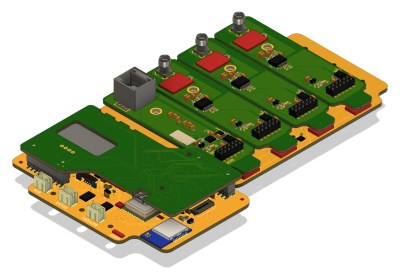
We’ve all seen more than enough DIY environmental monitoring projects to know there’s nothing particularly new or exciting about stuffing a few cheap sensors into a plastic container. But putting high quality, reliable hardware into large scale production is another thing entirely. Especially when your target user may have limited technical knowledge.

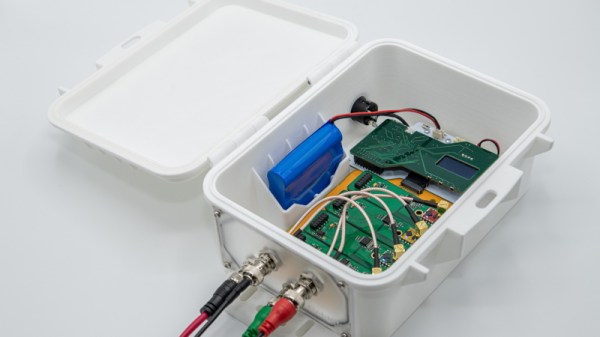
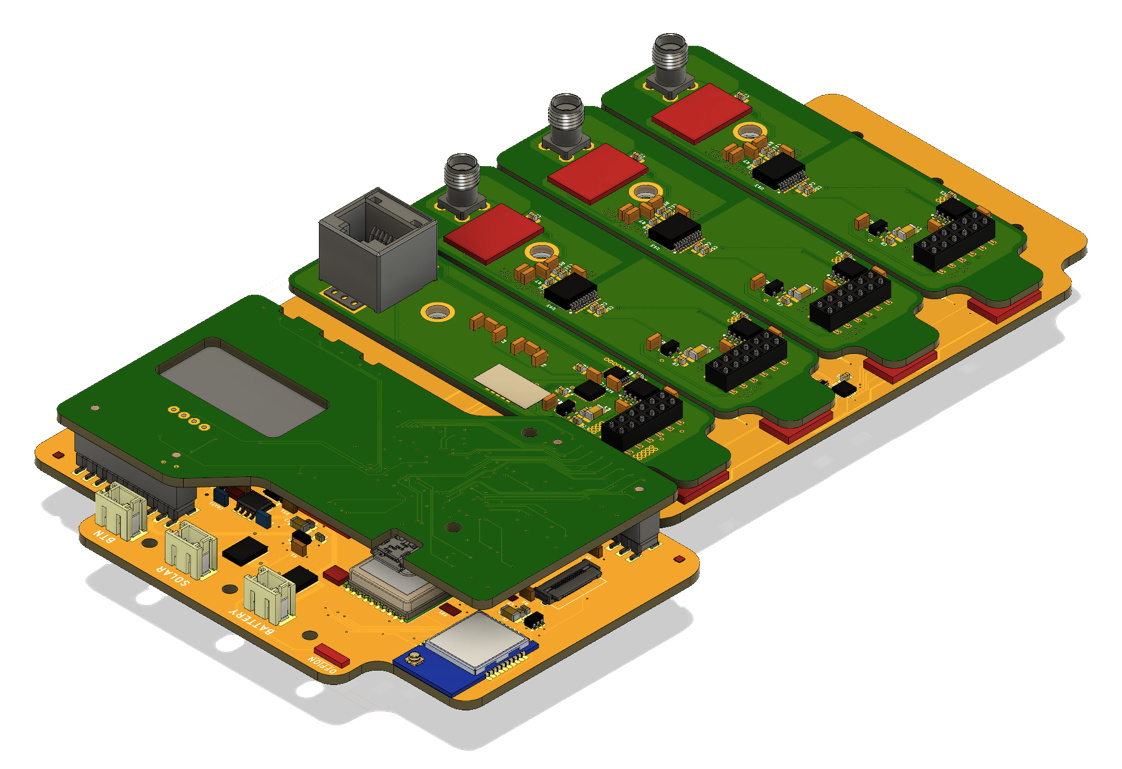
That’s why FieldKit is designed around a common backplane with modular sensors and add-on boards that can be plugged in and easily configured with a smartphone application. Whether the node is going to be mounted to a pole and powered by a solar panel, or attached to a buoy, most of the hardware stays the same.

While the electronics and the software interface are naturally the stars of the show here, we can’t help but also be impressed with the enclosure for the FieldKit. It seems a minor thing, but as we’ve seen from the projects that have come our way over the years, finding a box to put your hardware in that’s affordable, adaptable, and weatherproof is often a considerable challenge in itself. Rather than using something commercially available, [Conservify] has designed their own enclosure that’s inspired by the heavy duty (but prohibitively expensive) cases from Pelican. It features a replaceable panel on one side where the user can pop whatever holes will be necessary to wire up their particular project without compromising the case itself; just get a new panel when you want to reconfigure the FieldKit for some other task. Prototypes have already been 3D printed, and the team will be moving to injection molded versions in the near future.

As a finalist in the 2019 Hackaday Prize, FieldKit exemplifies everything we’re looking for this year: a clear forward progression from prototype to final hardware, an obvious need for mass production, and the documentation necessary to show why this project is deserving of the $125,000 grand prize up for grabs.

Continue reading “An Open Source Toolbox For Studying The Earth”