HAL 9000 useless machine

World’s Biggest, Most Useless AI Machine

In a time when we’re inundated with talk of an impending AI apocalypse it’s nice to see an AI that’s intentionally useless. That AI is HAL 9000. No, not the conflicted HAL from the movie 2001: A Space Odyssey but the World’s Biggest AI Useless Machine HAL built by [Rafael], [Mickey] and [Eyal] for GeekCon 2016 in Israel.

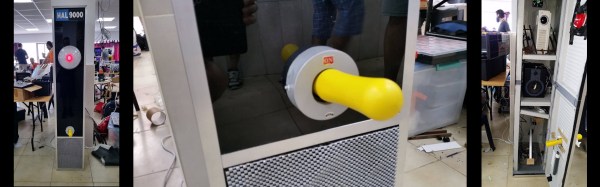
Standing tall, shiny and black, the box it’s housed in reminds us a bit of the monolith from the movie. But, in a watchful position near the top is HAL’s red eye. As we approach, HAL’s voice from the movie speaks to us asking “Just what do you think you’re doing, Dave?” as the eye changes diameter in keeping with the speech’s amplitude. And at the bottom is a bright, yellow lever marked ON, which of course we just have to turn off. When we do, a panel opens up below it and a rod extends upward to turn the lever back to the ON position.

Behind the scenes are two Arduinos. One Arduino manages servos for the panel and rod as well as playing random clips of HAL from the movie. The other Arduino uses the Arduino TVout library to output to a projector that sits behind the red diffuser that is the eye. That Arduino also takes input from a microphone and based on the amplitude, has the projector project a white circle of corresponding diameter, making the eye’s appearance change. You can see all this in action in the video after the break.

Continue reading “World’s Biggest, Most Useless AI Machine”

Hackaday Prize Entry: Dodo 6502 Game System

If you are a gamer of A Certain Age, it’s probable that you retain a soft spot for 8-bit computers and consoles of your youth. For a time when addictive gameplay came through the most minimal of graphics, and when gaming audio was the harshest of square waves rather than immersive soundscapes.

Does the previous paragraph sound familiar? Then we may just have the device for you. The Dodo is a handheld console that harks back to that era with a 6502 processor and a 128×64 pixel OLED screen. Games are loaded from plug-in EEPROM cartridges, and sounds are suitably period-digital square wave tones. It’s the brainchild of [Peter Noyes], and he says he will consider it complete when it sports a game fun enough to entertain his 4-year-old.

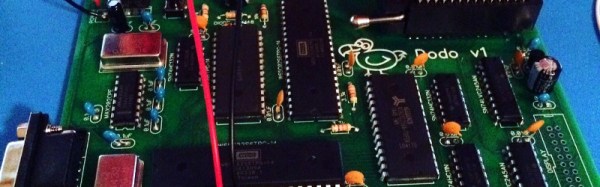
The prototype Dodo is a handheld form-factor made from two stacked PCBs. The upper one has the display and buttons while the lower has the classic 6502 and associated chipset in through-hole DIP format. A Game Boy Micro it ain’t, but miniaturization is not the name of the game with these consoles. Best of all though, all the console’s resources are available in a GitHub repository, so you can all have a play too.

The 6502 has featured in a huge number of projects here on Hackaday over the years. Now it’s turned up in the Hackaday Prize.

Electric Train Demonstrator

If you ever want to pique a kid’s interest in technology, it is best to bring out something simple, yet cool. There was a time that showing a kid how a crystal radio could pull in a radio station from all the way across town fit the bill. Now, that’s a yawner as the kid probably carries a high-tech cell phone with a formidable radio already. Your latest FPGA project is probably too complicated to grasp, and your Arduino capacitance meter is–no offense–too boring to meet the cool factor criterion.

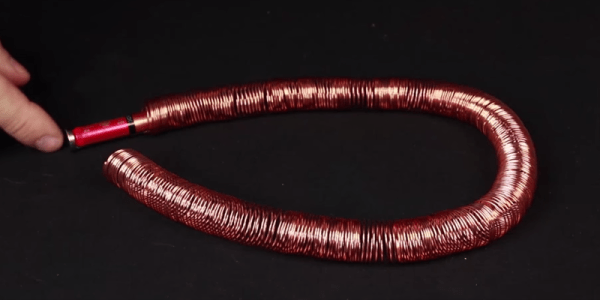
There’s an old school project usually called an “electromagnetic train” that works well (Ohio State has a good write up about it as a PDF file). You coil some bare copper wire around a tubular form to make a tunnel. Then a AAA battery with some magnets make the train. When you put the train in the tunnel, the magnetic forces propel the train through the tunnel. Well, either that or it shoots it out. If that happens, turn the train around and try again. There’s a few of these in Internet videos and you can see one of them (from [BeardedScienceGuy]) below.

Continue reading “Electric Train Demonstrator”

Scratch-Built EV From Hoverboards

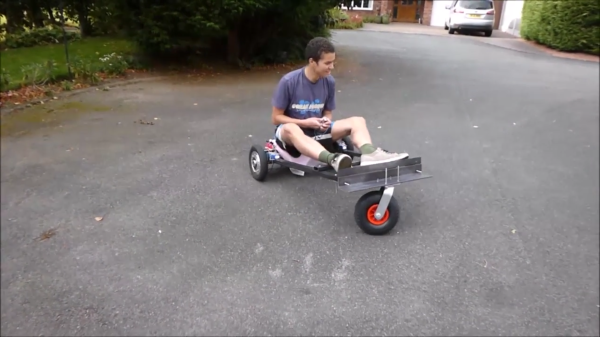
Electric vehicles are everywhere now. Even though battery technology hasn’t had the breakthrough that we need to get everyone out driving an electric car, the price for batteries has dropped enough that almost anything else is possible. The hoverboard was proof of this: an inexpensive electric vehicle of sorts that anyone who was anyone in 2015 had. Taking his cue from there, [Harris] used off-the-shelf parts normally used for hoverboards to build his own battery-powered trike.

The trike is homemade from the ground up, too. The H-frame was bolted together using steel and lots and lots of bolts. Propulsion comes from a set of hub motors that are integrated into the wheels like a hoverboard or electric bicycle would have. Commonly available plug-and-play lithium batteries make up the power unit and are notably small. In fact, the entire build looks like little more than a frame and a seat, thanks to the inconspicuous batteries and hub motors.

Continue reading “Scratch-Built EV From Hoverboards”

Hi-Tech Tool For Measuring Your Kid’s Height

Sure we can have our kids back up against a wall, force them to stand up straight, and use a ruler on their head to mark their height on the wall, but what kind of hacker would we be? There isn’t a single microcontroller or any electronic component involved! The DIY-family that calls themselves [HomeMadeGarbage] stood tall and came up with a high-tech tool to measure their kid’s height.

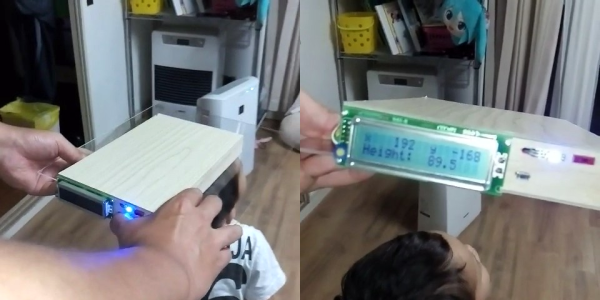
In place of the ruler they got a small wooden box to place on the head. Under the box, at the rear end facing down, they mounted a VL53L0X laser ranging sensor. With a range of 2 meters it’s sure to work with any child. But the box has to be sat level on the child’s head, otherwise the laser will be pointing down at an angle. To handle that they put an MPU6050 6-axis motion sensor in the box along with an Arduino Nano to tie it all together. A LCD display, measurement push-button and LED are mounted outside the box on the rear facing side.

To use it, a parent sits the box on the child’s head, making sure the laser sensor isn’t blocked and can see the floor. The LCD shows the height, along with the acceleration in the x and y directions. The LED is red if the box isn’t level and green if it is. Holding the measurement button pressed puts the tool in measurement mode and when it’s level, the LED turns blue and the LCD display freezes so you can make a note of the height. You’re good for a while, depending on your child’s age. See it being used to measure a child after the break as well as an additional clip showing what the output looks like when waving a hand up and down below it.

Continue reading “Hi-Tech Tool For Measuring Your Kid’s Height”

Canary Island Team Wins World Robotic Sailing 2016

If you’re like us, you had no idea that there even was a World Robotic Sailing Championship. But we’re glad that we do now! And congratulations to the team of A-Tirma G2, the winning boat. (Link in Spanish, difficult to translate — if you can figure out how, post in the comments?)

The Championship has apparently been going on for nine years now, and moves to a different location around the world each year. The contests for 2016 (PDF) are by no means trivial. Besides a simple there-and-back regatta, the robot boats have to hold position, scan a prescribed area, and avoid a big obstacle and return quickly back to their lane. All of this with wind power, of course.

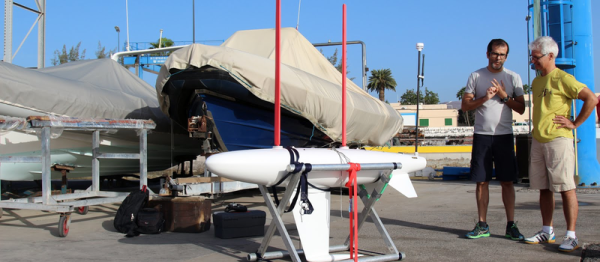
The winning boat used solid sails, which act essentially as vertical wings, and was designed for rough weather. This paid off in the area-scanning test; the winds were so strong that the organizers considered calling it off, but team A-Tirma’s boat navigated flawlessly, giving them enough points to win the event even though camera malfunction kept them from completing the obstacle avoidance.

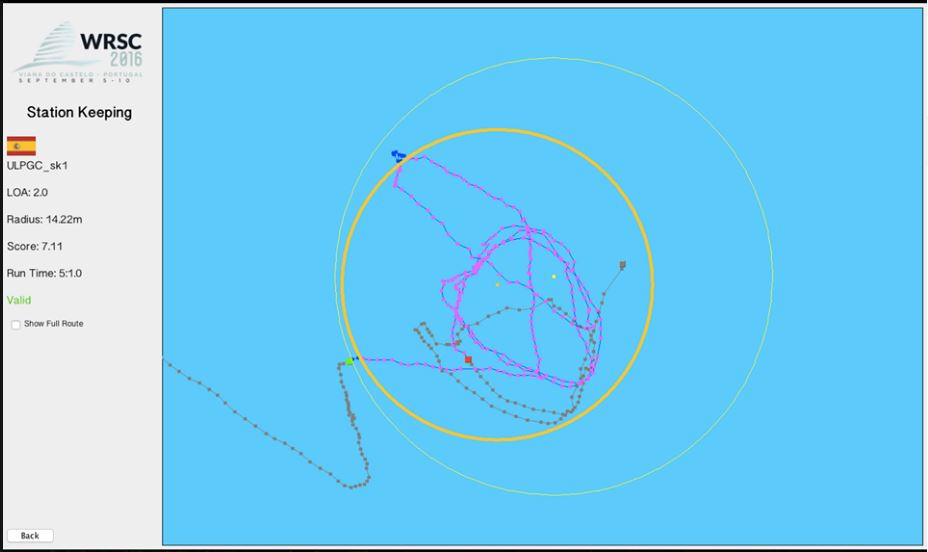
stationkeepingtrackingUnless you’ve sailed, it’s hard to appreciate the difficulty of these challenges to an autonomous vehicle. It’s incredibly hard to plan far ahead because the boat’s motive power source, the wind, isn’t constant. But the boat has, relatively speaking, a lot of inertia and no brakes, so the robot has to plan fairly far in advance. That any of the 2-4 meter long boats could stay inside a circle of 20 meters is impressive. Oh, and did we mention that A-Tirma did all of this calculating and reacting on solar power?

Because the wind is so fickle, drone sailboats are much less popular than drone motorboats — at least using the Hackaday Blogpost Metric ™. The hackerboat project is trying out sails, but they’re still mostly working on powered propulsion. We do have an entry in the 2016 Hackaday Prize, but it’s looking like the development process is in the doldrums. Still, sailing is the best way to go in the end, because windpower is essentially free on the open ocean, which means less work for the solar panels.

As far as role-models go, you’ve basically got the entrants in the World Robotic Sailing Championships. So kudos to the A-Tirma team, and thanks [Nikito] for the tip!

Creating A PCB In Everything: Eagle, Part 1

For the first in a series of posts describing how to make a PCB, we’re going with Eagle. Eagle CAD has been around since the days of DOS, and has received numerous updates over the years. Until KiCad started getting good a few years ago, Eagle CAD was the de facto standard PCB design software for hobbyist projects. Sparkfun uses it, Adafruit uses it, and Dangerous Prototypes uses it. The reason for Eagle’s dominance in a market where people don’t want to pay for software is the free, non-commercial and educational licenses. These free licenses give you the ability to build a board big enough and complex enough for 90% of hobbyist projects.

Of course, it should be mentioned that Eagle was recently acquired by Autodesk. The free licenses will remain, and right now, it seems obvious Eagle will become Autodesk’s pro-level circuit and board design software.

Personally, I learned PCB design on Eagle. After a few years, I quickly learned how limited even the professional version of Eagle was. At that point, the only option was to learn KiCad. Now that Eagle is in the hands of Autodesk, and I am very confident Eagle is about to get really, really good, I no longer have the desire to learn KiCad.

With the introduction out of the way, let’s get down to making a PCB in Eagle.

Continue reading “Creating A PCB In Everything: Eagle, Part 1”