ESP32 Modules Popping Up Everywhere, In Stock Almost Nowhere

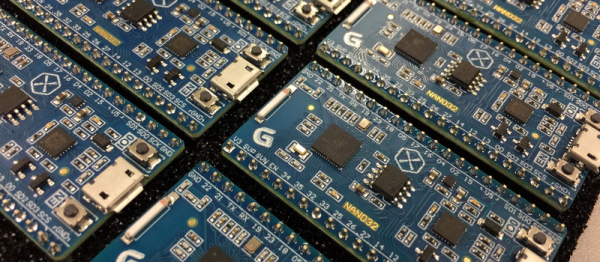
We know what it’s like to wait for newly released electronic parts. Clicking refresh every day at your favorite online retailers, reading reviews published by the press who got preview units, and maybe even daring to order implausibly cheap devices from foreign lands. The ESP32 has many of us playing the waiting game, and we’ll level with you — they’re out of stock most places. But, if you look hard enough you can find one. At least, you could find them before we wrote this quick roundup of ESP32 hardware. If hearing about parts that are just out of reach is your sort of thing, then read on, you masochist!

Continue reading “ESP32 Modules Popping Up Everywhere, In Stock Almost Nowhere”

SSH Enters The Mosh Pit

With so many systems depending on Linux, the secure shell SSH has become a staple for many developers. If you are connected to your Raspberry Pi via a cable or a wireless router a few feet away, SSH can provide you with an encrypted connection straight to the box. However, if you have a system out in a swamp somewhere with intermittent slow network access, SSH can be a real pain. When your IP address can change (for example, roaming on a cellular network), SSH has problems, too.

To combat these and other problems, you might consider an open source program called Mosh (mobile shell). There’s two parts to Mosh. One part works as a server while the other is the client application. Neither of these require root access. You can see a video about Mosh below.

Continue reading “SSH Enters The Mosh Pit”

Not Quite 101 Uses For An ATX Power Supply

The PC power supply has been a standard of the junk box for the last couple of decades, and will probably continue to be for the foreseeable future. A product that is often built to a very high standard and which will give years of faithful service, yet which has a life of only a few years as the PC of which it is a part becomes obsolete. Over the decades it has evolved from the original PC and AT into ATX, supplying an ever-expanding range of voltage rails at increasing power levels. There have been multiple different revisions of the ATX power supply standard over the years, but they all share the same basic form factor.

So a pile of ATX supplies will probably feature in the lives of quite a few readers. Most of them will probably be old and obsolete versions of little use with today’s motherboards, so there they sit. Not small enough to ignore, yet Too Good To Throw Away. We’re going to take a look at them, try to work out what useful parts they contain, and see a few projects using them. Maybe this will provide some inspiration if you’re one of those readers with a pile of them seeking a purpose.

Continue reading “Not Quite 101 Uses For An ATX Power Supply”

A Machine Shop In A Toolbox: Just Add Time

You don’t need any fancy tools. A CNC machine is nice. A 3D printer can help. Laser cutters are just great. However, when it comes to actually making something, none of this is exactly necessary. With a basic set of hand tools and a few simple power tools, most of which can be picked up for a pittance, many things of surprising complexity, precision, and quality can be made.

Not as pretty, but worked just the same.

A while back I was working on a ring light for my 3D printer. I already had a collection of LEDs, as all hackers are weak for a five-dollar assortment box. So I got on my CAD software of choice and modeled out a ring that I was going to laser cut out of plywood. It would have holes for each of the LEDs. To get a file ready for laser cutting ook around ten minutes. I started to get ready to leave the house and do the ten minute drive to the hackerspace, the ten minutes firing up and using the laser cutter (assuming it wasn’t occupied) and the drive back. It suddenly occurred to me that I was being very silly. I pulled out a sheet of plywood. Drew three circles on it with a compass and subdivided the circle. Under ten minutes of work with basic layout tools, a power drill, and a coping saw and I had the part. This was versus the 40 minutes it would have taken me to fire up the laser cutter.

Continue reading “A Machine Shop In A Toolbox: Just Add Time”

Skynet Takes Over…Academia?

A telescope isn’t an unusual thing to own if you are technically inclined. You might have even made one, at some point. However, despite improvements in optical technology and computer aiming devices, your four to twenty-inch instrument is never going to show you images like you see from big giant telescopes. The problem is, going really big requires a lot of investment in time, money, and sometimes even real estate. The big scopes get buildings constructed for them, and in exotic locations; why would you build a 24-inch scope only to try to see through the light pollution in your backyard?

Here’s an idea: take an astronomy class at a college and use their big telescope. Well, who has the time and money for that? Actually, you do. Skynet is a global network of telescopes headquartered at the University of North Carolina. As part of their mandate, they offer several tuition-free astronomy classes over the Internet. The best part? You also get free time on Skynet’s telescopes to complete your class assignments. There is a small fee (between $45 and $65) to a “benefit corporation” to administer assignments. You do get a certificate upon graduation. If you don’t want to do the assignments and you don’t want a certificate, you can still “take” the classes by simply watching them on YouTube. You can see one of the classes in the video below.

Continue reading “Skynet Takes Over…Academia?”

Creating A PCB In Everything: Friends Don’t Let Friends Use Fritzing

This week, we’re continuing our Creating A PCB In Everything series, where we go through the steps to create a simple, barebones PCB in different EDA suites. We’re done with Eagle, and now it’s time to move onto Fritzing.

fritzing-logoFritzing came out of the Interaction Design Lab at the University of Applied Sciences of Potsdam in 2007 as a project initiated by Professor Reto Wettach, André Knörig and Zach Eveland. It is frequently compared to Processing, Wiring, or Arduino in that it provides an easy way for artists, creatives, or ‘makers’ to dip their toes into the waters of PCB design.

I feel it is necessary to contextualize Fritzing in the space of ‘maker movement’, DIY electronics, and the last decade of Hackaday. Simply by virtue of being an editor for Hackaday, I have seen thousands of homebrew PCBs, and tens of thousands of amateur and hobbyist electronics projects. Despite what the Fritzing’s Wikipedia talk page claims, Fritzing is an important piece of software. The story of the ‘maker movement’ – however ill-defined that phrase is – cannot be told without mentioning Fritzing. It was the inspiration for CircuitLab, and the Fritzing influence can easily be seen in Autodesk’s 123D Circuits.

Just because a piece of software is important doesn’t mean it’s good. I am, perhaps, the world’s leading expert at assessing poorly designed and just plain shitty PCBs. You may scoff at this, but think about it: simply due to my vocation, I look at a lot of PCBs made by amateurs. EE professors, TAs, or Chris Gammell might beat me on volume, but they’re only looking at boards made by students using one tool. I see amateur boards built in every tool, and without exception, the worst are always designed in Fritzing. It should be unacceptable that I can even tell they’re designed in Fritzing.

Fritzing has its place, and that place is building graphical representations for breadboard circuits. Fritzing has no other equal in this respect, and for this purpose, it’s an excellent tool. You can also make a PCB in Fritzing, and here things aren’t as great. I want to do Fritzing for this Creating A PCB In Everything series only to demonstrate how bad PCB design can be.

For the next few thousand words, I am going to combine a tutorial for Fritzing with a review of Fritzing. Fritzing is an important piece of software, if only for being a great way to create graphics of breadboard circuits. As a PCB design tool, it’s lacking; creating parts from scratch is far too hard, and there’s no way to get around the grid snap tool. No one should ever be forced to create a PCB in Fritzing, but it does have its own very limited place.

Continue reading “Creating A PCB In Everything: Friends Don’t Let Friends Use Fritzing”

Raspberry Pi, Send Me A Letter

The abundance of small networked boards running Linux — like the Raspberry Pi — is a boon for developers. It is easy enough to put a small cheap computer on the network. The fact that Linux has a lot of software is a double-edged sword. On the one hand, it is a good bet that anything you want to do has been done. On the other hand, some of the solutions are a bit large for a tiny embedded system.

Take, for example, e-mail. Historically, Linux hosts operate as mail transfer agents that can send and receive mail for all their users and possibly even relay mail to others. In today’s world, that’s usually overkill, but the capability is there. It is possible to install big mail transfer agents into a Raspberry Pi. The question is: should you?

What Do You Want?

The answer, of course, depends on what you want to do. If you have a dedicated board sending out text and maybe even files using an external mail server (like, say, Gmail), then the answer is no. You don’t need a piece of software listening for incoming connections, sorting through multiple users, and so on.

Luckily, there are some simple solutions if you know how to set up and configure them. The key is to avoid the big mail programs that do everything you don’t need.

Mail Front Ends

Let’s tackle sending mail first. If you try to grab the mailutils package, you’ll see it drags along a lot of stuff including mysql. Keep in mind, none of this will actually send mail. It just gives you some tools to get mail ready to send.

Luckily, the bsd-mailx package has a lot less overhead and will do the job. Look at the man page to see what options you have with mailx; you can do things like attach files, set a subject, and specify addresses.

It is a little difficult to set up for Gmail, though, thanks to Google’s security. You’ll need the certutil tool from the libnss3-tools package. You’ll need to create a certificate store, import Google’s certificate, and then set up a lot of options to mailx. I don’t suggest it. If you insist, though, you can find directions on the Web.

SSMTP

By default, programs like mailx and other Linux mail commands rely on a backend (often sendmail). Not only does that drag around too much overhead, it is also a full mail system, sending and receiving and relaying–overkill for our little Pi computers.

Luckily, SSMTP is available which only sends mail and is relatively lightweight. You need a configuration file to point it to your mail server. For Gmail, it would look like this:

#
# Config file for sSMTP sendmail
#
# The person who gets all mail for userids < 1000
# Make this empty to disable rewriting.
root=postmaster

# The place where the mail goes. The actual machine name is required no 
# MX records are consulted. Commonly mailhosts are named mail.domain.com
mailhub=smtp.gmail.com:587

# Where will the mail seem to come from?
rewriteDomain=yourdomain.com

# The full hostname
hostname=yourhostname
AuthUser=YourGmailUserID
AuthPass=YourGmailPassword
UseTLS=Yes
UseSTARTTLS=YES
# Are users allowed to set their own From: address?
# YES - Allow the user to specify their own From: address
# NO - Use the system generated From: address
FromLineOverride=YES

You can use a mail agent like mailx or you can just use ssmtp directly:

ssmtp someone@somewhere.com

Enter a message on the standard input and end it with a Control+D (standard end of file for Linux).

Google Authentication

There’s only one catch. If you are using Gmail, you’ll find that Google wants you to use stronger authentication. If you are using two-factor (that is, Google Authenticator), this isn’t going to work at all. You’ll need to generate an app password. Even if you aren’t, you will probably need to relax Google’s fear of spammers on your account. You need to turn on the “Access for less secure apps” setting. If you don’t want to do this on your primary e-mail account, considering making an account that you only use for sending data from the Pi.

Sending Files

Depending on the mail software you use, there are a few ways you can attach a file. However, the mpack program makes it very easy:

mpack -a -s 'Data File' datafile.csv me@hackaday.com

The above command will send datafile.csv as an attachment with the subject “Data File.” Pretty simple.

Receiving Mail

What if you want to reverse the process and receive mail on the Pi? There is a program called fetchmail that can grab e-mails from an IMAP or POP3 server. It is possible to make it only read the first unread message and send it to a script or program of your choosing.

You have to build a configuration file (or use the fetchmailconf program to build it). For example, here’s a simple .fetchmailrc file:

poll imap.gmail.com
protocol IMAP
user "user@gmail.com" with password "yourpassword" mda "/home/pi/mailscript.sh"
folder 'INBOX'
fetchlimit 1
keep
ssl

You can leave the “keep” line out if you don’t mind fetchmail deleting the mail after processing. The file should be in your home directory (unless you specify with the -f option) and it needs to not be readable and writable by other users (e.g., chmod 600 .fetchmailrc). According to the fetchmail FAQ, there are some issues with Gmail, so you might want to consider some of the suggestions provided. However, for simple tasks like this, you should be able to work it all out.

In particular, the mailscript.sh file is where you can process the e-mail. You might, for example, look for certain keyword commands and take some action (perhaps replying using ssmtp).

Special Delivery

You might not think of the Raspberry Pi as an e-mail machine. However, the fact that it is a pretty vanilla Linux setup means you can use all sorts of interesting tools meant for bigger computers. You just have to know they exist.