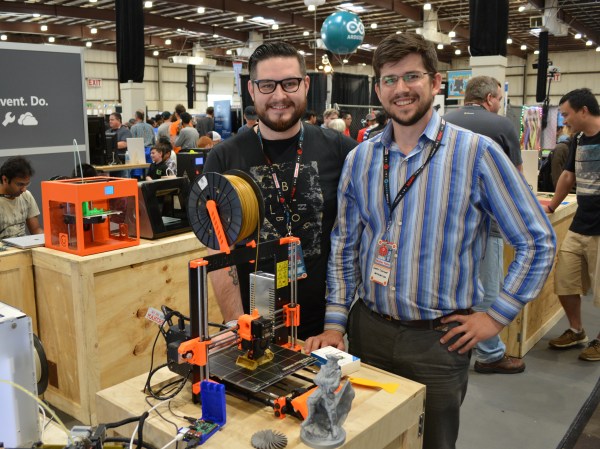
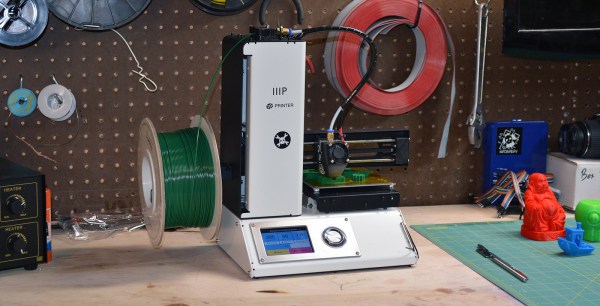
Josef Prusa’s designs have always been trustworthy. He has a talent for scouring the body of work out there in the RepRap community, finding the most valuable innovations, and then blending them together along with some innovations of his own into something greater than the sum of its parts. So, it’s not hard to say, that once a feature shows up in one of his printers, it is the direction that printers are going. With the latest version of the often imitated Prusa i3 design, we can see what’s next.
Working with high voltage is like working with high pressure plumbing. You can spring a leak in your plumbing, and of course you fix it. And now that you’ve fixed that leak, you’re able to increase the pressure still more, and sometimes another leak occurs. I’ve had these same experiences but with high voltage wiring. At a high enough voltage, around 30kV or higher, the leak manifests itself as a hissing sound and a corona that appears as a bluish glow of excited ions spraying from the leak. Try to dial up the voltage and the hiss turns into a shriek.
Why do leaks occur in high voltage? I’ve found that the best way to visualize the reason is by visualizing electric fields. Electric fields exist between positive and negative charges and can be pictured as electric field lines (illustrated below on the left.) The denser the electric field lines, the stronger the electric field.
Weak and strong electric fields
Ionization in electric fields
The stronger electric fields are where ionization of the air occurs. As illustrated in the “collision” example on the right above, ionization can happen by a negatively charged electron leaving the electrically conductive surface, which can be a wire or a part of the device, and colliding with a nearby neutral atom turning it into an ion. The collision can result in the electron attaching to the atom, turning the atom into a negatively charged ion, or the collision can knock another electron from the atom, turning the atom into a positively charged ion. In the “stripping off” example illustrated above, the strong electric field can affect things more directly by stripping an electron from the neutral atom, again turning it into a positive ion. And there are other effects as well such as electron avalanches and the photoelectric effect.
In either case, we wanted to keep those electrons in the electrically conductive wires or other surfaces and their loss constitutes a leak in a very real way.
The handheld screw driver is a wonderful tool. We’re often tempted to reach for its beefier replacement, the power drill/driver. But the manually operated screw driver has an extremely direct feedback mechanism; the only person to blame when the screw strips or is over-torqued is you. This is a near-perfect tool and when you pull the right screwdriver from the stone you will truly be the ruler of the fastener universe.
A Bit of Screw Driver History:
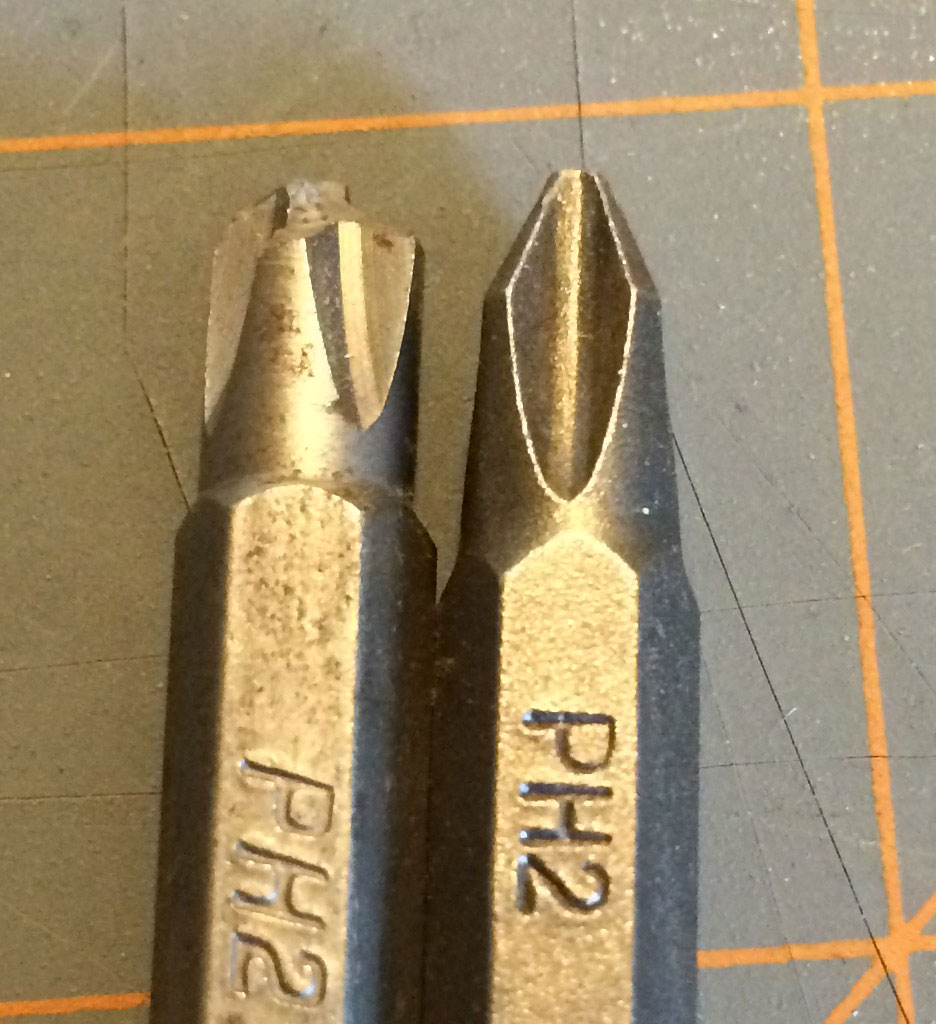
The kind of fun you can have with really cheap bits.
In order to buy a good set of screw drivers, it is important to understand the pros and cons of the geometry behind it. With a bit of understanding, it’s possible to look at a screw driver and tell if it was built to turn screws or if it was built to sell cheap.
Screw heads were initially all slotted. This isn’t 100 percent historically accurate, but when it comes to understanding why the set at the big box store contains the drivers it does, it helps. (There were a lot of square headed screws back in the day, we still use them, but not as much.)
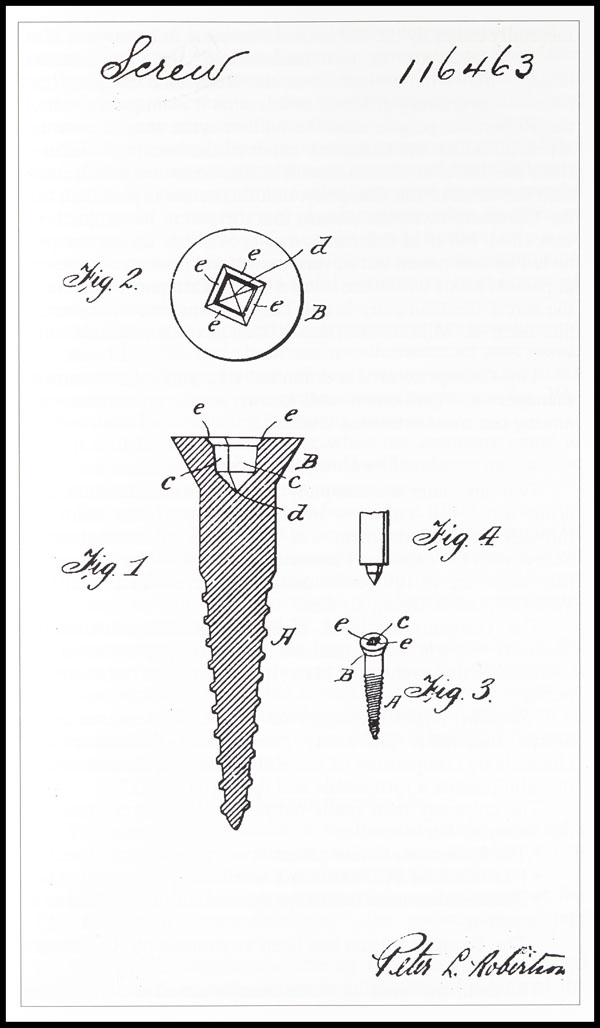
Believe it or not the “Robertson” screw came out before the Phillips. Robertson just hated money and didn’t want to license his patents. So it’s only now that they’re in common use again.
Flat head screws could be made with a slitting saw, hack saw, or file. The flat-head screw, at the time, was the cheapest to make and had pretty good torque transfer capabilities. It also needed hand alignment, a careful operator, and would almost certainly strip out and destroy itself when used with a power tool.
These shortcomings along with the arrival of the industrial age brought along many inventions from necessity, the most popular being the Phillips screw head. There were a lot of simultaneous invention going on, and it’s not clear who the first to invent was, or who stole what from who. However, the Philips screw let people on assembly lines turn a screw by hand or with a power tool and succeed most of the time. It had some huge downsides, for example, it would cam out really easily. This was not an original design intent, but the Phillips company said, “to hell with it!” and marketed it as a feature to prevent over-torquing anyway.
The traditional flathead and the Phillips won over pretty much everyone everywhere. Globally, there were some variations on the concept. For example, the Japanese use JST standard or Posidriv screws instead of Philips. These do not cam out and let the user destroy a screw if they desire. Which might show a cultural difference in thinking. That aside, it means that most of the screws intended for a user to turn with a screw driver are going to be flat-headed or Philips regardless of how awful flat headed screws or Philips screws are.
2016 is the year of the consumer 3D printer. Yes, the hype over 3D printing has died down since 2012. There were too many 3D printers at Maker Faire three years ago. Nevertheless, sales of 3D printers have never been stronger, the industry is growing, and the low-end machines are getting very, very good.
Printers are also getting cheap. At CES last January, Monoprice, the same company you buy Ethernet and HDMI cables from, introduced a line of 3D printers that would be released this year. While the $300 resin-based printer has been canned, Monoprice has released their MP Select Mini 3D printer for $200. This printer appeared on Monoprice late last month.
My curiosity was worth more than $200, so Hackaday readers get a review of the MP Select Mini 3D printer. The bottom line? There are some problems with this printer, but nothing that wouldn’t be found in printers that cost three times as much. This is a game-changing machine, and proof 2016 is the year of the entry-level consumer 3D printer.
As buzzwords go, the “Internet of Things” is pretty clever, and at the same time pretty loathsome, and both for the same reason. “IoT” can mean basically anything, so it’s a big-tent, inclusive trend. Every company, from Mattel to Fiat Chrysler, needs an IoT business strategy these days. But at the same time, “IoT” is vacuous — a name that applies to everything fails to clarify anything.
That’s a problem because “IoT Security” is everywhere in the news these days. Above and beyond the buzz, there are some truly good-hearted security professionals who are making valiant attempts to prevent what they see as a repeat of 1990s PC security fiascos. And I applaud them.
But I’m going to claim that a one-size-fits-all “IoT Security” policy is doomed to failure. OK, that’s a straw-man argument; any one-size-fits-all security policy is bound for the scrap heap. More seriously, I think that the term “IoT” is doing more harm than good by lumping entirely different devices and different connection modes together, and creating an implicit suggestion that they can all be treated similarly. “Internet of Things Security” is a thing, but the problem is that it’s everything, and that means that it’s useful for nothing.
What’s wrong with the phrase “Internet of Things” from a security perspective? Only two words: “Internet” and “Things”.
In high voltage applications involving tens of thousands of volts, too often people think about the high voltage needed but don’t consider the current. This is especially so when part of the circuit that the charge travels through is an air gap, and the charge is in the form of ions. That’s a far cry from electrons flowing in copper wire or moving through resistors.
Consider the lifter. The lifter is a fun, lightweight flying machine. It consists of a thin wire and an aluminum foil skirt separated by an air gap. Apply 25kV volts across that air gap and it lifts into the air.
Lifter flying with high voltage power supply
Lifter parts
So you’d think that the small handheld Van de Graaff generator pictured below, that’s capable of 80kV, could power the lifter. However, like many high voltage applications, the lifter works by ionizing air, in this case ionizing air surrounding the thin wire resulting in a bluish corona. That sets off a chain of events that produces a downward flowing jet of air, commonly called ion wind, lifting the lifter upward.
A toast to all the hackers out there who like to do it scrappy, who fight hard to get your products to work, who make your own tools and testing jigs and assembly lines in your basement, and who pound the pavement (and the keyboards) to get your product out there. Here’s to you (*clink*).
I had the fortune of a job interview recently in a big faceless company that you may have never heard of but probably use their stuff all the time. They make billions. And it was surreal. This article is about what it’s like for a scrappy start-up engineer to walk into the belly of the beast of an organization that counts its engineers in the tens of thousands. For obvious reasons, I can’t go into specific details, but let me paint for you in broad strokes what you, the hacker and entrepreneur, are up against.
When you have a company that’s been around for decades and whose yearly sales volume has more digits than some countries, everything is a few orders of magnitude bigger in scale. People, resources, volumes, everything.