Restoring A Dead Commodore 128DCR

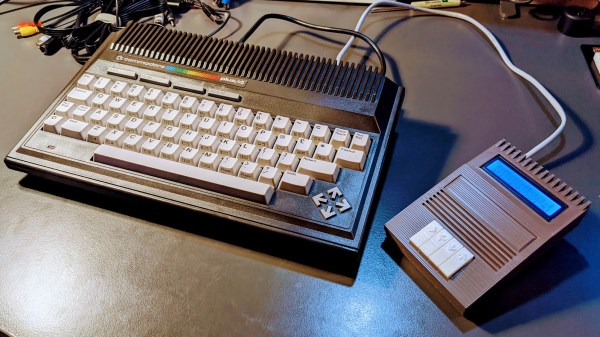
Another day, another retro computer lovingly restored to like-new condition by [Drygol]. This time, the subject of his attention is a Commodore 128DCR that earned every bit of the “For Parts, Not Working” condition it was listed under. From a spider infestation to a cracked power supply PCB, this computer was in quite a state. But in the end he got the three decade old machine back in working condition and even managed to teach it a few new tricks along the way.

Obviously the shattered PSU was the most pressing issue with the Commodore. Interestingly, the machine still had its warranty seal in place on the back, so whatever happened to this PSU seems to have occurred without human intervention.

Rather than just replacing the PSU, [Drygol] first pieced the board back together with the help of cyanoacrylate glue, and then coated the top with an epoxy resin to give it some mechanical strength. On the back side the traces were either repaired or replaced entirely with jumper wires where the damage was too severe.

With the PSU repaired and tested, he moved on to cleaning the computer’s main board and whitening all the plastic external components. Even the individual keycaps took a bath to get them looking like new again. This put the computer in about as close to like-new condition as it could get.

But why stop there? He next installed the JiffyDOS modification to improve system performance, and wired in an adapter that lets the computer output a crisp 80 columns over S-Video. It’s safe to say this particular Commodore is in better shape now than it was when it rolled off the assembly line.

While an impressive enough final result, this is still fairly tame for [Drygol]. If you want to see a real challenge, take a look at the insane amount of work that went into recreating this smashed Atari 800XL case.

Vintage Plotter Gets Bluetooth Upgrade

Recently [iot4c] stumbled upon this gorgeous Robotron Reiss plotter from 1989, brand-new and still in its original box. Built before the fall of the Berlin Wall in East Germany, it would be a crime to allow such a piece of computing history to go unused. But how to hook it up to a modern system? Bad enough that it uses some rather unusual connectors, but it’s about to be 2020, who wants to use wires anymore? What this piece of Cold War hardware needed was an infusion of Bluetooth.

While the physical ports on the back of the Robotron certainly look rather suspect, it turns out that electrically they’re just RS-232. In practice, this means converting it over was fairly straightforward. With a Bolutek BK3231 Bluetooth module and an RS-232 to UART converter, [iot4c] was able to create a wireless adapter that works transparently on the plotter by simply connecting it to the RX and TX pins.

A small DC buck converter was necessary to provide 3.3 V for the Bluetooth adapter, but even still, there was plenty of room inside the plotter’s case to fit everything in neatly. From the outside, you’d have no idea that the hardware had ever been modified at all.

But, like always, there was a catch. While Windows had no trouble connecting to the Bluetooth device and assigning it a COM port, the 512 byte buffer on the plotter would get overwhelmed when it started receiving commands. So [iot4c] wrote a little script in Node.js that breaks the commands down into more manageable chunks and sends them off to the plotter every 0.1 seconds. With this script in place the Robotron moved under its own power for the first time in ~30 years by parsing a HP-GL file generated by Inkscape.

If you’re interested in a plotter of your own but don’t have a vintage one sitting around, never fear. We’ve seen an influx of DIY plotters recently, ranging from builds that use popsicle sticks and clothespins to customizable 3D printed workhorses.

A Python Serial Terminal To Get You Out Of A Jam

When fiddling around with old computers, you can occasionally find yourself in a sticky situation. What may be a simple task with today’s hardware and software can be nearly impossible given the limited resources available to machines with 20 or 30 years on the clock. That’s where [bison] recently found himself when he needed to configure a device over serial, but didn’t have any way of installing the appropriate terminal emulator on his Fujitsu Lifebook C34S.

His solution, since he had Python 2.6 installed on the Debian 6 machine, was to write his own minimal serial terminal emulator. He intended for the code to be as terse as possible so it could be quickly typed in, should anyone else ever find themselves in need of talking to a serial device on Linux but can’t get screen or minicom installed.

The code is very simple, and even if you never find yourself needing to fire up an impromptu terminal, it offers an interesting example of how straightforward serial communications really are. The code opens up the /dev/ttyS0 device for reading, and after appending the appropriate return character, pushes the user’s keyboard input into it. Keep looping around, and you’ve got yourself an interactive terminal.

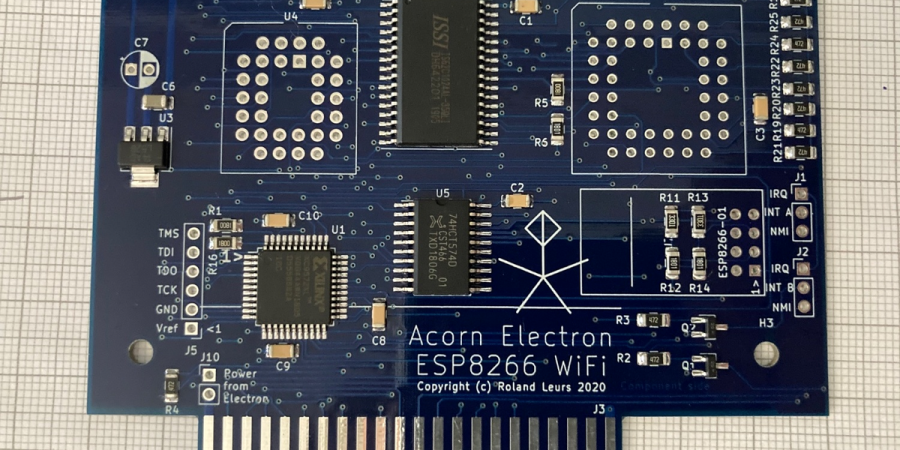
With this program written, [bison] was able to connect the 266 MHz C34S to his Retro WiFi SI, a modem adapter that bridges the gap between a vintage computer and modern wireless network. Gadgets like these allow you to browse BBSes as the creator intended, and can be fashioned with nothing more exotic than an ESP8266 running some open source code.

Just In Time For Christmas: Apple Macintosh Prototype For Sale

We do love a bit of retrotechnology around our workspace. But we have to admit, we really want to find this prototype Apple Mac under the tree this year. There’s only one problem. There’s only one for sale and only two like it known to exist, for that matter. The auction house thinks it will fetch up to $180,000. We will guess that number is low, but we will find out on December 4th.

The 1983 computer has a pre-production plastic housing and a 5.25 inch “twiggy” drive. Apple provided this machine, apparently, to Encore Systems so they could develop MacWrite ahead of the machine’s release date.

Continue reading “Just In Time For Christmas: Apple Macintosh Prototype For Sale”

ATX2AT Makes Retrocomputing Safer, Heads To Kickstarter

It’s easy to take power supplies for granted in modern computing, but powering vintage hardware is not always so simple or worry-free. The power supplies for old electronics are themselves vintage, and the hardware being powered can be quite precious. A power problem can easily cause fried components and burned traces on a board. As [Doc TB] observes, by the time you hear crackling, it’s already far too late.

To address this, [Doc TB] designed the ATX2AT Smart Converter as an open source project and recently decided to make it available through a Kickstarter campaign. ATX2AT is a way to safely and securely replace some vintage power supplies with a standard PC ATX power supply, and adds a large number of protection features such as current monitoring and programmable reaction time for overcurrent protection. All of this can help prevent a retrocomputer enthusiast’s precious vintage hardware from being damaged in the event of a problem. It’s not just for powering known-good hardware; it can be invaluable when testing or repairing hardware that might be in an unknown state.

When we first came across [Doc TB]’s ATX2AT project we recognized it as a well-made device to address a specific niche, and to do it well. Assessing risk takes into account not only the probability of a problem occurring, but also just how bad things would be if it did happen. If your old hardware is precious enough to warrant the extra protection, or you are into repairing or assessing old hardware, then an ATX2AT might be just what you need. You can see it in action in the video embedded below.

Continue reading “ATX2AT Makes Retrocomputing Safer, Heads To Kickstarter”

Cardboard Computer Replica Is Cheap And Easy To Make

Replicating 1960s-era computer hardware can be a daunting task. Components can be hard to find, schematics thin on the ground, and software near-unobtainable. Of course, not every computer from the decade consisted of expensive high-end electronics – CARDIAC was built out of common cardboard, and making your own is a cinch!

CARDIAC stood for Cardboard Illustrative Aid To Computation. Consisting of a series of sliding cardboard parts, it acted as a basic guide to the principles of computation. Through the use of a pencil and the associated guidebook, students could run simple programs to learn how to program computers at the barebones level.

Finding the paper-based computational learning tool highly valuable in their youth, [megardi] wanted to bring it back for a new audience. Thankfully, there are plenty of resources on the web that made it easy to whip up art files to reprint the device. [megardi] then also wrote up the instructions on how to accurately reproduce a CARDIAC, with helpful tips on how to best put it together. For a quick test, any old paper will do, while using 110 g cardstock and a laminator makes a sturdier build that can be used with dry-erase markers.

CARDIAC remains an excellent tool for teaching the basics of Von Neumann architecture computing. We’ve discussed similar teaching tools before, too – from the days when “real” computers were too expensive to let students anywhere near them. How times change!

Building A Front Panel For The RC2014 Computer

The RC2014 is a slick Z80 computer kit that’s graced these pages a number of times in the past. It allows anyone with a soldering iron and a USB-to-serial adapter to experience the thrill of early 1980s desktop computing. But what if you’re looking for an even more vintage experience? In that case, this custom RC2014 front panel from [James Stanley] might be just the thing to scratch that Altair itch.

The front panel allows you to view and alter the contents of memory with nothing more complex than toggle switches and LEDs, just like on the early microcomputers of the 1970s. If you’ve ever wanted to learn how a computer works on the most basic level, single-stepping through instructions and reading them out in binary is a great way to do it.

[James] says he was inspired to take on this project after reading a 1978 issue of Kilobaud Magazine (as one does), and seeing an article about building a homebrew Z80 machine with a front panel. Obviously he had to modify the approach a bit to mate up with this relatively modern variation on the venerable CPU, but the idea was essentially the same.

His documentation for the project is sure to be fascinating for anyone enamored with those iconic computers of yesteryear, but even readers with more modern sensibilities will likely find some interesting details. The way [James] coaxes the data and various status states out of the kit computer takes up the bulk of the write-up, but afterwards he talks about how he designed the PCB and wraps up with his tips for creating a professional looking front panel.

This isn’t the first time we’ve seen a modern Z80 computer kitted out with blinkenlights, but it’s certainly one of the most professional looking. If you combine the RC2014 kits available on Tindie with the details provided by [James], you’ll soon be learning the fine art of programming a computer with toggle switches.

Continue reading “Building A Front Panel For The RC2014 Computer”