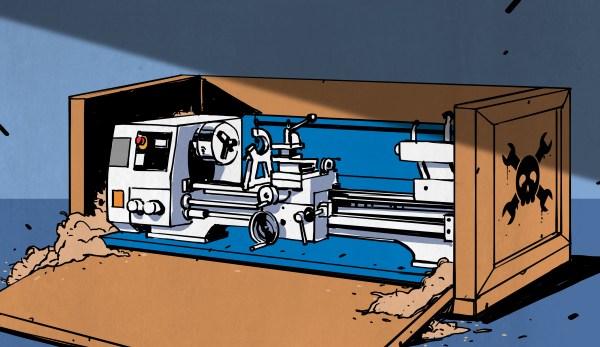
Let’s say you’ve gone and bought yourself a sweet sweet metal lathe. Maybe it’s one of the new price-conscious Asian models, or maybe it’s a lovely old cast iron beast that you found behind a foreclosed machine shop. You followed all the advice for setting it up, and now you’re ready to make chips, right? Well, not so fast. Unlike other big power tools, such as band saws or whatever people use to modify dead trees, machine tools need to be properly level. Not, “Hurr hurr my carpenter’s level says the bubble is in the middle”, but like really level.
This is especially true for lathes, but leveling is actually a proxy for something else. What you’re really doing is getting the entire machine in one plane. Leveling is a primitive way of removing twist from the structure. It may not seem like a huge piece of cast iron could possibly twist, but at very small scales it does! Everything is a spring, and imperceptible twist in the machine will show up as your lathe turning a couple thousandths of taper (cone) when it should be making perfect cylinders. All this is to say, before making chips, level your lathe. Let me show you the way. Continue reading “The Machinists’ Mantra: Level Thy Lathe”→
In the 1950’s and 60’s, the world had rocket fever. Humankind was taking its first steps into space and had sights on the moon. Kids could build rockets at the kitchen table and launch them in the schoolyard. On the darker side, the arms race was well underway with the US and USSR trying to close the fictional missile gap.
All around the world, engineers were trying to do new things with rockets. Among these were Robert Mainhardt and Arthur T. Biehl, who thought rockets could be useful as small arms. Together they formed MBA (short for Mainhardt and Biehl Associates), with an eye toward future weapons – – specifically rocket bullets.
This is the ultimate hardware conference. Hackers, designers, and engineers from all over the world converge — from the greenest beginners to those who have made history with their designs. This is the Hackaday community, these are your people, and you need to be here. Supercon is your chance to experience all things involved in hardware creation — the weekend is filled with unparalleled talks and workshops — but the experience of Supercon transcends the organized event. We call it a conference but it’s truly a hacker village with a who’s-who of hackerdom in attendance.
The number one question we get about CFP is “I’m excited about X, should I submit a proposal?” The answer is yes. Don’t self-eliminate — if you have an idea for a talk we want to hear from you. Supercon is a flat conference, your proposal will be judged on the idea and how you plan to present it, not on how many other amazing speaking slots you’ve secured.
To help get your mind moving about topics, we suggest that you consider this list of themes your talk might fit into: Engineering Heroics, Prototyping, Research, Product Development, Full-Stack Fabrication, and of course Wildcard.
Tickets! Get Your Tickets Here!
Are you a true believer? We’ve just opened up the Call for Proposal today, so we can’t tell you who’s speaking or what workshops will take place. However, we suspect there are many of you ready to take the plunge right now. Those first 96 true believers get an incredibly low ticket price of $128.
Standing room only during a 2017 Hackaday Supercon talk
Even at full price, the admission fee is an incredible value (see for yourself). Each ticket comes with admission for all three days, a custom hardware badge to hack on, admission to the Friday kick-off party and Saturday Hackaday Prize party, food and beverage throughout the conference, and much more.
This is the fourth year we’ve hosted the Hackaday Superconference. You can check out all of the talk videos from last year, there’s a slew of articles on the event, and of course an incredible hardware hacking scene throughout. In large part, the packed and jovial community atmosphere is why we’ve added Friday as a full day of workshops and badge hacking!
Get your ticket and book your travel. We look forward to hanging out with a huge chunk of the Hackaday community at Supercon!
When we need actuators for a project, a servo from the remote-control hobby world is a popular solution. Though as the number of servos go up, keeping their wires neat and managing their control signals become a challenge. Once we start running more servos than we have fingers and toes, it’s worth considering the serial bus variety. Today we’ll go over what they are and examine three products on the market.
Congratulations and thank you go to Theodore Yapo for authoring the first paper to complete the peer review process for the Hackaday Journal. You can read the standalone paper here; it will be included in the first volume of the Hackaday Journal officially released later this year.
The Hackaday Journal is an open access, peer reviewed journal that seeks to ensure hard-won domain knowledge is preserved and made available for the benefit of all. Before jumping into Ted’s topic, please take a moment to consider submitting your own paper for the journal.
Paper Submissions Wanted
We have other submissions in the pipleline now but we still need more papers to round out the first volume of the Hackaday Journal. Please consider authoring a paper on any creative research, engineering, or entertaining discovery in the areas of interest to the Hackaday community. The full name of our journal is the Hackaday Journal of What You Don’t Know — it will be a tome of infinite appeal to any who seek to broaden their minds in the engineering space. But for that to happen we need you to share your knowledge.
We are in an age of unparalleled opportunity for individuals and small teams to make interesting discovery. You should not need to be working on a degree to have your findings published, but of course students and faculty are encouraged to submit their papers. Do not hesitate to get in touch with us about topics you want to write about.
Scalar Network Analyzer Leakage Correction by Theodore Yapo
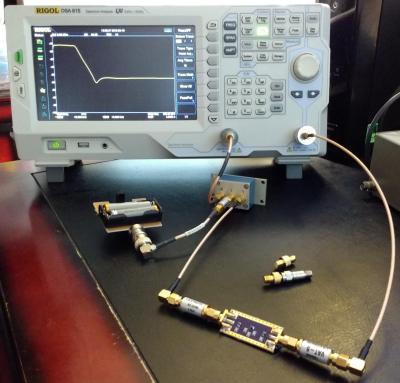
Low-pass filter being tested by a Rigol DSA-815 using the phase shifting correction technique
The title of Ted’s paper is a mouthful and the subject material wades into radio frequency knowledge with gusto. We applaud him, and the peer reviewers, for the attention to detail while moving toward publication.
In his work, Ted finds an interesting opportunity to get more performance out of relatively inexpensive bench equipment used to characterize RF components. This task is often reserved for Vector Network Analyzers (VNA) but with a heafty price tag these tools aren’t available to everyone. Spectrum Analyzers with Tracking Generators (SA/TG) have come onto the market, but especially with early versions, there is a leakage problem that causes inaccuracy. Ted found a simple technique that can correct for the leakage.
The solution is based on phase shifting the measurement. Starting with a properly calibrated machine, Ted uses a small board he built to electronically shift the phase of the Tracking Generator where the leakage is a problem. The signal is first measured, then measured again with a phase shift of 180 degrees. This effectively cancels out the error while preserving the signal being measured.
This paper goes into great technical detail in the RF domain. It is worth noting that the Hackaday Journal is open to discovery on multiple topics and levels of complexity. Don’t let what you think is a simple, useful idea go unpublished. We’re interested in a wide range of the simple, the obscure, and the frighteningly technical as long as the ideas of both novel and well supported.
This is Your Journal
You, yes you reading this right now, embody a movement of inventive and curious people working both inside and outside of formal academic structures. This is our time to contribute to the knowledge base of humanity. Pour yourself a refreshing beverage, saddle up your headphones, crack those knuckles, and let the writing process begin. Let us now what we don’t know. Submit your paper now.
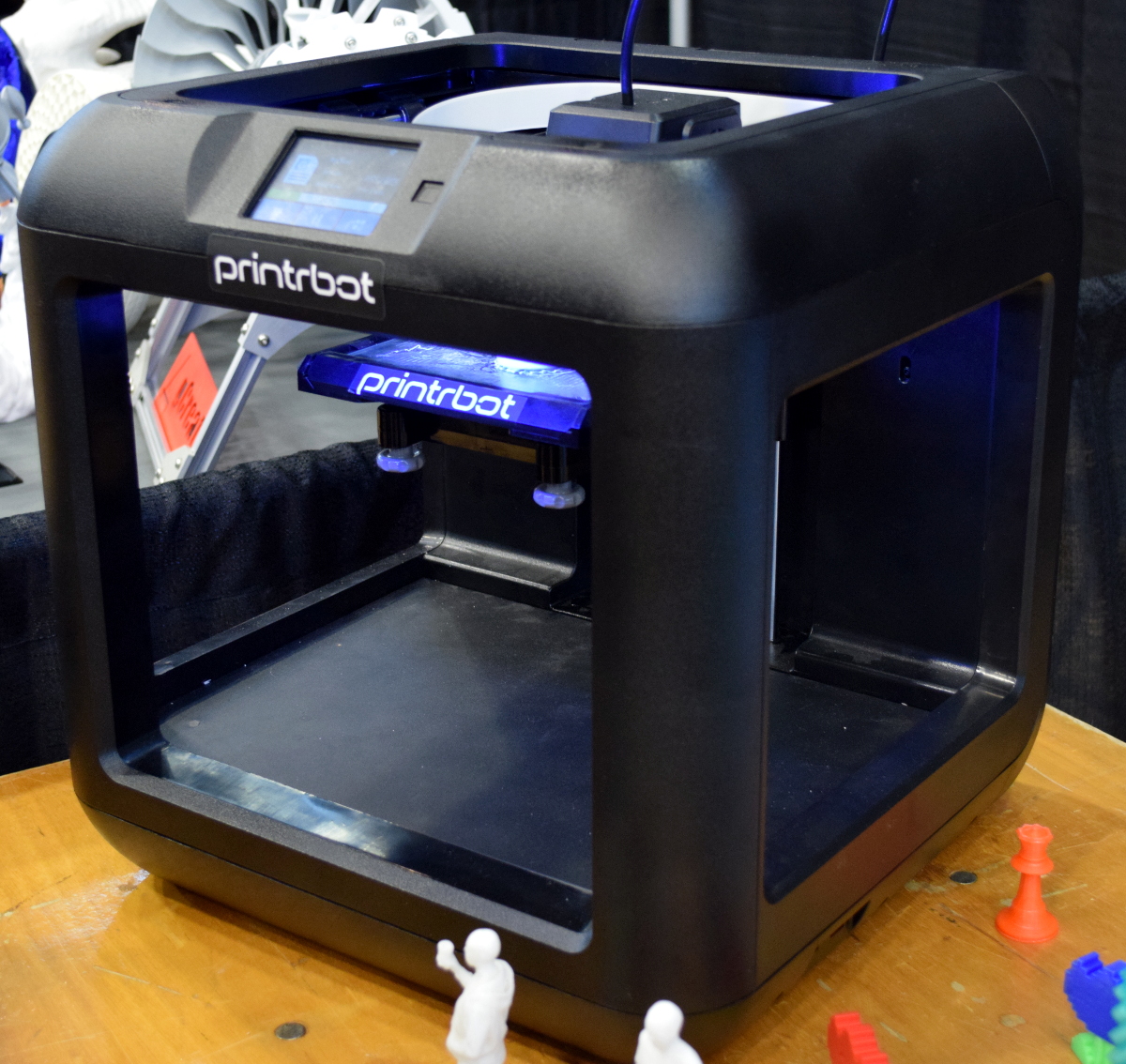
If you follow the desktop 3D printer market, it probably won’t surprise you to hear that nearly every 3D printer on display at the inaugural East Coast RepRap Festival (ERRF) was made in China. Even Printrbot CEO Brook Drumm had to admit that this was the year his company may finally bite the bullet and begin selling a branded and customized printer built overseas.
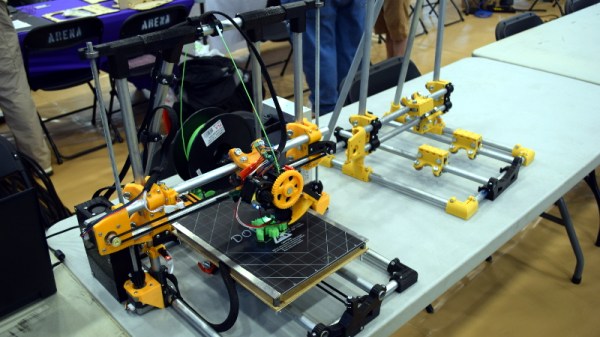
When you can get a decent (but let’s be clear, not great) 3D printer for $200 USD, it’s no surprise that American and European manufacturers are having a hard time staying competitive. But not everyone is seduced by low-cost printers. They know they could buy a decent printer for a couple hundred bucks, but for them that’s not the point. Some hackers are just as (if not more) interested in designing and building the machines than they are churning out little plastic boats with the finished product.
Luckily for us, these are also the type of folks who document their builds and make all their collected information and design files available for others under an open source license. Such builders exemplify the true spirit of the RepRap movement, and we’re happy to report that in a sea of imported printers, there were several interesting home built open source printers.
Whether you want to build your own copy of one of these machines, or simply get inspired by some of the ideas their creators had, these machines are physical proof that just because you can order a cheap 3D printer on eBay right now doesn’t mean you have to.
Just when it seems like we’ve juiced all the creative potential out of our 3D printers, a bold new feature lands on the table. Enter Velocity Painting, a concept brought to life by [Mark Wheadon] that textures our 3D prints with greyscale images.
At its core, the technique is straightforward: skin an image onto a 3D print by varying the print speed in specific locations and, thereby, varying just how much plastic oozes out of the nozzle. While the concept seems simple, the result is stunning.
Velocity Painting opens up new ways of expression on top of an existing print with all the skinning opportunities. Imagine adding a texture for realism like this rook that’s been patterned with a brick layout, or imagine an aesthetic embellishment like the flames on [Mark’s] dragon print.
The results speak for themselves, and the growing number of users are proving it. Head on over to the gallery to indulge yourself in this delightful oozing aesthetic that’s sure to turn a few heads.
[Mark Wheadon’s] hack takes the mechanics of how we print and adds another creative tuning knob. If you’re looking for other embellishments for your prints, have a look at [David Shorey’s] work on texturizing fabrics.







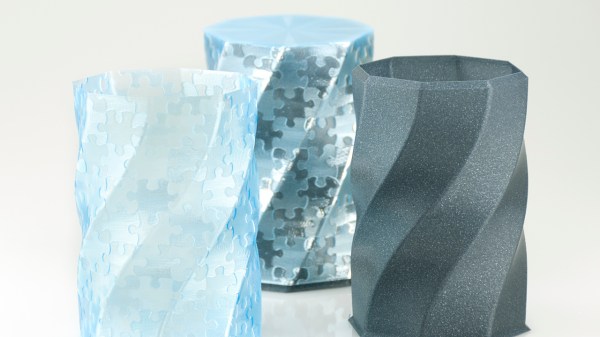
 At its core, the technique is straightforward: skin an image onto a 3D print by varying the print speed in specific locations and, thereby, varying just how much plastic oozes out of the nozzle. While the concept seems simple, the result is stunning.








