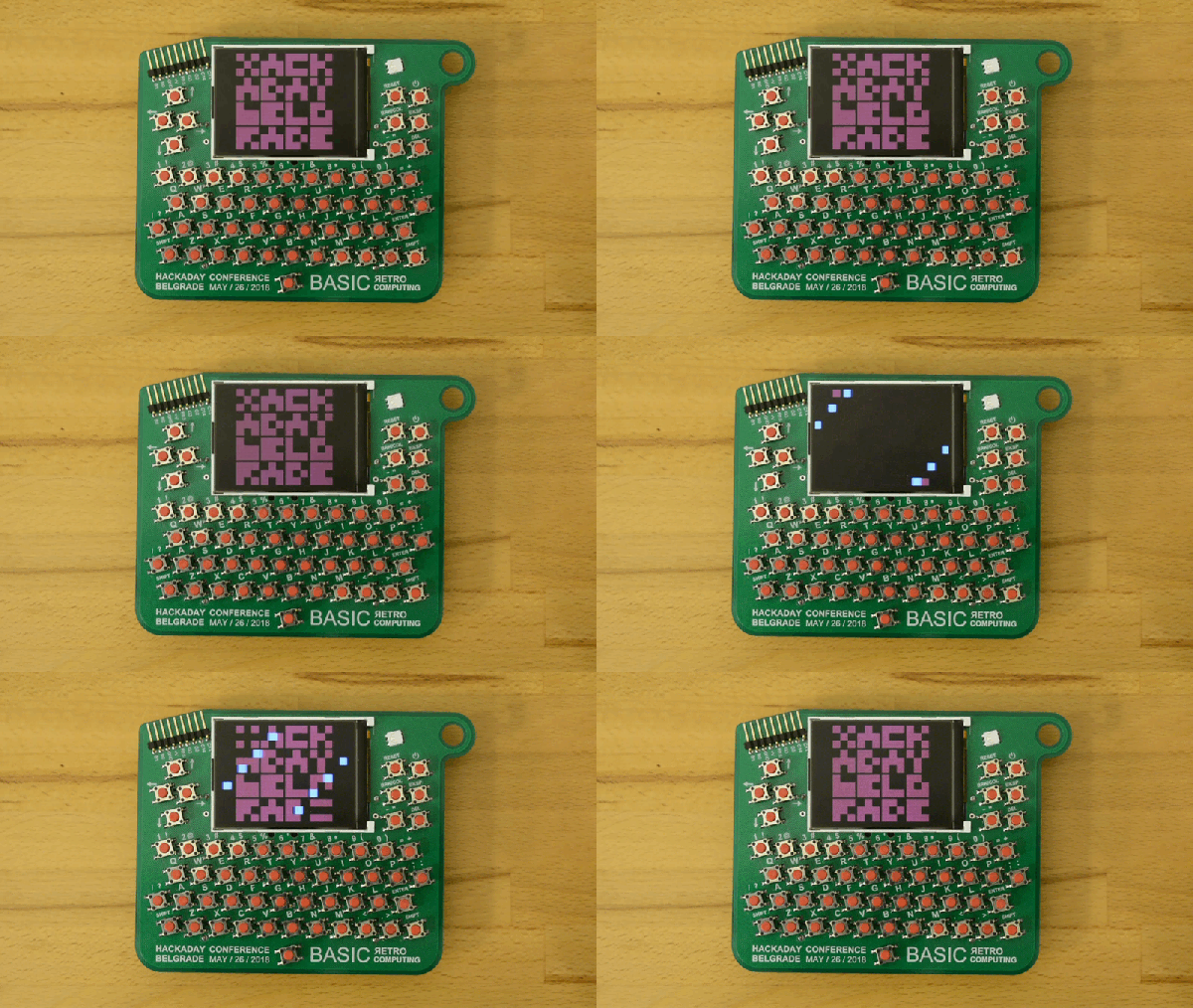
The hardware badge for the Hackaday Belgrade conference is a Retro Computer that you wear around your neck. I have one in my hands and it’s truly a work of art. It’s beautiful, it’s fun to play with, and it will be an epic platform for a glorious weekend of badge hacking! Check out the first look video, then join me below as I drill down into the details.
Get your ticket now for Hackaday Belgrade, our premier European hardware conference at the end of this month. It’s a day filled with talks, works, food, fun, and of course everyone through the door gets one of these incredible badges. The best part is the community that turns out for this event and that includes the Hacker Village that takes hold in the evening. We’ll be hacking the badges until the wee hours of the morning alongside hardware demos, presentations, lightning talks, and live IDM and DJ sets.
It’s a story as old as time: hacker sees cool tool, hacker recoils in horror at the price of said tool, hacker builds their own version for a fraction of the price. It’s the kind of story that we love here at Hackaday, and has been the impetus for countless projects we’ve covered. One could probably argue that, if hackers had more disposable income, we’d have a much harder time finding content to deliver to our beloved readers.
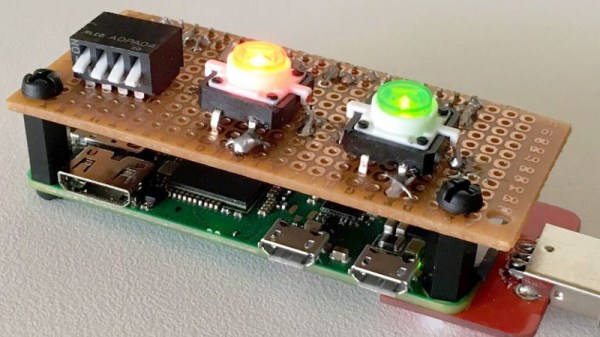
[ Alex Jensen] writes in to tell us of his own tale of sticker shock induced hacking, where he builds his own version of the Hak5 Bash Bunny. His version might be lacking a bit in the visual flair department, but despite coming in at a fraction of the cost, it does manage to pack in an impressive array of features.
This pentesting multitool can act as a USB keyboard, a mass storage device, and even an RNDIS Ethernet adapter. All in an effort to fool the computer you plug it into to let you do something you shouldn’t. Like its commercial inspiration, it features an easy to use scripting system to allow new attacks to be crafted on the fly with nothing more than a text editor. A rudimentary user interface is provided by four DIP switches and light up tactile buttons. These allow you to select which attacks run without needing to hook the device up to a computer first, and the LED lights can give you status information on what the device is doing.
[Alex] utilized some code from existing projects, namely PiBunny and rspiducky, but much of the functionality is of his own design. Detailed instructions are provided on how you can build your own version of this handy hacker gadget without breaking the bank.
Right now, if you happen to be in Noth America, chances are pretty good that there’s at least one little face staring at you. Look around and you’ll spy it, probably about 15 inches up from the floor on a nearby wall. It’s the ubiquitous wall outlet, with three holes arranged in a way that can’t help but stimulate the facial recognition firmware of our mammalian brain.
No matter where you go you’ll find those outlets and similar ones, all engineered for specific tasks. But why do they look the way they do? And what’s going on electrically and mechanically behind that familiar plastic face? It’s a topic we’ve touched on before with Jenny List’s take on international mains standards. Now it’s time to take a look inside the common North American wall socket, and how it got that way.
At this point, you’ve almost certainly heard the tale of Eric Lundgren, the electronics recycler who is now looking at spending 15 months in prison because he was duplicating freely available Windows restore discs. Of no use to anyone who doesn’t already have a licensed copy of Windows, these restore discs have little to no monetary value. In fact, as an individual, you couldn’t buy one at retail if you wanted to. The duplication of these discs would therefore seem to be a victimless crime.
Eric Lundgren
Especially when you hear what Eric wanted to do with these discs. To help extend the functional lifespan of older computers, he intended on providing these discs at low cost to those looking to refurbish Windows computers. After each machine had its operating system reinstalled, the disc would go along with the computer in hopes the new owner would be able to utilize it themselves down the road.
It all sounds innocent enough, even honorable. But a quick glance at Microsoft’s licensing arrangement is all you need to know the whole scheme runs afoul of how the Redmond giant wants their operating system installed and maintained. It may be a hard pill to swallow, but when Eric Lundgren decided to use Microsoft’s product he agreed to play by their rules. Unfortunately for him, he lost.
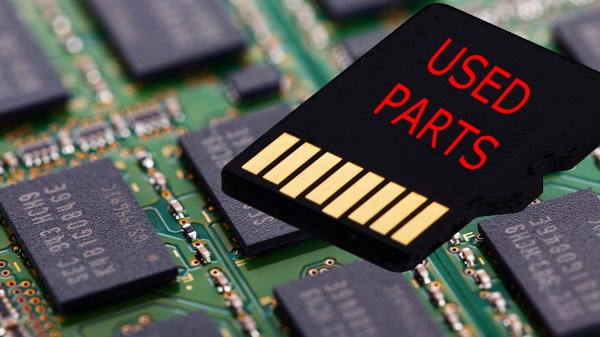
We all love new tech. Some of us love getting the bleeding edge, barely-on-the-market devices and some enjoy getting tech thirty years after the fact to revel in nostalgia. The similarity is that we assume we know what we’re buying and only the latter category expects used parts. But, what if the prior category is getting used parts in a new case? The University of Alabama in Huntsville has a tool for protecting us from unscrupulous manufacturers installing old flash memory.
Flash memory usually lasts longer than the devices where it is installed, so there is a market for used chips which are still “good enough” to pass for new. Of course, this is highly unethical. You would not expect to find a used transmission in your brand new car so why should your brand new tablet contain someone’s discarded memory?
The principles of flash memory are well explained by comparing them to an ordinary transistor, of which we are happy to educate you. Wear-and-tear on flash memory starts right away and the erase time gets longer and longer. By measuring how long it takes to erase, it is possible to accurately determine the age of chip in question.
One of humankind’s dreams has always been to fly like a bird. For a hacker, an achievable step along the path to that dream is to make an ornithopter — a machine which flies by flapping its wings. An RC controlled one would be wonderful, controlled flight is what everyone wants. Building a flying machine from scratch is a big enough challenge, and a better jumping-off point is to make a rubber band driven one first.
I experimented with designs which are available on the internet, to learn as much as possible, but I started from scratch in terms of material selection and dimensions. You learn a lot about flight through trial and error, and I’m happy to report that in the end I achieved a great little flyer built with a hobby knife and my own two hands. Since then I’ve been looking back on what made that project work, and it’s turned into a great article for Hackaday. Let’s dig in!
First Google gradually improved its WaveNet text-to-speech neural network to the point where it sounds almost perfectly human. Then they introduced Smart Reply which suggests possible replies to your emails. So it’s no surprise that they’ve announced an enhancement for Google Assistant called Duplex which can have phone conversations for you.
What is surprising is how well it works, as you can hear below. The first is Duplex calling to book an appointment at a hair salon, and the second is it making reservation’s with a restaurant.
Note that this reverses the roles when talking to a computer on the phone. The computer is the customer who calls the business, and the human is on the business side. The goal of the computer is to book a hair appointment or reserve a table at a restaurant. The computer has to know how to carry out a conversation with the human without the human knowing that they’re talking to a computer. It’s for communicating with all those businesses which don’t have online booking systems but instead use human operators on the phone.
Not knowing that they’re talking to a computer, the human will therefore speak as it would with another human, with all the pauses, “hmm”s and “ah”s, speed, leaving words out, and even changing the context in mid-sentence. There’s also the problem of multiple meanings for a phrase. The “four” in “Ok for four” can mean 4 pm or four people.
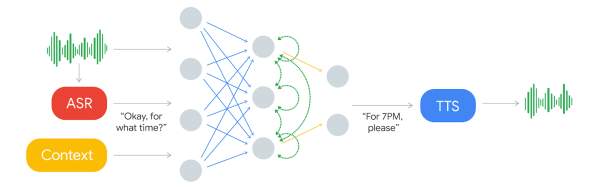
The component which decides what to say is a recurrent neural network (RNN) trained on many anonymized phone calls. The input is: the audio, the output from Google’s automatic speech recognition (ASR) software, and context such as the conversation’s history and the parameters of the conversation (e.g. book places at a restaurant, for how many, when), and more.
Producing the speech is done using Google’s text-to-speech technologies, Wavenet and Tacotron. “Hmm”s and “ah”s are inserted for a more natural sound. Timing is also taken into account. “Hello?” gets an immediate response. But they introduce latency when responding to more complex questions since replying too soon would sound unnatural.
There are limitations though. If it decides it can’t complete a task then it hands the conversation over to a human operator. Also, Duplex can’t handle a general conversation. Instead, multiple instances are trained on different domains. So this isn’t the singularity which we’ve talked about before. But if you’re tired of talking to computers at businesses, maybe this will provide a little payback by having the computer talk to the business instead.
On a more serious note, would you want to know if the person you were speaking to was in fact a computer? Perhaps Google should preface each conversation with “Hi! This is Google Assistant calling.” And even knowing that, would you want to have a human conversation with a computer, knowing that it’s “um”s were artificial? This may save time for the person whom the call is on behalf of, but the person being called may wish the computer would be a little more computer-like and speak more efficiently. Let us know your thoughts in the comments below. Or just check out the following Google I/O ’18 keynote presentation video where all this was announced.