How An Amiga Graphics Business Ran In The 1990s

If you have ever used an eraser to correct a piece of pencil work, have you ever considered how much of an innovation it must have seemed when the first erasers were invented? It might seem odd to consider a centuries-old piece of stationery here on Hackaday, but there is a parallel in our own time. Digital image manipulation is such a part of everyday life these days as to have become run-of-the-mill for anyone with a mobile phone and the right app, but it’s easy to forget how recent an innovation it really is. Only a few decades ago your only chance of manipulating a photograph was to spend a lot of time in a darkroom with a photographic developer of exceptional skill, now children who have never known a world in which it wasn’t possible can manipulate their selfies with a few deft touches of the screen.

[Steve Greenfield] pointed us at a detailed description of the business he ran in the 1990s, offering digital and composite photography using an upgraded Amiga 3000.  It caught our attention as a snapshot of the state of digital image manipulation when these things still lay at the bleeding edge of what was possible.

His 3000 was highly customised from the stock machine. It featured a Phase 5 68060 accelerator board, a Cybervision 64 graphics card, a then-unimaginably-huge 128MB RAM, and an array of gigabyte-plus Fast SCSI drives.  To that he had attached a Polaroid SCSI digital camera with a then-impressive 800×600 pixel resolution. The Polaroid had no Amiga drivers, so he ran the Shapeshifter Mac emulator to capture images under the MacOS of the day. The fastest 68000-series Mac only had a 68040 which the early PowerPC Macs could only emulate, so he writes that his 68060-equipped Amiga ran the Mac software faster than any Mac at the time.

His stock-in-trade was attending sci-fi conventions and giving costumed attendees pictures with custom backgrounds, something of a doddle on such a souped-up Amiga. He writes of the shock of some Microsoft employees on discovering a 60MHz computer could run rings round their several-hundred-MHz Pentiums running Windows 95.

His business is long gone, but its website remains as a time capsule of the state of digital imagery two decades ago. The sample images are very much of their time, but for those used to today’s slicker presentation it’s worth remembering that all of this was very new indeed.

In a world dominated by a monoculture of Intel based desktop computers it’s interesting to look back to a time when there was a genuine array of choices and some of them could really compete. As a consumer at the start of the 1990s you could buy a PC or a Mac, but Commodore’s Amiga, Atari’s ST, and (if you were British) Acorn’s ARM-based Archimedes all offered alternatives with similar performance and their own special abilities. Each of those machines still has its diehard enthusiasts who will fill you in with a lengthy tale of what-if stories of greatness denied, but maybe such casualties are best viewed as an essential part of the evolutionary process. Perhaps the famous Amiga easter egg says it best, “We made Amiga …

Here at Hackaday we’ve covered quite a few Amiga topics over the years, including another look at the Amiga graphics world. It’s still a scene inspiring hardware hackers, for example with this FPGA-based Amiga GPU.

Amiga 3000 image: By [Joe Smith] [Public domain], via Wikimedia Commons.

How Does A Buck Converter Work Anyway?

[Great Scott] should win an award for quickest explanation of a buck converter. Clocking in at five and a half minutes, the video clearly shows the operating principles behind the device.

It starts off with the question, what should you do if you want to drop a voltage? Many of us know that we can dim and brighten an LED using the PWM on an Arduino, but a closer inspection with an oscilloscope still shows 5V peaks that would be dangerous to a 3.3V circuit. He then adds an inductor and diode, this keeps the current from dropping too fast, but the PWM just isn’t switching fast enough to keep the coil energized.

A small modification to the Arduino’s code, and the PWM frequency is now in the kHz range. The voltage looks pretty good on the oscilloscope, but a filter cap gets it to look nice and smooth. Lastly, he shows how when the load changes the voltage out looks different. To fix this a voltage divider feeds back the information to the Arduino, letting it change the PWM duty to match the load.

In the last minute of the video he shows how to hook up off-the-shelf switching regulators, whose support components are now completely demystified as the basic principles are understood. Video after the break.

Continue reading “How Does A Buck Converter Work Anyway?”

1575 Bottles Of Beer On The (LED) Wall

Say hello to my little friend, lovingly named Flaschen Taschen by the members of Noisebridge in San Francisco. It is a testament to their determination to drink Corona beer get more members involved in building big displays each year for the Bay Area Maker Faire. I pulled aside a couple of the builders for an interview despite their very busy booth. When you have a huge full-color display standing nine feet tall and ten feet wide it’s no surprise the booth was packed with people.

Check out the video and then join me after the break for more specifics on how they pulled this off.

Continue reading “1575 Bottles Of Beer On The (LED) Wall”

Hands-On With The BBC Micro:Bit

It’s been a long wait, but our latest single board computer for review is finally here! The BBC micro:bit, given free to every seventh-grade British child, has landed at Hackaday courtesy of a friend in the world of education. It’s been a year of false starts and delays for the project, but schools started receiving shipments just before the Easter holidays, pupils should begin lessons with them any time now, and you might even be able to buy one for yourself by the time this article goes to press.

The micro:bit top view

It’s a rather odd proposition, to give an ARM based single board computer to coder-newbie children in the hope that they might learn something about how computers work, after all if you are used to other similar boards you might expect the learning curve involved to be rather steep. But the aim has been to position it as more of a toy than the kind of development board we might be used to, so it bears some investigation to see how much of a success that has been.

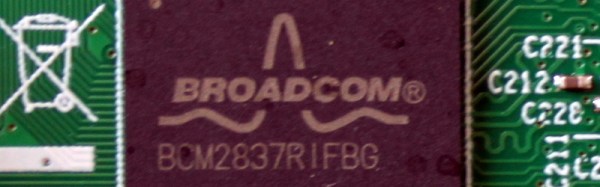
Opening the package, the micro:bit kit is rather minimalist. The board itself, a short USB lead, a battery box and a pair of AAA cells, an instruction leaflet, and the board itself.  Everything is child-sized, the micro:bit is a curved-corner PCB about 50mm by 40mm. The top of the board has a 5 by 5 square LED matrix and a pair of tactile switches, while the bottom has the surface-mount processor and other components, the micro-USB and power connectors, and a reset button. Along the bottom edge of the board is a multi-way card-edge connector for the I/O lines with an ENIG finish. On the card edge connector several contacts are brought out to wide pads for crocodile clips with through-plated holes to take 4mm banana plugs, these are the ground and 3V power lines, and 3 of the I/O lines.

Continue reading “Hands-On With The BBC Micro:Bit”

Flying Balls Of Molten Aluminum!

We’re replacing “holy moley” in our vocabulary. Levitating globs of molten aluminum are that much more amazing. It’s not that we couldn’t believe it would work — we understand the physics after the fact. It’s just that we never would have thought to build an induction forge that can simultaneously melt and levitate a chunk of aluminum. (Video embedded below.)

[imsmoother] has had plans for 3 kW and 10 kW induction heaters online since at least 2011, and we’re wondering how we haven’t covered it before. Anyway, in the video, he’s using the smaller of the two to melt a chunk of aluminum. Continue reading “Flying Balls Of Molten Aluminum!”

The Minima Is An All-Band HF Transceiver For Under $100

If you have ever browsed an amateur radio magazine you could be forgiven for receiving the impression that it is a pursuit exclusively for the wealthy. Wall-to-wall adverts for very large and shiny transceivers with hefty price tags abound, and every photograph of someone’s shack seems to sport a stack of them.

Of course, this is only part of the story. Amateur radio is and always has been an astonishingly diverse interest, and away from the world of shiny adverts you’ll find a lot of much more interesting devices. A lot of radio amateurs still design and build their own equipment, and the world of homebrew radio is forever producing new ideas.

One such project came to our attention recently, the Minima, an all-band HF SSB transceiver. It’s an interesting device for several reasons, it uses readily available components, it’s an impressively simple design, and it should cost under $100 to build. This might sound a little far-fetched, were it not from the bench of [Ashhar Farhan, VU2ESE], whose similarly minimalist BITX single band SSB transceiver set a new standard for accessible SSB construction a few years ago.

The circuit shares some similarities with the tried-and-tested BITX, using bi-directional amplifier building blocks. The mixers are now FETs rather than diodes, the intermediate frequency has moved from 9MHz to 20MHz, and the local oscillator is now an Arduino-controlled clock generator. The whole thing is designed to be built dead-bug-style if necessary, and two prototypes have been built. We’d expect this design to follow a similar evolution to the BITX, with the global community of radio amateurs contributing performance modifications, and no doubt with some kit suppliers producing PCBs and kits. We think this can only be a good thing, and look forward to covering some of the results.

We’ve featured [Ashhar]’s work here at Hackaday before, when we covered a BITX build. if you’re left wondering what this amateur radio business is all about, we suggest you have a read of [Bill Meara]’s guest post on the subject.

Thanks [Seebach] for the tip.

Tools Of The Trade – Reflow

In our previous issues in this series on making circuit boards, we covered placing solder paste and placing components. Now it’s time to bake our cake!

There are a variety of methods for reflowing a circuit board, but they all rely on a single principle: heat up the solder paste (a mixture of flux and solder) until the flux burns off and the solder becomes liquid, and then cool it down. Accomplishing this once or twice is easy; once you’ve played with a hot plate you’ll swear off through hole. Scaling it up and doing it repeatedly with high yield is extremely challenging, though. Continue reading “Tools Of The Trade – Reflow”