Resurrecting PONG, One Jumper Wire At A Time

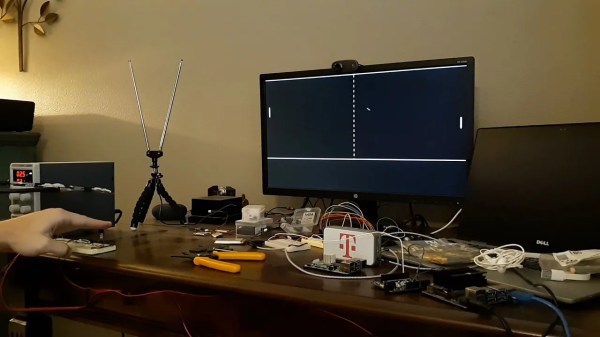
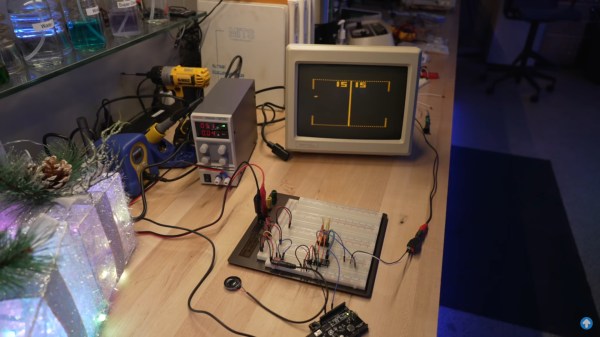
Between 1976 and 1978, over one million Coleco Telstar video game consoles were sold. The Killer App that made them so desirable? PONG. Yep, those two paddles bouncing a ball around a blocky tennis court were all the rage and helped usher in a new era. And as [Dave] of Dave’s Garage shows us in the video below the break, the bringing the old console back to life proved simpler than expected!

Thankfully, the console is built around what [Dave] quite aptly calls “PONG on a chip”, the General Instrument AY-3-8500 which was designed to make mass production of consoles possible. The chip actually contains several games, although PONG was the only one in use on the Coleco.
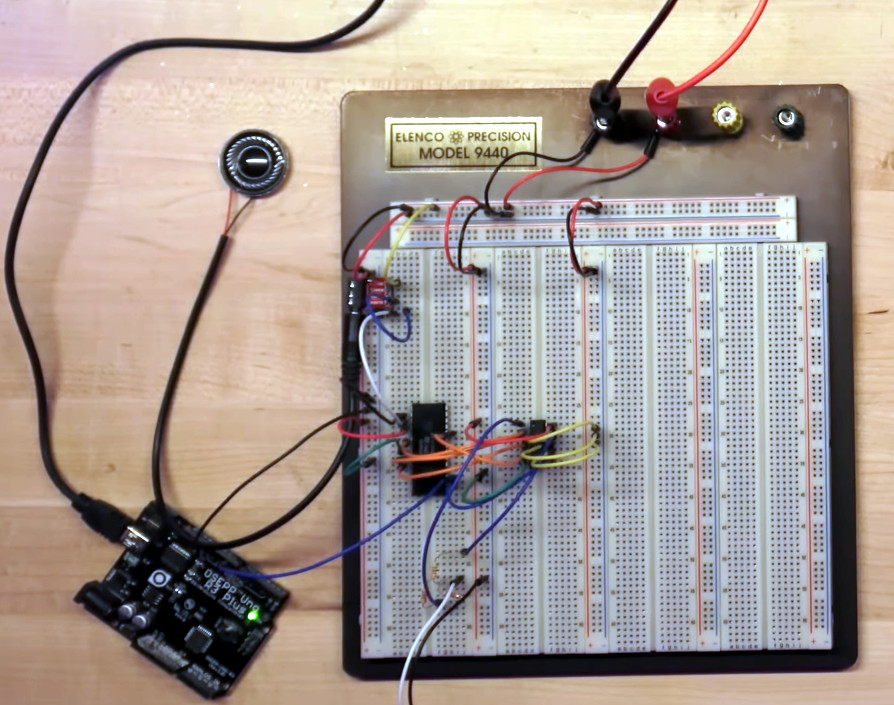
After removing the CPU from the non-functional console, [Dave] breathed life into it by providing a 2 MHz clock signal that was generated by an Arduino, of all things. A typical 2N2222 amplifies the audio, and a quick power up showed that the chip was working and generating audio.

Video is smartly taken care of just as it was in the original design, by combining various signals with a 4072 OR gate. With various video elements and synchronization patterns combined into a composite video signal, [Dave] was able to see the game on screen, but then realized that he’d need to design some “paddles”. We’ll leave that up to you to watch in the video, but make sure to check the comments section for more information on the design.

Is a breadboarded PONG console not retro enough for you? Then check out this old school mechanical version that was found languishing in a thrift store.

Continue reading “Resurrecting PONG, One Jumper Wire At A Time”
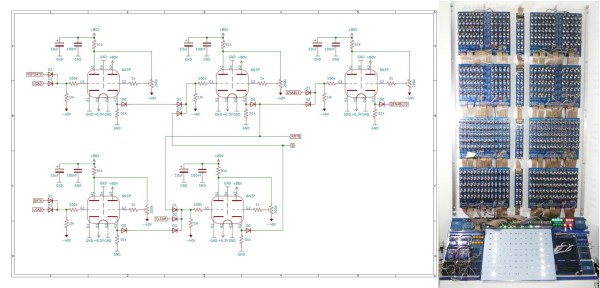
A vacuum tube computer next to a part of its schematic

This Colossal Vacuum Tube Computer Plays A Mean Game Of Pong

It doesn’t happen often that we report on new vacuum tube based computer designs. Today however, we’re pleased to introduce to you the Fast Reliable Electronic Digital Dot Computer, or Fred.Computer for short. It’s the brainchild of [Mike] who also brought us ENA, which we featured earlier.

Fred is a new design that reuses the parts that made up ENA. It has an 8-bit CPU, 16 bytes of RAM, 256 bytes of NVRAM, and runs at a clock speed of 11.3 kHz. With its 560 tubes drawing a total supply current of about 200 A it also provides a fair bit of heating to [Mike]’s study. The main logic is implemented through NOR gates, built from 6N3P dual-triode tubes sourced from Eastern Europe. These NOR gates are combined into more complex structures like latches, registers and even a complete ALU. A total of sixteen machine code instructions can be used to write programs; clever design allows Fred to perform 16, 32 or even 64-bit calculations with its 8-bit ALU.

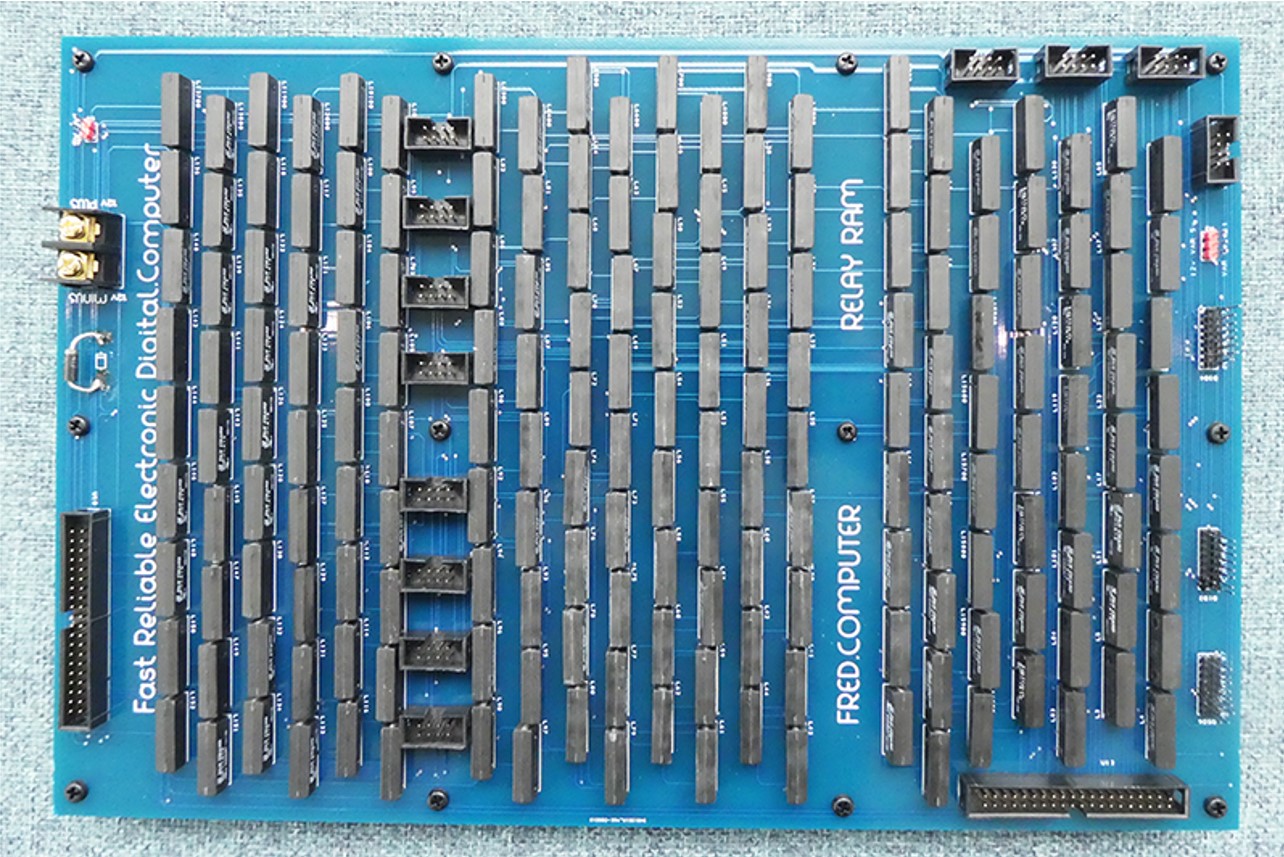
A PCB with many reed relays
Need some RAM? There’s sixteen bytes right here.

An interesting addition is a new RAM design based on reed relays. [Mike] realised that relays are actually very similar to digital transmission gates and can therefore be used to make a simple static RAM cell. If you thought relays were too slow for RAM cells, think again: these reed relays can toggle at a mind-boggling 700 Hz, making them more than fast enough for Fred.

The main I/O device is a console that contains several pushbuttons as well as a 12 x 8 LED display. All of this makes Fred a fully-functional general-purpose computer that’s even capable of playing Pong (video, embedded below). [Mike]’s website is full of interesting detail on all aspects of vacuum tube computer design, and makes delightful reading for anyone tempted by the idea of building their own.

Can’t get enough of vacuum tube computers? Have a look at this 1-bit MC14500 implementation, marvel at this modern interpretation of an adding machine, or find out how IBM designed its logic in the 1950s.

Continue reading “This Colossal Vacuum Tube Computer Plays A Mean Game Of Pong”

Pong In Hardware… Virtually

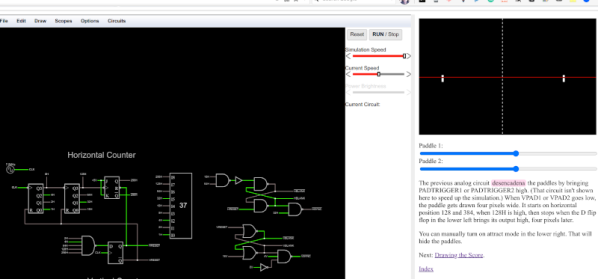
We are big fans of the Falstad circuit simulator. Sure, it isn’t perfect, but there’s nothing else like it when you want to whip up a simple circuit. But we were blown away when we saw a more or less complete hardware implementation of Pong in Falstad. No kidding. Starting with the original schematics, there are multiple pages that show each sub-circuit and even a playable subset that you can play the game in your browser.

But wait… you probably noticed there’s no CRT display in the simulator’s component menu. That’s true, there isn’t. However, you can write JavaScript to interact with a running simulation, so the display is a simple bit of JavaScript that samples signals at predetermined points and does the appropriate drawings. There’s even audio output for the sound effects, although that is built into the simulator.

Continue reading “Pong In Hardware… Virtually”

Oscilloscope Clocks: Now In Color!

Ordinarily, when we hear the words “clock” and “oscilloscope” in the same sentence we conjure images of measuring a stable, repeating square wave that acts as the heartbeat of a system. Of course, that’s not the only meaning– there’s a much more fun and less useful one: using an oscilloscope to display the time.

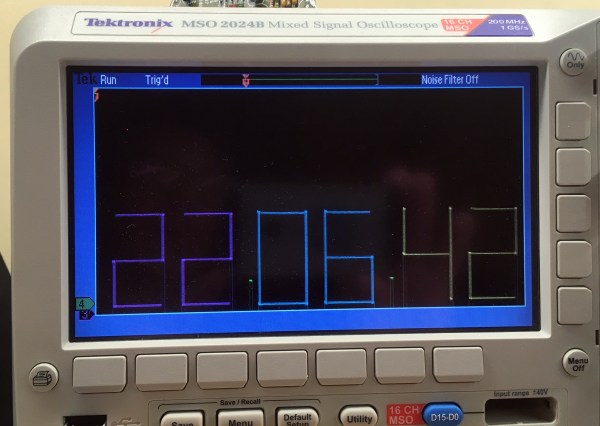
That’s what [Wolfgang Friedrich] set out to do when he cobbled some protoboard, probes, and an FPGA into the Multi Color Oscilloscope Clock. Each digit on the clock is treated like a seven-segment display, made up of three horizontal bars and four vertical bars. The horizontal bars are generated by constant voltage at different levels, and the vertical bars are generated by quickly switching between two voltages. [Wolfgang] decided to use an R-2R resistor ladder DAC to create the appropriate analog signals from the FPGA’s digital outputs. For bonus points, each set of digits (hours, minutes, and seconds) are output concurrently through separate channels, so they can be displayed in different colors on the screen of his four-channel scope (the fourth channel is used for the points between numbers).

Misusing oscilloscopes in the name of fun has become a time-honored tradition– from Tennis for Two back in 1958 (which later became the beloved Pong) to the plethora of analog o-scope clocks we’ve seen, it’s clear that hackers just can’t get enough of the unique vector display style that a scope can provide. We love [Wolfgang]’s idea of using the scope’s channels to create a multi-color display, and we’re left wondering what kind of wacky waveforms we’ll be seeing next.

Pi Pico Project Plays Pong Perfectly

Even as technology keeps progressing, we find ourselves coming back to the classics again and again. Pong is quite possibly the classic game, and the Raspberry Pi Pico is one of the latest microcontrollers. So [Nick Bild] combined them expertly in his Pico Pong project, which includes gesture controls and a custom VGA output.

Rolling your own VGA signal is no simple feat, and this project takes full advantage of the Pico’s features to pull it off. Display data is buffered in memory, while a Programmable I/O (PIO) program reads straight from the buffer via Direct Memory Access (DMA) and writes straight to the display. This allows for nanosecond-precision while leaving the CPU free to handle inputs and run the game. Even with the display work offloaded, the ARM processor had to be massively overclocked at 258 MHz, well over its 133 MHz specs, to make things run smoothly. And still [Nick] found himself limited to a 640×350 resolution and serendipitously-retro-accurate monochrome color scheme.

Gesture controls come from a pair of IR light beams hooked up to the GPIO. IR LEDs shine up toward reflectors, and the light bounces back down to detectors. Blocking one of the beams causes your paddle to move up or down, which looks pretty responsive in the video (embedded below).

We’ve seen [Nick] play Pong before, though at that time it was handheld and based on the venerable 6502. And just recently we wrote about the Raspberry Pi Pico powering another classic game: Snake.

Continue reading “Pi Pico Project Plays Pong Perfectly”

Linear Pong Loses A Dimension But Remains Challenging

When Pong hit the scene in the early 70s, there was something about the simplicity of the 2D monochrome tennis game that made it engaging enough that enthusiastic proto-gamers shorted-out machines by stuffing their coin boxes to overflowing.  But even with the simplicity of Pong’s 2D gameplay, the question becomes: could it by made simpler and still be playable?

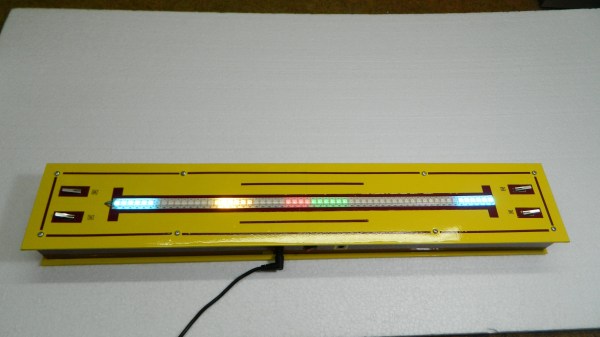
Surprisingly, if this one-dimensional Pong game is any indication, it actually seems like it can. Where the original Pong made you line up your paddle with the incoming ball, with the main variable being the angle of the carom from your opponent, [mircemk]’s version, limited to a linear game field, makes the ball’s speed the variable. Players take control of the game with a pair of buttons at the far ends of a 60-LED strip of WS2812s. The ball travels back and forth along the strip, bouncing off a player’s paddle only if they push their button at the exact moment the ball arrives. Each reflection back to the opponent occurs at a random speed, making it hard to get into a rhythm. To add some variety, each player has a “Boost” button to put a little spice on their shot, and score is kept by LEDs in the center of the play field. Video of the game play plus build info is below the break.

With just a Neopixel strip, an Arduino Nano, and a small handful of common parts, it should be easy enough to whip up your own copy of this surprisingly engaging game. But if the 2D-version is still more your speed, maybe you should check out the story of its inventor, [Ted Dabney]. Or, perhaps building a clock that plays Pong with itself to idle the days away is more your speed.

Continue reading “Linear Pong Loses A Dimension But Remains Challenging”

LEDs Shine Through PCB On This Tiny Word Clock

Everyone seems to love word clocks. Maybe it’s the mystery of a blank surface lighting up to piece together the time in fuzzy format, or maybe it hearkens back to those “find-a-word” puzzles that idled away many an hour. Whatever it is, we see a lot of word clock builds, but there’s something especially about this diminutive PCB word clock that we find irresistible.

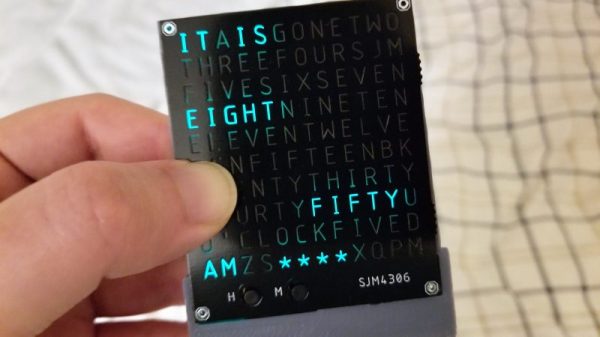
Like all fun projects, [sjm4306] found himself going through quite the design process with this one. The basic idea – using a PCB as the mask for the character array – is pretty clever. We’ve always found the laser-cut masks to be wanting, particularly in the characters with so-called counters, those enclosed spaces such as those in a capital A or Q that would be removed by a laser cutter. The character mask PCB [sjm4306] designed uses both the copper and a black solder mask to form the letters, which when lit by the array of SMD LEDs behind it glow a pleasing blue-green color against a dark background. Try as he might, though, the light from adjacent cells bled through, so he printed a stand that incorporates baffles for each LED. The clock looks great and even has some value-added modes, such as a falling characters display a la The Matrix, a Pong-like mode, and something that looks a bit like Tetris. Check out the video below for more details.

We’ve seen word clocks run afoul of the counter problem before, some that solved it by resorting to a stencil font, others that didn’t. We’re impressed by this solution, though, enough so that we hope [sjm4306] makes the PCB files available so we can build one.

Continue reading “LEDs Shine Through PCB On This Tiny Word Clock”