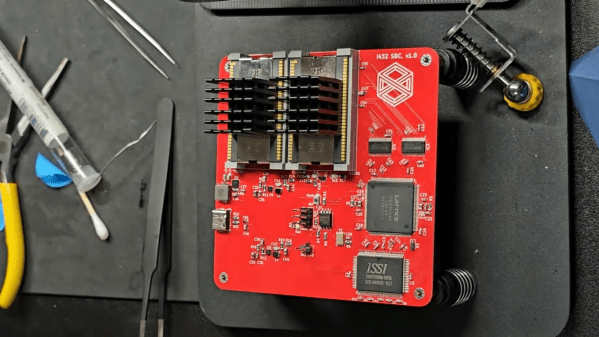
A square red circuit board is shown on a black workbench. The circuit board houses two large chips in the upper left corner, each with a large heat sink attached.

Just How Bad Was The Intel IAPX432?

Processor design over the last few decades has moved toward RISC processors that aim to implement a few simple operations very efficiently. For a while, though, the trend was toward ever-more-complex CISC designs that let programmers implement complex behaviors using as few instructions as possible. Few processors took this approach further than the Intel iAPX432. This hyper-CISC processor was a commercial failure, largely due to its notoriously poor performance, but [MarkTheQuasiEngineer]’s benchmark suggests that this notoriety wasn’t totally deserved.

The first step before running a benchmark was to build a computer around the processor. The iAPX432 was implemented in three chips, two of which acted as the general data processor (GDP), and one of which handled input and output. [Mark] built an SBC (design and code here) that houses the two GDP chips and an FPGA for I/O. The 432 did have a well-deserved reputation for efficiently turning electricity into heat, and the original voltage regulator failed rather quickly.

The 432 was designed to use machine code which was almost a high-level language, with built-in object-oriented programming. It had over 200 operators, some of which implemented complex object-oriented operations, and a wide variety of data types, but it had no directly-accessible general-purpose registers. In addition to the lack of registers, it also had a very complex addressing system, allowing both direct and indirect addressing. For better performance, [Mark] used direct addressing.

For the benchmark, [Mark] implemented the Spigot algorithm to calculate the value of Pi. The results were somewhat surprising: calculating 2048 digits, it beat his previous retro-processor benchmarks; an Intel 8086 running the same algorithm took 2.5 times as long. Based on the results of this hand-written code, [Mark] speculates that the 432’s poor performance had more to do with poor compiler optimization than with the fundamental design.

We’ve covered some of the history of this troubled chip before. For a similarly ambitious but ill-fated Intel project, check out the history of Itanium.

Hackaday Links Column Banner

Hackaday Links: May 24, 2026

If your first-generation Chromecast was acting a little wonky this week, don’t worry. Contrary to fears online, the 2014 device hasn’t been excommunicated by Google. In a statement to Ars Technica, a rep for the search giant explained that the issue, which was keeping the devices from being able to stream video from services like Netflix, was temporary and should now be resolved. That said, the OG Chromecast hasn’t officially been supported since 2023, so it’s not clear how much longer they will remain operational. Google be Google, after all.

After resisting for years, this week, Mozilla finally relented and brought Web Serial to Firefox. While there’s been some debate about the wisdom of letting the Internet directly talk to hardware gadgets, anyone who’s flashed Meshtastic or configured their Betaflight-powered drone from the browser can attest to how convenient it is. In the announcement, Mozilla acknowledges that “most folks won’t use this API”, but points out that the “community of builders and tinkerers” (that’s us!) is sure to be excited about the news. They’ve even teamed up with Adafruit to ensure their web-based microcontroller workflows are compatible in Firefox 151 and beyond. If you give it a shot, let us know how it goes.

Speaking of hardware support, the Linux Vendor Firmware Service (LVFS) recently picked up a couple of big-name sponsors. As reported by It’s FOSS, this week, Lenovo, Dell, and HP have signed on as Premier-level sponsors to the tune of $100,000 per year. For those unfamiliar, LVFS offers a central repository where hardware vendors can upload firmware updates. On the client side, fwupd can be used to pull these updates down automatically without having to hunt around on each vendor’s website. The experienced players don’t need a service like LVFS, but it’s certainly one of those quality-of-life improvements that make the desktop experience a bit more accessible.

Continue reading “Hackaday Links: May 24, 2026”

How The Banana Pi BPI-R4 Pro Violates The First Rule Of OpenWRT Club

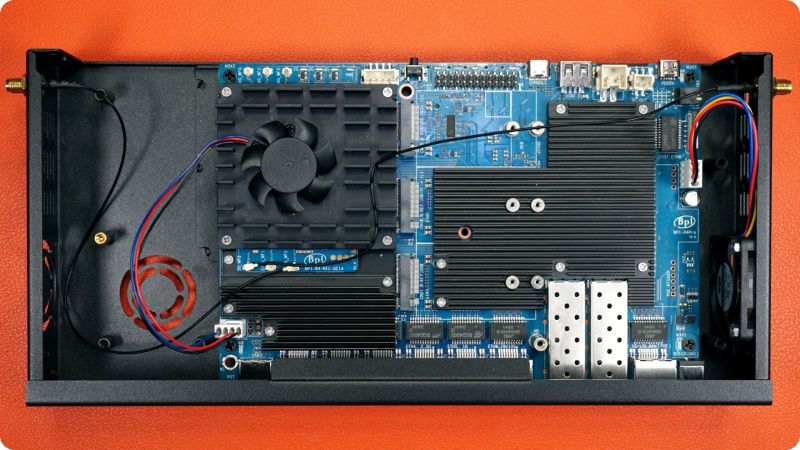
As fun as ARM and RISC-V single-board computers (SBCs) are, all too often getting the most out of the hardware requires the use of an unofficial firmware image. So too with the Banana Pi BPI-R4 Pro router SBC that has been out for a while, as OpenWRT support for it still very much unofficial. This is where [Interfacing Linux] goes on a bit of a rant while assembling one of these puppies into a sleek metal enclosure.

The first rule of OpenWRT Club is of course that you never run an unofficial image on any hardware that’s part of any network you care about. This is somewhat upsetting, as the testing shown in the video below reveals that performance is great when running it.

Currently OpenWRT support is painfully working its way through development, per the OpenWRT PR thread, so there’s hope that official support will appear at some point. As with all of such SBCs the question is always whether official support appears before the hardware has been rendered firmly obsolete. Until then the community Debian 13 image might actually be safer.

Continue reading “How The Banana Pi BPI-R4 Pro Violates The First Rule Of OpenWRT Club”

Qualcomm’s New QCC74x Appears To Target The ESP32 MCUs

These days wireless microcontrollers featuring built-in WiFi and Bluetooth are all the rage, with Espressif’s range of ESP32 MCUs being the default option for commercial and hobbyist projects alike. This makes Qualcomm’s recently released QCC74x MCU rather interesting, as specification-wise it would seem to be placed firmly in ESP32 territory.

On the radio side you get 1×1 WiFi 6, Bluetooth 5.4, and IEEE 802.15.4 (e.g. Thread and Zigbee), coupled with a single-core 352 MHz RISC-V CPU with FPU and DSP features and 484 kB of SRAM. The SDK for this MCU is hosted on Codelinaro, featuring the typical FreeRTOS-based stack, though confusingly Bluetooth and Zigbee support are currently marked as ‘not supported’. This might still be in progress.

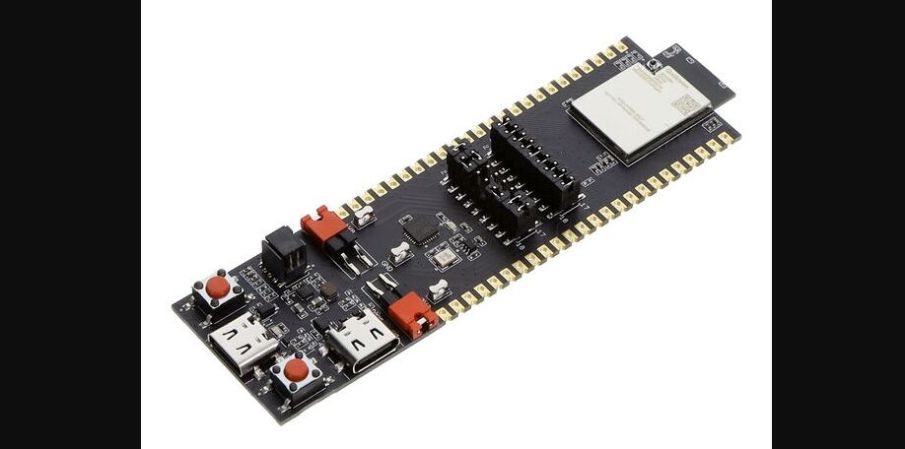
Where the competition with Espressif feels clear is in the pricing, with the highest-performance evaluation board (QCC748M EVK, pictured above) listed for $13 (before taxes/tariffs). This gets you 8 MB of PSRAM built-in with unspecified link speed, but likely the same QSPI as used for the NOR Flash. USB support is available on this higher-end tier, while absent on the QCC743. Development documentation is also available, and looks fairly complete based on first glance.

Overall the QCC74x looks to be an upgrade to the older and significantly less powerful QCC730 MCU. Depending on software support and final pricing it could make for an interesting competitor to some of Espressif’s modules like its ESP32-C series or ESP32-S2, though the upcoming ESP32-S31 would seem to have it matched or beat on all metrics.

Running Windows CE On The Nintendo 64

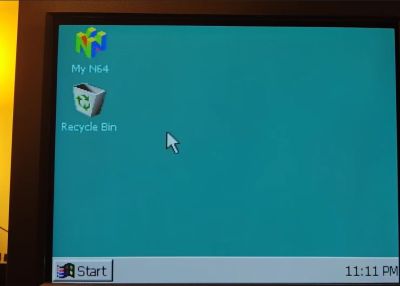
Although Windows CE doesn’t use the NT kernel, it’s similarly designed to run on a wide variety of system architectures. Since the Nintendo 64 uses a MIPS CPU it should basically just run either kernel. You might assume that the N64’s rather limited specs are a bit of a problem, but fortunately Windows CE is designed to run on a digital potato, and requires only a MB of RAM. Since that just so happens to be what the N64 has under the hood, [Throaty Mumbo] was optimistic about getting Windows CE running on the 1990s game console.

The idea for this project came when [Throaty] was tinkering with an IBM Workpad Z50 laptop that uses almost the same CPU as the N64 and also runs Windows CE. Although said laptop is probably a lot more practical of a platform to run Windows on, this didn’t mean that it wouldn’t be a fun challenge.

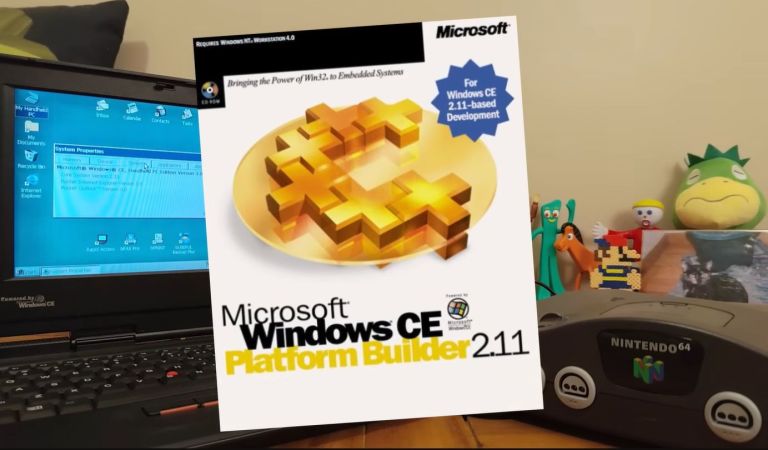
Since CE was intended to be customized by companies for their own embedded hardware this means that you can use an official SDK, such as Microsoft Windows CE 2.11 Platform Builder. Making Windows CE 2.11 run on an N64 thus involves creating a board-specific configuration and compile that against said SDK.

If you want to give it a shot yourself, the entire project is available on GitHub which is where you find most of the technical details as well. When using a flash cart such as the EverDrive, you can also put applications on the SD card and run them from within the Windows GUI. You’ll still be limited by the N64 hardware, but otherwise the experience is very smooth as the video below demonstrates.

Continue reading “Running Windows CE On The Nintendo 64”

RS-485 Sprinkler system

RS-485 Sprinkler Control: Scaling Irrigation Across The Farm

Building your own sprinkler system controller isn’t that difficult on the face of it, but what happens when your system starts to grow, adding more distant areas? To tackle this, [Vinnie] leveraged the tried-and-true RS-485 differential pairs to communicate reliably with ever-more-spread-out valves on his farm’s irrigation system.

The system uses a Raspberry Pi to control when each valve turns on and for how long. It does this via a custom RS-485 valve master board, whose code and design files are on GitHub. The master board communicates with the Pi over I2C and issues RS-485 commands while controlling the 12V line to the valves. Toggling the 12V supply is a smart move it lets [Vinnie] save power by not keeping the valves energized when idle.

At the valves themselves lives a valve node board (also on the GitHub repo). Each node has a unique address so it knows when its name is called to open or close a valve. The valves are latching solenoids, ideal because they don’t require constant current during the watering cycle. The Valve Nodes also support their own protocol to report state, firmware version, and allow in-situ configuration.

Be sure to head over to [Vinnie]’s project page and check out all the work that went into this great DIY irrigation control system, along with the thoughtful boards and tools he made to help others set it up. This is a welcome addition to the sprinkler-related projects we’ve seen.

A Raspberry Pi-powered glitch camera, with adjustable glitch.

Easy-ish Glitch Camera? There’s A Pi 4 That

Usually, when you want to make glitchy images with lots of colors and things, you have to poke around inside a camera and successfully circuit-bend the thing without bricking it. But [sharkbiscuit101] proves that this isn’t necessary, provided you have a Raspberry Pi 4 and a few other components.

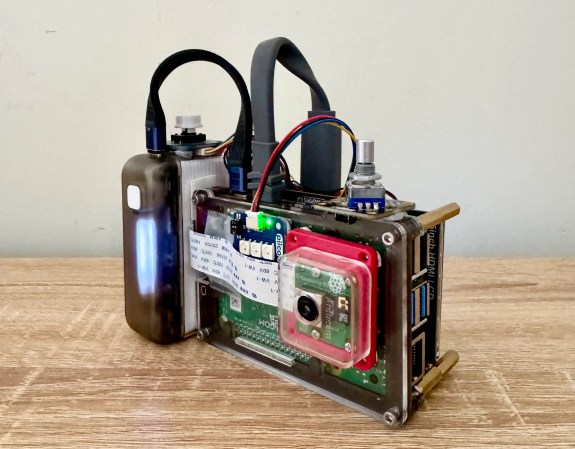
Now we don’t have a lot of detail here, but [sharkbiscuit101] is being heavily encouraged to share the relevant files and a component list. What we do know is that the there’s a screen for previewing images, a portable battery, a shutter button, a rotary encoder to dial in the weirdness, and a game pad for controls. Using the script and a slider, you can tweak different aspects of the image to basically break it down in real time. If you find a nifty combination, you can use the rotary encoder to save and then recall presets.

If you’re wondering about the grip, that’s a Sharge battery from the Bezos Barn. Per [sharkbiscuit101], it is a good size, and since Pi 4 doesn’t have a power button, it can be turned on and off at the battery.

Of course, you can always mess with JPGs on a raw, textual level instead, or produce standard photographs with a pinhole camera.